Skip to the content
PCBKitNew board
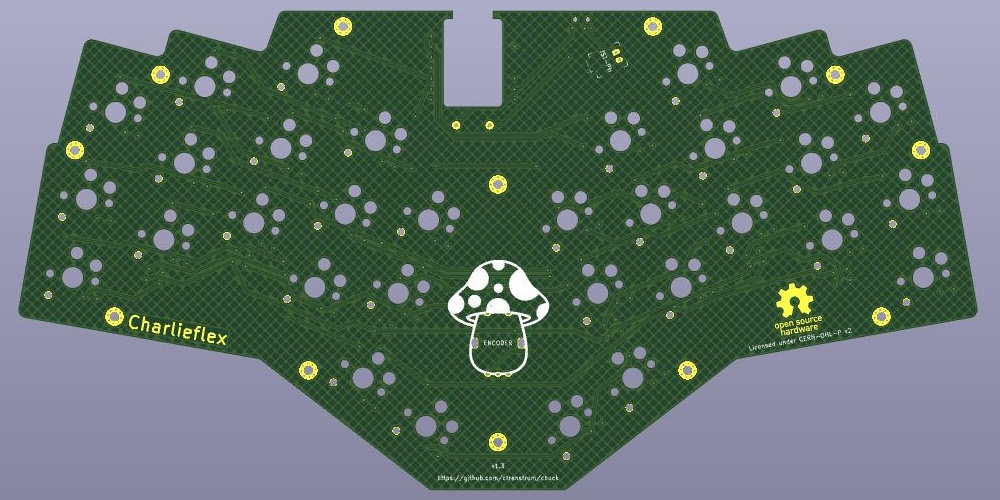
2 layers229.7 × 114.9 mmChuck, the printed circuit board in 3D

Repository for the Charlieflex keyboard

Size
229.7 × 114.9 mm
Copper layers
2
Thickness
1.6 mm
Parts
98
Nets
53
Pads
600
Tracks, vias
572, 56
Pours
1
Routed
Yes
KiCad
KiCad 8.0 (file 20240108)
Created
21 Dec 2024
Updated
18 Jul 2026

Overview

Chuck is an open-source printed circuit board by ctranstrum, from the ctranstrum/chuck repository on GitHub, published under the CERN-OHL-P-2.0 licence. It is a 2-layer board of 229.7 × 114.9 mm with 98 parts on 53 nets, routed with 572 tracks and 56 vias.

Its parts include 45 diodes and 33 switches. It belongs with the keyboards and input boards and the RP2040 and nRF52 and nRF5x boards of this library.

README

README.md

Charlieflex Keyboard

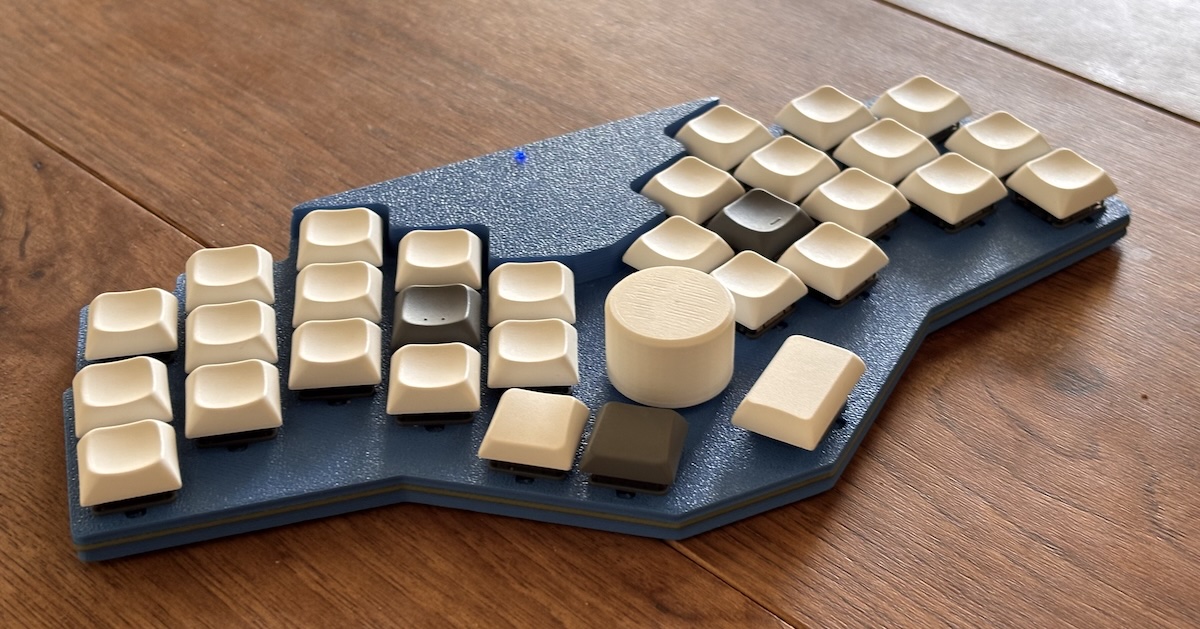
Charlieflex sample

Features

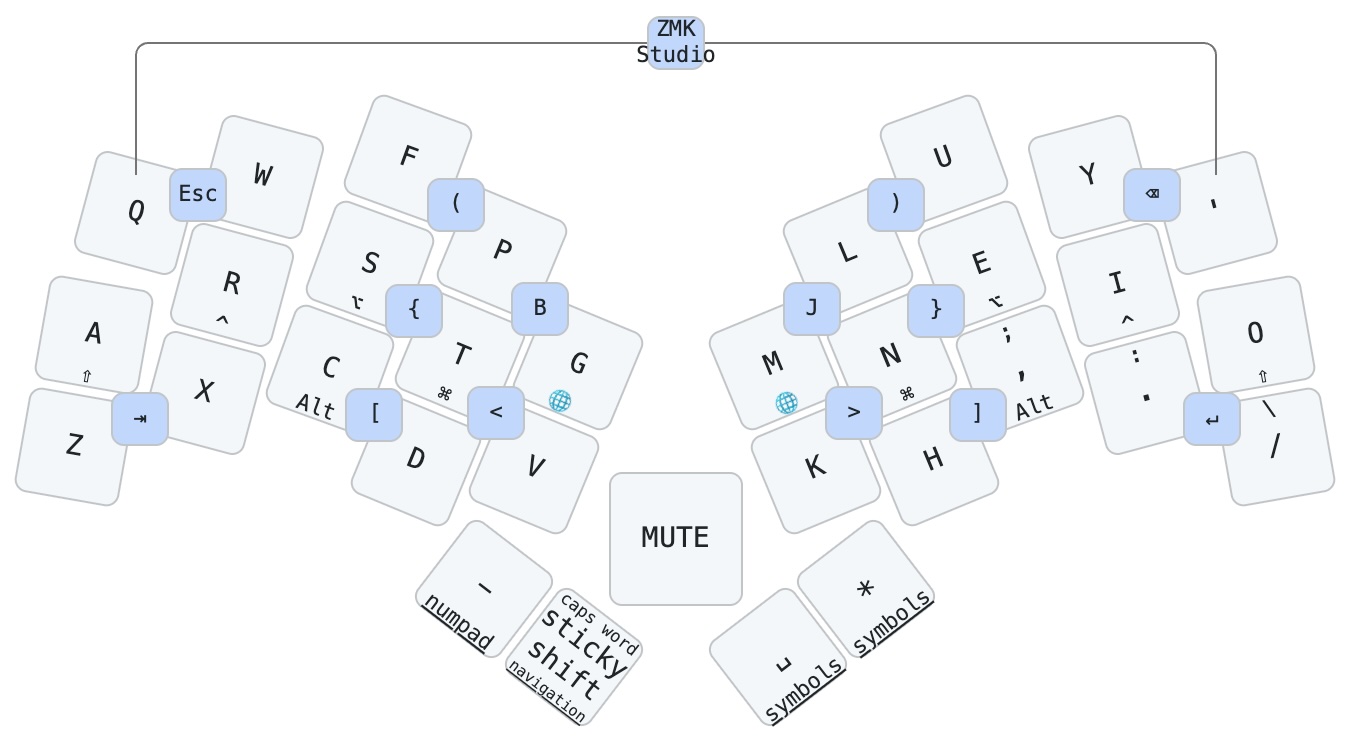
Charlieflex keymap

  • 30-32 key wireless ergo keyboard with aggressive pinky stagger and splay
  • central rotary encoder can be used by either hand
  • designed for the Seeed Studio XIAO BLE wireless microcontroller
    • also works with the XIAO RP2040 for a lower-cost wired board
  • Choc v1 or v2 low profile hotswap switches to allow a wider range of keycap choices
  • Unique tiered low-profile "snug sandwich" case with no exposed electrical components
  • RGB LED status visible on the top of the case
  • Wireless-first design using ZMK firmware (including ZMK Studio)
  • Internal space (5.5 x 27 x 32 mm) for a "large" 502530 300mAh battery
  • PCB designed with ergogen for easy modification
  • Licensed under the CERN Open Hardware License v2
  • All source files available, so you can tweak the design if needed

Design goals

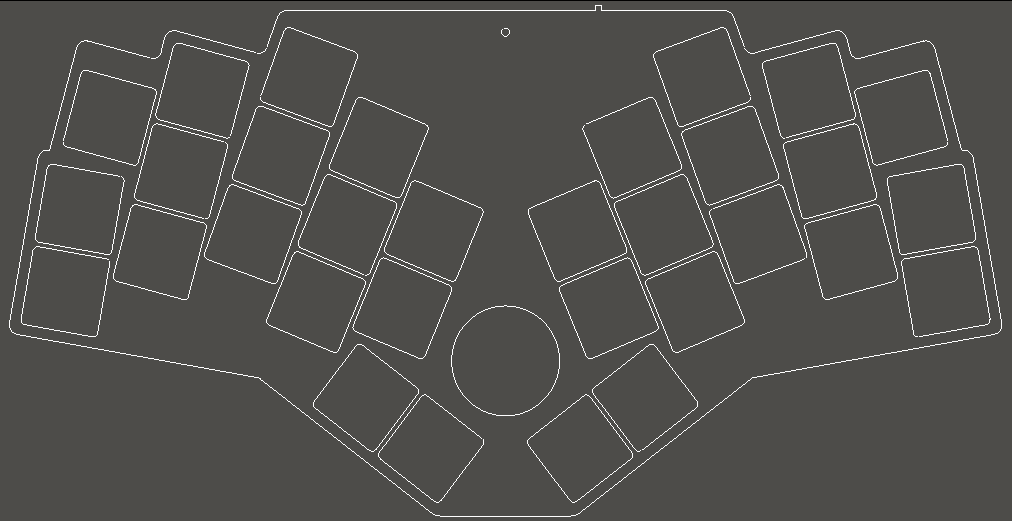
Charlieflex Layout

  • Low cost wireless
    • xiao ble is only $10 per controller compared to $25 for the nice!nano
    • Big battery and an option for a dongle, so you can run for months without recharging
    • xiao rp2040 is under $5 with no need to purchase a battery or power switch if you want a wired board
  • Ergonomic unibody design for the ultimate comfort and easy portability
    • each half is angled to match the angle of the hands on the board
    • keys are placed where fingers naturally fall, with no excessive stretching
      • 1DFH: no finger has to move farther than 1 key's distance from its home row position
      • when fingers extend, they splay, so the keys also splay outward to follow the fingers
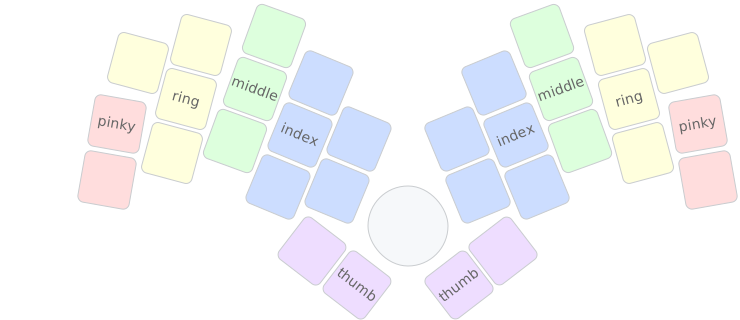
      • the pinky is shorter than the other fingers, so the pinky keys are placed lower to match, and the top pinky key is traded for a ring finger key
      • the inner column of each hand is reduced to two keys to eliminate the need for index finger stretching
      • each thumb gets a single key, with an option for a secondary thumb key if your thumbs are smarter than mine
    • centrally located rotary encoder knob for easy ambidextrous access to scrolling and volume control
    • includes all source files, so if your fingers are slightly different, with a little work you can adjust the keyboard to fit you exactly

finger map

  • Low profile 3D printable case
    • wireless case is only about 7mm high in front and 15mm high in the back, and comes in three separate pieces, each largely flat on one side for easy FDM printing with minimal fuss
    • for those who don't want or need the extra space required for a battery, a separate wired case is provided, which comes in two pieces and is just under 7mm tall
    • options for 1 or 2 thumb keys on each hand so you can go minimal if desired
    • smaller versions are included for smaller print beds
    • a few different knobs are included so you can get the height that works best for you
    • bumpons are inset into the case 1mm to minimize their height; they add only 1/2mm in height
  • Hotswappable
    • keycaps and switches can be easily removed and exchanged so you can fine-tune the feel
    • ability to move back and forth between or even mix and match choc v1 and choc v2
  • Electrostatic mitigation
    • unlike many other ultra-low-profile cases, no electronics are left exposed
    • usb port and power switch are on the back, reset switch is recessed into the bottom of the case

Build Guide

Charlieflex PCB

Interested in building a Charlieflex of your own? Check out the Build Guide for details.

Ancestry

I designed the Lintilla keyboard before the Charlieflex, but over time I realized that I didn't actually like split keyboards with separate halves, because I move around a bit as I type so I either have to keep adjusting the position of each half, or I end up contorting my wrists to align with the keyboard.

I also came to the conclusion that I would be better off with fewer pinky keys, due to the strain of reaching with the pinky, and my thumbs aren't actually smart enough for three keys each.

However, the basic layout of the remaining keys didn't change much from what I had before, so if you want a split layout and more keys than the Charlieflex offers, maybe the Lintilla is for you.

Descendants

I found some issues with running a charlieplex matrix on a wireless board where battery levels can impact the performance of the diodes, which need very precise cutoffs to interpret the keys being pressed; it made some of my 3-key combos a little unreliable in practice.

So I went back to the drawing board and discovered an extra two usable pins on the xiao ble. Using those allowed me to build the Patagona gigas, with 32 keys and a five-way switch, along with the Patagona chaski, with 42 keys, the same number of keys used by the Lintilla.

Builds

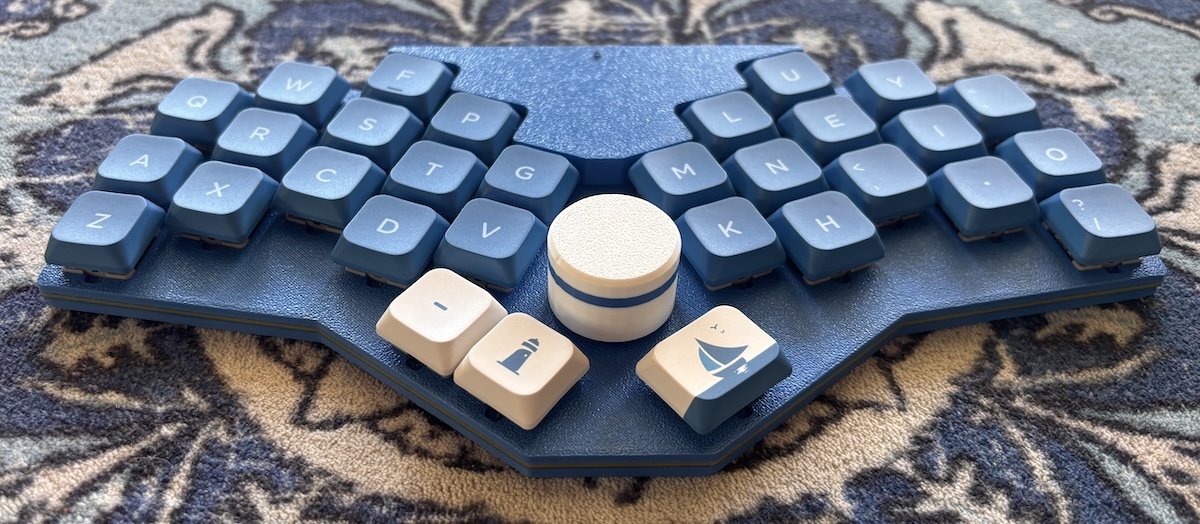
Charlieflex Choc v2 Keyboard

My Charlieflex, in the Twentyone Chuck Street layout, with 2 keys for the left thumb and one key for the right. I'm using Lofree Hades Choc v2 switches and Nuphy Shiokaze nSA keycaps.


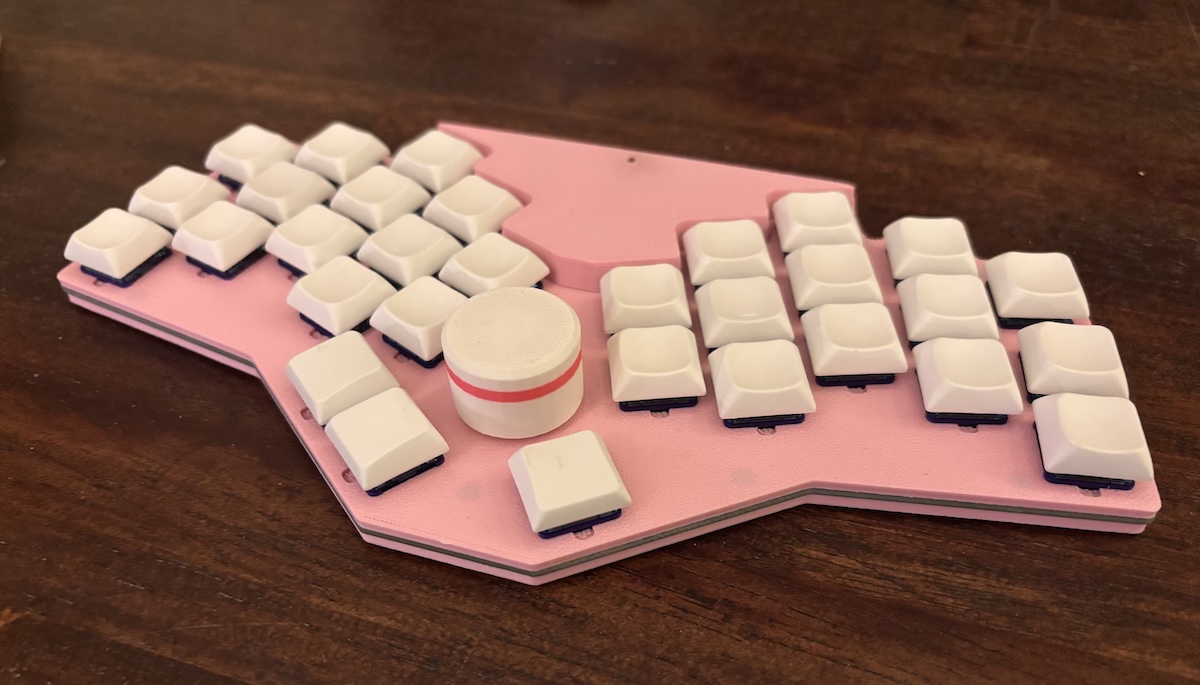
Charlieflex Choc v1 Keyboard

I also built a pink Charlieflex for the office, this time with LDSA keycaps on Bokeh Ambient Choc v1 switches.


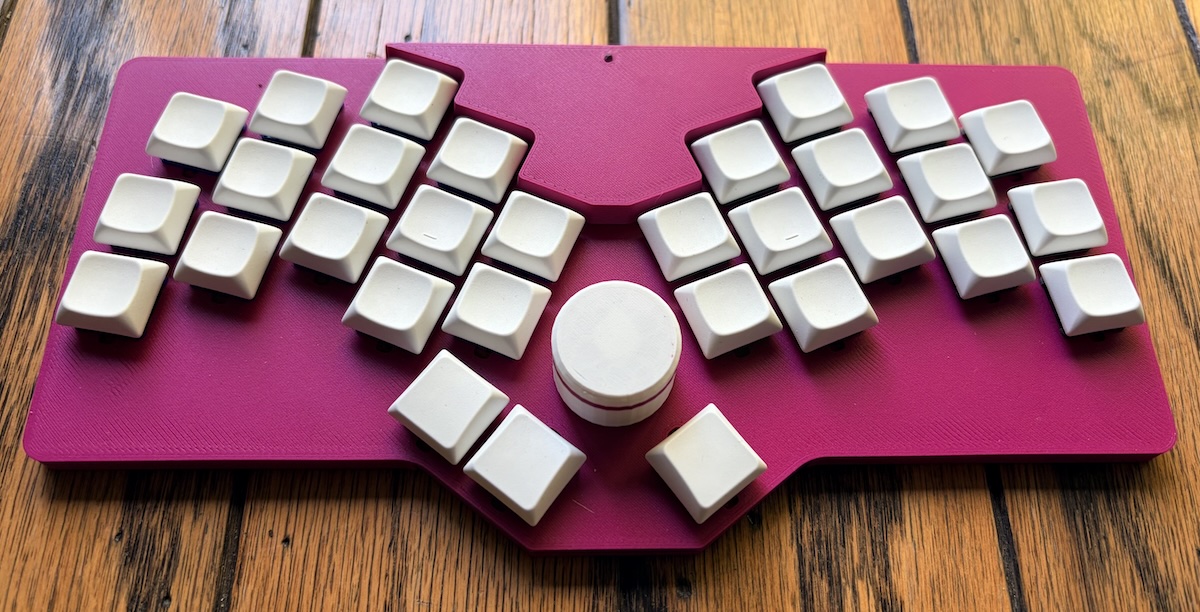
Charlieflex keyboard with rectangle case

An alternate snap-fit case that uses fewer screws and is a bit more stable if you tend to use the keyboard directly on your lap.

Parts

98
QtyValueFootprintReferences
45ComboDiodeD1, D2, D3, D4, D5, D6, I1, I2, I3, I4, I5, I6, SW1, SW10, SW11, SW12 +29
32ceoloide:switch_choc_v1_v2S1, S2, S10, S11, S12, S13, S14, S15, S16, S17, S18, S19, S20, S21, S22, S23 +16
12MountingHole_2.2mm_M2_Pad_Via, , , , , , , , , , ,
2SMDPadPAD1, PAD2
1ceoloide:rotary_encoder_ec11_ec12ENC1
1xiao-bleMCU1
1E73:SPDT_C128955T1
1pts526SW34
1ceoloide:battery_connector_jst_ph_2JST1
1MushroommushroomG***

The 97 most common of 98 parts.

Questions

How big is the Chuck PCB?

It measures 229.7 × 114.9 mm and has 2 copper layers, 1.6 mm thick.

What parts does the Chuck use?

98 parts. The full list of its parts is on this page, with links to each part's symbol and footprint where PCBKit's library has them.

Where can I download the Chuck KiCad files?

From the ctranstrum/chuck repository on GitHub, at the commit this page was made from: the board is pcb/chuck.kicad_pcb. PCBKit opens the board in the browser, with nothing to install.

Can I use the Chuck design in my own project?

Its repository publishes it under the CERN-OHL-P-2.0 licence: you may reuse it on that licence's terms (keep the author's notice, and for a copyleft licence share your changes alike).

Similar boards

  • 2 layers225 × 356.9 mmFerris, the printed circuit board in 3D

    Ferris

    pierrechevalier83/ferris

    A low profile split keyboard designed to satisfy one single use case elegantly

    98 parts1.3k
  • 2 layers99.9 × 99.9 mmIo base, the printed circuit board in 3D

    Io base

    rene-dev/stmbl

    AC Servo Driver for STM32F4

    98 parts990GPL-3.0
  • 2 layers48 × 48 mmBms v2, the printed circuit board in 3D

    Bms v2

    hackclub/OnBoard

    💡 Join 1,000 teenagers and make your first PCB with a $100 grant!

    98 parts915
  • 2 layers333.4 × 124.5 mmOmega Keyboard, the printed circuit board in 3D

    Omega Keyboard

    skiselev/omega

    Omega Home Computer

    98 parts459GPL-3.0
  • 2 layers60 × 100 mmPiTrac Pi Connector, the printed circuit board in 3D

    PiTrac Pi Connector

    PiTracLM/PiTrac

    Launch monitor using low-cost raspberry pi and camera hardware to determine ball launch speed, angles and spin. See https://discord.gg/vGuyAAxXJH (permalink)

    98 parts439GPL-2.0
  • 2 layers138.9 × 83.9 mmINTR LT PANEL, the printed circuit board in 3D

    INTR LT PANEL

    jrsteensen/OpenHornet

    OpenHornet 1:1 F/A-18C Simulator Repository

    98 parts431
  • 2 layers89 × 100 mmHub16, the printed circuit board in 3D

    Hub16

    joshajohnson/Hub16

    A macro pad with 16 keys, two rotary encoders, a four port USB hub, and plenty of LEDs!

    98 parts388
  • 2 layers61 × 64.1 mmRfreplacement, the printed circuit board in 3D

    Rfreplacement

    c0pperdragon/C64-Video-Enhancement

    Component video modification for the C64 8-bit computer

    98 parts286MIT