2 layers116.8 × 30 mm
Type d
google/mozc-devices
Circuit diagrams and firmware source code for Gboard DIY keyboards
14 parts3kApache-2.0

 Creative0708/snakez801
Snake on a Z80 CPU
Z80 snake is an open-source printed circuit board by Creative0708, from the Creative0708/snakez80 repository on GitHub, published under the MIT licence. It is a 2-layer board of 55.9 × 100.3 mm with 14 parts on 50 nets, routed with 257 tracks and 34 vias.
It belongs with the retro computing and games boards of this library.
Snake running on a custom Z80 computer. Made for TEJ4MP.
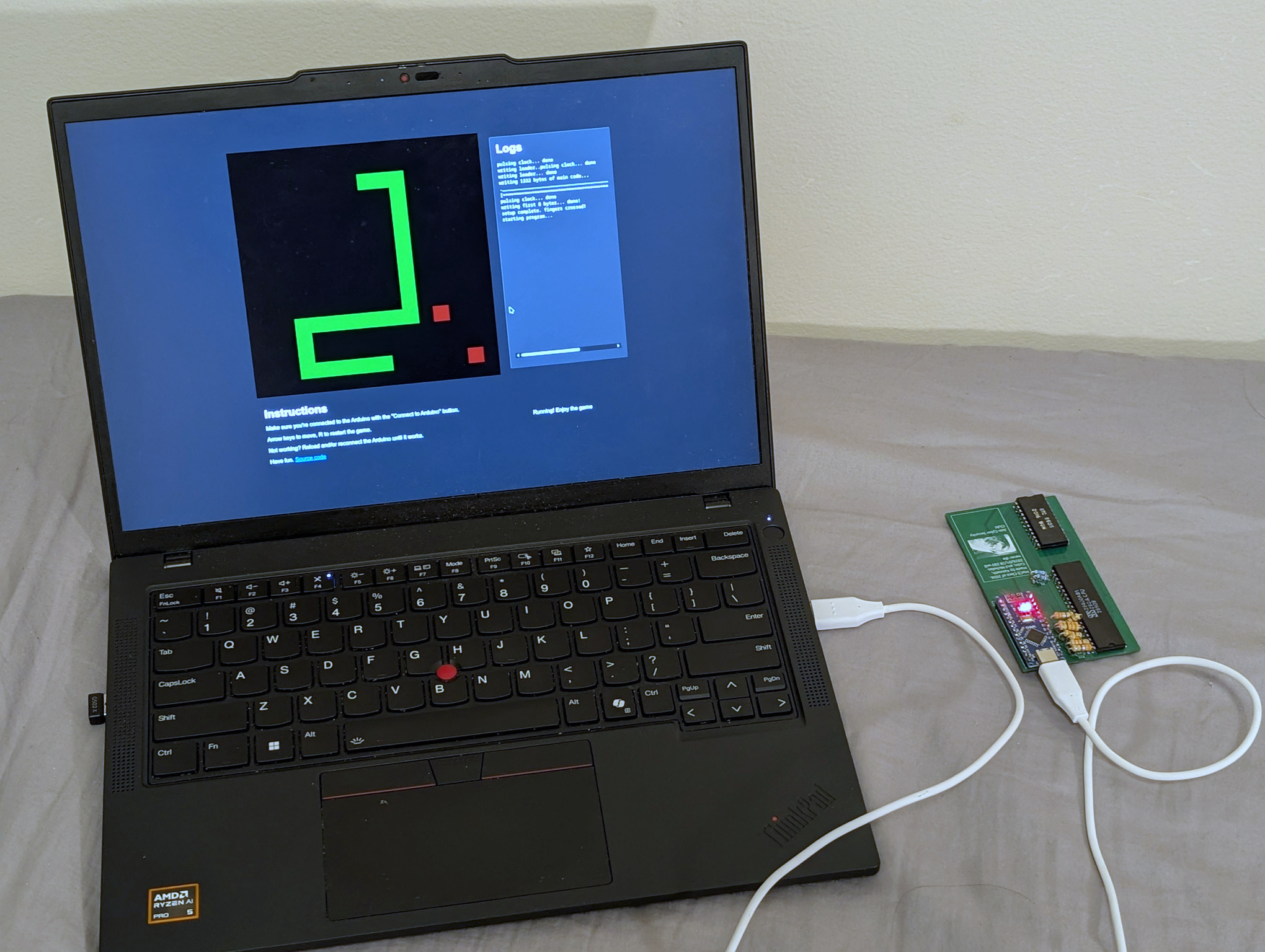
Connect everything, flash the loader code with the Arduino IDE, and open web/index.html or https://creative0708.github.io/snakez80/ in a browser.
Have fun.
rom.hpp from sourceYou'll need a set of z88dk binaries with SDCC. Follow its installation instructions to install it.
Run make to build the ROM and convert the ROM into Arduino code.
If for some reason you want to use this code, it's licensed under the MIT License.
| Qty | Value | Footprint | References |
|---|---|---|---|
| 10 | R | Resistor_THT:R_Axial_DIN0204_L3.6mm_D1.6mm_P7.62mm_Horizontal | R1, R2, R3, R4, R5, R6, R7, R8, R9, R10 |
| 1 | LOGO | ProjectFiles:seal | G*** |
| 1 | ~ | ProjectFiles:RAM | RAM1 |
| 1 | ~ | ProjectFiles:Z8400AB1 | Z80 |
| 1 | ~ | Module:Arduino_Nano | Arduino1 |
It measures 55.9 × 100.3 mm and has 2 copper layers, 1.6 mm thick.
14 parts. The full list of its parts is on this page, with links to each part's symbol and footprint where PCBKit's library has them.
From the Creative0708/snakez80 repository on GitHub, at the commit this page was made from: the board is PCB/Z80_snake.kicad_pcb and its schematic PCB/Z80_snake.kicad_sch. PCBKit opens the board in the browser, with nothing to install.
Its repository publishes it under the MIT licence: you may reuse it on that licence's terms (keep the author's notice, and for a copyleft licence share your changes alike).
google/mozc-devices
Circuit diagrams and firmware source code for Gboard DIY keyboards


hackclub/OnBoard
💡 Join 1,000 teenagers and make your first PCB with a $100 grant!


Twotoz/C5VRX
Ultra-minimal, zero-CPU 5.8 GHz analog FPV video receiver using ESP32-C5 Wi-Fi 6 PHY MODEM_DIAG, BitScrambler WBFM demodulation & resistor DAC CVBS

