2 layers20.5 × 24.8 mm
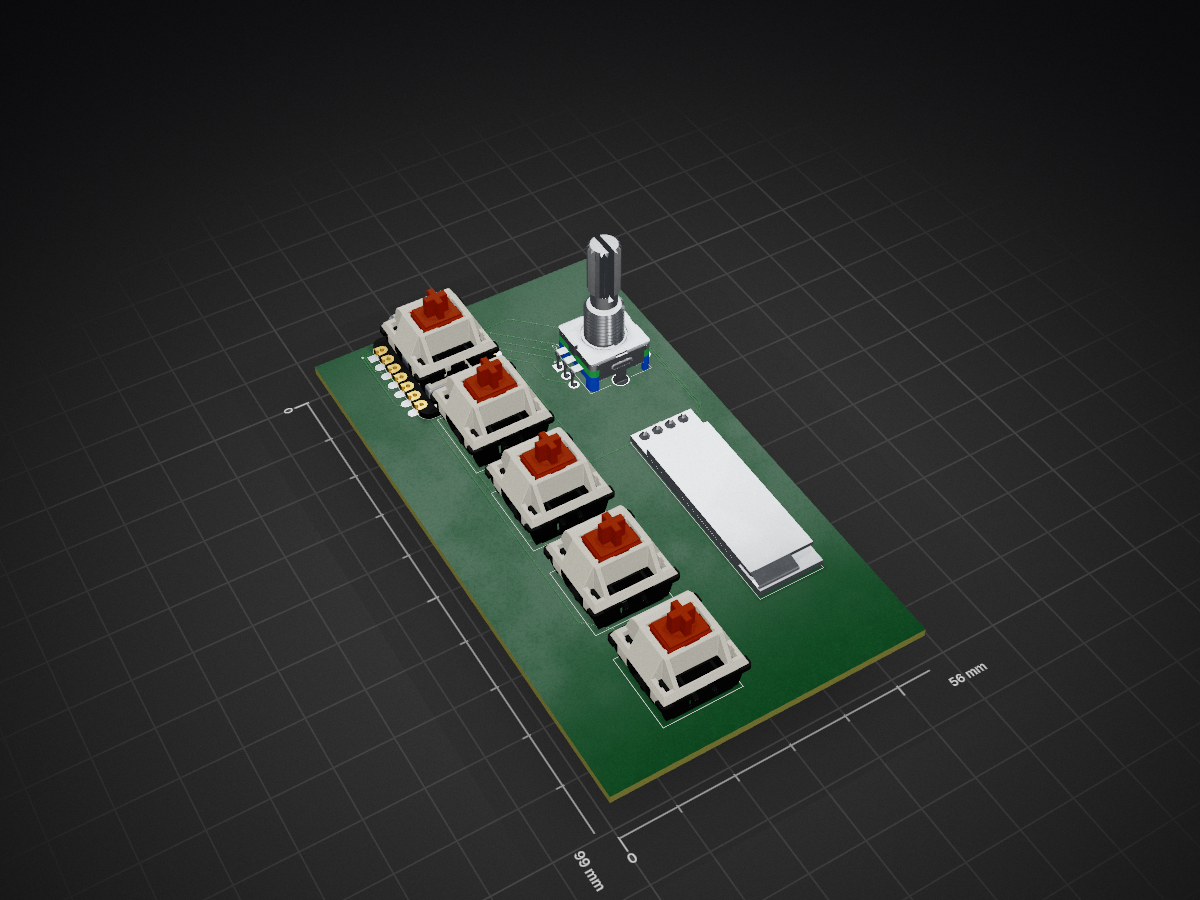
 coder1529/Hackpad
A stardance project #2 - Hackpad
Macropad is an open-source printed circuit board by coder1529, from the coder1529/Hackpad repository on GitHub. It is a 2-layer board of 56 × 99 mm with 8 parts on 14 nets, routed with 77 tracks and 0 vias.
Its parts include 6 switches and 2 ICs. It belongs with the keyboards and input boards of this library.
My first real hardware project — a 5-key macropad with a rotary encoder and a tiny OLED screen, built for Hack Club Stardance. I designed the whole thing from scratch: schematic, PCB, and the 3D printed case.
A macropad is basically a mini keyboard just for shortcuts, so instead of digging through hotkey combos you tap one button and it's done. Mine has:
Hardware side is finished — schematic's done, PCB is routed, and the case is modeled and ready to print. Firmware is next, haven't started coding it yet.
PCB folders/ — KiCad schematic and PCB layoutMacropad/ — KiCad project files3d print folder/ — STL for the caseI've done robotics and competitive programming for a while, but I'd never actually designed a PCB before, so this was my first time going from a blank schematic to something I could actually order and solder. Lots of "wait, why is this net not connecting" moments along the way. Shipping this for Stardance.
| Ref | Part | Qty | Notes |
|---|---|---|---|
| U1 | Seeed Studio XIAO RP2040 | 1 | Main controller, USB-C |
| U2 | 0.91" I2C OLED display | 1 | Status screen |
| SW1, SW2, SW3, SW5, SW6 | Cherry MX-style switch, 1u, PCB mount | 5 | Keycaps not included |
| SW4 | ALPS EC11E rotary encoder w/ push | 1 | Doubles as a 6th button |
| — | Custom PCB | 1 | JLCPCB-manufacturable |
| — | 3D printed case | 1 | Single piece |
| Qty | Value | Footprint | References |
|---|---|---|---|
| 5 | SW_Push | Button_Switch_Keyboard:SW_Cherry_MX_1.00u_PCB | SW1, SW2, SW3, SW5, SW6 |
| 1 | ER_OLEDM0.91_1x-I2C | Display:ER_OLEDM0.91_1x-I2C | U2 |
| 1 | MOUDLE-SEEEDUINO-XIAO | Macropad_parts:XIAO-Generic-Hybrid-14P-2.54-21X17.8MM | U1 |
| 1 | RotaryEncoder_Switch | Rotary_Encoder:RotaryEncoder_Alps_EC11E-Switch_Vertical_H20mm_CircularMountingHoles | SW4 |
It measures 56 × 99 mm and has 2 copper layers, 1.6 mm thick.
8 parts. The full list of its parts is on this page, with links to each part's symbol and footprint where PCBKit's library has them.
From the coder1529/Hackpad repository on GitHub, at the commit this page was made from: the board is _restore_backup_2026-08-07T00-34-23-412/Macropad.kicad_pcb and its schematic PCB folders/Macropad.kicad_sch. PCBKit opens the board in the browser, with nothing to install.
Its repository states no licence, so its author keeps all rights: ask coder1529 before reusing the design.

joeycastillo/Sensor-Watch
A board replacement for the classic Casio F-91W wristwatch

rusefi/rusefi
rusefi - GPL internal combustion engine control unit

hoglet67/RGBtoHDMI
Bare-metal Raspberry Pi project that provides pixel-perfect sampling of Retro Computer RGB/YUV video and conversion to HDMI

shanteacontrols/OpenDeck
A platform for building interactive control and sensing devices using MIDI and OSC built with Zephyr RTOS.

hackclub/OnBoard
💡 Join 1,000 teenagers and make your first PCB with a $100 grant!

dangiu/PicoMemcard
Emulating PSX Memory Card (or controller) using a Raspberry Pi Pico

OLIMEX/DIY-LAPTOP
Do It Yourself Open Source Hardware and Software Modular Hacker's Friendly Laptop