2 layers116.8 × 30 mm
Type d
google/mozc-devices
Circuit diagrams and firmware source code for Gboard DIY keyboards
14 parts3kApache-2.0

 C-Wesley/LearningWIL1
WIL is an Autonomous Surface Vehicle. This repository aims to teach the basic electronic principles and algorithmic ideas behind the programming of WIL. Ideally, anyone continuing the project should start here to learn all the different subsytems.
GigaShield Fall 2024 is an open-source printed circuit board by C-Wesley, from the C-Wesley/LearningWIL repository on GitHub. It is a 2-layer board of 100 × 110 mm with 14 parts on 113 nets, routed with 154 tracks and 1 via.
Its parts include 7 connectors and 1 resistor.
Water Is Life (WIL) is an Autonomous Surface Vehicle (ASV) developed for Augusta Utilities as part of an internship collaboration with Augusta University.
This repository serves as a learning and continuation guide for future developers. It documents the programming, electronics, and system architecture required to understand and extend WIL.
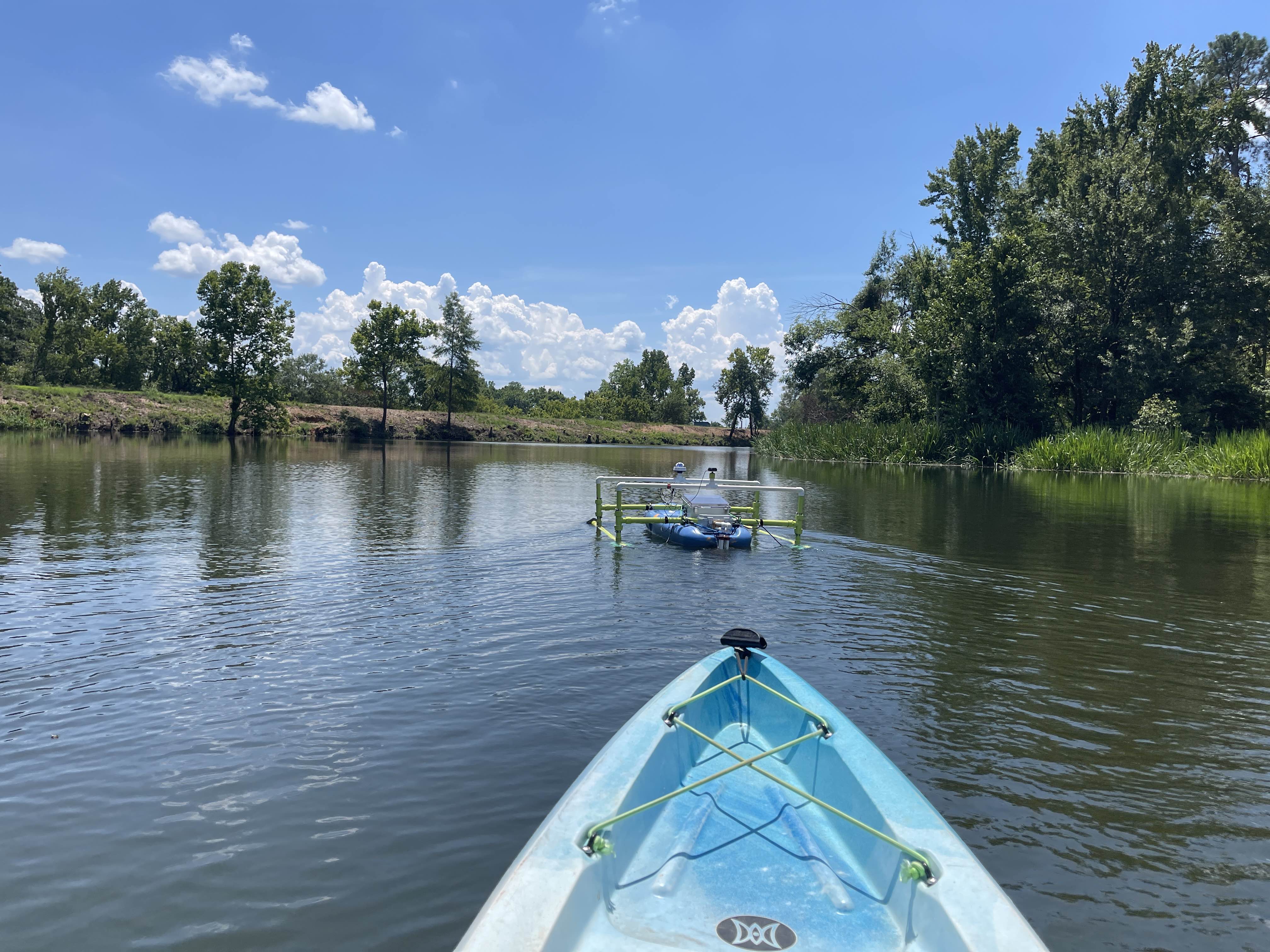
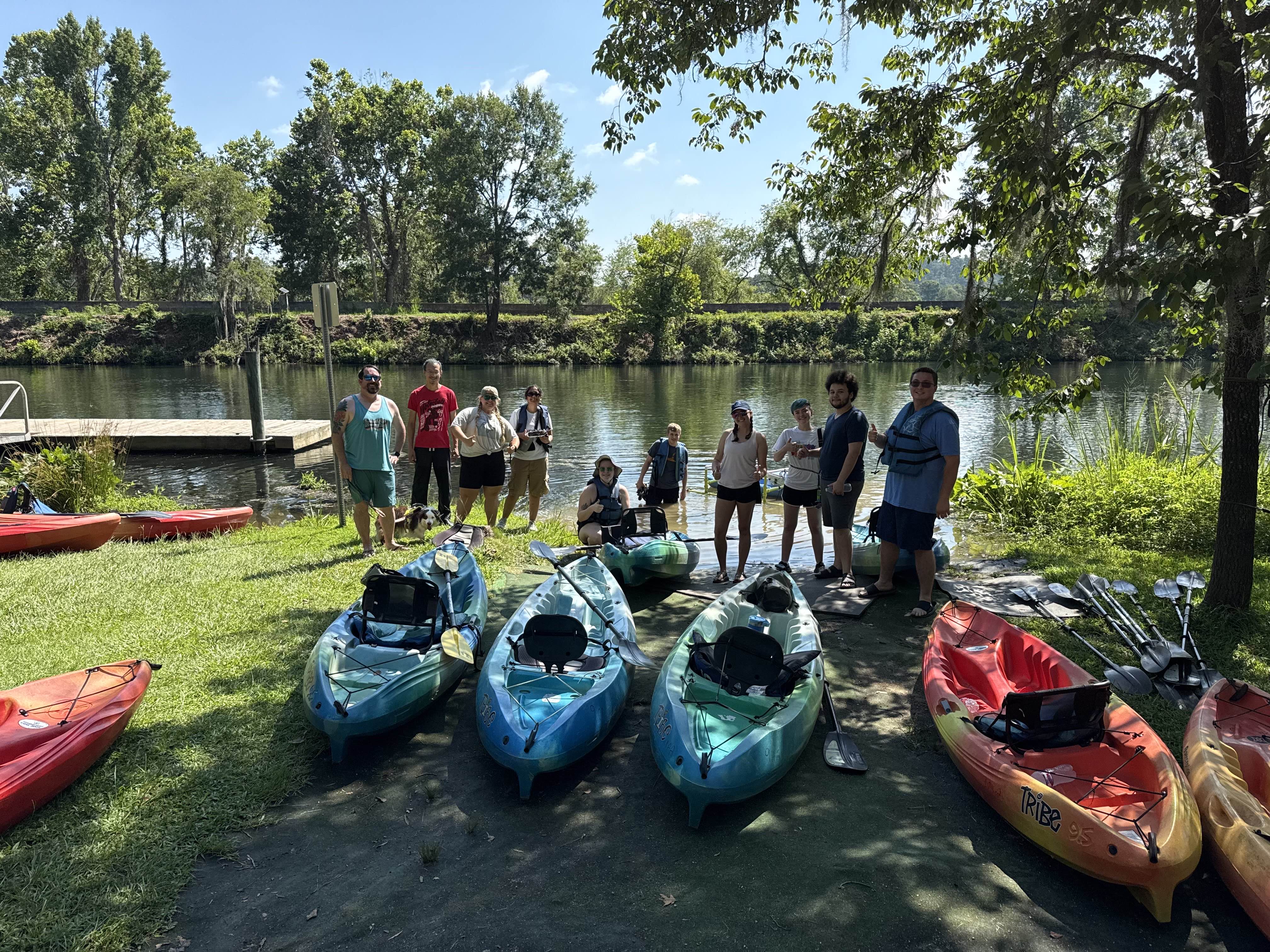
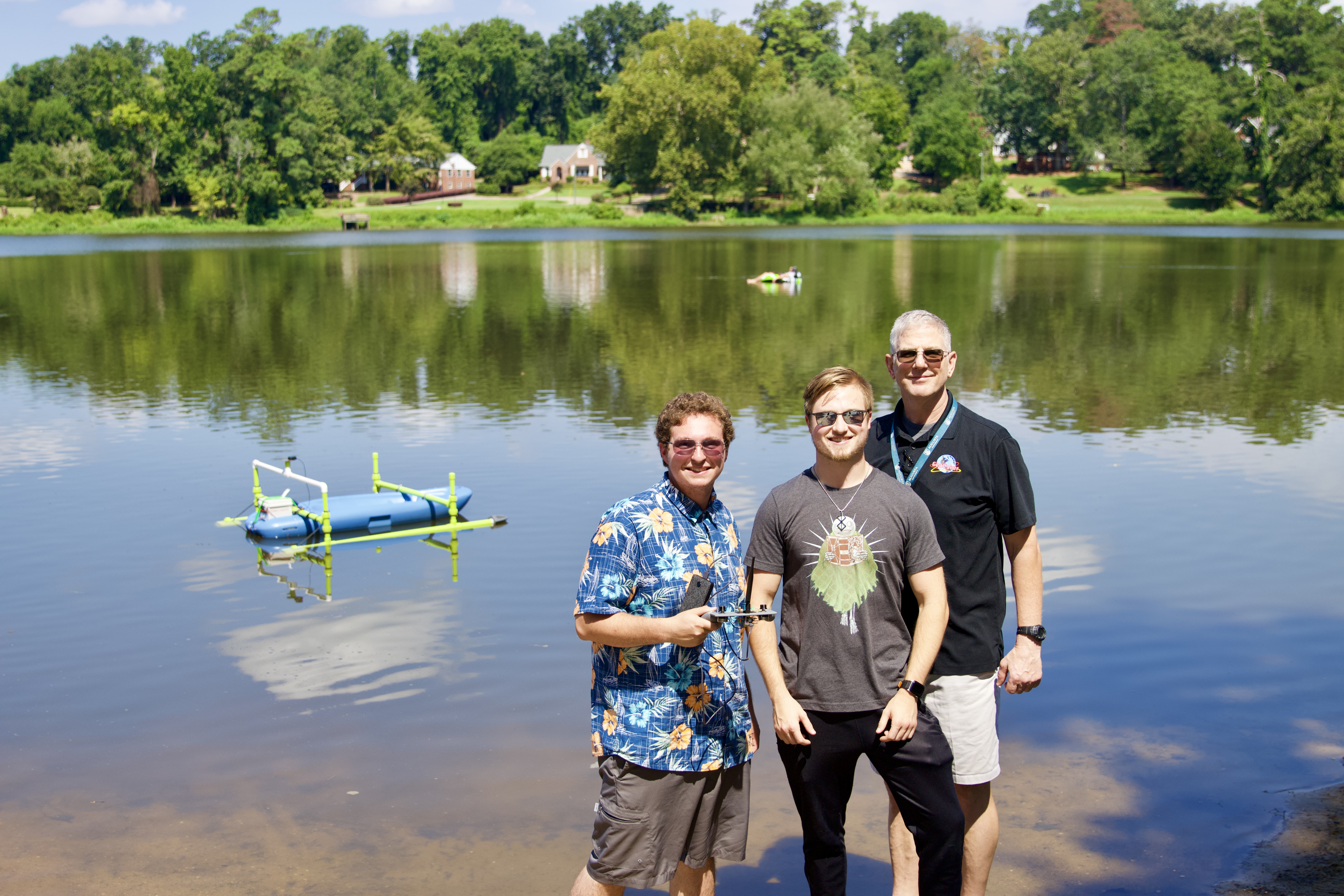
WIL is designed for environmental data collection and autonomous navigation of local waterways. Development spans embedded programming, sensor integration, data logging, and vehicle controls.
Beginner Examples/
This is the recommended starting point for new contributors.
Suggested exercises:
These examples are for you to better understand each sensor individually before trying to throw all of them together. They are the 'building blocks' so to speak of WIL.
Class Based Examples/
These examples introduce Object-Oriented Programming (OOP) in C++.
Example:
File myFile = ...This creates a File object, which:
Using classes helps:
Notebooks/
This directory contains a digital copy of the lab notebooks for WIL. Not every entry is directly related to WIL. Some were more for my own learning. However, there are several useful entries to help you get more familiar with WIL. In the Beginner Examples, I've linked the related entires on each sensors readme file.
WILDev/
This directory contains the arudino code running on:
Subdirectories:
new code/ – current class-based implementationold code/ – old version (no classes)New development should be based on new code/.
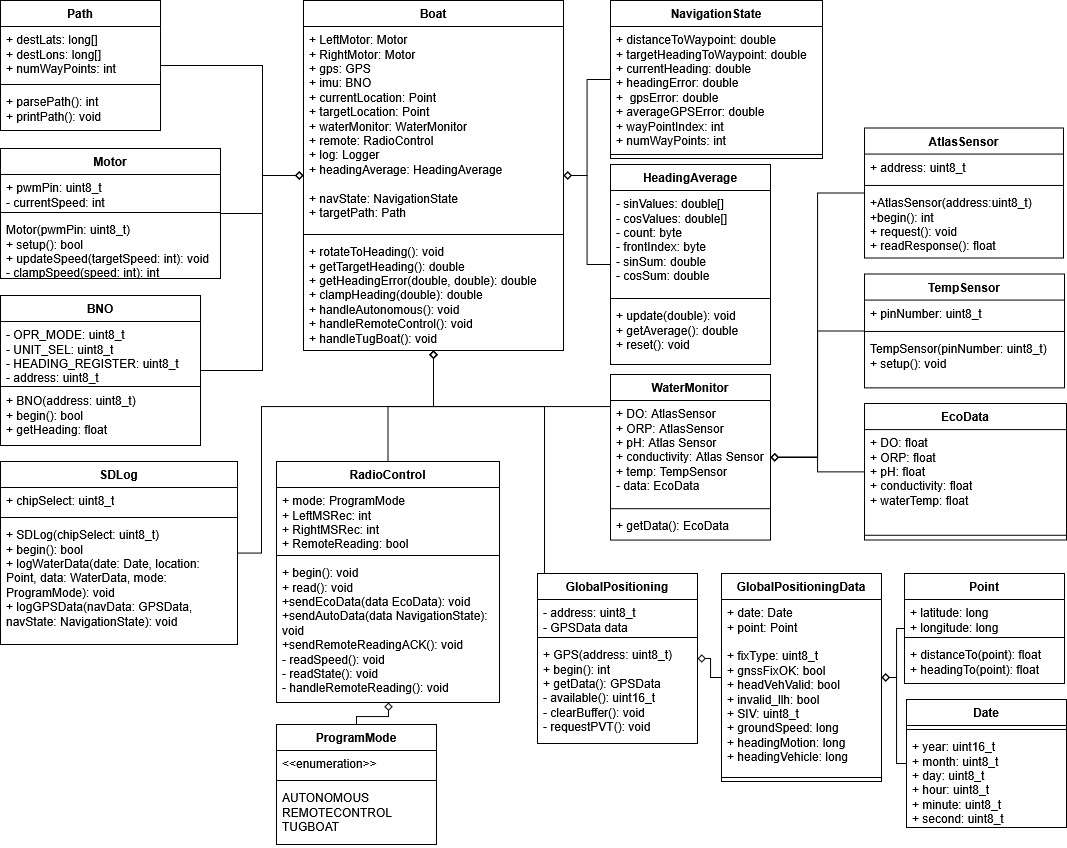
WIL is generally structured around the following diagrams.
:TODO: Update class diagram to reflect latest architecture.
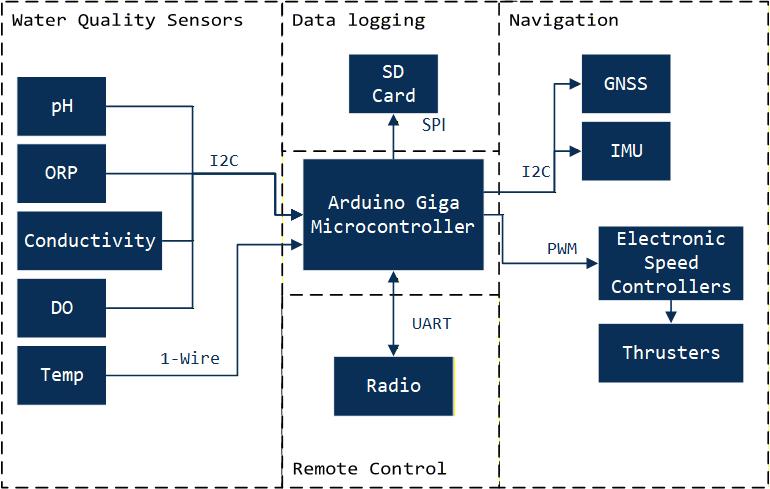
This repository is designed to be learned from, modified, and extended. Developers are encouraged to:
Water is life (and so is maintainable code).
| Qty | Value | Footprint | References |
|---|---|---|---|
| 2 | Conn_01x02_Socket | Connector_PinHeader_2.54mm:PinHeader_1x03_P2.54mm_Vertical | J7, J9 |
| 1 | Arduino_Giga_R1_WiFi_Shield | PCM_arduino-library:Arduino_Giga_R1_WiFi_Shield | A1 |
| 1 | Conn_01x06_Socket | Connector_JST:JST_GH_SM06B-GHS-TB_1x06-1MP_P1.25mm_Horizontal | J3 |
| 1 | Conn_01x06_Socket | Connector_PinSocket_2.54mm:PinSocket_1x06_P2.54mm_Vertical | J1 |
| 1 | Conn_01x08_Socket | TerminalBlock:TerminalBlock_Xinya_XY308-2.54-10P_1x10_P2.54mm_Horizontal | J2 |
| 1 | Conn_01x08_Socket | TerminalBlock:TerminalBlock_Xinya_XY308-2.54-8P_1x08_P2.54mm_Horizontal | J8 |
| 1 | Conn_01x10_Socket | TerminalBlock:TerminalBlock_Xinya_XY308-2.54-10P_1x10_P2.54mm_Horizontal | J6 |
| 1 | LOGO | Graphics:water | G*** |
| 1 | LOGO | Graphics:boat | G*** |
| 1 | LOGO | Graphics:AU | G*** |
| 1 | R_US | Resistor_THT:R_Axial_DIN0309_L9.0mm_D3.2mm_P12.70mm_Horizontal | R1 |
| 1 | ~ | AdafruitBNO:BNOAdafruit | BNO1 |
| 1 | ~ | ZedF9P:SparkfunZedF9P | ZED-F9P1 |
It measures 100 × 110 mm and has 2 copper layers, 1.6 mm thick.
14 parts. The full list of its parts is on this page, with links to each part's symbol and footprint where PCBKit's library has them.
From the C-Wesley/LearningWIL repository on GitHub, at the commit this page was made from: the board is WILDev/PCB/GigaShield_Fall_2024/GigaShield_Fall_2024.kicad_pcb and its schematic WILDev/PCB/GigaShield_Fall_2024/GigaShield_Fall_2024.kicad_sch. PCBKit opens the board in the browser, with nothing to install.
Its repository states no licence, so its author keeps all rights: ask C-Wesley before reusing the design.
google/mozc-devices
Circuit diagrams and firmware source code for Gboard DIY keyboards


hackclub/OnBoard
💡 Join 1,000 teenagers and make your first PCB with a $100 grant!


Twotoz/C5VRX
Ultra-minimal, zero-CPU 5.8 GHz analog FPV video receiver using ESP32-C5 Wi-Fi 6 PHY MODEM_DIAG, BitScrambler WBFM demodulation & resistor DAC CVBS

