2 layers287.8 × 126.7 mm

 bulviakas/everything-pad
A mini-keyboard friend, which purpose is to be a helpful tool for every occasion! The plan is to integrate all core components (6 keys, a knob, OLED Display, backlight) and create multiple usage modes (sound control, editing software shortcuts, quick actions).
Macropad is an open-source printed circuit board by bulviakas, from the bulviakas/everything-pad repository on GitHub, published under the MIT licence. It is a 2-layer board of 90 × 68 mm with 26 parts on 29 nets, routed with 199 tracks and 28 vias.
It is built around the SK6812MINI-E and WS2812B. Its parts include 15 diodes, 7 switches, 1 IC and 1 connector. It belongs with the keyboards and input and lEDs and displays boards and the RP2040 boards of this library.


A macropad project for the Blueprint program by Hack Club.
The mini-keyboard features:
Designed to be a helpful tool while editing, gaming or just deep in flow state. The main goal - versatility: multiple modes for every needed occasion (system sound control, application shortcuts, backlight configuration).
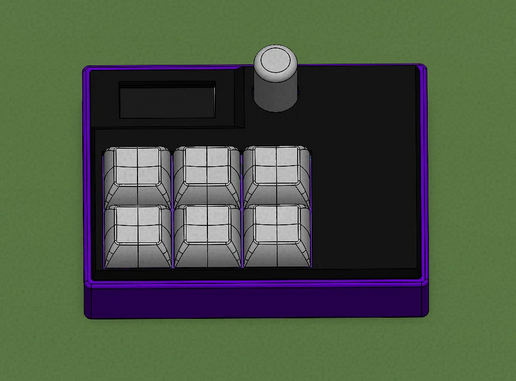
(2026-03-31) Project still in progress - no physical testing yet!
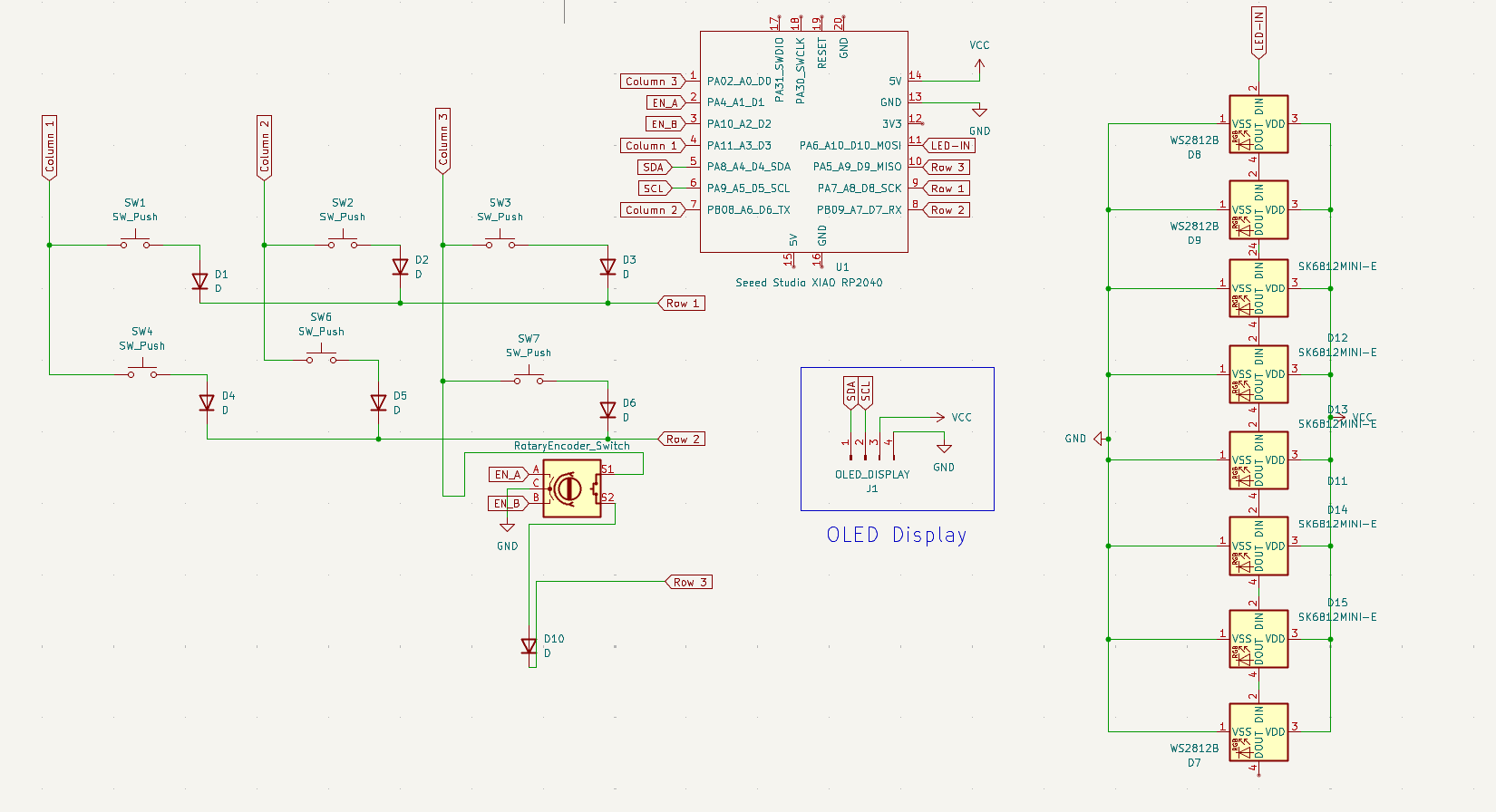
The keys and the rotary encoder are connected in a matrix.
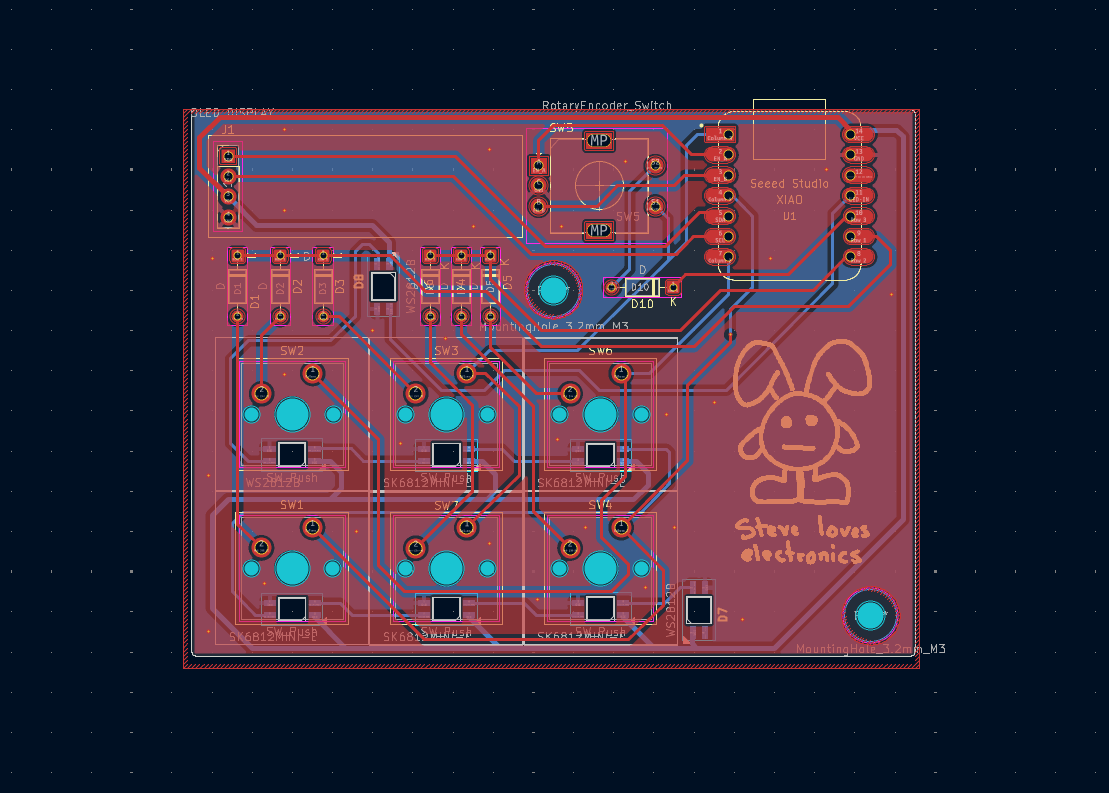
A personal character Steve was made with Inkscape. Everyting is connected over 2 layers, with 0.4mm traces and GND fields. SK6812-MINI-E LED footprints were modified due to clearance errors.
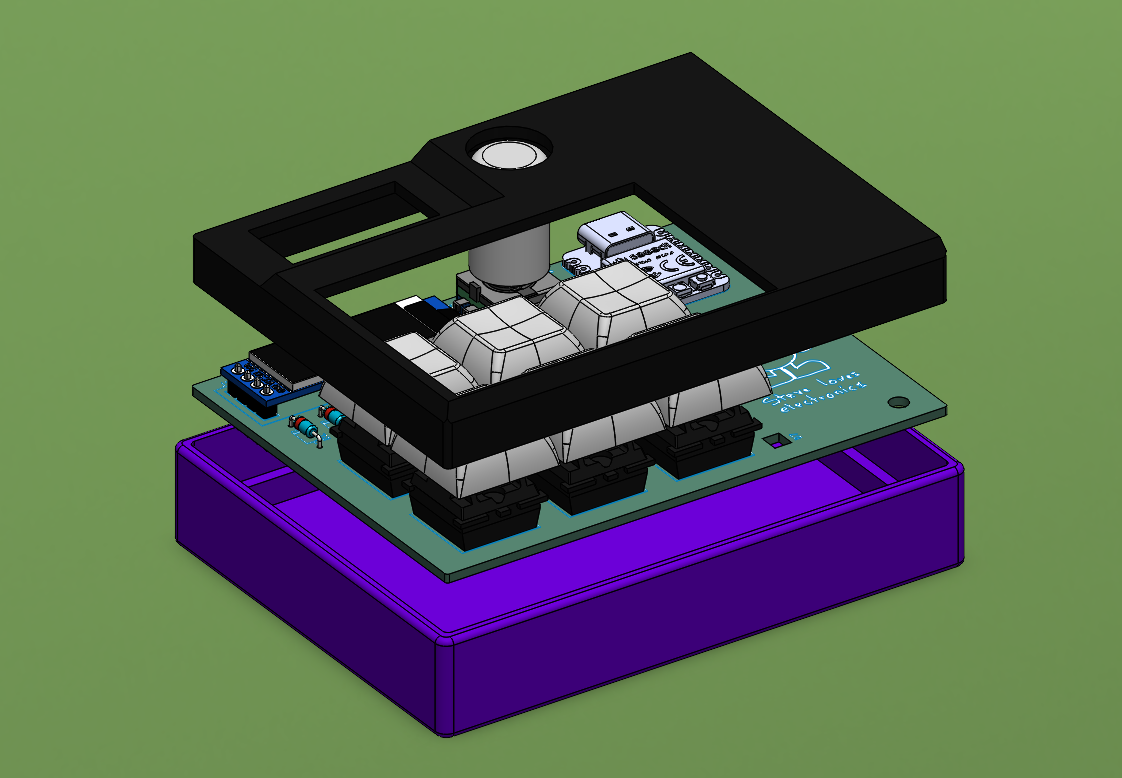
The assembly process is quite simple - the PCB is mounted onto the bottom part of the case with 2 M3 bolts and heatset inserts. Top cover just slides in from the top.
As of now, the code is purely theoretical, since there is no way to test it. However, in theory, the keyboard has 3 modes:
The colour of the RBG backlight shows the currently active mode (SSC - Blue, Apps - Green, etc.). OLED display serves as the main info output when switching modes. Since the macropad cannot read real system sound values, it stores simulated volume and displays a simple bar on-screen when relevant.
A list of everything used to make this masterpiece:
| Qty | Value | Footprint | References |
|---|---|---|---|
| 7 | D | Diode_THT:D_DO-35_SOD27_P7.62mm_Horizontal | D1, D2, D3, D4, D5, D6, D10 |
| 6 | SW_Push | Button_Switch_Keyboard:SW_Cherry_MX_1.00u_PCB | SW1, SW2, SW3, SW4, SW6, SW7 |
| 5 | SK6812MINI-E | Libraries:MX_SK6812MINI-E | D11, D12, D13, D14, D15 |
| 2 | WS2812B | Libraries:SK6812MINI-E_fixed | D7, D8 |
| 1 | OLED_DISPLAY | Connector_PinHeader_2.54mm:PinHeader_1x04_P2.54mm_Vertical | J1 |
| 1 | RotaryEncoder_Switch | Rotary_Encoder:RotaryEncoder_Alps_EC11E-Switch_Vertical_H20mm | SW5 |
| 1 | Seeed Studio XIAO RP2040 | Libraries:XIAO-Generic-Hybrid-14P-2.54-21X17.8MM | U1 |
| 1 | WS2812B | Libraries:MX_SK6812MINI-E | D9 |
The 24 most common of 26 parts.
It measures 90 × 68 mm and has 2 copper layers, 1.6 mm thick.
26 parts, built around the SK6812MINI-E and WS2812B. The full list of its parts is on this page, with links to each part's symbol and footprint where PCBKit's library has them.
From the bulviakas/everything-pad repository on GitHub, at the commit this page was made from: the board is pcb/macropad.kicad_pcb and its schematic pcb/macropad.kicad_sch. PCBKit opens the board in the browser, with nothing to install.
Its repository publishes it under the MIT licence: you may reuse it on that licence's terms (keep the author's notice, and for a copyleft licence share your changes alike).


joshajohnson/Hub20
Hub20 is a numpad with a bunch of features you never knew you needed.


Taro-Hayashi/Handyman
ここの二つのキースイッチは足がPro Microと干渉するので短く切ります。 差し込んだ状態で短く切りましょう。 Choc V2の場合は3本の足を、Choc V1では2本の足と固定用品の一つを短くします。 全てのスイッチをはんだ付けします。

oceanKeebs/KeebPort
KeebPort, a split Keyboard architecture using a single micro controller as a central "port"

