2 layers40 × 30 mm

 brianwalczak/BKFZ-SubGHz51
A robust Arduino project for your ESP32 and CC1101 to capture, replay, and analyze nearby SubGHz frequencies efficiently.
BKFZ SubGHz is an open-source printed circuit board by brianwalczak, from the brianwalczak/BKFZ-SubGHz repository on GitHub, published under the Apache-2.0 licence. It is a 2-layer board of 30.8 × 37.5 mm with 3 parts on 40 nets, routed with 41 tracks and 0 vias.
It belongs with the radio and wireless boards and the ESP32 boards of this library.
A robust program for your ESP32 to capture and replay SubGHz frequencies, inspired by the Flipper Zero and written in Arduino + React Native.
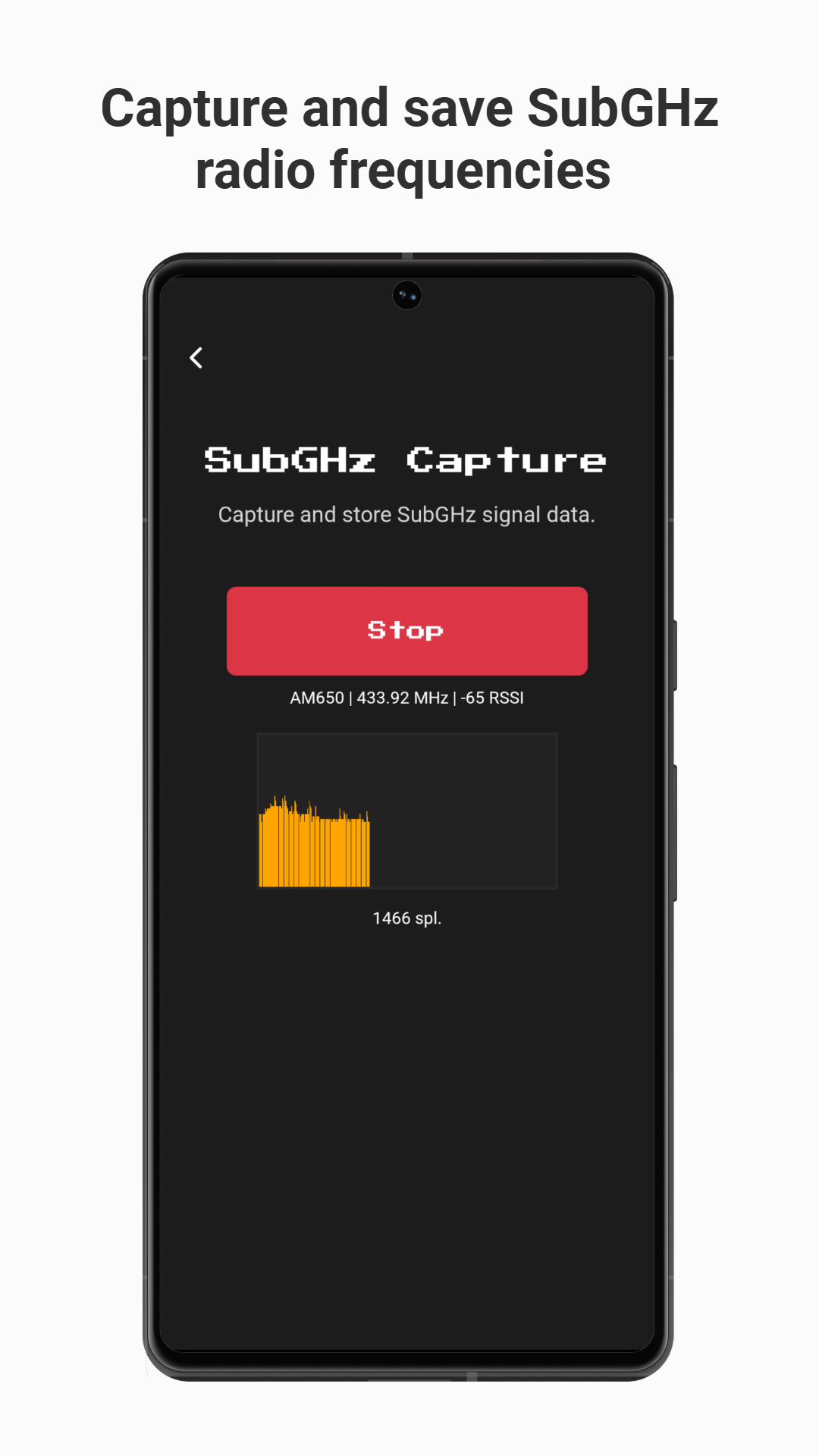
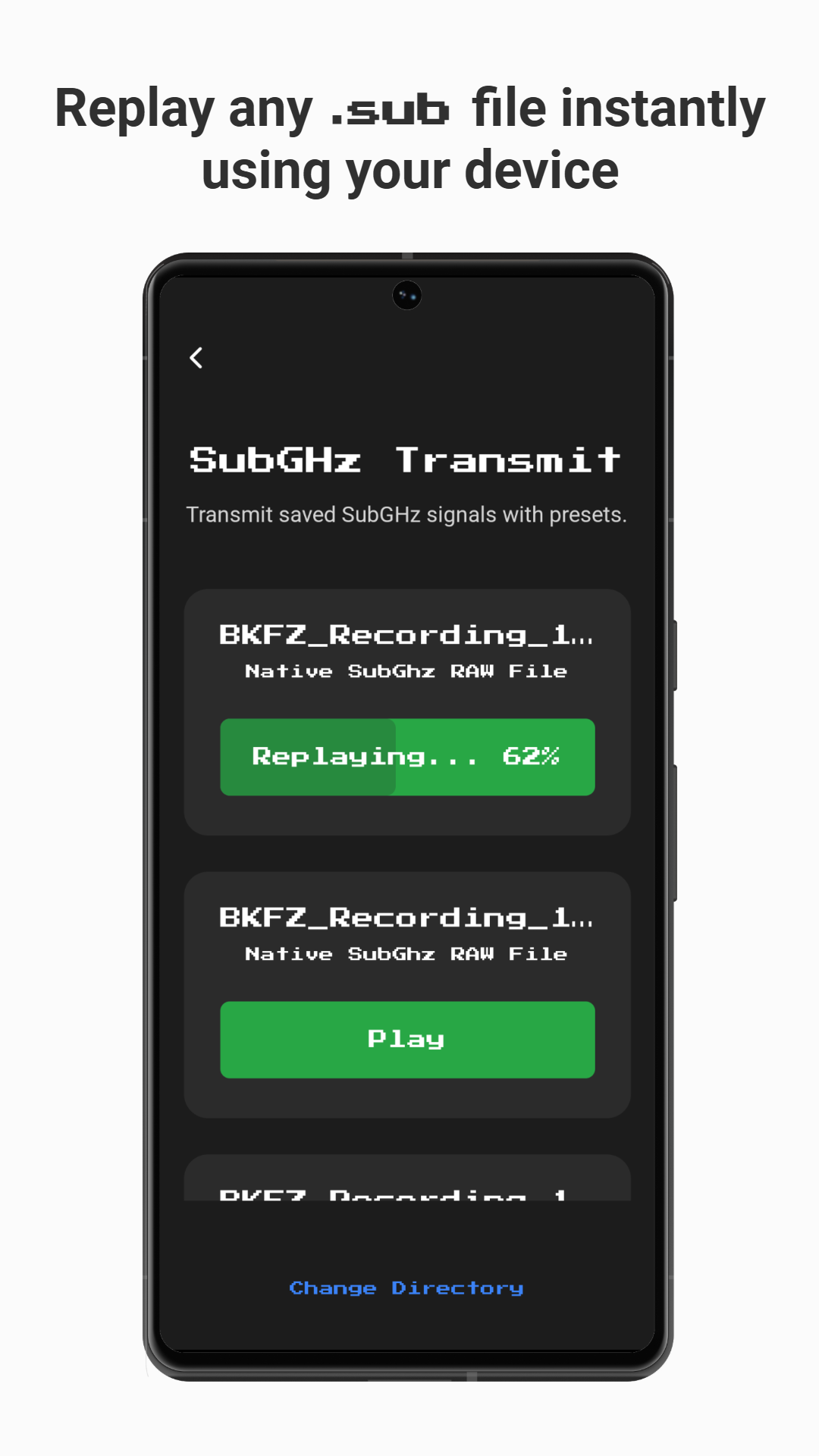
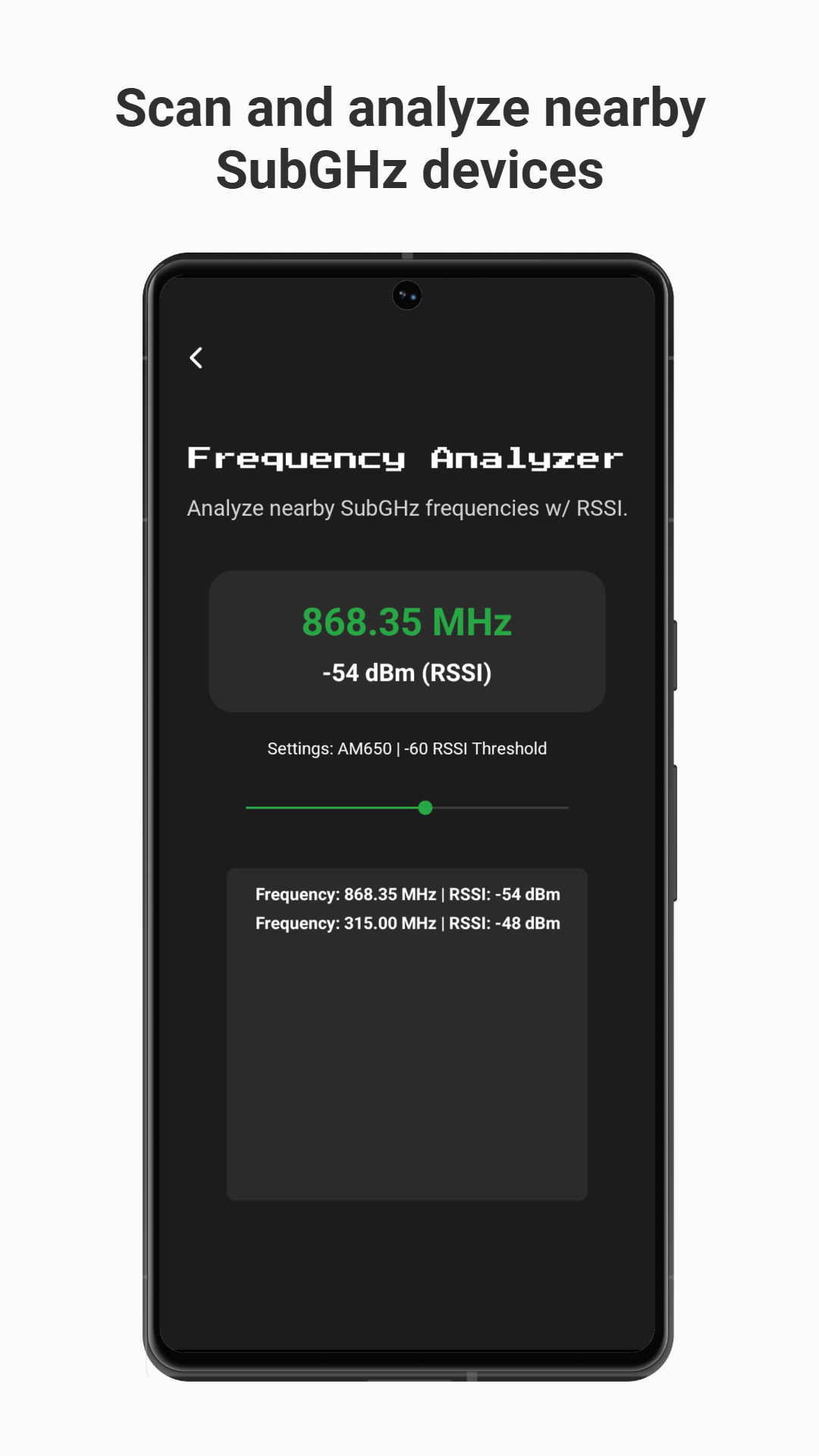
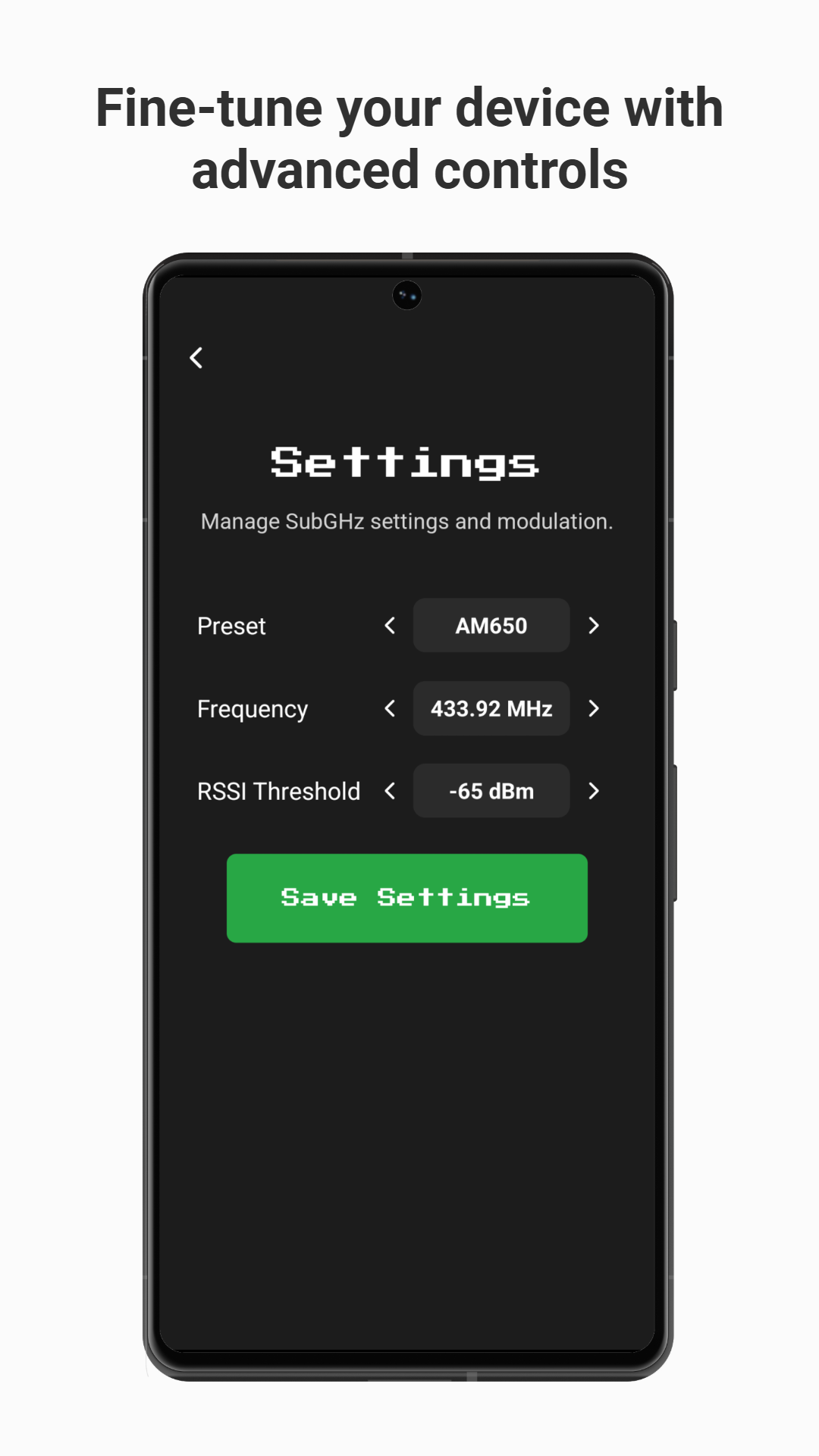
[!WARNING] Heads up! Major changes have been made since the previous release. If you encounter any issues, please report them here.
.sub)..sub files.To start, you'll need (by minimum) an ESP32 [$2.97] of your choice and a CC1101 RF Transceiver [$2.01]. You can purchase both of these parts in the links provided.
[!CAUTION] When choosing a CC1101 module, make sure to select the operating frequency that is most commonly used in your region. The
433 MHzfrequency band is generally most common, but this may vary based on the device you're attempting to emulate.
Your module can use either a wire antenna or an SMA antenna — both options are compatible.
If you're looking to build a fully-fledged BKFZ SubGHz device, you'll want to purchase these additional components (about ~$13.03):
The custom PCB design, as found here, is specifically designed to work with the 433 MHz module(s) linked above.
To flash the BKFZ SubGHz program on your ESP32, you'll need to connect the CC1101 module first. By default, the following pinout is used:
| ESP32 | CC1101 |
|---|---|
| GND | GND |
| 3.3V | VCC |
| G5 | CSN |
| G13 | MOSI |
| G19 | MISO |
| G14 | SCK |
| G16 | GDO0 |
| G18 | GDO2 |
If you'd like to use a different pinout, you can configure the pins in the headers/config.h configuration file.
Additionally, you'll need to decide which connection mode you'd like to use. By default, your BKFZ SubGHz device will use Bluetooth Low Energy for communication with the mobile app. If you'd like to use Wi-Fi connectivity (or your device does not support the mobile app), you should modify the CONNECTION_MODE definition to CONNECTION_MODE_WIFI in the configuration file.
Note: If possible, Bluetooth connectivity is highly recommended as it's more reliable on mobile devices.
To install the BKFZ SubGHz firmware, you'll need to open this repository in Arduino IDE in the Arduino/ folder.
If you've selected Wi-Fi as the connection mode, you'll need to download and install the LittleFS Upload plugin (you can find instructions on installation in the repository). This plugin is crucial to serve essential files through the web server (CSS, fonts, icons, etc).
Next, you should upload the data/ files through LittleFS (Ctrl + Shift + P, then Upload LittleFS to Pico/ESP8266/ESP32). Make sure your Serial Monitor is closed during the uploading process.
Lastly, click the Upload icon in the Arduino IDE to flash the code on your ESP32. All done!
Once you've completed the firmware installation, it's time to access the interface! There are multiple ways to do this, depending on the connection mode you've selected.
[!WARNING] Currently, the BKFZ SubGHz mobile app must be sideloaded on your device while I work to publish it on the Google Play Store. Due to App Store restrictions, iOS devices will always require manual sideloading through Xcode. Please follow the instructions below to continue.
To access the user interface on a Bluetooth connection, you'll need to download the official BKFZ SubGHz app for iPhone or Android.
To compile the application manually, start by installing the required dependencies in this repository:
git clone https://github.com/brianwalczak/BKFZ-SubGHz.git
cd BKFZ-SubGHz/Application
npm install
Next, follow the instructions below based on your device's operating system:
In order to sideload the application to your iPhone, you'll need to install Xcode here on a Mac and login to an Apple ID (free or paid).
Next, you'll need to download Xcode Command Line Tools for compatibility with Expo:
xcode-select --installFollow the instructions on your Mac to finish installation, then plug in your iOS device. To begin building the application, run this command:
npx expo run:ios --device --configuration ReleaseThis process may take a few minutes, and the application will be installed to your device once complete. You may need to trust the developer on your iPhone to launch the application (Settings > General > VPN & Device Management, under Developer App).
There are two different ways you can install the BKFZ SubGHz app on your Android device.
npx expo run:android --variant release (you will need to install Android SDK Platform-Tools).BKFZ SubGHz Wi-Fi network (remember, you can configure the SSID and password in the configuration file).192.168.4.1 to view the interface.If the page is not found, check the Gateway IP address of the Wi-Fi network and navigate to the IP address.
Tip: If you'd like to add the user interface as a web app to your home screen, you can click Share > Add to Home Screen in Safari for iOS, or the 3 dots in Chrome for Android.
This project was made possible by utilizing the following dependencies:
ELECHOUSE_CC1101_SRC_DRV | A library for controlling the CC1101 module, which is commonly used for wireless communication in Arduino projects.ESPAsyncWebServer | A library that enables the creation of web servers on the ESP32 and ESP8266.React Native | A popular open-source framework for building native mobile apps using React.Expo | A full-stack React Native framework that makes development, testing, and deployment of apps much easier.ESP32 Core Libraries | A collection of libraries pre-installed on the ESP32 (including Wi-Fi, SPI, LittleFS, Preferences, and much more).Flipper Zero | This project couldn't be made possible without the extensive documentation and awesome team over at Flipper Zero ♥These are just a couple honorable mentions; view the package.json and Arduino code for more details!
No, the BKFZ SubGHz can not emulate any of these types of devices, unlike the Flipper Zero. This project is specifically focused on replicating the SubGHz functionality of the Flipper Zero. However, it is theoretically possible to achieve this with an ESP32 and the appropriate module (though it's unlikely to happen).
Nope! If you have access to Xcode, you can use a free Apple ID to sideload the app. However, you will need to re-install the application every 7 days due to iOS restrictions, so it's recommended that you use Wi-Fi connectivity instead. Sorry!
You don't need internet access to use the BKFZ SubGHz, however you will need to connect to its Wi-Fi access point if you're using Wi-Fi Connection Mode (learn more here).
At the moment, this project is solely developed and maintained by me (thanks to the amazing resources here). That said, I highly encourage you to contribute to the project by submitting a pull request! It would be greatly appreciated.
That's great to hear! You can submit any feedback, or any bugs that you find, on the issues page. I check these very frequently, and I highly encourage you to find bugs.
I'm glad to hear that you find this project useful! If you'd like to support this project and its development, you can send me a tip here 😁
Made with ♡ by Briann
| Qty | Value | Footprint | References |
|---|---|---|---|
| 1 | ~ | BKFZ_SubGHz:CC1101_SubGHz | CC1101_433MHz1 |
| 1 | ~ | BKFZ_SubGHz:TP4056_18650 | TP4056_18650 |
| 1 | ~ | BKFZ_SubGHz:ESP32_Mini | ESP32_D1_Mini1 |

hzeller/rpi-rgb-led-matrix
Controlling up to three chains of 64x64, 32x32, 16x32 or similar RGB LED displays using Raspberry Pi GPIO


atopile/atopile
Design circuit boards with code! ✨ Get software-like design reuse 🚀, validation, version control and collaboration in hardware; starting with electronics ⚡️


hackclub/sprig
🍃 Learn to code by making games in a JavaScript web-based game editor.
It measures 30.8 × 37.5 mm and has 2 copper layers, 1.6 mm thick.
3 parts. The full list of its parts is on this page, with links to each part's symbol and footprint where PCBKit's library has them.
From the brianwalczak/BKFZ-SubGHz repository on GitHub, at the commit this page was made from: the board is KiCad_PCB/BKFZ SubGHz/BKFZ SubGHz.kicad_pcb and its schematic KiCad_PCB/BKFZ SubGHz/BKFZ SubGHz.kicad_sch. PCBKit opens the board in the browser, with nothing to install.
Its repository publishes it under the Apache-2.0 licence: you may reuse it on that licence's terms (keep the author's notice, and for a copyleft licence share your changes alike).