4 layers55.4 × 64 mm
Speaker
lufixSch/sound-laser
Bachelor Thesis at the FH-Joanneum about building a speaker creating a sound beam
64 parts5

 boiduykhanh/board-develop-raspberry-pi-kicad1
Board develop raspberry pi kicad is an open-source printed circuit board by boiduykhanh, from the boiduykhanh/board-develop-raspberry-pi-kicad repository on GitHub. It is a 2-layer board of 43.5 × 65.4 mm with 36 parts on 45 nets, routed with 359 tracks and 32 vias.
It is built around the MAX485ED, LM2596S-5.0 and LTV-817, with the SSB44 and 2SC1815 among its other parts. Its parts include 8 resistors, 7 capacitors, 5 diodes, 4 ICs and 4 connectors.


Boad phát triển raspberey pi
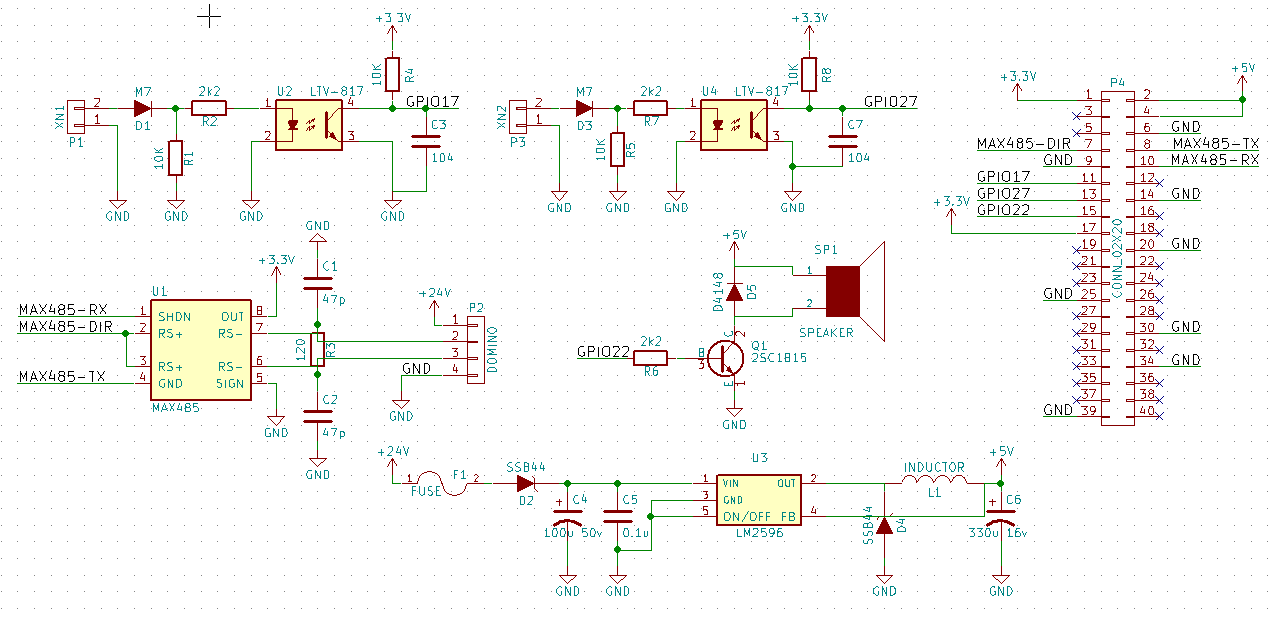
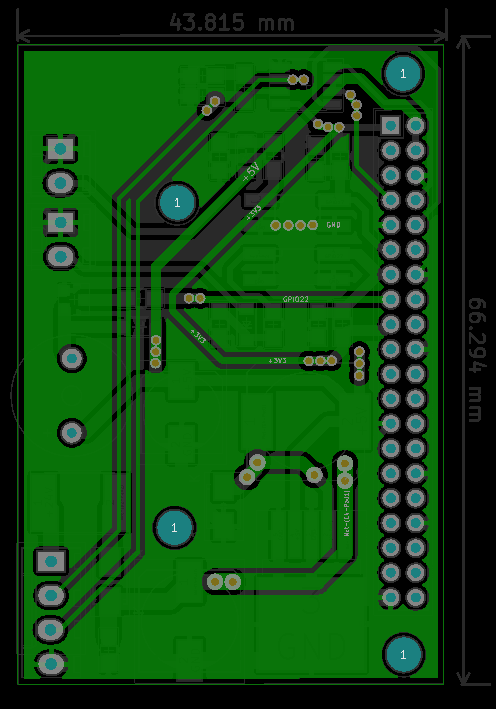
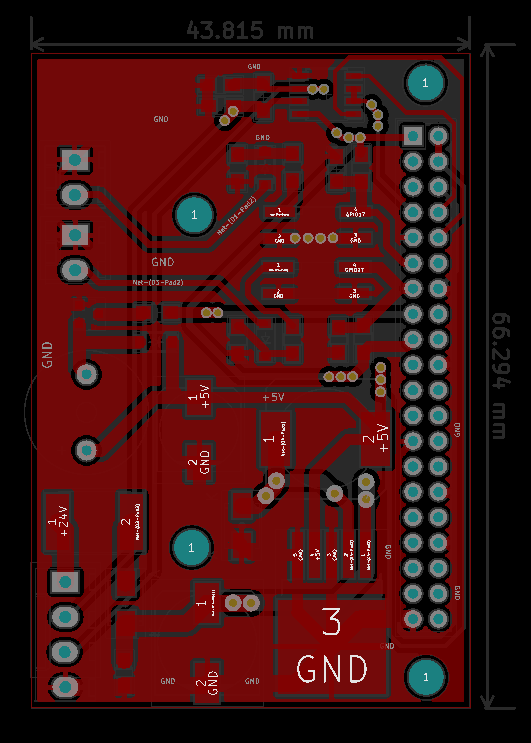
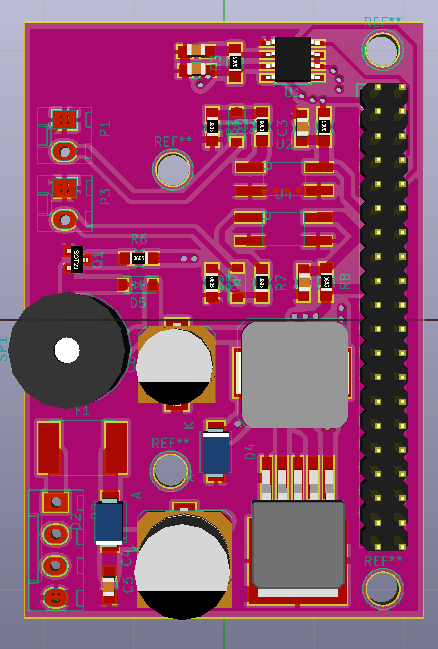
| Qty | Value | Footprint | References |
|---|---|---|---|
| 4 | 10K | Resistors_SMD:R_0805_HandSoldering | R1, R4, R5, R8 |
| 3 | 2k2 | Resistors_SMD:R_0805_HandSoldering | R2, R6, R7 |
| 2 | 104 | Capacitors_SMD:C_0805_HandSoldering | C3, C7 |
| 2 | 47p | Capacitors_SMD:C_0805_HandSoldering | C1, C2 |
| 2 | LTV-817 | Opto-Devices:Optocoupler_SMD_HandSoldering_KPC357_LTV35x_PC357_SingleChannel | U2, U4 |
| 2 | M7 | Diodes_SMD:SOD-123 | D1, D3 |
| 2 | SSB44 | Diodes_SMD:SMA_Standard | D2, D4 |
| 1 | 0.1u | Capacitors_SMD:C_0805_HandSoldering | C5 |
| 1 | 100u 50v | Capacitors_SMD:c_elec_10x10 | C4 |
| 1 | 120 | Resistors_SMD:R_0805_HandSoldering | R3 |
| 1 | 2SC1815 | TO_SOT_Packages_SMD:SOT-23 | Q1 |
| 1 | 330u 16v | Capacitors_SMD:c_elec_8x10 | C6 |
| 1 | CONN_02X20 | Pin_Headers:Pin_Header_Straight_2x20 | P4 |
| 1 | D4148 | Diodes_SMD:SOD-123 | D5 |
| 1 | DOMINO | conn:domino-big-4 | P2 |
| 1 | FUSE | Fuse_Holders_and_Fuses:Fuse_SMD2920 | F1 |
| 1 | INDUCTOR | Inductors:SELF-WE-PD-XXL | L1 |
| 1 | LM2596 | TO_SOT_Packages_SMD:TO-263-5Lead | U3 |
| 1 | MAX485 | Housings_SOIC:SOIC-8_3.9x4.9mm_Pitch1.27mm | U1 |
| 1 | SPEAKER | Buzzers_Beepers:Buzzer_12x9.5RM7.6 | SP1 |
| 1 | XN1 | conn:domino-2 | P1 |
| 1 | XN2 | conn:domino-2 | P3 |
The 32 most common of 36 parts.
lufixSch/sound-laser
Bachelor Thesis at the FH-Joanneum about building a speaker creating a sound beam

pavithvishnu/STEREOPI
This repo contains StereoPi schematics in KiCad. Originally, all schematics have been created in Altium, and now we're in the process of porting them to KiCad.


ChaseDurand/Pool-Pi
Hardware+software solution for controlling a Goldline/Hayward Aqualogic pool control board over WiFi via a Raspberry Pi.

alcaaron/esi_project
ENGINYERIA DE SISTEMES: PROJECTE DE CURS Fet per - Aaron Alcalá - Albert Bombí - Marcos García

Colorado-School-of-Mines-Robotics-Club/VEX-Override
VURC team ORDGR's code for the 26-27 VEX Override game


It measures 43.5 × 65.4 mm and has 2 copper layers, 1.6 mm thick.
36 parts, built around the MAX485ED, LM2596S-5.0, LTV-817 and SSB44. The full list of its parts is on this page, with links to each part's symbol and footprint where PCBKit's library has them.
From the boiduykhanh/board-develop-raspberry-pi-kicad repository on GitHub, at the commit this page was made from: the board is board-develop-raspberry-pi-kicad/board-develop-raspberry-pi-kicad.kicad_pcb. PCBKit opens the board in the browser, with nothing to install.
Its repository states no licence, so its author keeps all rights: ask boiduykhanh before reusing the design.