

2 layers210 × 120 mm

 benbrandt22/TeamSpot
Hardware Mute Control for Microsoft Teams
TeamSpot kicad is an open-source printed circuit board by benbrandt22, from the benbrandt22/TeamSpot repository on GitHub, published under the GPL-3.0 licence. It is a 2-layer board of 37.7 × 37.4 mm with 15 parts on 25 nets, routed with 141 tracks and 12 vias.
It is built around the RP2040-ZERO and WS2812B. Its parts include 6 capacitors, 1 resistor, 1 IC and 1 switch. It belongs with the RP2040 boards of this library.
Hardware Mute Control for Microsoft Teams
(Currently a work in progress)
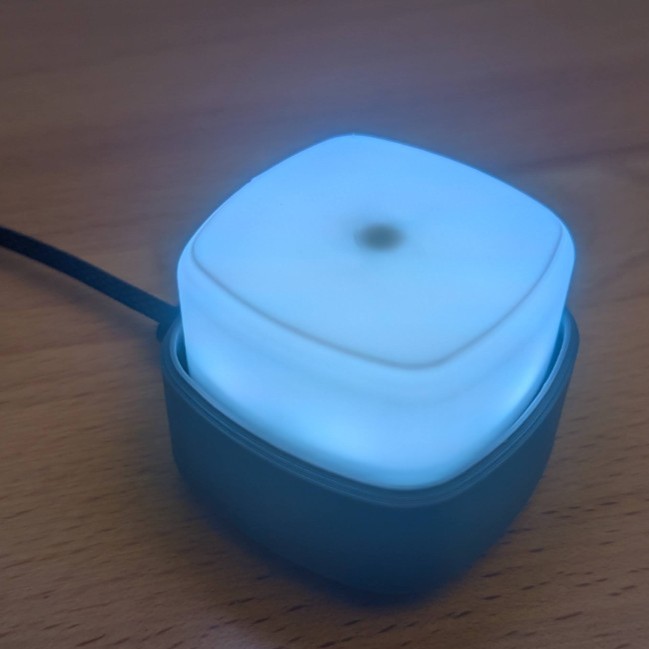
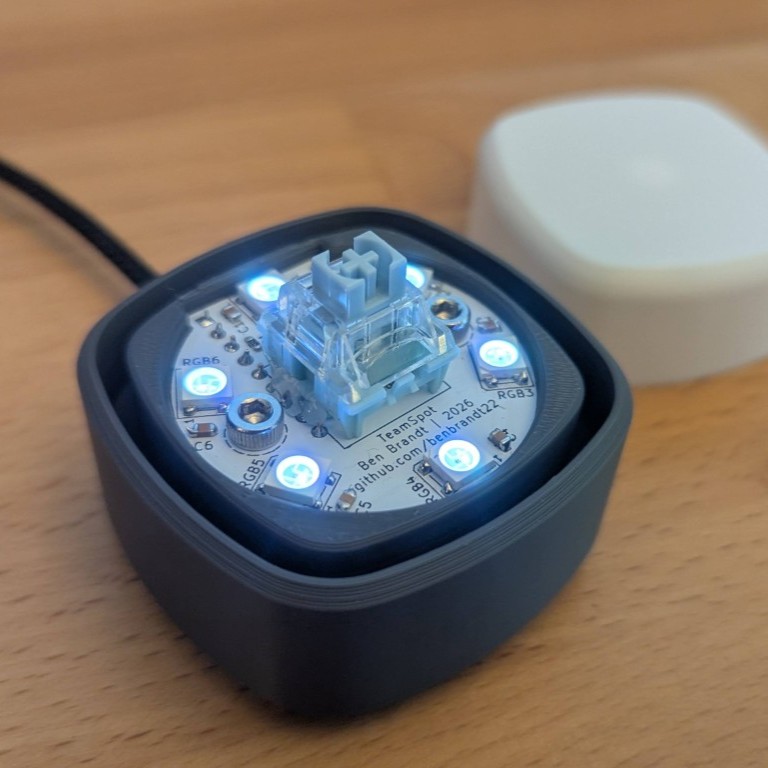
This project was created because it seemed like a fun idea for a small electronics project to try some new things. In my professional life, I use Microsoft Teams for meetings and calls. During most meetings I try to have good microphone etiquette, muting myself when I'm not speaking to minimize background noise and distractions for others. When I wanted to speak, I didn't like having to grab my mouse and find the un-mute button. Sometimes that meant extra seconds of silence before I could respond. Sometimes I'd forget I'm on mute because I had another appication active. Keyboard shortcuts didn't seem like the right solution either, as sometimes I'm using another application that's active in front of MS Teams. I was in the mood to build some hardware, so a physical button seemed like the right way to handle this.
The other key objective was to get good visual feedback of my microphone's current mute status. I wanted the device to reflect the actual status of the microphone in Teams, so that if I muted myself using the software controls, the device would show that as well.
My initial research revealed a local websocket API that published realtime events from Teams, and had the ability to send commands to Teams. This was originally released (I think) around 2023 and was heavily used by the Elgato Stream Deck to allow similar control and status display integration with Teams.
This local Teams API can be seen in MS Teams under Settings > Privacy > Third-Party app API.
Some related links:
When I discovered this, I also found articles/posts that revealed that Microsoft was planning on deprecating and/or removing this API, announced in late 2025. The Teams instance on my personal computer did not have this API enabled. However, my Teams installation on my work laptop did have it enabled. They were both on the same version, so something about my corporate account had this feature enabled. It could still go away someday, but for now it works and that's good enough for my little project.
UPDATE August 2026 - The third-party API settings are now missing from my Teams installation. It would seem that Microsoft finally actually deprecated the feature. It may be time to explore other ways to get status and control the microphone
| Qty | Value | Footprint | References |
|---|---|---|---|
| 6 | 1uF | Capacitor_SMD:C_0603_1608Metric | C1, C2, C3, C4, C5, C6 |
| 6 | WS2812B | LED_SMD:LED_WS2812B_PLCC4_5.0x5.0mm_P3.2mm | RGB1, RGB2, RGB3, RGB4, RGB5, RGB6 |
| 1 | 470 | Resistor_SMD:R_0603_1608Metric | R1 |
| 1 | RP2040-ZERO | RP2040-ZERO:MODULE_RP2040-ZERO-SIDES-ONLY | U1 |
| 1 | SW_Push | Button_Switch_Keyboard:SW_Cherry_MX_1.00u_PCB | SW1 |

balub/Pigmy-CoryDora
A compact 3-key macropad built around the Glyph Mini RP2040


saujasrs/pygmy-corydora-pcbcupid
Pygmy Corydora Macropad Build at an event held by PCBCupid in Bangalore on May 18, 2026.
It measures 37.7 × 37.4 mm and has 2 copper layers, 1.6 mm thick.
15 parts, built around the RP2040-ZERO and WS2812B. The full list of its parts is on this page, with links to each part's symbol and footprint where PCBKit's library has them.
From the benbrandt22/TeamSpot repository on GitHub, at the commit this page was made from: the board is src/board/teamSpot-kicad/teamSpot-kicad.kicad_pcb and its schematic src/board/teamSpot-kicad/teamSpot-kicad.kicad_sch. PCBKit opens the board in the browser, with nothing to install.
Its repository publishes it under the GPL-3.0 licence: you may reuse it on that licence's terms (keep the author's notice, and for a copyleft licence share your changes alike).