4 layers40.4 × 55.5 mm

 barratt/ESP32-SimpleClick
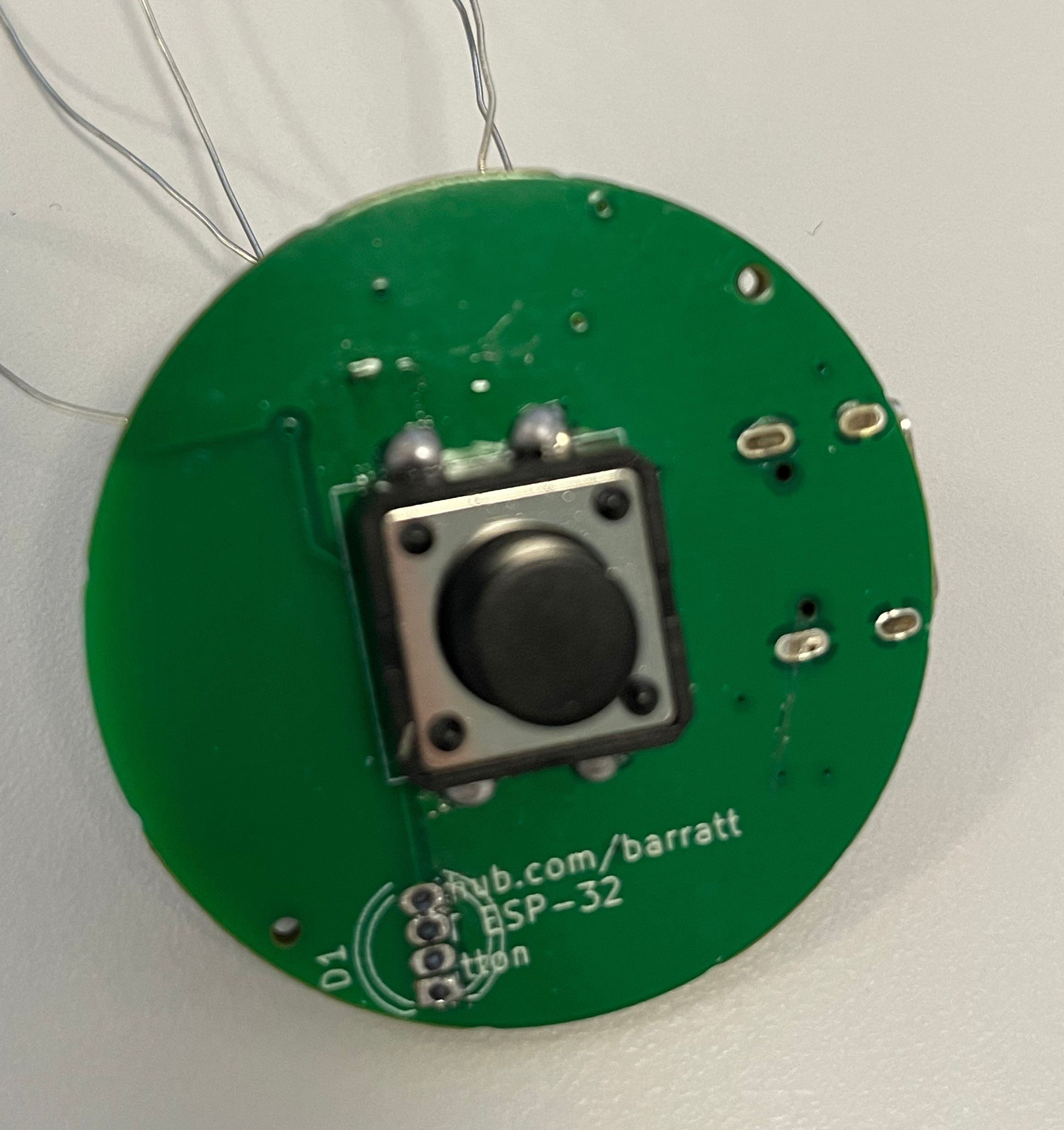
I was looking for a simple small ESP32 that could be used as a desktop or portable IOT button.
Simpleclick is an open-source printed circuit board by barratt, from the barratt/ESP32-SimpleClick repository on GitHub. It is a 2-layer board with 23 parts on 31 nets, routed with 178 tracks and 20 vias.
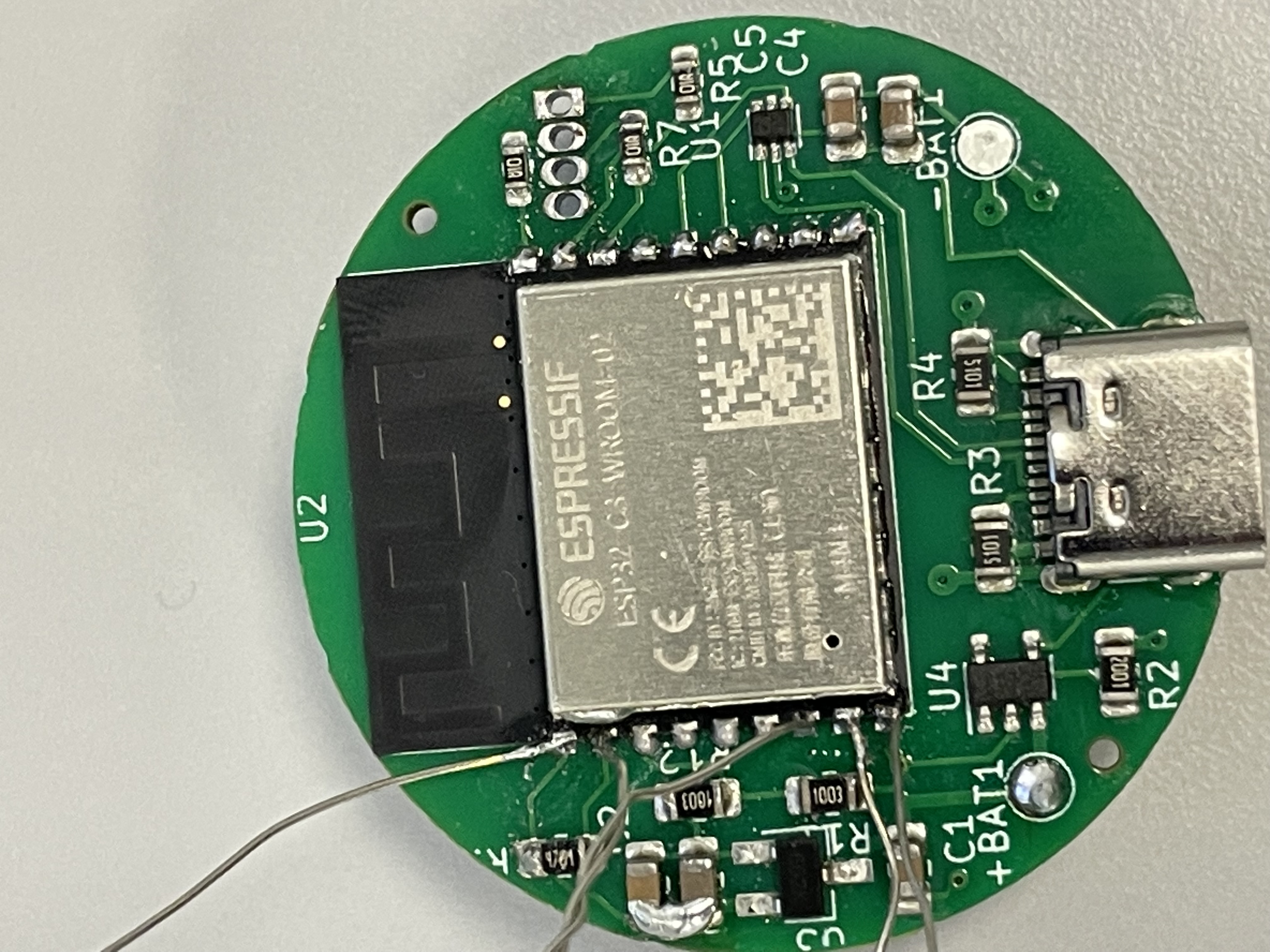
It is built around the ESP32-C3-WROOM-02-H4 and USBLC6-2P6. Its parts include 9 resistors, 5 capacitors, 4 ICs, 1 diode and 1 connector. It belongs with the ESP32 and RISC-V boards of this library.


I was looking for a simple small ESP32 that could be used as a desktop or portable IOT button.
The rationale behind not using Zigbee or BLE was simplicity & cost for the end user. It can either be connected via type C to a PC or through WiFi using a battery.
If you're looking to build one, I sent everything in the gerbers folder to JLCPCB and paid for SMD assembly. In total I paid £20 for 5 boards, so £4 per button overall. The button and LED needs soldering by hand, however since they're the biggest components, this is easy.
You can see a full bom in the gerbers folder.
Some issues that need addressing:
It's unlikely I'll come back to the project as it solves my requirements, so if you do fix any of the above please submit a pull request, otherwise do what you like with this!
| Qty | Value | Footprint | References |
|---|---|---|---|
| 4 | 4.7uF | Capacitor_SMD:C_0805_2012Metric_Pad1.18x1.45mm_HandSolder | C1, C3, C4, C5 |
| 3 | 100 | Resistor_SMD:R_0603_1608Metric_Pad0.98x0.95mm_HandSolder | R5, R6, R7 |
| 2 | 100k | Resistor_SMD:R_0805_2012Metric_Pad1.20x1.40mm_HandSolder | R11, R12 |
| 2 | 5k1 | Resistor_SMD:R_0805_2012Metric_Pad1.20x1.40mm_HandSolder | R3, R4 |
| 1 | +BATT | TestPoint:TestPoint_Pad_D2.0mm | +BAT1 |
| 1 | 10uF | Capacitor_SMD:C_0805_2012Metric_Pad1.18x1.45mm_HandSolder | C2 |
| 1 | 2k | Resistor_SMD:R_0805_2012Metric_Pad1.20x1.40mm_HandSolder | R2 |
| 1 | 4k7 | Resistor_SMD:R_0805_2012Metric_Pad1.20x1.40mm_HandSolder | R1 |
| 1 | ESP32-C3-WROOM-02 | PCM_Espressif:ESP32-C3-WROOM-02 | U2 |
| 1 | GND | TestPoint:TestPoint_Pad_D2.0mm | -BAT1 |
| 1 | LED_RGBA | LED_THT:LED_D5.0mm-4_RGB | D1 |
| 1 | MCP73831-2-OT | Package_TO_SOT_SMD:SOT-23-5 | U4 |
| 1 | SW_SPST | myfootprints:tact12x12 | SW1 |
| 1 | USBLC6-2P6 | Package_TO_SOT_SMD:SOT-666 | U1 |
| 1 | USB_C_Receptacle_USB2.0 | Connector_USB:USB_C_Receptacle_G-Switch_GT-USB-7010ASV | J1 |
| 1 | ~ | Package_TO_SOT_SMD:SC-59_Handsoldering | U3 |
23 parts, built around the ESP32-C3-WROOM-02-H4 and USBLC6-2P6. The full list of its parts is on this page, with links to each part's symbol and footprint where PCBKit's library has them.
From the barratt/ESP32-SimpleClick repository on GitHub, at the commit this page was made from: the board is circuit/simpleclick.kicad_pcb and its schematic circuit/simpleclick.kicad_sch. PCBKit opens the board in the browser, with nothing to install.
Its repository states no licence, so its author keeps all rights: ask barratt before reusing the design.

cegea/temperature_node_hw
PCB design for a temperature sensor based on SHT and ESP32

darshg321/Minicopter
Compact and precise ESP-32 based drone capable of autonomous pathing, built from scratch

marouane-daoudi/esp32-c3-dev-board
4-layer ESP32-C3 WROOM development board with USB-C, ESD protection, LDO regulation and differential pair routing — designed in KiCad

pdaslabs08/ESP32-and-IOT_Project1
Custom 4-layer ESP32 IoT PCB designed in KiCad with complete schematic, PCB layout, and manufacturing-ready files.


Wudker/Clickfy
Compact ESP32-C3 based BLE multimedia remote with custom PCB, battery monitoring and low-power operation.

aeremin/firefly_zephyr
Firmware (Zephyr RTOS / nRF Connect SDK, with Pigweed libraries), custom boards and KiCad hardware projects for a few small nRF52-based devices.