2 layers65 × 30 mm
Pico zero base
bablokb/pcb-pico-pi-base
An Interface PCB to use Pi-Hats with a Pi-Pico(w)
9 parts36CC-BY-SA-4.0

 bablokb/pcb-pico-pi-base36
An Interface PCB to use Pi-Hats with a Pi-Pico(w)
Pico pi base is an open-source printed circuit board by bablokb, from the bablokb/pcb-pico-pi-base repository on GitHub, published under the CC-BY-SA-4.0 licence. It is a 2-layer board of 85 × 56 mm with 20 parts on 42 nets, routed with 298 tracks and 45 vias.
Its parts include 9 connectors, 2 resistors, 1 IC, 1 diode and 1 switch. It belongs with the interfaces and adapters boards and the RP2040 boards of this library.
This projects provides two adapter-boards to run Pi-hats with a Pico.
The "pico-zero-base":
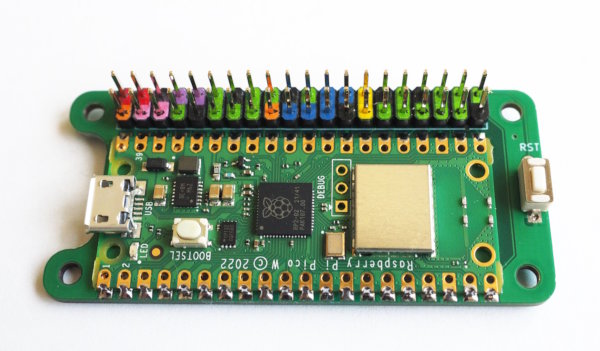
and the "pico-pi-base":
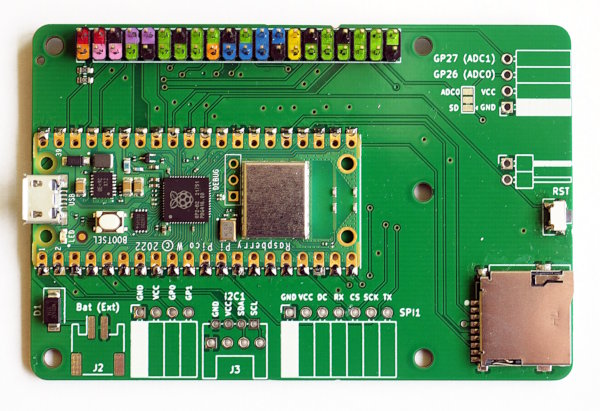
The boards support (besides digital IO) I2C, I2S and SPI.
The following hats were successfully tested:
See the examples page for details.
KiCad design-files are in pico-zero-base.kicad and in pico-pi-base.kicad
respectively. Ready to upload production files for JLCPCB are in production_files.
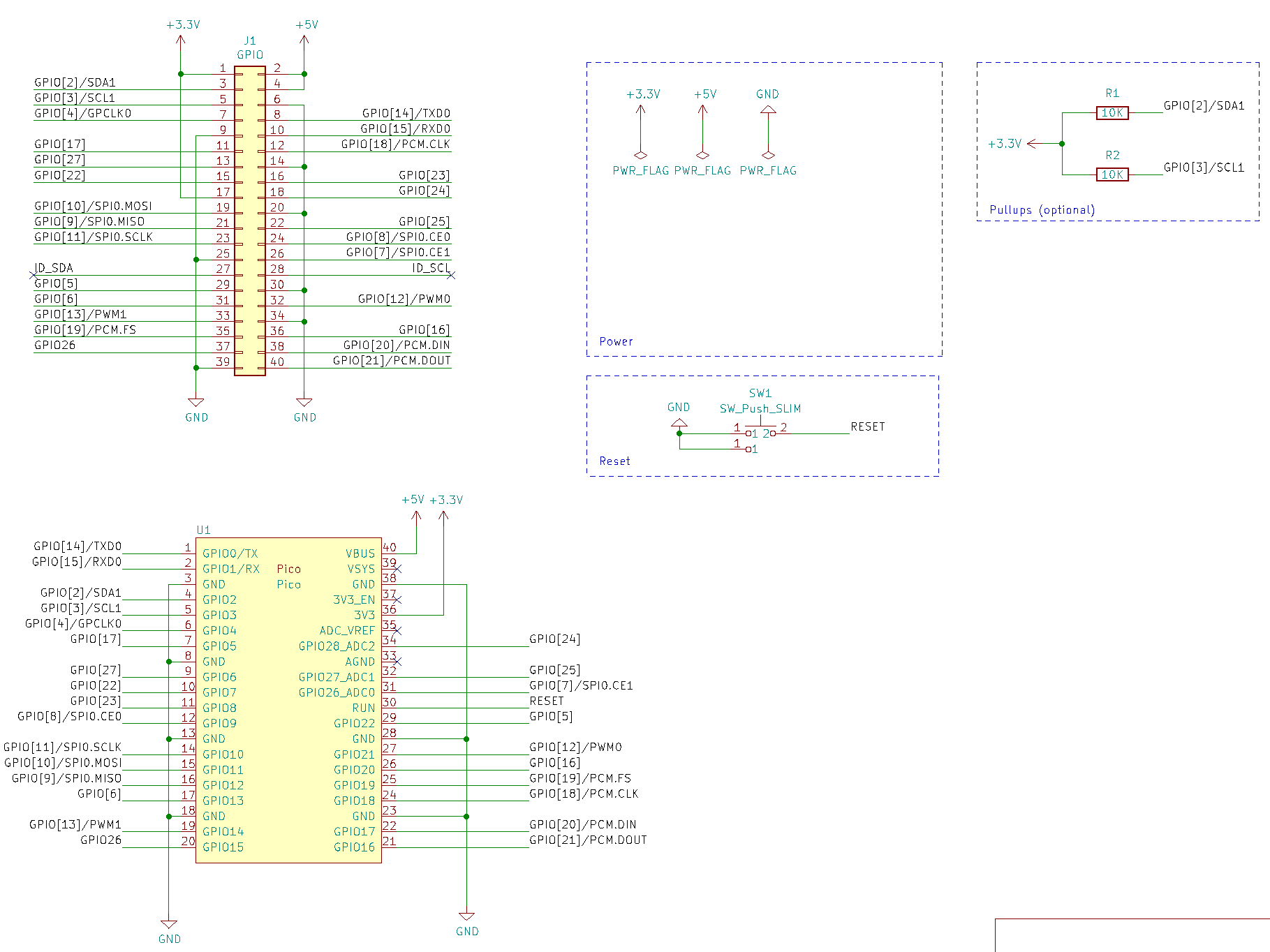
Except for I2C-pullups (and VSYS-diode on pico-pi-base) the adapter-boards only map the pins of the Pico to pins of the Pi. The current versions support I2C, SPI0, SPI1, I2S.
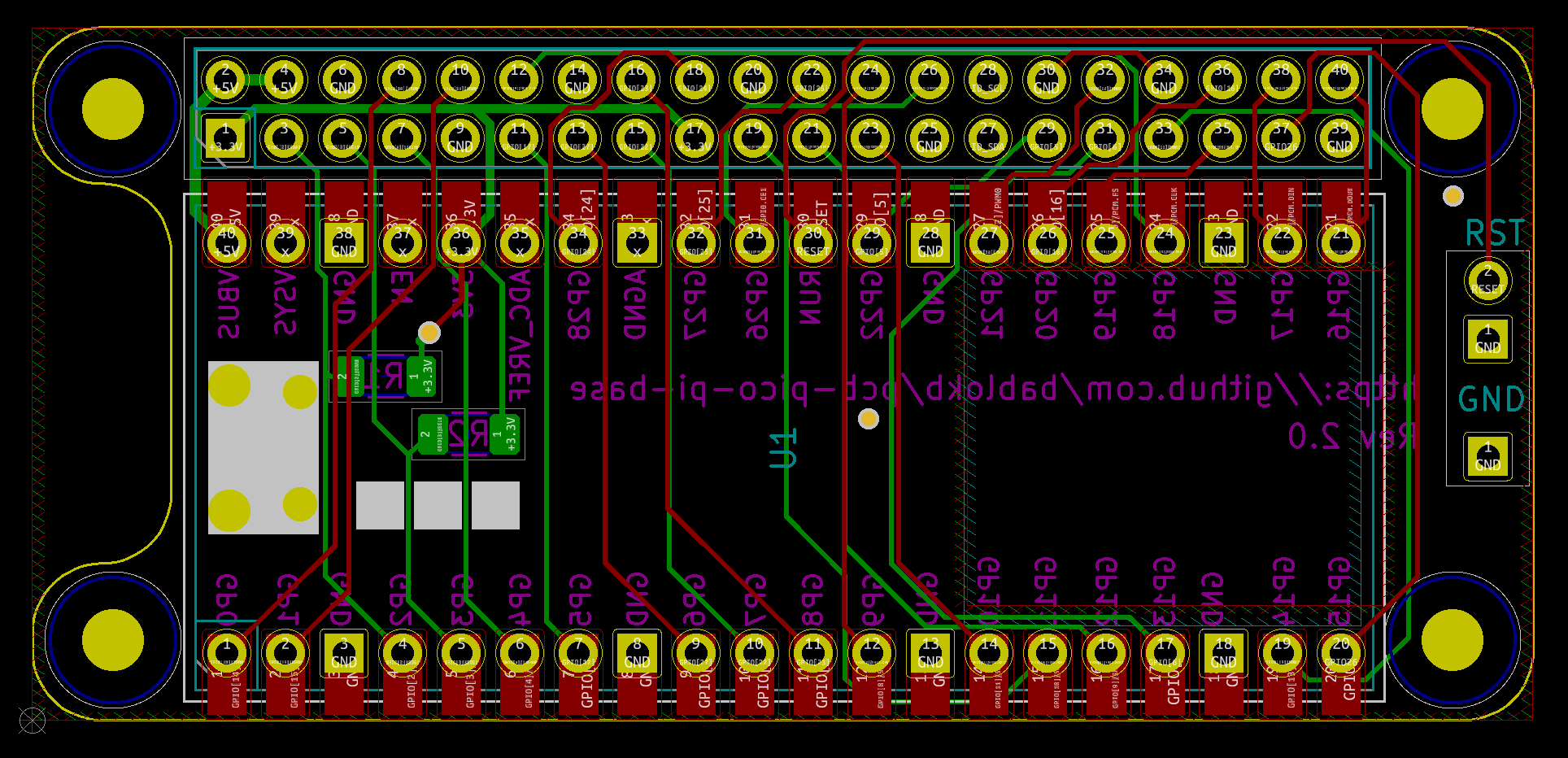
Schematic, layout and 3D-rendered images for pico-zero-base:
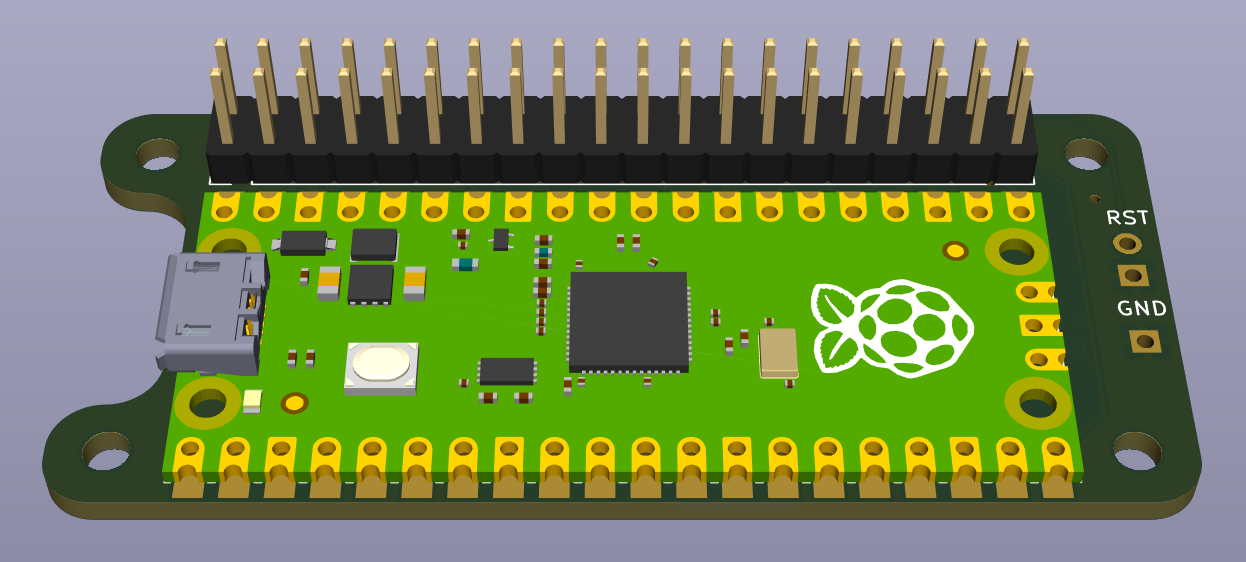
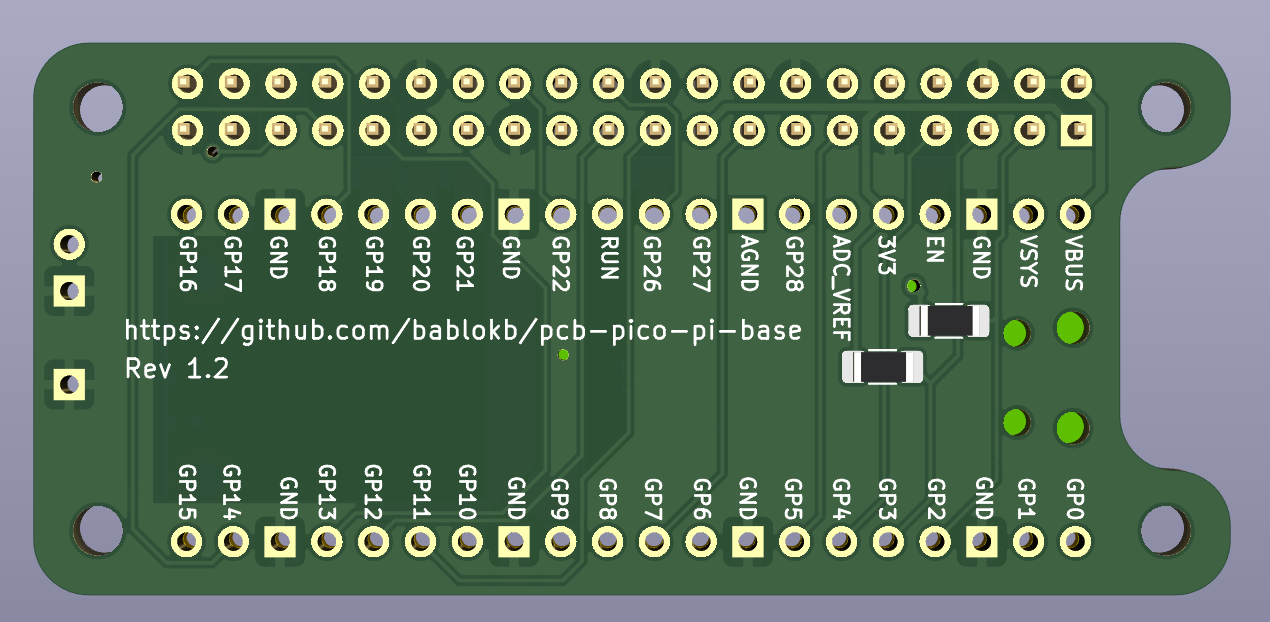
Schematic, layout and 3D-rendered images for pico-pi-base:
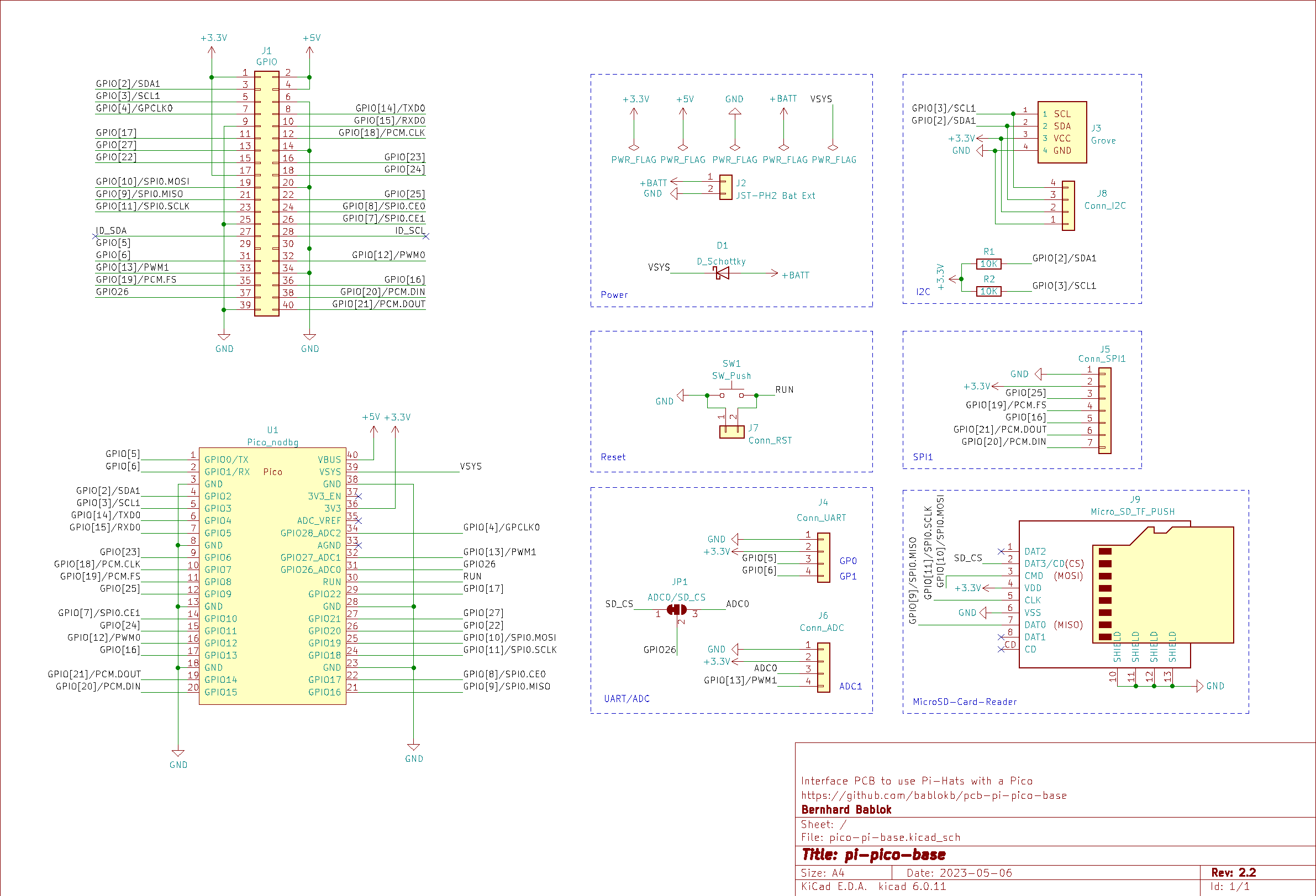
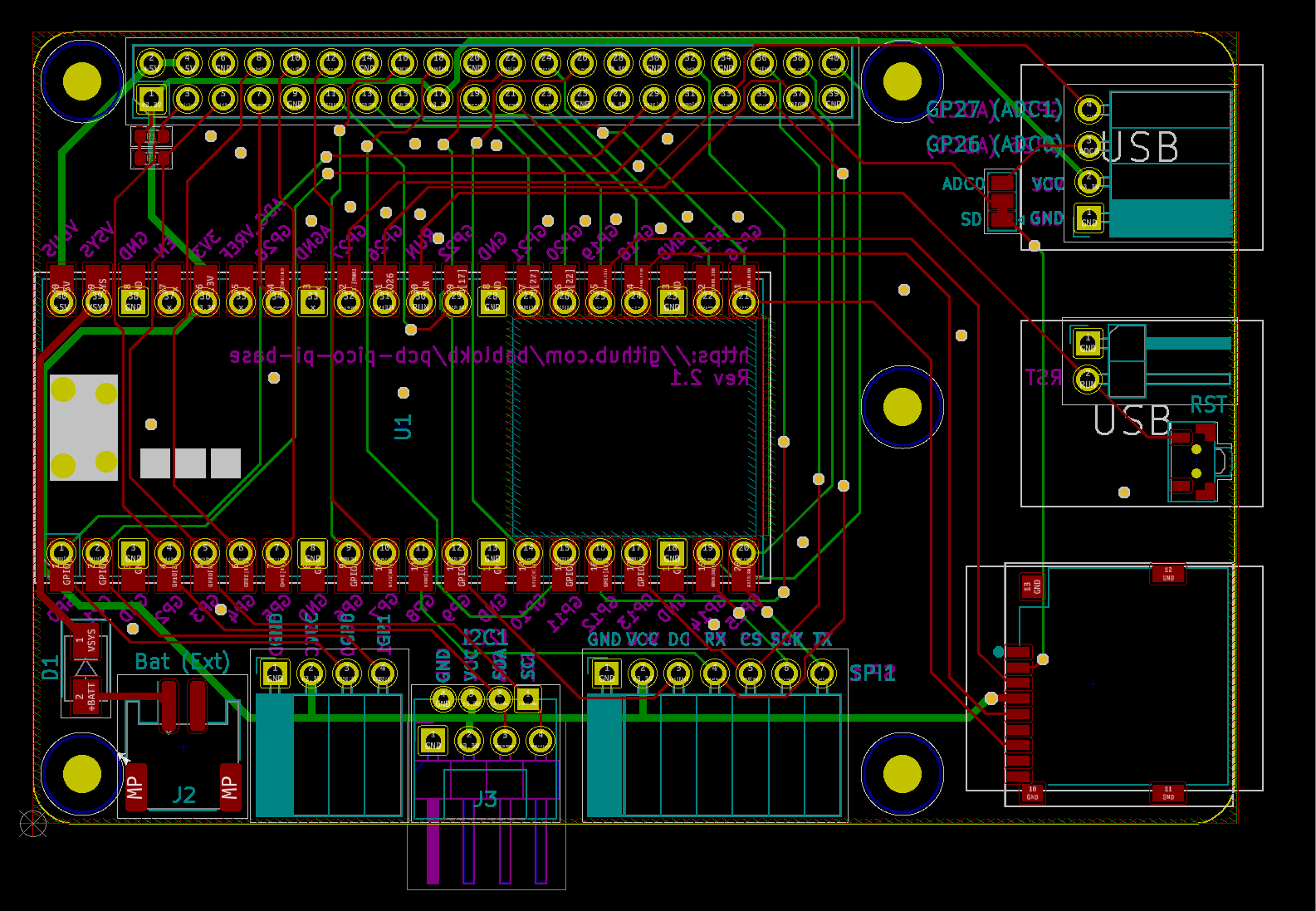
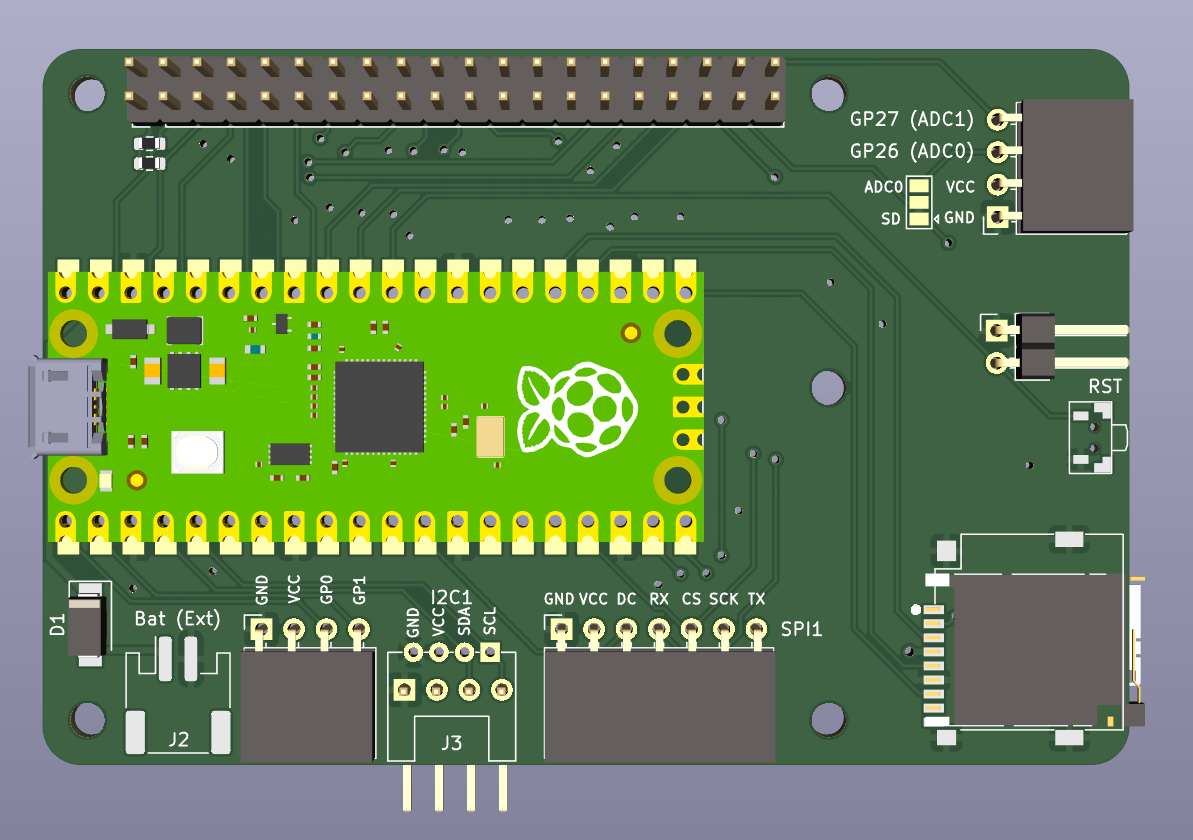
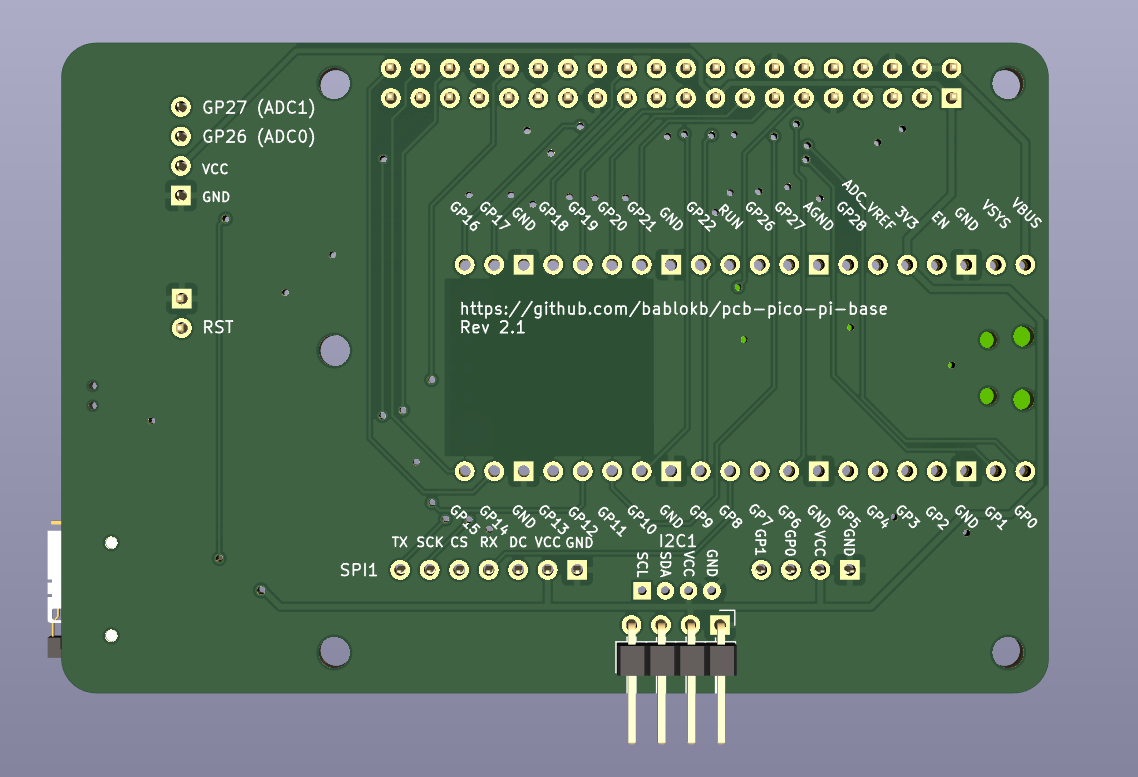
Since you cannot run Linux-software on the Pico, you need to check if there is a Pico-driver available for your hats or adapt existing Pi drivers to the Pico. Since many hats have python-drivers, this is not too difficult. Most hats only use I2C and/or SPI anyhow.
In the directory lib you will find CircuitPython drivers for the supported
hats, unless there is a ready to use driver available.
The directory examples contains example programs.
The software currently assumes that you use special CircuitPython-builds
that do the pin mapping (see the directory circuitpython).
If not, you have to manually look up the mapping.
Porting to MicroPython from CircuitPython should be very simple, since CircuitPython is only a fork of MicroPython and all the drivers use only I2C, SPI and digital-IO.

This work is licensed under a Creative Commons Attribution-ShareAlike 4.0 International License.

| Qty | Value | Footprint | References |
|---|---|---|---|
| 5 | MountingHole_2.7mm_M2.5 | MountingHole:MountingHole_2.7mm_M2.5 | MH1, MH1, MH2, MH3, MH4 |
| 2 | 10K | Resistor_SMD:R_0603_1608Metric | R1, R2 |
| 1 | ADC0/SD_CS | Jumper:SolderJumper-3_P1.3mm_Bridged12_Pad1.0x1.5mm | JP1 |
| 1 | Conn_ADC | Connector_PinSocket_2.54mm:PinSocket_1x04_P2.54mm_Horizontal | J6 |
| 1 | Conn_I2C | Connector_PinHeader_2.54mm:PinHeader_1x04_P2.54mm_Horizontal | J8 |
| 1 | Conn_RST | Connector_PinHeader_2.54mm:PinHeader_1x02_P2.54mm_Horizontal | J7 |
| 1 | Conn_SPI1 | Connector_PinSocket_2.54mm:PinSocket_1x07_P2.54mm_Horizontal | J5 |
| 1 | Conn_UART | Connector_PinSocket_2.54mm:PinSocket_1x04_P2.54mm_Horizontal | J4 |
| 1 | D_Schottky | Diode_SMD:D_SMA | D1 |
| 1 | GPIO | Connector_PinHeader_2.54mm:PinHeader_2x20_P2.54mm_Vertical | J1 |
| 1 | Grove | user:grove_horizontal | J3 |
| 1 | JST-PH2 Bat Ext | Connector_JST:JST_PH_S2B-PH-SM4-TB_1x02-1MP_P2.00mm_Horizontal | J2 |
| 1 | Micro_SD_TF_PUSH | user:TF-Push | J9 |
| 1 | Pico_nodbg | user:RPi_Pico_SMD_TH_nodbg | U1 |
| 1 | SW_Push | user:Microtaster_Horizontal | SW1 |
bablokb/pcb-pico-pi-base
An Interface PCB to use Pi-Hats with a Pi-Pico(w)


atopile/atopile
Design circuit boards with code! ✨ Get software-like design reuse 🚀, validation, version control and collaboration in hardware; starting with electronics ⚡️

davidphilipbarr/Sweep
Sweep - a small promicro based keyboard inspired by the Ferris.

rusefi/rusefi
rusefi - GPL internal combustion engine control unit

hoglet67/RGBtoHDMI
Bare-metal Raspberry Pi project that provides pixel-perfect sampling of Retro Computer RGB/YUV video and conversion to HDMI

hackclub/OnBoard
💡 Join 1,000 teenagers and make your first PCB with a $100 grant!

FreeYourStream/freedeck-hardware
all the stuff you need to build your own FreeDeck
It measures 85 × 56 mm and has 2 copper layers, 1.6 mm thick.
20 parts. The full list of its parts is on this page, with links to each part's symbol and footprint where PCBKit's library has them.
From the bablokb/pcb-pico-pi-base repository on GitHub, at the commit this page was made from: the board is pico-pi-base.kicad/pico-pi-base.kicad_pcb and its schematic pico-pi-base.kicad/pico-pi-base.kicad_sch. PCBKit opens the board in the browser, with nothing to install.
Its repository publishes it under the CC-BY-SA-4.0 licence: you may reuse it on that licence's terms (keep the author's notice, and for a copyleft licence share your changes alike).