2 layers18.5 × 26 mm
24g2usb rp2350zero
joypad-ai/joypad-os
Universal controller firmware for building adapters, dongles, and custom controllers.
4 parts1.7kApache-2.0

 bablokb/pcb-badger2040-wlan6
Small PCB for an ESP-01S and PCF8523-RTC
Badger-2040-wlan is an open-source printed circuit board by bablokb, from the bablokb/pcb-badger2040-wlan repository on GitHub, published under the CC-BY-SA-4.0 licence. It is a 2-layer board of 42 × 37.6 mm with 4 parts on 13 nets, routed with 33 tracks and 1 via.
It belongs with the ESP8266 boards of this library.
A small pcb that allows to add an ESP-01S and/or PCF8523-RTC-breakout to the back of a Pimoroni Badger2040 (or Tufty2040):
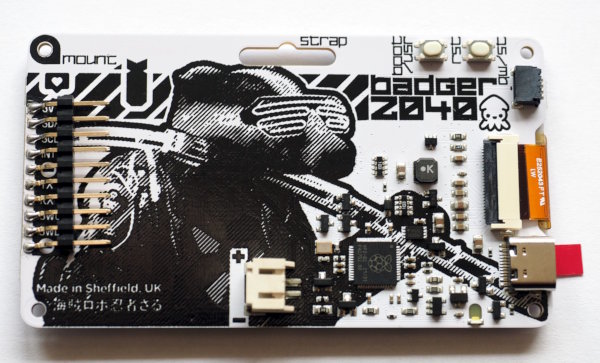
Badger2040 with SMD-pins:
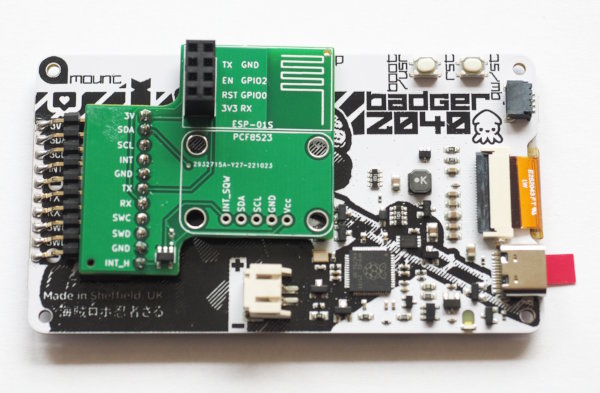
PCB added:
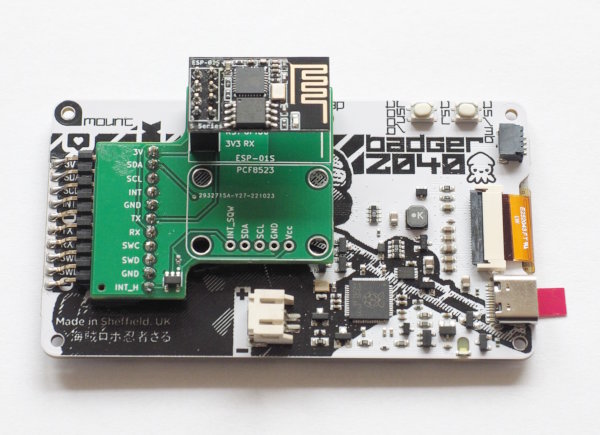
ESP-01S connected:
Additionally with RTC (PCF8523):
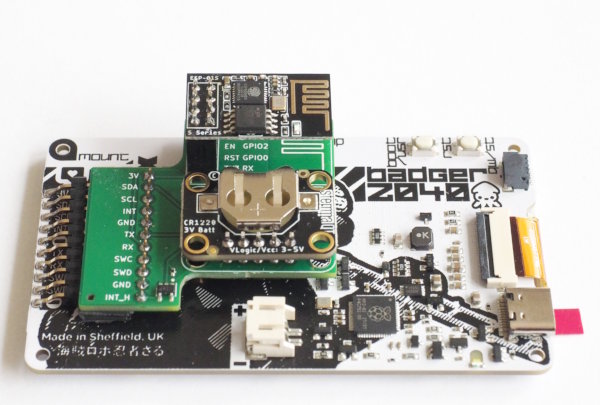
Note that the images show an old Rev 3 version of the PCB.
KiCAD source files are in badger-2040-wlan.kicad. Production files
for JLCPCB are in directory production. Since the pcb does not
need any SMD-components (in Rev 4), these pcb are really easy
to order (just upload the zip) and cheap (I got five for less
than 7 Euro).
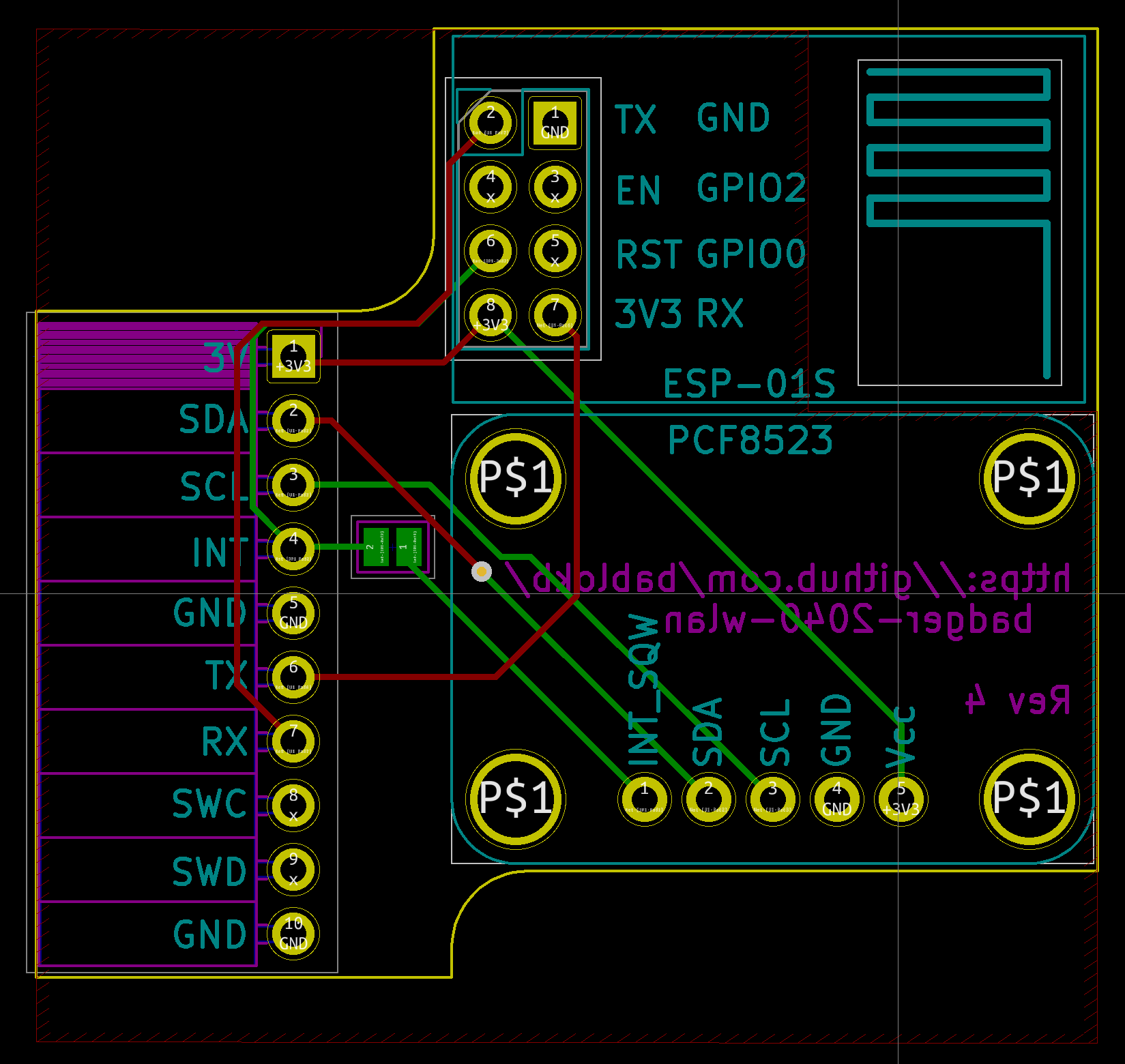
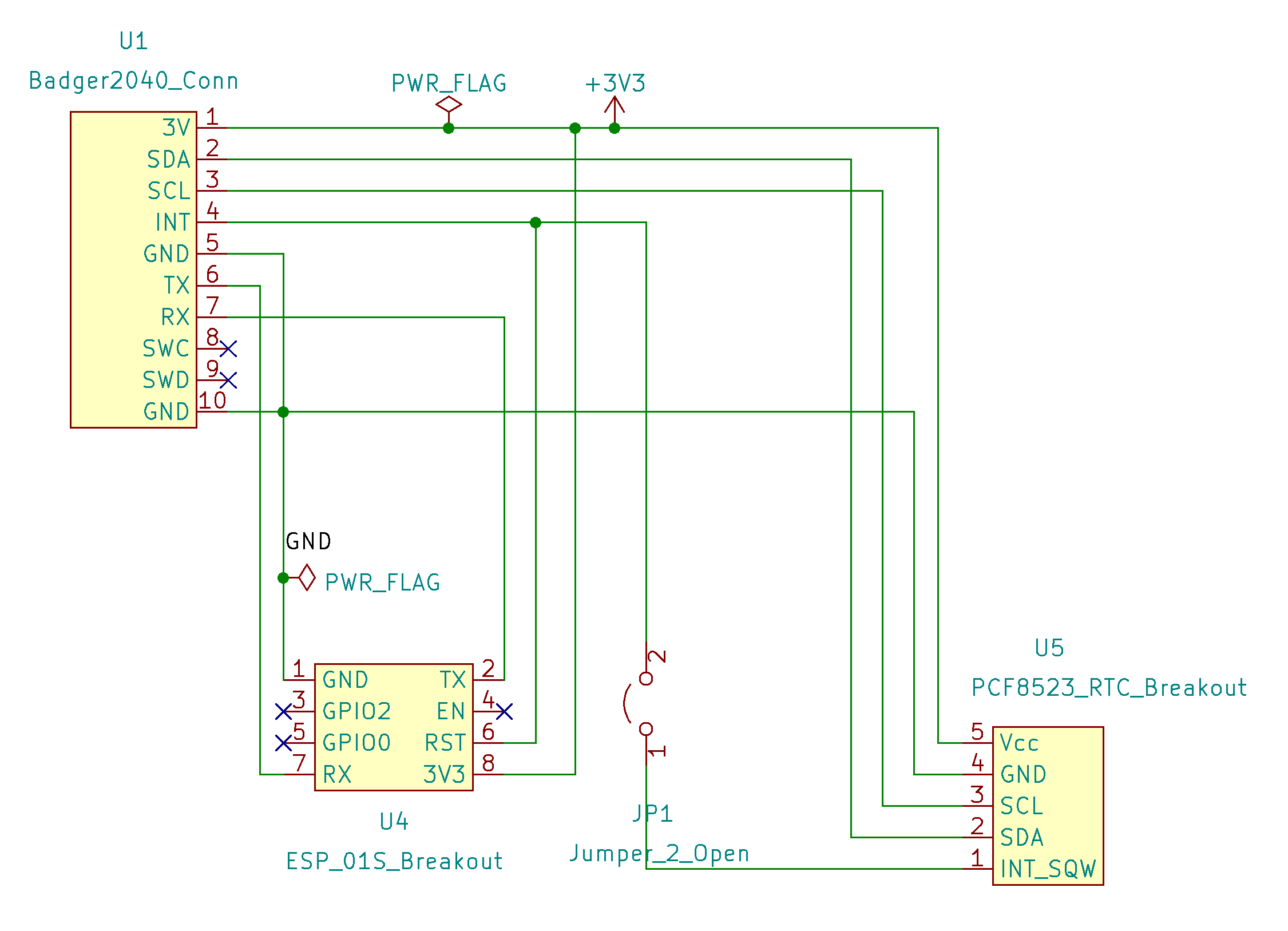
If you don't use the ESP-01S, you can connect the RTC-alarm pin to the INT-pin by closing the jumper on the back. Note that wakeup will only work with battery if you constantly hold one of the buttons pressed (see https://github.com/bablokb/badger2040-button-clamp).
Also, wakup is currently not implemented in MicroPython.

This work is licensed under a Creative Commons Attribution-ShareAlike 4.0 International License.

| Qty | Value | Footprint | References |
|---|---|---|---|
| 1 | Badger2040_Conn | user:PinSocket_1x10_P2.54mm_Horizontal_Back | U1 |
| 1 | ESP_01S_Breakout | user:ESP_01S_Breakout | U4 |
| 1 | Jumper_2_Open | Jumper:SolderJumper-2_P1.3mm_Open_Pad1.0x1.5mm | JP1 |
| 1 | PCF8523_RTC_Breakout | user:PCF8523_Breakout | U5 |
joypad-ai/joypad-os
Universal controller firmware for building adapters, dongles, and custom controllers.


hackclub/OnBoard
💡 Join 1,000 teenagers and make your first PCB with a $100 grant!

tardate/LittleArduinoProjects
a collection of "Little Electronic & Arduino Projects", most involving electronics or an Arduino in one way or another!

drandyhaas/KiCadRoutingTools
A set of Python/Rust tools to aid routing in KiCad

osy/XG_Mobile_Station
Open source eGPU dock for ROG Ally and ROG Flow

Luos-io/luos_engine
Open-source and real-time orchestrator for cyber-physical-systems, to easily design, test and deploy embedded applications and digital twins.

NVNTLabs/switch2-SDEX2M2
Micro SD Express to M.2 NVME Adapter for Nintendo Switch 2
It measures 42 × 37.6 mm and has 2 copper layers, 1.6 mm thick.
4 parts. The full list of its parts is on this page, with links to each part's symbol and footprint where PCBKit's library has them.
From the bablokb/pcb-badger2040-wlan repository on GitHub, at the commit this page was made from: the board is badger-2040-wlan.kicad/badger-2040-wlan.kicad_pcb and its schematic badger-2040-wlan.kicad/badger-2040-wlan.kicad_sch. PCBKit opens the board in the browser, with nothing to install.
Its repository publishes it under the CC-BY-SA-4.0 licence: you may reuse it on that licence's terms (keep the author's notice, and for a copyleft licence share your changes alike).