
2 layers304.8 × 170.8 mm

 Akku-Craft/schematics
Hardware schematics and electronic circuit designs.
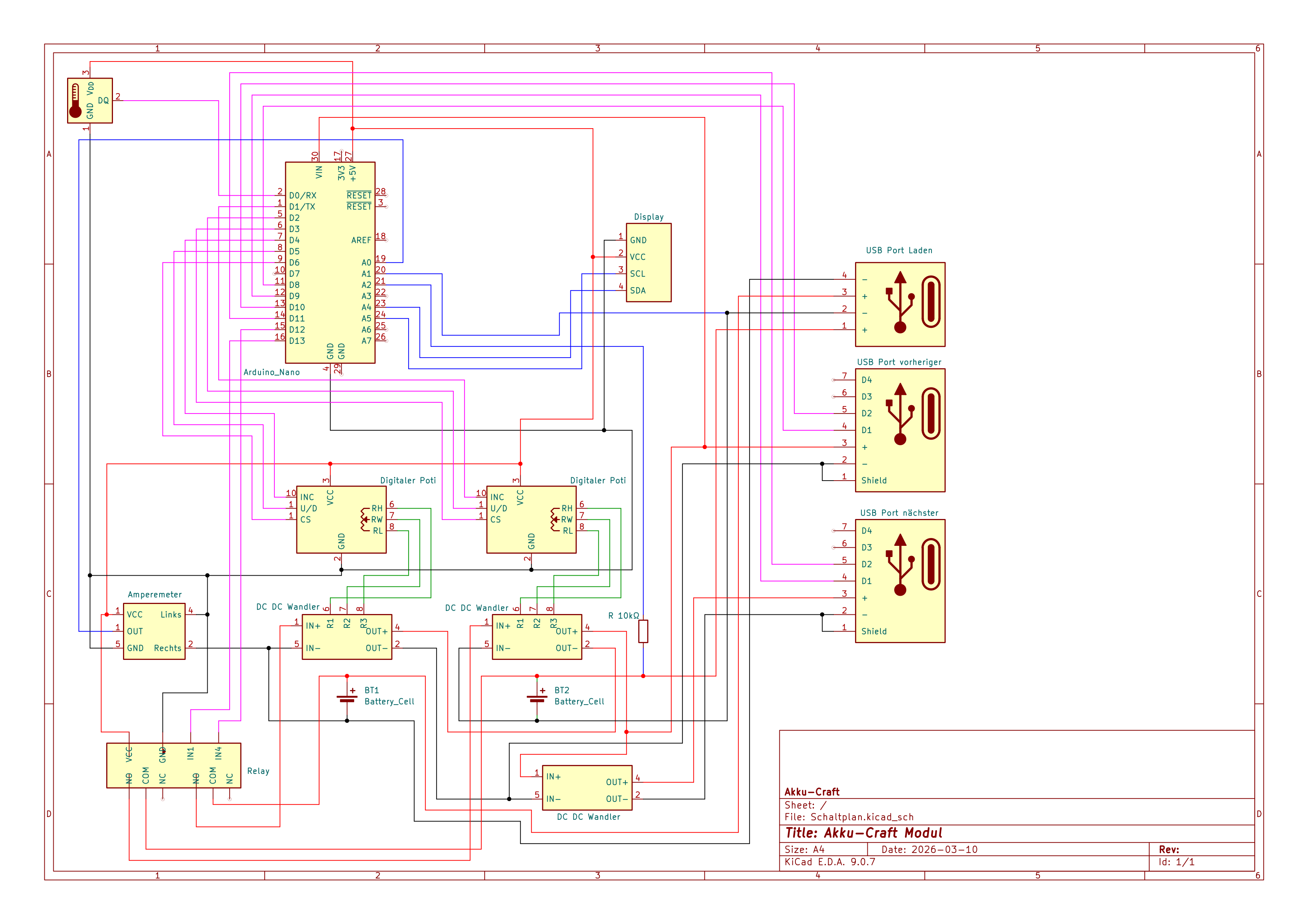
Schaltplan is an open-source printed circuit board by Akku-Craft, from the Akku-Craft/schematics repository on GitHub. It is a 2-layer board with 4 parts on 35 nets.
It is built around the IRLZ44N. Its parts include 2 transistors and 1 IC. It belongs with the AVR (ATmega, ATtiny) boards of this library.
Schematics and PCB layout files for the Akku-Craft hardware platform.
This repository contains the electrical design source used for battery management and monitoring hardware development.
This repo focuses on:
.kicad_sch).kicad_pcb).kicad_pro)Firmware, web, and mechanical assets are maintained in separate repositories.
Download KiCad: https://www.kicad.org/
Schaltplan.kicad_pro in KiCad.Schaltplan.kicad_sch # Main schematic
Schaltplan.kicad_pcb # PCB layout
Schaltplan.kicad_pro # KiCad project file
Schaltplan.kicad_prl # KiCad local project settings
Schaltplan-backups/ # Automatic KiCad backupsFor contribution expectations, see CONTRIBUTING.md.
KiCad can generate backup archives in Schaltplan-backups/.
This project is licensed under the CC BY-NC-SA 4.0 license. See LICENSE for details.
| Qty | Value | Footprint | References |
|---|---|---|---|
| 2 | IRLZ44N | Package_TO_SOT_THT:TO-220-3_Vertical | Q1, Q2 |
| 1 | ACS712xLCTR-05B | Package_SO:SOIC-8_3.9x4.9mm_P1.27mm | U1 |
| 1 | Arduino_Nano | Module:Arduino_Nano | A1 |


pscrespo/Morpheus-STM32
A small 3D printer controller board for use with a "blue pill" STM32F1 generic board. Inspired on http://reprap.org/wiki/SinapTec


MitchBradley/Esp32PrinterController
PCB design for 3D printer controller using ESP32 processor


robinolejnik/dmx-ledstrip-dimmer-32ch
Arduino Mini and TLC5940 based 32 channel 12V PWM dimmer with DMX512 and RDM support.

Moragor/BatteryAnalyzer_MkII
Updated Version of the battery analyzer, now with constant current
4 parts, built around the IRLZ44N. The full list of its parts is on this page, with links to each part's symbol and footprint where PCBKit's library has them.
From the Akku-Craft/schematics repository on GitHub, at the commit this page was made from: the board is Schaltplan.kicad_pcb and its schematic Schaltplan.kicad_sch. PCBKit opens the board in the browser, with nothing to install.
Its repository states no licence, so its author keeps all rights: ask Akku-Craft before reusing the design.