2 layers98 × 27 mm

 adirsingh96/open-pendant1
Open-source DIY AI audio pendant for Seeed XIAO nRF52840 Sense
Openpendant carrier is an open-source printed circuit board by adirsingh96, from the adirsingh96/open-pendant repository on GitHub, published under the Apache-2.0 licence. It is a 2-layer board of 23 × 38 mm with 5 parts on 8 nets, routed with 34 tracks and 24 vias.
Its parts include 2 connectors, 1 capacitor, 1 IC and 1 switch. It belongs with the nRF52 and nRF5x boards of this library.
https://github.com/user-attachments/assets/51f84d97-9171-487b-b558-6a6707e0dcb2
The launch film: it listens only when you ask, the meeting stays on your phone, you bring your own keys, and the board, case, and firmware are open source.
Open-source DIY AI audio pendant. Firmware runs on a Seeed XIAO nRF52840 Sense. The necklace captures audio and streams 16 kHz PCM over BLE. Speech-to-text runs on the phone or laptop. The MCU never holds an API key.
Record only with an obvious LED and an explicit host subscribe (GATT notify on = recording).
| Part | Notes |
|---|---|
| Seeed XIAO nRF52840 Sense | nRF52840 + onboard PDM mic + LSM6DS3TR-C IMU |
| microSD SPI/SDIO module | 8-pin breakout; VCC = 3V3 only (never 5V) |
| Ø6 tactile button | 2-pin NO; COM → GND, NO → D1 |
| 22 µF capacitor | Across SD 3V3 and GND (16 V ceramic preferred) |
| Perfboard strip | ~8 × 18 holes; XIAO + SD on the front, LiPo on the back |
| WLY602030 1S LiPo | 3.7 V nominal, 300 mAh, 6 × 20 × 30 mm. Open-wire to BAT+/BAT−. USB-C charges via BQ25101. |
| USB-C cable | Dev and UF2 flash |
The table above is the first bench build on perfboard. The wearable replaces that strip and the SD breakout with the carrier below. Do not order the older 30 × 45 mm board.
| Build file | What it is |
|---|---|
openpendant_carrier-gerbers.zip | JLCPCB gerbers. Bare boards, 2-layer, 1.6 mm, 1 oz, lead-free HASL. Assembly off. |
openpendant_carrier.kicad_pro | KiCad source |
docs/carrier_assembly.html | What arrives, what you solder, and the pin map |
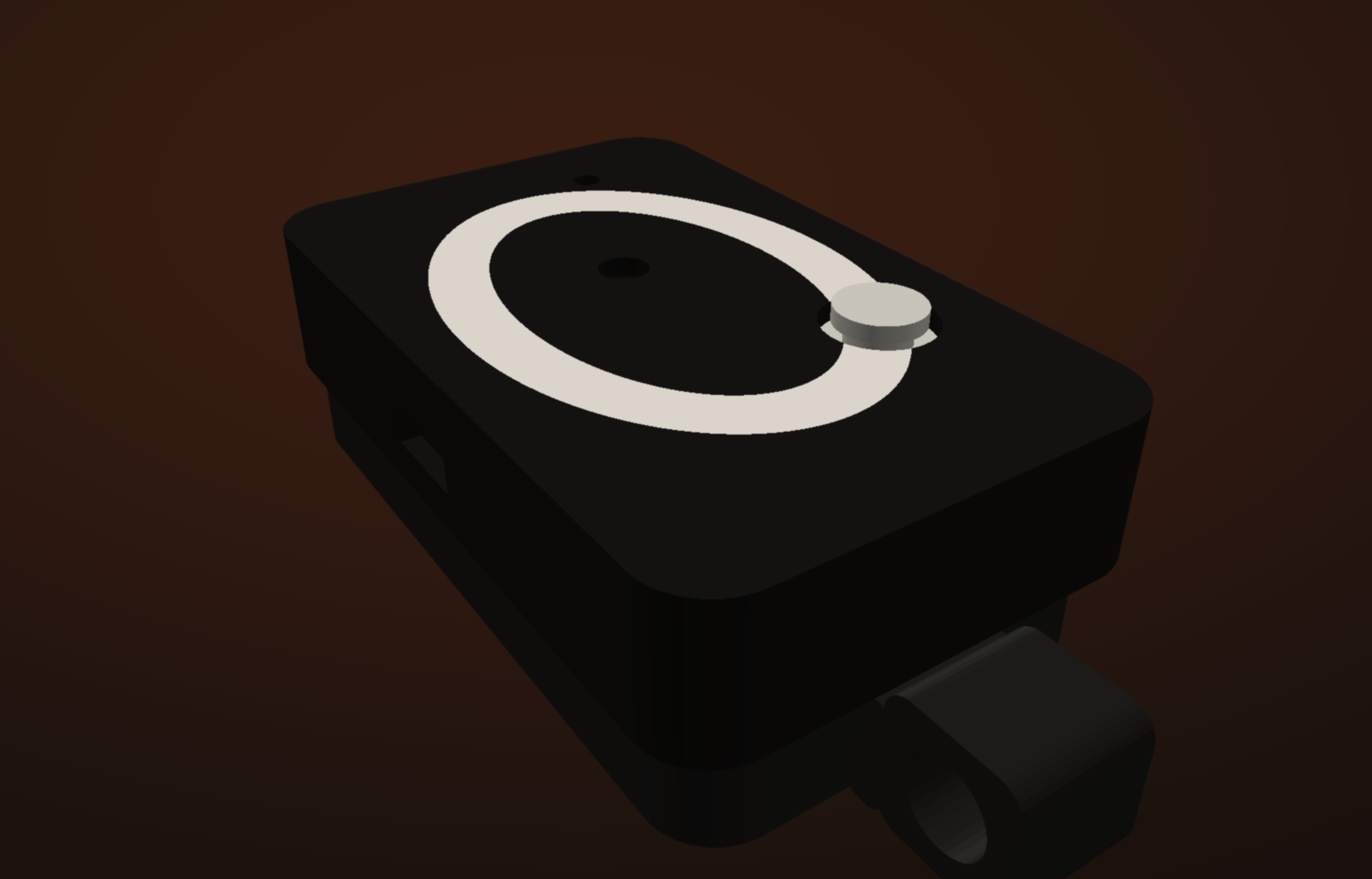
cad/character/ | Case to print: character_front.3mf, character_back.stl, character_button_hat.stl. Read PRINT.txt in that folder. |
Print the character case (Orbit O). PETG, 0.4 mm nozzle, 0.2 mm layers, no supports. Front skirt on the bed. Back chest-down so the chain bail sits on the bed. That folder is the only case in the repo.
Assembly guide for the first perfboard build: docs/pendant_assembly.html.
Pin map with the component face toward you:
  XIAO                              microSD (SPI)
  ----                              -------------
  D9  (SCK)  ---------------------> CLK
  D8  (MOSI) ---------------------> CMD
  D7  (MISO) ---------------------> D0
  D6  (CS)   ---------------------> D3
  3V3 ----------------------------> 3V3
  GND ----------------------------> GND
                                    D1, D2  (leave open)

  Button NO  ---------------------> D1
  Button COM ---------------------> GND

  22 µF  across SD 3V3 ↔ SD GND

  LiPo red  --> BAT+     (through the BAT window, last)
LiPo black -> BAT−Left (USB bottom) Right (USB bottom)
───────────────── ──────────────────
D6 ──► SD D3 (CS) D7 ──► SD D0
D5 (IMU SCL — open) D8 ──► SD CMD
D4 (IMU SDA — open) D9 ──► SD CLK
D3 D10
D2 3V3 ──► SD 3V3
D1 button NO GND
D0 5V (empty)Firmware remaps SPI2 onto D9 / D8 / D7 (not the board silk SPI defaults D8 / D10 / D9) and disables UART0 so it cannot steal D6 / D7. After soldering, flash over USB (no cell required) and run Settings → Developer → Run SD test with a FAT32 card.
70301105).app/: meetings and hold-to-talk notes over BLE, local VAD, Saaras v4 or on-device Qwen3-ASR, reminders, daily briefings and recaps, persistent follow-ups, Memories search, local SQLite, and pull of offline SD clips on reconnect. Meetings stay one transcript. Speaker diarization is not applied.tools/: BLE capture to WAV, OpenAI or local Whisper.Protocol, clip schema, and roadmap: project_context.md. Later sync sketch: docs/sync_api.md.
Requires nRF Connect SDK v3.4.0. Use the Nordic SoftDevice Controller only — do not enable CONFIG_BT_LL_SW_SPLIT on this board (USB CDC breaks).
west build -b xiao_ble/nrf52840/sense -d build .Double-tap RESET so the volume XIAO-SENSE appears. Finder copy often fails; dd works:
dd if=$(find build -name zephyr.uf2 | head -1) of=/Volumes/XIAO-SENSE/CURRENT.UF2 bs=4096Serial (macOS screen often hangs up CDC):
python3 -m serial.tools.miniterm /dev/cu.usbmodem1101 115200BLE advertises as OpenPendant. Disconnect nRF Connect before the app or laptop capture (one connection).
Control UUID 70301104-…:
0 / 1 — find-pendant LED flash off / on2 — SD mount / write / read self-test (result in status bytes 8–9)0x10 — list next pending offline clip (response on SD data notify)0x11 + id[8] — open clip for read0x12 + offset_le32 + len_le16 — read chunk0x13 + id[8] — delete after phone has stored the clipSD data UUID 70301105-… (NOTIFY/READ): list/read framing for offline sync. Live PCM stays on 70301102.
Offline button UX (when PCM notify is off): single click toggles a meeting session under /SD:/op/m_…/; long-press records a note n_….pcm. When the phone arms live PCM, offline capture stops (no dual-write).
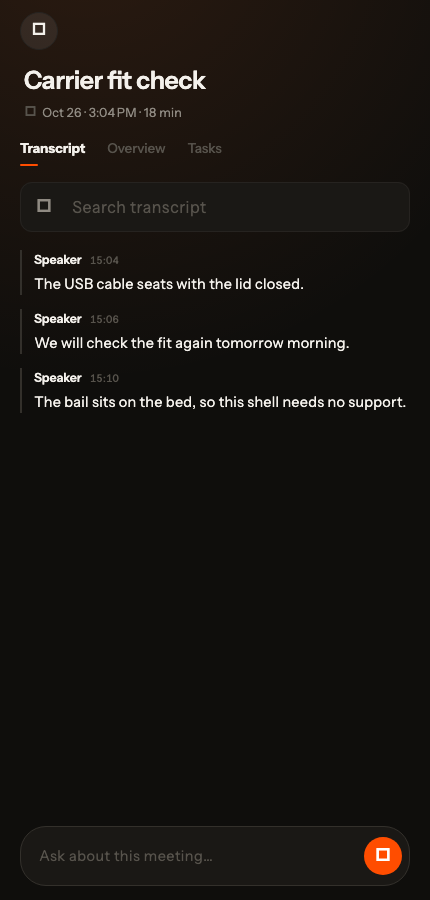
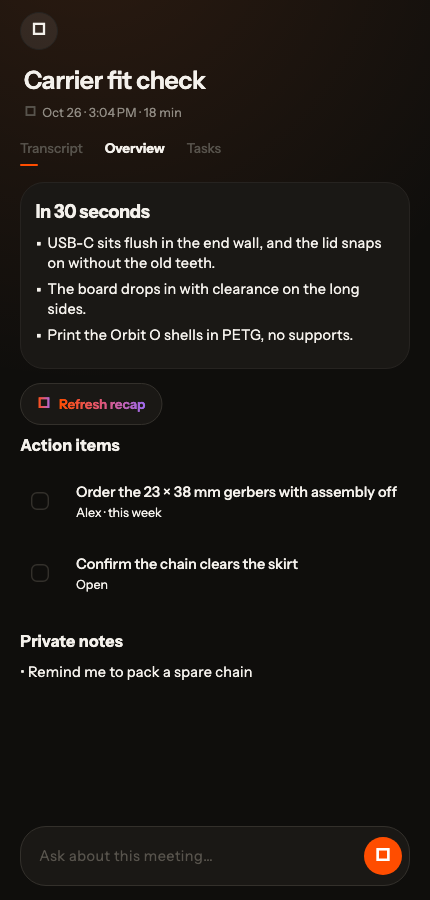
pendant_clip_id dedup).A meeting stays one transcript. Overview is the short recap, action items, and private notes. Ask about this meeting sits under either tab.
| Transcript | Overview |
|---|---|
 |  |
cd app
flutter pub get
flutter run -d macos          # BLE works on Mac
# or a physical iPhone / Android — not the iOS simulator
Paste a Sarvam key in Settings (required for cloud transcripts) and an OpenAI key for day Clean, Memories, and meeting Recap. Keys stay on the host (Keychain / Keystore / app-support file on desktop), never on the pendant.
Typical day
1e9, ~0.5 s of speech) so people a metre or two from the chest mic still pass; hiss still has to look like voice. Wearer calibrate does not raise that meeting gate. Double-click a meeting title to rename it.More setup (permissions, IMU debug): app/README.md.
python3 -m pip install -r tools/requirements.txt
export OPENAI_API_KEY=          # optional; omit for local Whisper
python3 tools/capture_pcm.py --seconds 8 --out capture.wav && \
  python3 tools/transcribe.py capture.wav --backend openai
Local Whisper:
python3 tools/transcribe.py capture.wav --backend localSolder the WLY602030 red lead to BAT+ and black to BAT− (polarity matters; open wire, no JST). USB-C charges the cell through the XIAO BQ25101. Connect the cell last, after the SD / button joints meter clean on USB.
The cell has no fuel-gauge IC. Firmware measures pack voltage (P0.31, 1 MΩ / 510 kΩ divider) and the app maps that to a rough SoC only when USB is unplugged. On USB the BQ25101 rail reads ~4.1 V even with no cell, so the UI shows USB instead of a fake percent. Treat ~20% as “charge soon.” Keep P0.14 low whenever a cell is attached (firmware hog does this) so P0.31 stays within 3.6 V.
| Qty | Value | Footprint | References |
|---|---|---|---|
| 1 | 22uF | Capacitor_SMD:C_0805_2012Metric | C1 |
| 1 | BAT | Battery:BAT_PADS | J2 |
| 1 | SW_Push | Button_Switch_SMD:SW_SPST_TS-1088-xR020 | SW1 |
| 1 | XIAO-nRF52840-Sense | Seeed_XIAO:XIAO-nRF52840-SMD | U1 |
| 1 | microSD | Connector_Card:microSD_HC_Molex_104031-0811 | J1 |

joypad-ai/joypad-os
Universal controller firmware for building adapters, dongles, and custom controllers.

OLIMEX/OLINUXINO
OLINUXINO is Open Source / Open Hardware, low cost from EUR 24 Linux Industrial grade Single Board Computer capable to operate -25+85C

jamro/tiny-engineer
A small desktop robot that brings an AI coding assistant to life, physically acting out when it reads files, thinks, writes code, and finishes work.

hackclub/OnBoard
💡 Join 1,000 teenagers and make your first PCB with a $100 grant!


Luos-io/luos_engine
Open-source and real-time orchestrator for cyber-physical-systems, to easily design, test and deploy embedded applications and digital twins.
It measures 23 × 38 mm and has 2 copper layers, 1.6 mm thick.
5 parts. The full list of its parts is on this page, with links to each part's symbol and footprint where PCBKit's library has them.
From the adirsingh96/open-pendant repository on GitHub, at the commit this page was made from: the board is hardware/openpendant_carrier/openpendant_carrier/openpendant_carrier.kicad_pcb and its schematic hardware/openpendant_carrier/openpendant_carrier/openpendant_carrier.kicad_sch. PCBKit opens the board in the browser, with nothing to install.
Its repository publishes it under the Apache-2.0 licence: you may reuse it on that licence's terms (keep the author's notice, and for a copyleft licence share your changes alike).