
2 layers103 × 30.5 mm

 AamirKPathan/TheGitboard2.0
The board uses a 2×4 layout, direct‑wired switches, and a custom PCB designed in KiCad. Each key triggers a Git command such as git status, git add ., or git commit -m "".
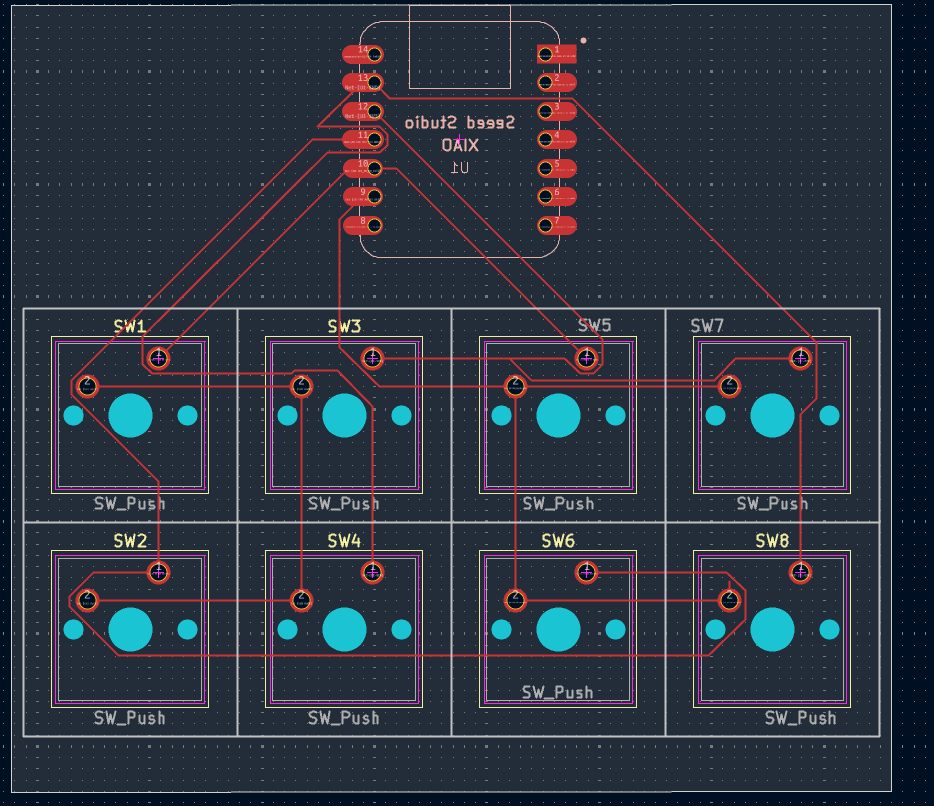
TheGitboard2.0 is an open-source printed circuit board by AamirKPathan, from the AamirKPathan/TheGitboard2.0 repository on GitHub, published under the MIT licence. It is a 2-layer board of 78.3 × 70.1 mm with 9 parts on 15 nets, routed with 62 tracks and 0 vias.
Its parts include 8 switches and 1 IC.



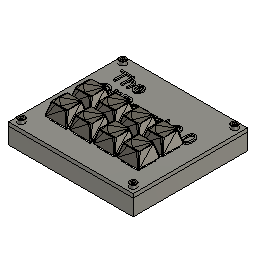
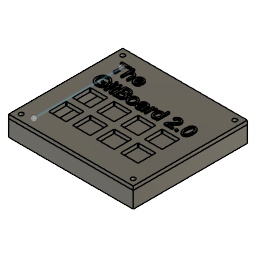
GitBoard 2.0 is an 8‑key Git‑focused macropad powered by the Seeeduino XIAO RP2040.
It automates common Git commands using CircuitPython or QMK, making version control faster and more intuitive.
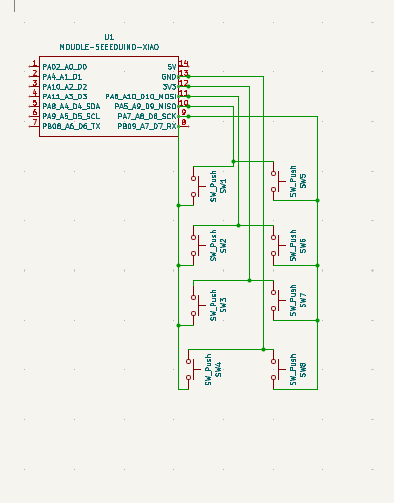
The board uses a 2×4 layout, direct‑wired switches, and a custom PCB designed in KiCad.
Each key triggers a Git command such as git status, git add ., or git commit -m "".
import board, digitalio, usb_hid
from adafruit_hid.keyboard import Keyboard

kbd = Keyboard(usb_hid.devices)

pins = [board.D0, board.D1, board.D2, board.D3, board.D4, board.D5, board.D6, board.D7]
commands = [
    "git status\n",
    "git add .\n",
    "git commit -m \"\"\n",
    "git push\n",
    "git pull\n",
    "git checkout -b newbranch\n",
    "git merge main\n",
    "git log --oneline\n"
]

switches = [digitalio.DigitalInOut(pin) for pin in pins]
for sw in switches:
    sw.direction = digitalio.Direction.INPUT
    sw.pull = digitalio.Pull.UP

while True:
    for i, sw in enumerate(switches):
        if not sw.value:
kbd.send_string(commands[i])The QMK firmware for this board is located in the firmware/ folder.
Direct‑wired 2×4 matrix:
Row 0 → D0, D1, D2, D3
Row 1 → D4, D5, D6, D7| Item | Quantity | Description | Footprint |
|---|---|---|---|
| Seeeduino XIAO | 1 | Microcontroller | MODULE‑SEEEDUINO‑XIAO |
| Tactile Switch | 8 | Momentary push button | SW_Push |
| Custom PCB | 1 | Designed in KiCad | — |
| USB‑C Cable | 1 | Power + data | — |
| Solder | — | Assembly | — |
| Keycaps | 8 | For labeling | — |
| Case | 1 | 3D printed enclosure | — |
| Screws | 4 | M3×16 | — |
MIT License
| Qty | Value | Footprint | References |
|---|---|---|---|
| 8 | SW_Push | Button_Switch_Keyboard:SW_Cherry_MX_1.00u_PCB | SW1, SW2, SW3, SW4, SW5, SW6, SW7, SW8 |
| 1 | MOUDLE-SEEEDUINO-XIAO | footprints:XIAO-Generic-Hybrid-14P-2.54-21X17.8MM | U1 |
It measures 78.3 × 70.1 mm and has 2 copper layers, 1.6 mm thick.
9 parts. The full list of its parts is on this page, with links to each part's symbol and footprint where PCBKit's library has them.
From the AamirKPathan/TheGitboard2.0 repository on GitHub, at the commit this page was made from: the board is PCB/TheGitboard2.0/TheGitboard2.0.kicad_pcb and its schematic PCB/TheGitboard2.0/TheGitboard2.0.kicad_sch. PCBKit opens the board in the browser, with nothing to install.
Its repository publishes it under the MIT licence: you may reuse it on that licence's terms (keep the author's notice, and for a copyleft licence share your changes alike).


FrameworkComputer/ExpansionCards
Reference designs and documentation to create Expansion Cards for the Framework Laptop

VoronDesign/Voron-Hardware
Cool Hardware designed by the Voron Design group

hackclub/OnBoard
💡 Join 1,000 teenagers and make your first PCB with a $100 grant!


adamws/kicad-kbplacer
KiCad plugin for automatic keyboard's key placement and routing