2 layers71.4 × 19.1 mm

 Squalius-cephalus/suutari2035
D.I.Y friendly modular macro keyboard
Suutari20 is an open-source printed circuit board by Squalius-cephalus, from the Squalius-cephalus/suutari20 repository on GitHub, published under the MIT licence. It is a 2-layer board of 97 × 48 mm with 14 parts on 43 nets, routed with 191 tracks and 1 via.
Its parts include 9 connectors and 1 IC. It belongs with the keyboards and input boards and the RP2040 boards of this library.

Suutari20 is a RP2040 based modular macro keyboard. It uses TRRS sockets and supports 3.5mm jacks from TS to TRRS. Firmware uses QMK with Vial.
Build guide and information about modules can be found here: https://github.com/Squalius-cephalus/suutari20/wiki/Getting-started
Bill of materials - Suutari20
For now most of the information about Suutari20 can be found on this video:
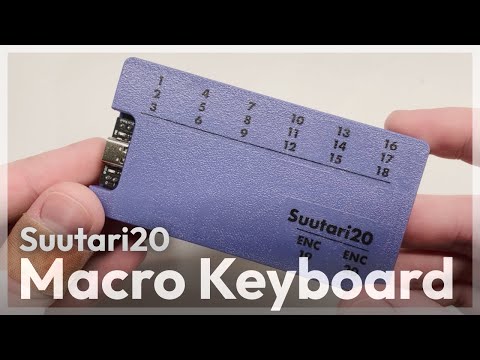
TODO:
PCB design uses footprints from ScottoKeebs and kbd library.
| Qty | Value | Footprint | References |
|---|---|---|---|
| 8 | TRRS | ScottoKeebs_Components:TRRS_PJ-320A | J1, J2, J3, J4, J5, J6, J7, J8 |
| 1 | Conn_01x05 | Connector_JST:JST_XH_B5B-XH-A_1x05_P2.50mm_Vertical | J9 |
| 1 | Raspberry_Pi_Pico | ScottoKeebs_MCU:Raspberry_Pi_Pico | U1 |
The 10 most common of 14 parts.


google/mozc-devices
Circuit diagrams and firmware source code for Gboard DIY keyboards


hackclub/OnBoard
💡 Join 1,000 teenagers and make your first PCB with a $100 grant!


Twotoz/C5VRX
Ultra-minimal, zero-CPU 5.8 GHz analog FPV video receiver using ESP32-C5 Wi-Fi 6 PHY MODEM_DIAG, BitScrambler WBFM demodulation & resistor DAC CVBS


It measures 97 × 48 mm and has 2 copper layers, 1.6 mm thick.
14 parts. The full list of its parts is on this page, with links to each part's symbol and footprint where PCBKit's library has them.
From the Squalius-cephalus/suutari20 repository on GitHub, at the commit this page was made from: the board is kicad/suutari20/suutari20.kicad_pcb and its schematic kicad/modules/TRRS_splitter/TRRS_splitter.kicad_sch. PCBKit opens the board in the browser, with nothing to install.
Its repository publishes it under the MIT licence: you may reuse it on that licence's terms (keep the author's notice, and for a copyleft licence share your changes alike).