2 layers97.5 × 79.4 mm

 SpeedyGo55/speedykeeb1
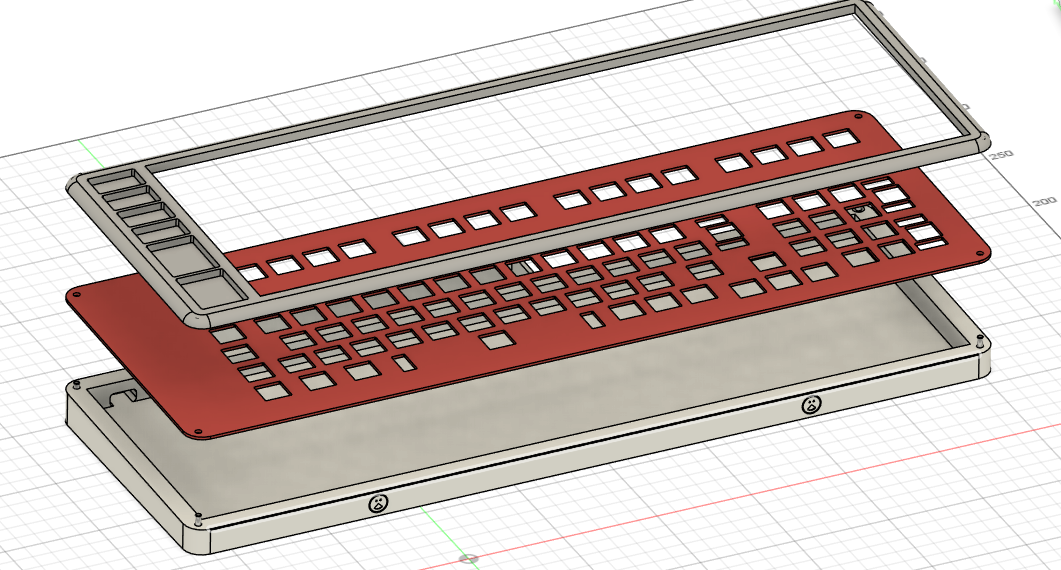
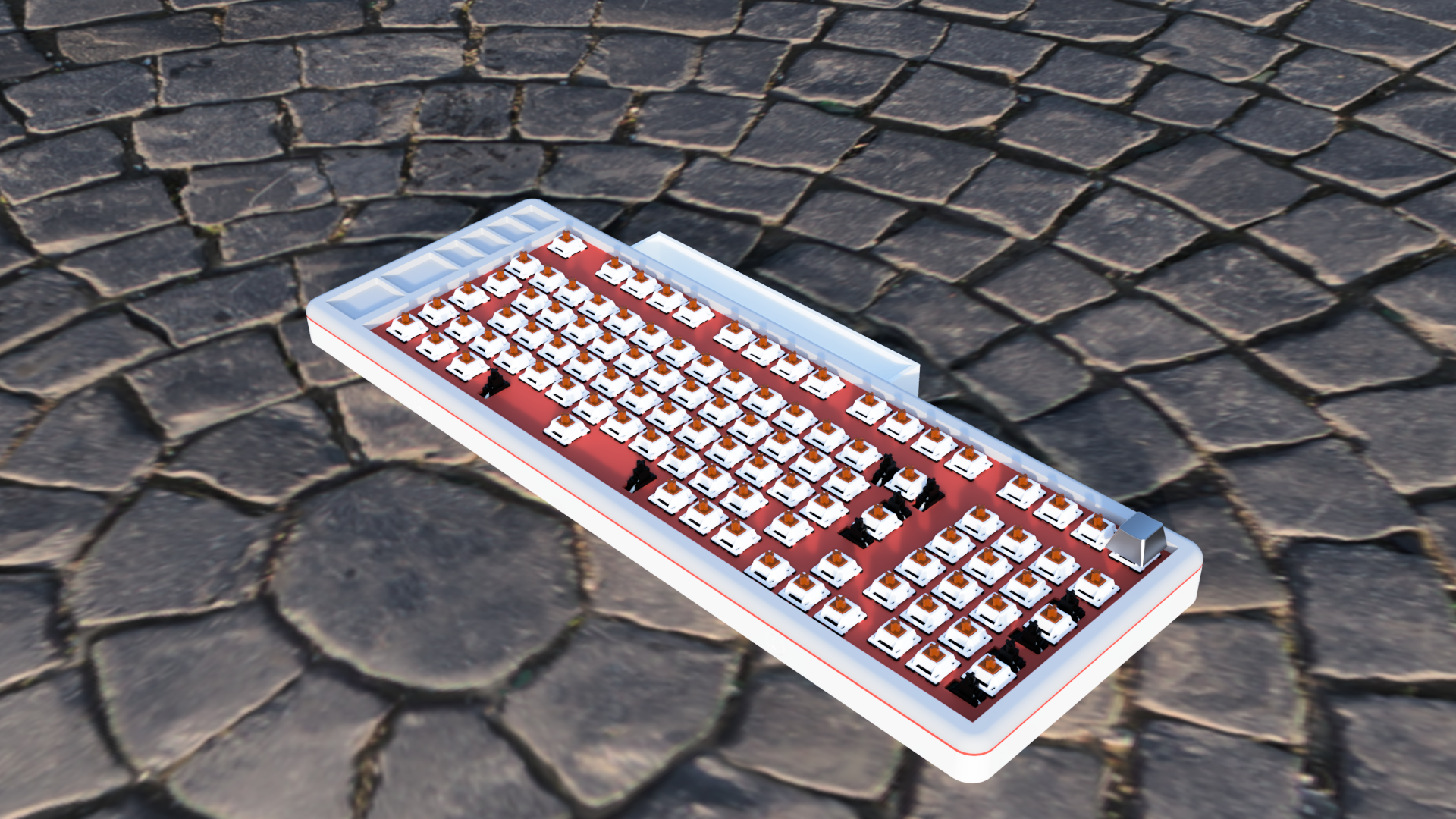
This is my Keyboard. It has compartments on the left for screws and such and a compartment on the top for my Pinecil. The color style is inspired by the NES.
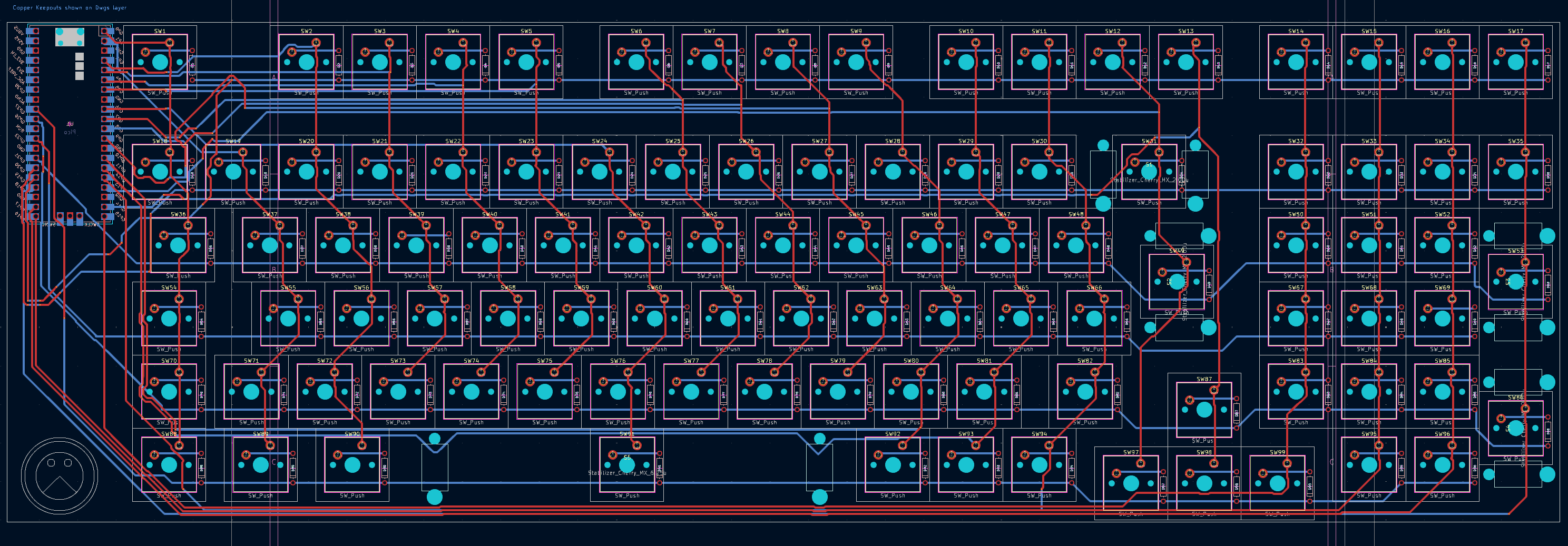
Speedykeeb is an open-source printed circuit board by SpeedyGo55, from the SpeedyGo55/speedykeeb repository on GitHub. It is a 2-layer board of 403.7 × 130 mm with 204 parts on 160 nets, routed with 1,140 tracks and 51 vias.
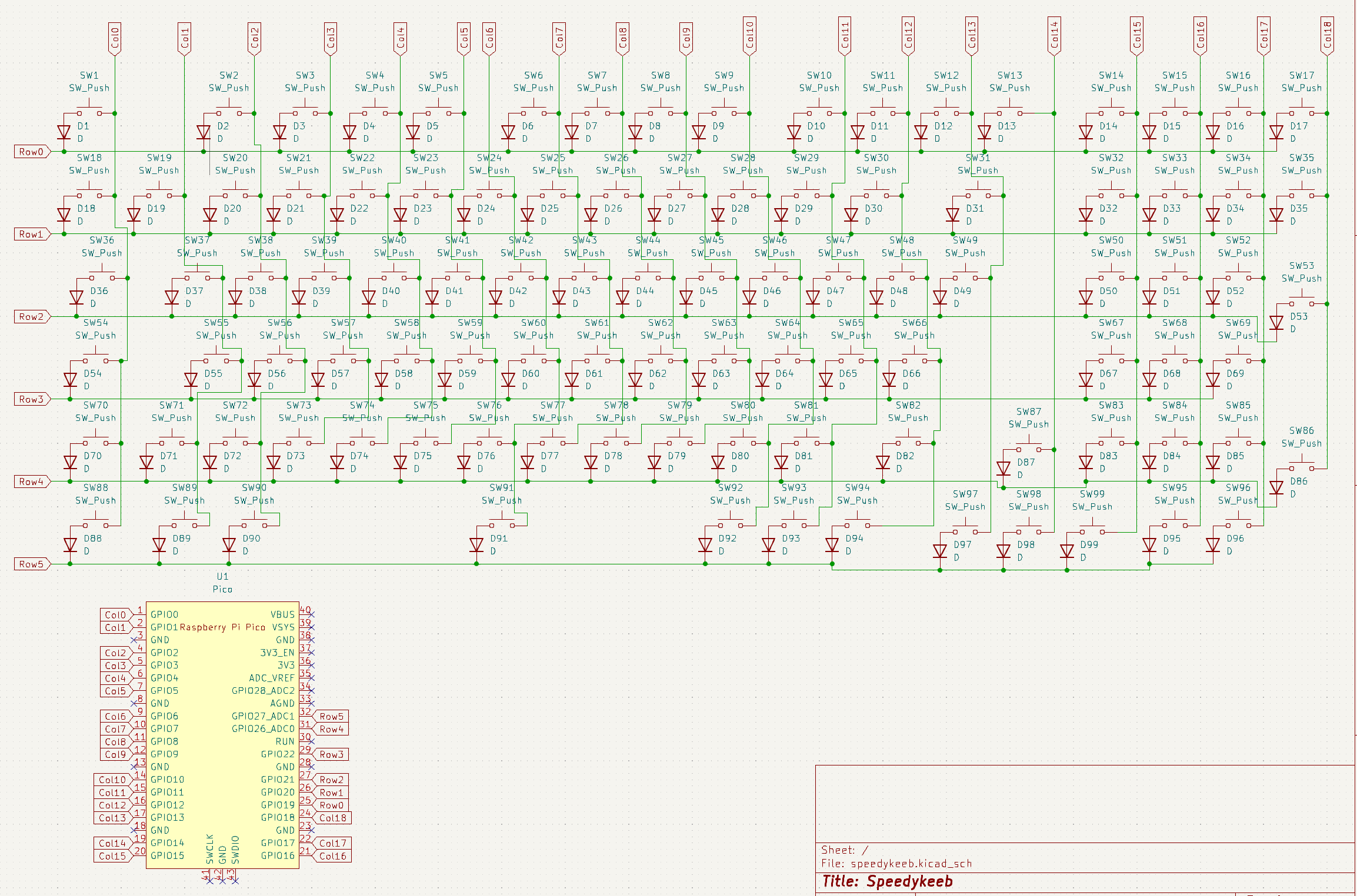
Its parts include 104 switches, 99 diodes and 1 IC. It belongs with the RP2040 boards of this library.
This is my Keyboard. It has compartments on the left for screws and such and a compartment on the top for my Pinecil. The color style is inspired by the NES.
I made it becazse i really want a mechanical keyboard and always wanted to make one myself so it fits my requirements. So this was the perfect opportunity.
| Amount | Unit | Name | Prices (includes shipping) |
|---|---|---|---|
| 99 | pcs | Kailh Speed Silver Switches | $41.36 |
| 1 | Set | Keycaps | $26.79 (ill pay the difference) |
| 4 | pcs | M3x16mm Screws | ~$2.47 |
| 4 | pcs | M3 Heat Inserts | ~$7.26 |
| 99 | pcs | Through Hole 1N4148 Diodes | ~$4.10 |
| 1 | Set | Gateron PC Crystal Stabs | $12.85 |
| 1 | pcs | Orpheus pico with headers | |
| 1 | pcs | PCB | $43.88 |
| 1 | pcs | Top Frame 3D Printed in Gray | |
| 1 | pcs | Plate 3D Printed in Red | |
| 1 | pcs | Bottom 3D Printed in Beige |
| Qty | Value | Footprint | References |
|---|---|---|---|
| 99 | D | custom:DIODE-1N4148 (1) | D1, D2, D10, D11, D12, D13, D14, D15, D16, D17, D18, D19, D20, D21, D22, D23 +83 |
| 99 | SW_Push | PCM_Switch_Keyboard_Cherry_MX:SW_Cherry_MX_PCB_1.00u | SW1, SW2, SW10, SW11, SW12, SW13, SW14, SW15, SW16, SW17, SW18, SW19, SW20, SW21, SW22, SW23 +83 |
| 4 | Stabilizer_Cherry_MX_2.00u | PCM_Mounting_Keyboard_Stabilizer:Stabilizer_Cherry_MX_2.00u | S1, S2, S3, S4 |
| 1 | Pico | MCU_RaspberryPi_and_Boards:RPi_Pico_SMD_TH | U1 |
| 1 | Stabilizer_Cherry_MX_6.25u | PCM_Mounting_Keyboard_Stabilizer:Stabilizer_Cherry_MX_6.25u | S5 |


tomrodinger/servomotor
Open-source NEMA-17 integrated servomotor (motor + closed-loop driver + controller + encoder). RS-485, Python/Arduino libraries, MCP server for AI control. Hardware, firmware and software.


BathroomEpiphanies/datakortet_kontrollpanelen
Källkod för datakortets kontrollpanelen
It measures 403.7 × 130 mm and has 2 copper layers, 1.6 mm thick.
204 parts. The full list of its parts is on this page, with links to each part's symbol and footprint where PCBKit's library has them.
From the SpeedyGo55/speedykeeb repository on GitHub, at the commit this page was made from: the board is PCB/speedykeeb.kicad_pcb and its schematic PCB/speedykeeb.kicad_sch. PCBKit opens the board in the browser, with nothing to install.
Its repository states no licence, so its author keeps all rights: ask SpeedyGo55 before reusing the design.