2 layers68 × 86 mm

 PashMohandes/Pi-Fly7
Significant improvement to OBAL (Open Board Autopilot Linux)
Pi Fly is an open-source printed circuit board by PashMohandes, from the PashMohandes/Pi-Fly repository on GitHub, published under the GPL-3.0 licence. It is a 2-layer board of 91.5 × 78 mm with 30 parts on 62 nets, routed with 408 tracks and 15 vias.
It is built around the PCA9685PW, ADS1115 and ULN2003A, with the IRLML6344, PN2222A and SS12D07VG4 among its other parts. Its parts include 11 resistors, 6 ICs, 4 connectors, 3 diodes and 2 transistors.


Welcome to the official Pi-Fly github page! 🚀
Pi-Fly is a next-generation automation platform designed to streamline and simplify the configuration of Raspberry Pi-based systems for Ardupilot, Pi Camera, and more. This platform takes advantage of modern Linux capabilities and offers an easy-to-use Python script to automatically configure your system for optimal performance.
Whether you're a developer, hobbyist, or a drone enthusiast, Pi-Fly is designed to help you easily set up and run your systems with minimal effort. Our goal is to provide you with the tools you need to succeed in your projects, whether it's automating flight controllers, working with IMUs, or streaming live video from your Pi Camera.
Feel free to explore the various setup guides, troubleshooting tips, and features that Pi-Fly offers. If you have any questions or suggestions, don't hesitate to reach out—we're here to help you make the most of your experience with Pi-Fly!
Check out the Pi-Fly Wiki for all the details.
Note : The board/project is not limited to Ardupilot. It can be used with any other flight controller such as PX4, INAV, Betaflight, your own flight controler,...etc Note: : The initial name of the project was OBAL_V2, the name was changed to Pi-Fly due to some political issues with the owner of initial OBAL !!
Happy building! 🚁✨
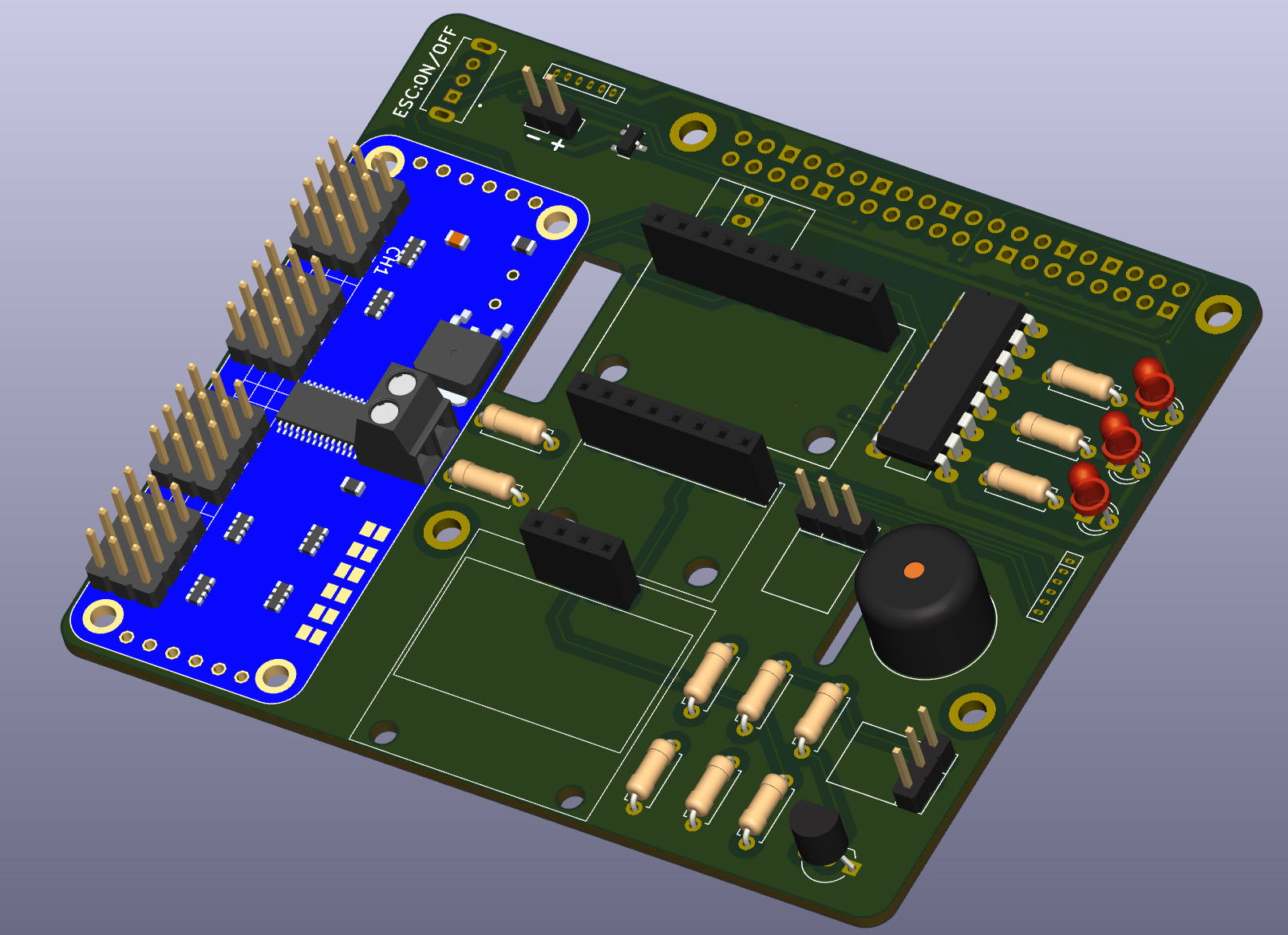
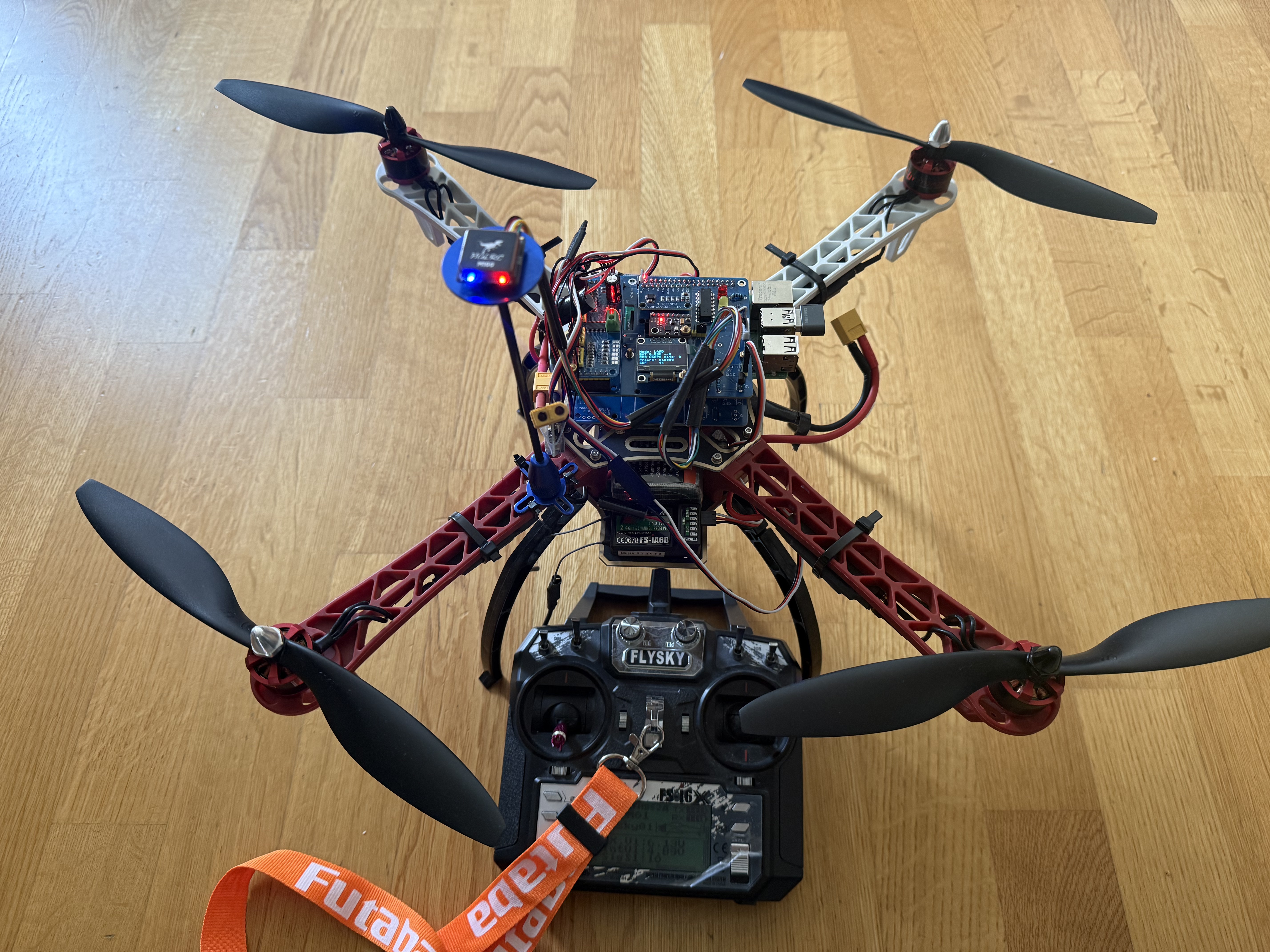
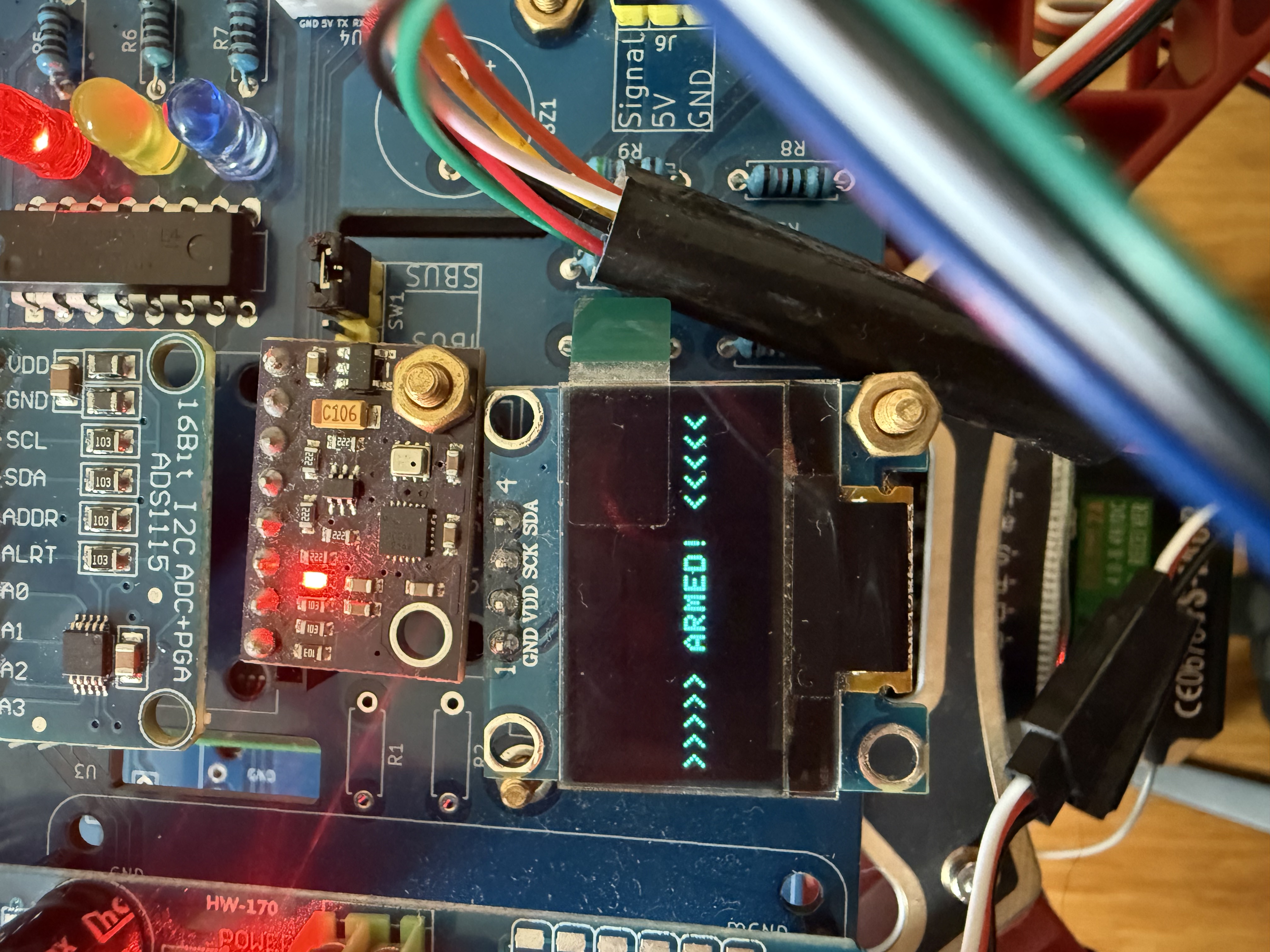
This table outlines the significant improvements made from the initial OBAL to Pi-Fly and compares it with the Navio2 flight controller system.
| Feature | OBAL | Pi-Fly | Navio2 |
|---|---|---|---|
| Linux Kernel | Bulleyes | Bookworm | Raspbian + ROS |
| Ardupilot | 32-bit | 64-bit | ? |
| Linux Configuration | Manual | Automatic via script | Manual |
| Rx Protocol | PPM/PWM | IBUS and SBUS | PPM and SBUS |
| Flight Controller | Prototype | Complete system | Complete system |
| IMU | GY-91 | GY-91, GY-912, ... + more | MPU9250, LSM9DS1 |
| Display | No | Yes | No |
| Power Module | No | Yes | Yes |
| License | Open source | Open source | Proprietary |
| Price | < $60 | < $60 | $199 |
| Link | here | here [blocked] | here |
CONFIG_STRICT_DEVMEM.Countless hours of hard work, prototyping, and investment in tools and materials have gone into making this project a reality. If you appreciate the effort and would like to contribute, your donation will help us continue developing and improving Pi-Fly.
Please consider donating for the project. There were tremendous effort added in this project. Many prototype boards were built and a lot of tools were purchased to make this project become true.
click image below to start donating :

Important
Use this project at your own risk.
| Qty | Value | Footprint | References |
|---|---|---|---|
| 3 | LED | LED_THT:LED_D3.0mm | D1, D2, D3 |
| 3 | R_10k | Resistor_THT:R_Axial_DIN0207_L6.3mm_D2.5mm_P7.62mm_Horizontal | R8, R10, R13 |
| 3 | R_1K | Resistor_THT:R_Axial_DIN0207_L6.3mm_D2.5mm_P7.62mm_Horizontal | R3, R4, R5 |
| 3 | R_5k | Resistor_THT:R_Axial_DIN0207_L6.3mm_D2.5mm_P7.62mm_Horizontal | R9, R11, R12 |
| 1 | 3v3_Regulator | myLib_Footprint:Regulator | J4 |
| 1 | ADS1115 | ADS1115:MODULE_ADS1115 | U2 |
| 1 | Buzzer | Buzzer_Beeper:Buzzer_12x9.5RM7.6 | BZ1 |
| 1 | GPS | myLib_Footprint:GPS_SH1.0 | U4 |
| 1 | IRLML6344 | Package_TO_SOT_SMD:SOT-23 | Q2 |
| 1 | PCA9685 | PCA9685:MODULE_815 | U3 |
| 1 | PN2222A | Package_TO_SOT_THT:TO-92_Inline_Wide | Q3 |
| 1 | R10K | Resistor_THT:R_Axial_DIN0207_L6.3mm_D2.5mm_P7.62mm_Horizontal | R2 |
| 1 | R50K | Resistor_THT:R_Axial_DIN0207_L6.3mm_D2.5mm_P7.62mm_Horizontal | R1 |
| 1 | RASPBERRY_PI_4B_4GB | myLib_Footprint:RPI_4_Hat_B+ | U6 |
| 1 | RCInput | myLib_Footprint:RCInput_xBUS | J6 |
| 1 | SS12D07VG4 | SS12D07VG4:SW_SS12D07VG4 | S1 |
| 1 | SSD1306 | myLib_Footprint:SSD1306 | Display1 |
| 1 | SW_SPDT_321 | myLib_Footprint:xBUS_Selector | SW1 |
| 1 | UBEC | Connector_PinHeader_2.54mm:PinHeader_1x02_P2.54mm_Vertical | J7 |
| 1 | ULN2003A | Package_DIP:DIP-16_W7.62mm_LongPads | U5 |
| 1 | power_module | myLib_Footprint:power_module | J1 |
| 1 | ~ | myLib_Footprint:GY-912 | U1 |

vishal007-hacker/smart-home
ESP32-based smart home controller for switching 4 independent 230V AC loads, with per-channel current and voltage sensing, manual override buttons, status LEDs, and an I²C LCD display.


abzman/pelco-kbd300a-replacement-controller
replacement board and code for this joystick and keyboard

abzman/modular-i2c-board-set
boards designed to be used together to create a modular control system


It measures 91.5 × 78 mm and has 2 copper layers, 1.6 mm thick.
30 parts, built around the PCA9685PW, ADS1115, ULN2003A and IRLML6344. The full list of its parts is on this page, with links to each part's symbol and footprint where PCBKit's library has them.
From the PashMohandes/Pi-Fly repository on GitHub, at the commit this page was made from: the board is PCB/PCB.kicad_pcb and its schematic PCB/PCB.kicad_sch. PCBKit opens the board in the browser, with nothing to install.
Its repository publishes it under the GPL-3.0 licence: you may reuse it on that licence's terms (keep the author's notice, and for a copyleft licence share your changes alike).