2 layers60 × 30 mm
Controller
google/mozc-devices
Circuit diagrams and firmware source code for Gboard DIY keyboards
11 parts3kApache-2.0
 NLEVEL-GIT/NanoKey1
Macro Pad for Stardance Hackclub | PCBWay Sponsor Check READ ME
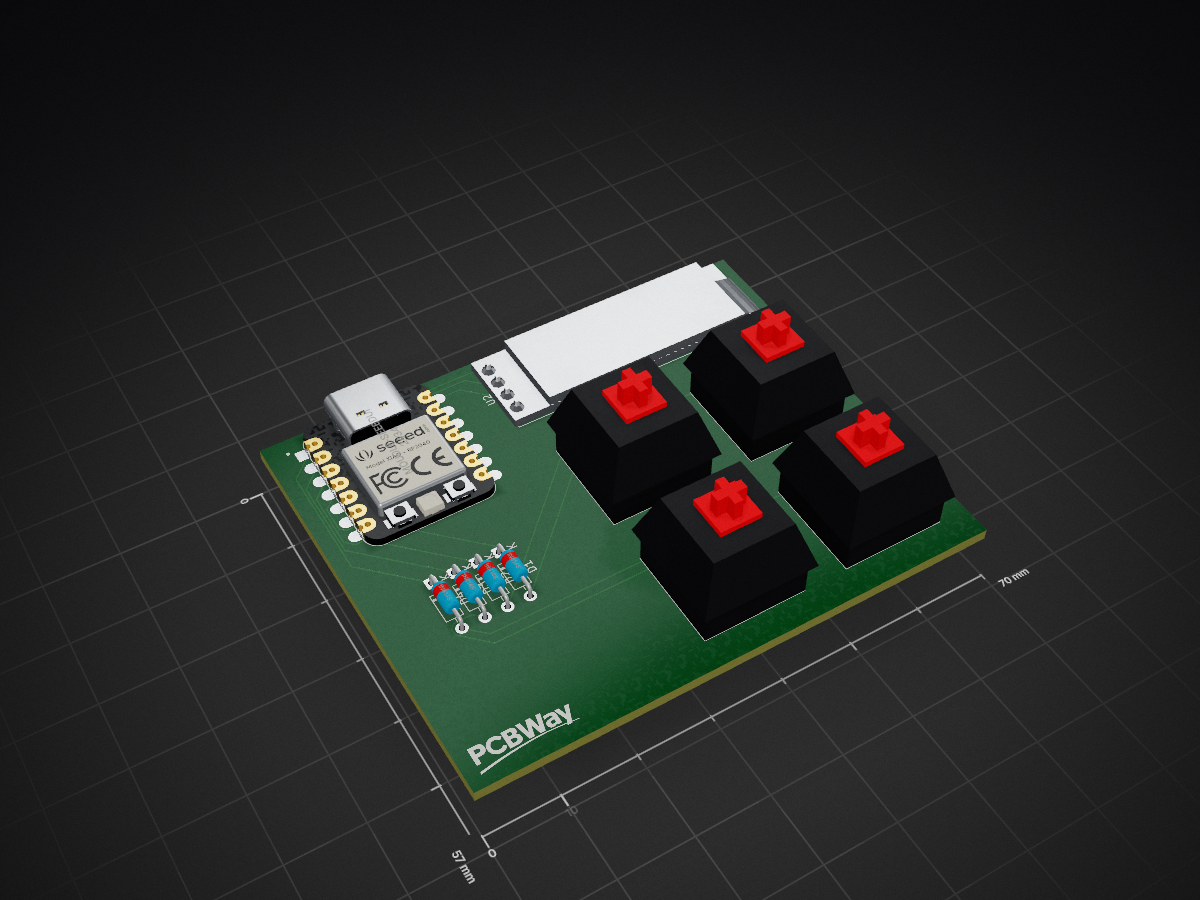
NanoKey Redo is an open-source printed circuit board by NLEVEL-GIT, from the NLEVEL-GIT/NanoKey repository on GitHub. It is a 2-layer board of 70 × 57 mm with 11 parts on 18 nets, routed with 55 tracks and 0 vias.
Its parts include 4 diodes, 4 switches and 2 ICs. It belongs with the keyboards and input boards of this library.
Nanokey is a 4 key macropad with an OLED Display. It also uses QMK firmware

PS: All images of the PCB, CAD and Schematics are on the assets folder if u wanna see.- 128x32 OLED Display
- 4 KeysEverything fits together using dovetail joints so there is no need for screws or glue!
It has 3 separate printed pieces. The main part consisting of the bottom, back and side walls. The secondary part consisting of the front wall. The Last part consistiong of top part of the case.
Made in Fusion360. Nifty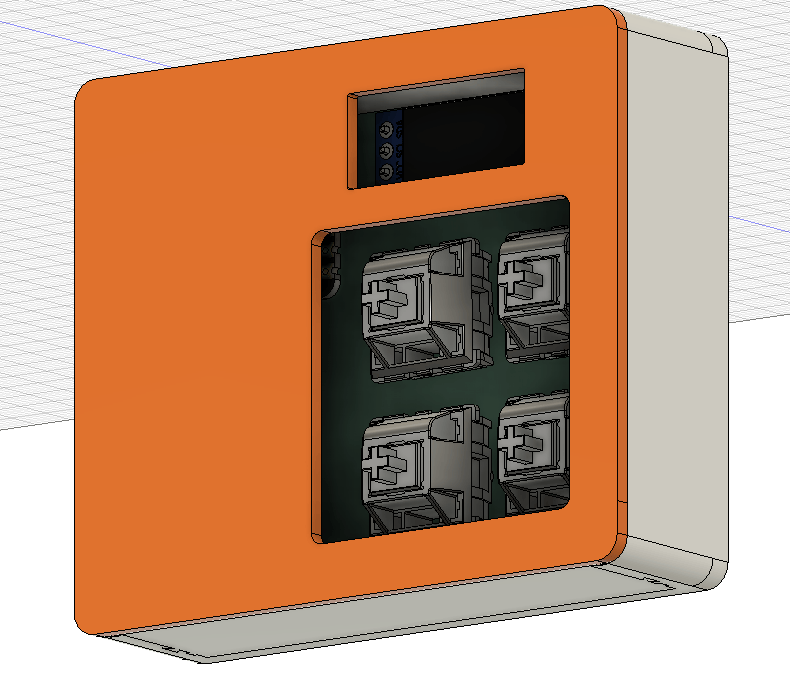
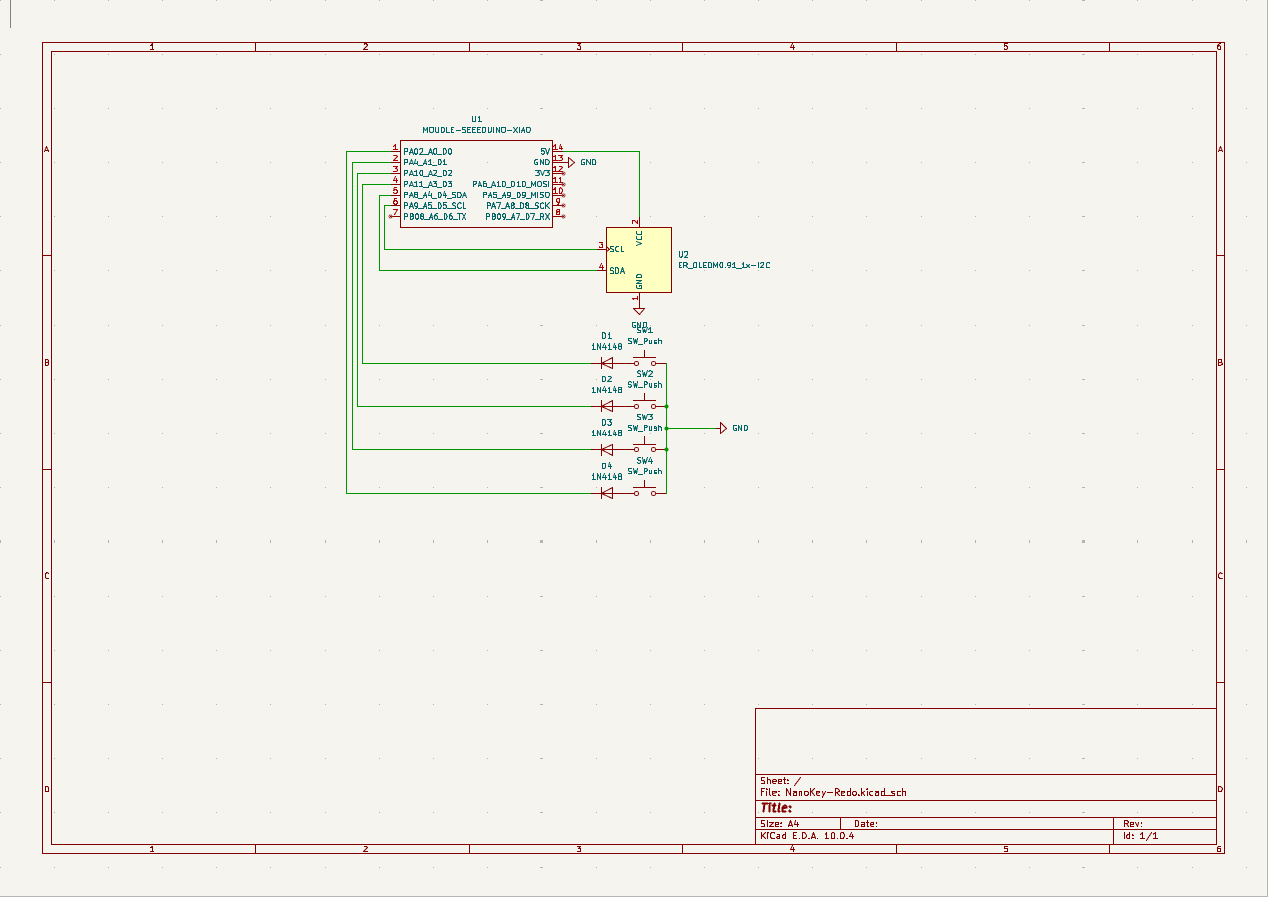
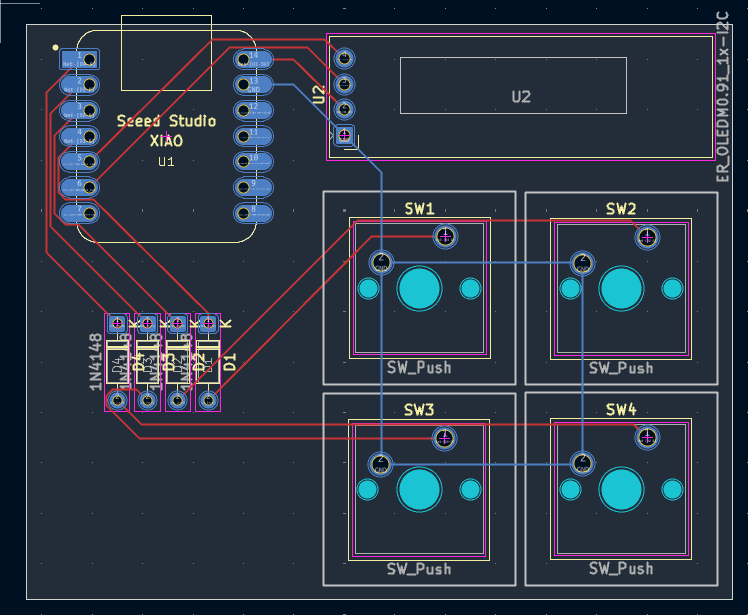
It was made in KiCad. Only needing to add Kicad Care package Symbols and Footprints.
All 3D models were found on GrabCad

I used MX_V2 for the keyswitch footprints.
Schematic:
PCB Layout:
This hackpad uses [QMK](https://qmk.fm/) firmware for everything.

- The 4 keys currently act as macros
- The OLED is supposed to be a Ram stick, cuz im kinda broke on ram :(Here should be everything you need to make this hackpad
- 4x Cherry MX Switches
- 4x DSA Keycaps
- 4x 1N4148 DO-35 Diodes.
- 1x 0.91" 128x32 OLED Display
- 1x XIAO RP2040
- 1x Case (3 printed parts)For context PCBWay offered to sponsor the PCB Prototype in return for a mention
Its has been some time (its currently 01/10/2026) and ive been using the PCBWay sponsored PCB in my own Nano Key and they have help up really well.
Besides the damaged i did while soldering there are no sorts of scratches and damaged on the PCB and no sort of issues have been found.
Overall the only complaint i have is the trace lines do seem a bit bleeded in a sanse that the deeper color they have seem to have spread to the surronding mask.
Even with that I would still use PCB-Way as my main PCB ordering service!
As for PCBWay it self I find it really considering of them to go out of their way to offer sponsor to teens and other people whos projects they find interesting which is a massive plus for everyone to have such a community focused company in our hobby.
Once again I thanks PCBWay and Liam from the Marketing Department for this once in a lifetime opportunity!Honestly this was my first ever project, i never touched CAD besides TinkerCAD in school and never made a PCB in my life.
With that expect a bunch of errors and stuff but it was fun to build it and learn as I built!| Qty | Value | Footprint | References |
|---|---|---|---|
| 4 | 1N4148 | Diode_THT:D_DO-35_SOD27_P7.62mm_Horizontal | D1, D2, D3, D4 |
| 4 | SW_Push | Button_Switch_Keyboard:SW_Cherry_MX_1.00u_PCB | SW1, SW2, SW3, SW4 |
| 1 | ER_OLEDM0.91_1x-I2C | Display:ER_OLEDM0.91_1x-I2C | U2 |
| 1 | LOGO | Logo:LOGO | G*** |
| 1 | MOUDLE-SEEEDUINO-XIAO | footprints:XIAO-Generic-Hybrid-14P-2.54-21X17.8MM | U1 |
google/mozc-devices
Circuit diagrams and firmware source code for Gboard DIY keyboards


FrameworkComputer/ExpansionCards
Reference designs and documentation to create Expansion Cards for the Framework Laptop

hoglet67/RGBtoHDMI
Bare-metal Raspberry Pi project that provides pixel-perfect sampling of Retro Computer RGB/YUV video and conversion to HDMI

hackclub/OnBoard
💡 Join 1,000 teenagers and make your first PCB with a $100 grant!


tardate/LittleArduinoProjects
a collection of "Little Electronic & Arduino Projects", most involving electronics or an Arduino in one way or another!

basilfx/TRADFRI-Hacking
Hacking IKEA TRÅDFRI products, such as light bulbs, window blinds and other accessories.
It measures 70 × 57 mm and has 2 copper layers, 1.6 mm thick.
11 parts. The full list of its parts is on this page, with links to each part's symbol and footprint where PCBKit's library has them.
From the NLEVEL-GIT/NanoKey repository on GitHub, at the commit this page was made from: the board is pcb/NanoKey-Redo.kicad_pcb and its schematic pcb/NanoKey-Redo.kicad_sch. PCBKit opens the board in the browser, with nothing to install.
Its repository states no licence, so its author keeps all rights: ask NLEVEL-GIT before reusing the design.