2 layers52.2 × 52.2 mm
Base promicro
google/mozc-devices
Circuit diagrams and firmware source code for Gboard DIY keyboards
30 parts3kApache-2.0

 MavicMini/minideck
A macro pad with 11 cherry mx style switches, a rotary encoder and a 0.91 inch OLED screen
Minideck is an open-source printed circuit board by MavicMini, from the MavicMini/minideck repository on GitHub. It is a 2-layer board of 92.5 × 89.1 mm with 30 parts on 26 nets, routed with 97 tracks and 0 vias.
Its parts include 12 diodes, 12 switches, 1 IC and 1 connector. It belongs with the keyboards and input boards and the RP2040 boards of this library.
MiniDeck is a macropad that I have designed to have a lot of functionality in a fairly small package. I wanted to build in the ability to expand its functionalty from just being a macropad to a device which can be used to control smart home devices as well.
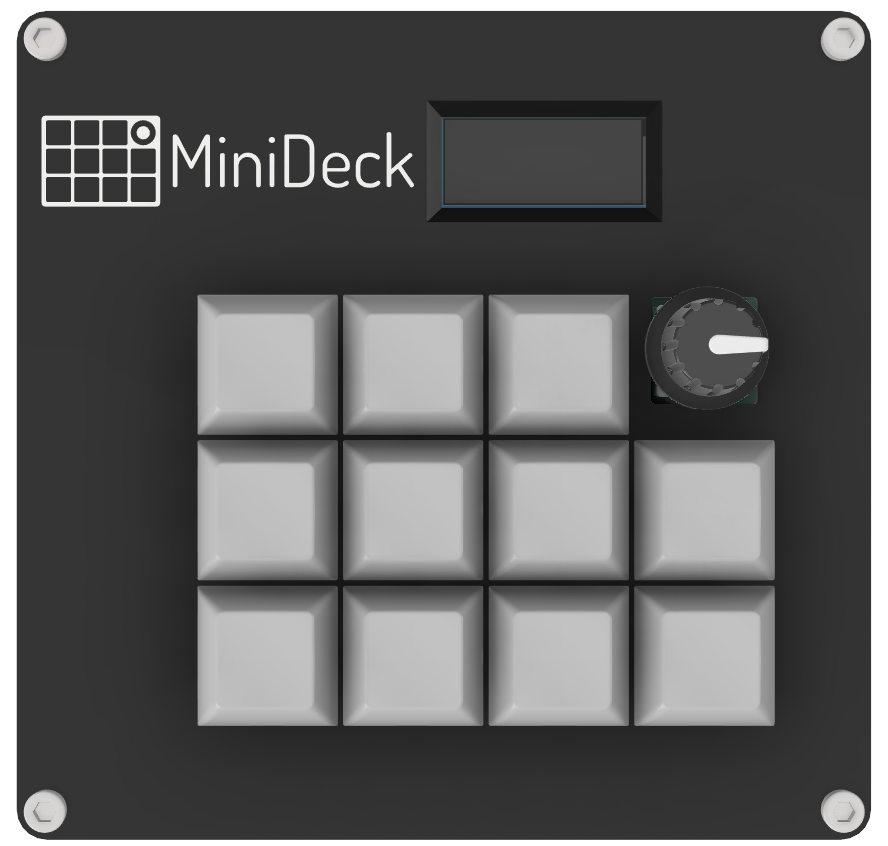
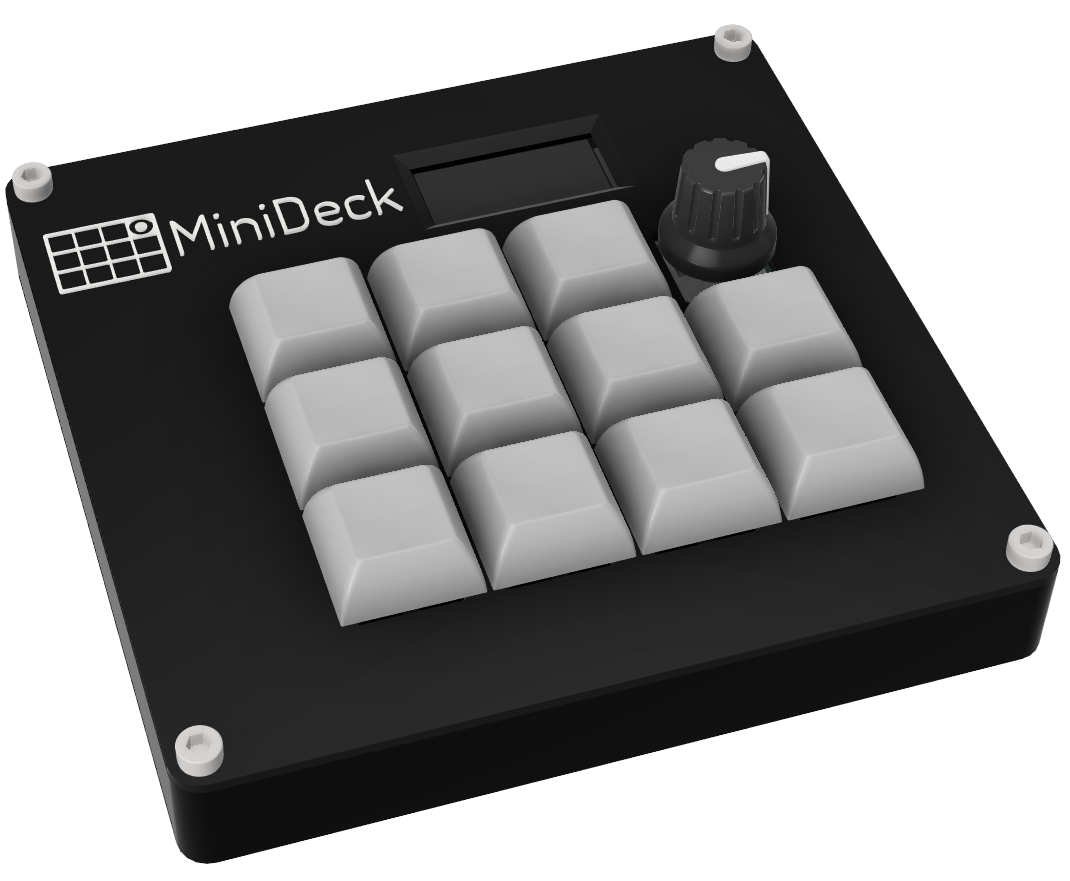
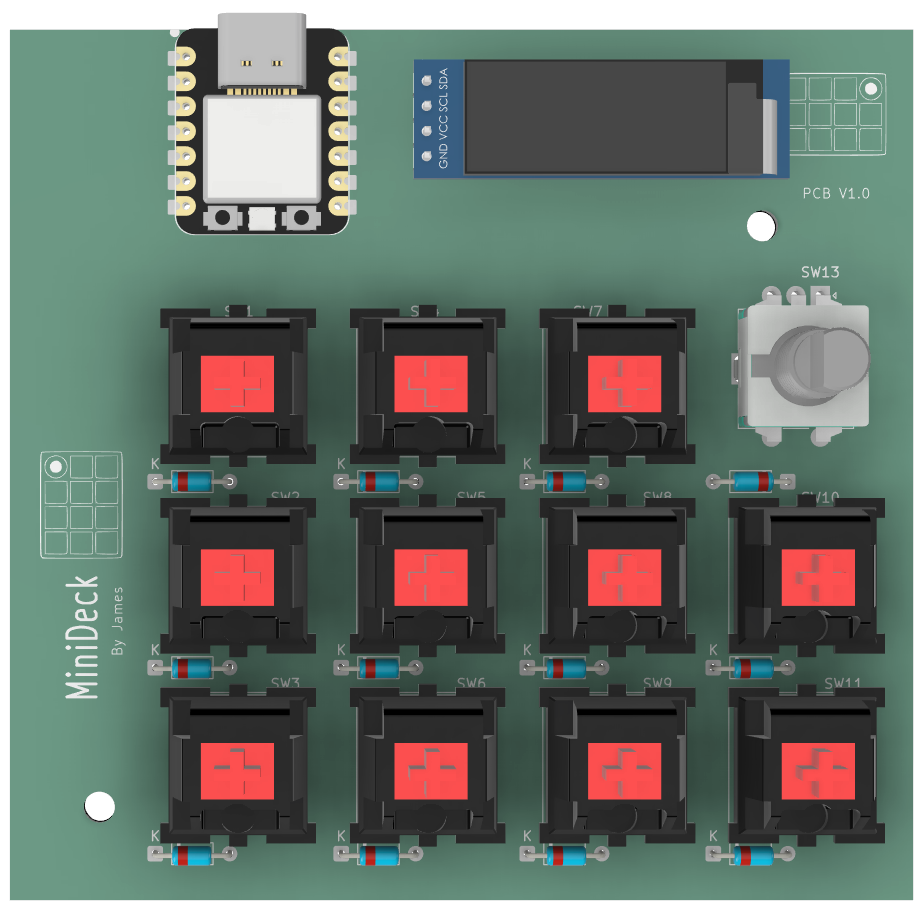
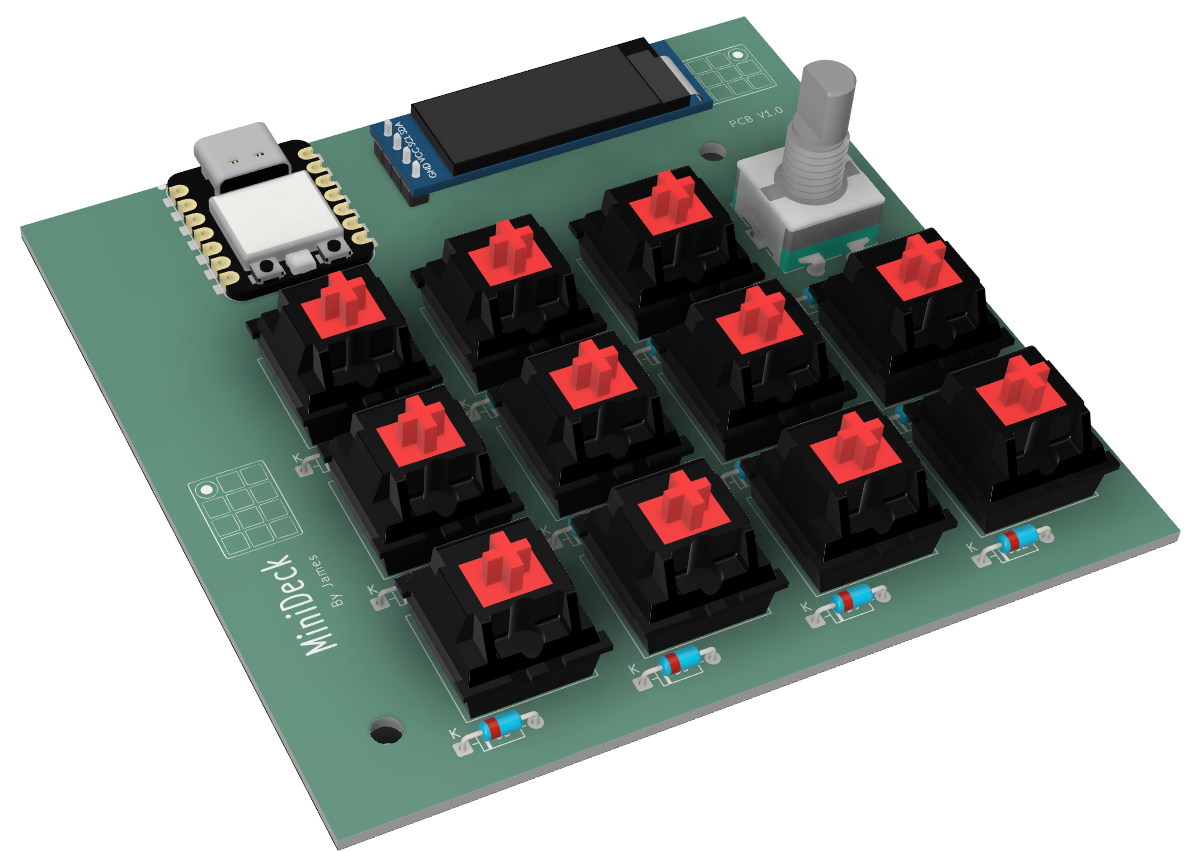
All parts are attatches with M3x6mm bolts to make it simple and they screw into 6 M3x4mm heatset inserts. This allows the PCB to be held down with 2 bolts and the case lid 4 bolts.
The case is printed in two parts, the base and the lid.
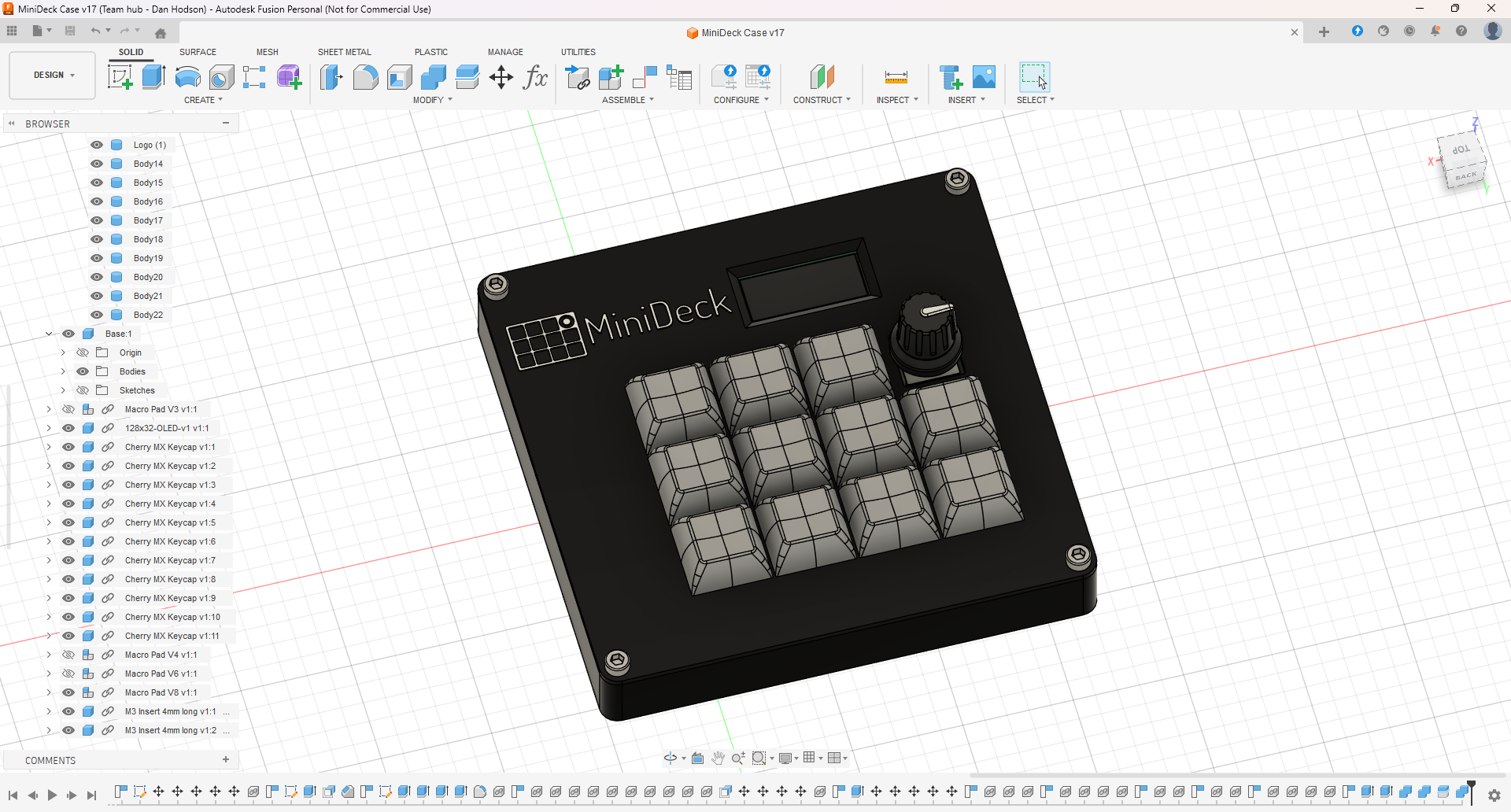
To have the logo stand out I want to have the logo and text be white, my printer only does one colour at a time though. So to achieve the two tone design I need to add a layer pause in the slicer to allow me to change filament during this point and then let it print the last 2 layers of text in white filament.
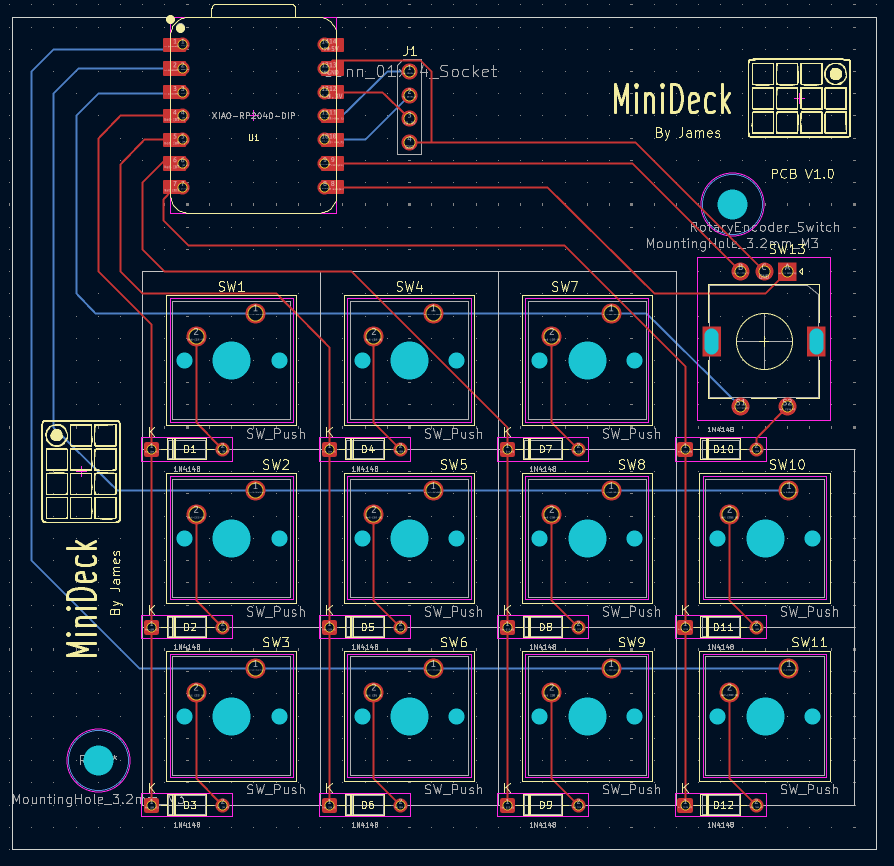
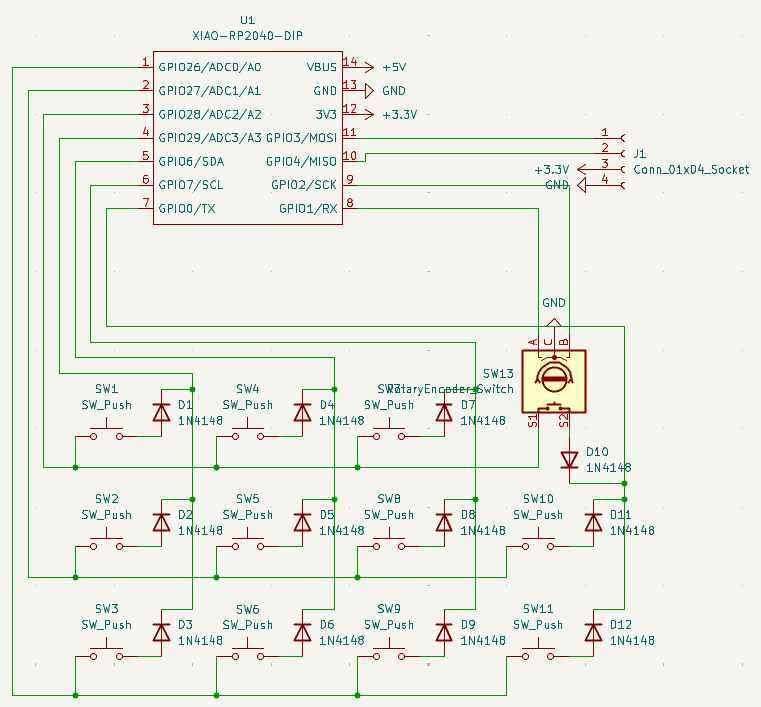
Here is the schematic for the PCB, which were both made in KiCAD. The silkscreen logo was made in Adobe Illustrator.
PCB
Schematic
I am going to use KMK firmware to start off with as im more familiar with python so it should be easier to write. However, from the research I've done there are definetly benefits to using QMK, so in the future I might release a QMK firmware version as well.
Below is a list of the features are currently in the firmware:
I plan to add more features and use some keys as modifer keys to extend the functionality of the MiniDeck.
| Qty | Value | Footprint | References |
|---|---|---|---|
| 12 | 1N4148 | Diode_THT:D_DO-35_SOD27_P7.62mm_Horizontal | D1, D2, D3, D4, D5, D6, D7, D8, D9, D10, D11, D12 |
| 11 | SW_Push | Keyswitch:SW_Cherry_MX_1.00u_PCB-3D Model | SW1, SW2, SW3, SW4, SW5, SW6, SW7, SW8, SW9, SW10, SW11 |
| 2 | LOGO | LOGO | G***, G*** |
| 1 | Conn_01x04_Socket | 128*32 Oled:PinHeader_1x04_P2.54mm-ce12909e-c1ba-0606-2421-5b6e827065f4 | J1 |
| 1 | RotaryEncoder_Switch | Encoder:RotaryEncoder_Alps_EC11E-Switch_Vertical_H20mm | SW13 |
| 1 | XIAO-RP2040-DIP | OPL:XIAO-RP2040-DIP | U1 |
The 28 most common of 30 parts.
google/mozc-devices
Circuit diagrams and firmware source code for Gboard DIY keyboards


VoronDesign/Voron-Hardware
Cool Hardware designed by the Voron Design group

hoglet67/RGBtoHDMI
Bare-metal Raspberry Pi project that provides pixel-perfect sampling of Retro Computer RGB/YUV video and conversion to HDMI

tenderlove/initial-v
It's a BMW shifter converted to a Bluetooth Keyboard that you use with Vim

hackclub/OnBoard
💡 Join 1,000 teenagers and make your first PCB with a $100 grant!


It measures 92.5 × 89.1 mm and has 2 copper layers, 1.6 mm thick.
30 parts. The full list of its parts is on this page, with links to each part's symbol and footprint where PCBKit's library has them.
From the MavicMini/minideck repository on GitHub, at the commit this page was made from: the board is PCB/MiniDeck/MiniDeck.kicad_pcb and its schematic PCB/MiniDeck/MiniDeck.kicad_sch. PCBKit opens the board in the browser, with nothing to install.
Its repository states no licence, so its author keeps all rights: ask MavicMini before reusing the design.