2 layers78 × 60 mm

 Maheemal/Spacemouse-Macro-Keys17
Macro Pad for 3DConnexion SpaceMouse Wireless
Spacemouse Macro Keys is an open-source printed circuit board by Maheemal, from the Maheemal/Spacemouse-Macro-Keys repository on GitHub. It is a 2-layer board of 146.3 × 157.9 mm with 44 parts on 74 nets, routed with 273 tracks and 1,115 vias.
Its parts include 15 resistors, 12 diodes, 12 switches, 2 capacitors and 2 ICs. It belongs with the keyboards and input boards and the SAM D and SAM boards of this library.
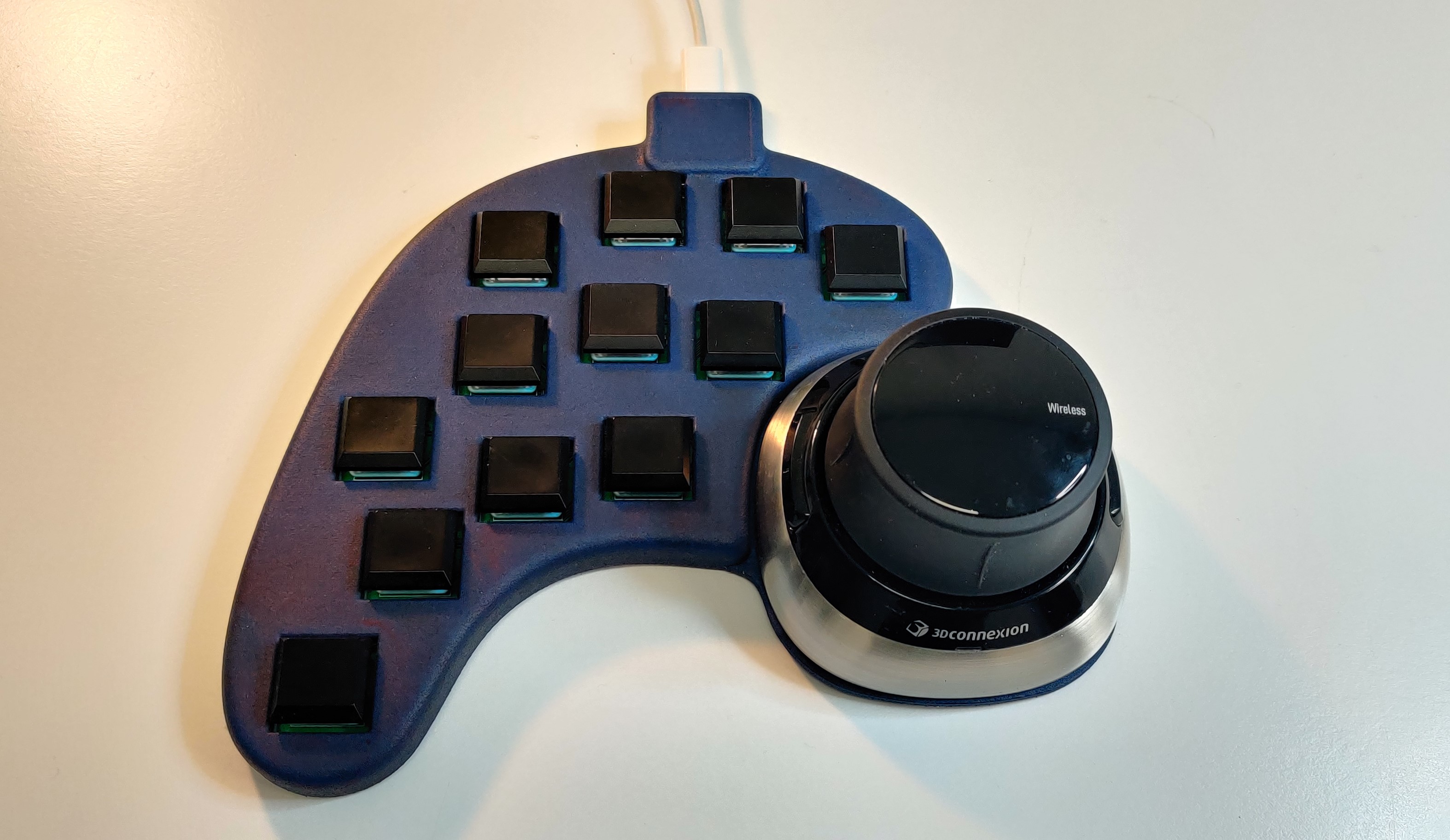
Customizable macro pad for users of 3DConnexion SpaceMouse Wireless. Adds 12 easy-to-reach customizable buttons to the side of the SpaceMouse
If you are just looking to make one as is, download the latest release and follow the Build instructions on ./Production Files. Requires decent soldering skills. Alternatively, you can order the "mostly" assembled PCB from PCBWay.
If you would like to purchase one, please contact via hello@maheemal.com
Non-commercial use - Free to use. Feel free to buy me a coffee ~> 
Commercial use - If you are a freelancer / professional / plan to use this in service of paid work / building one for someone other than yourself, please email me beforehand: hello@maheemal.com
Contributions are always welcome!
| Qty | Value | Footprint | References |
|---|---|---|---|
| 12 | LED | LED_SMD:LED_0603_1608Metric | D1, D2, D3, D4, D5, D6, D7, D8, D9, D10, D11, D12 |
| 12 | R100 | Resistor_SMD:R_0603_1608Metric | R1, R2, R3, R4, R5, R6, R7, R8, R9, R10, R11, R12 |
| 12 | SW_DIP_x01 | Switch_Keyboard_Kailh:SW_Kailh_Choc_V1 | SW1, SW2, SW3, SW4, SW5, SW6, SW7, SW8, SW9, SW10, SW11, SW12 |
| 3 | 4.7k | Resistor_SMD:R_0603_1608Metric | R13, R16, R17 |
| 2 | 0.1uF | Capacitor_SMD:C_0603_1608Metric | C1, C2 |
| 1 | Conn_01x02_Male | Connector_PinHeader_2.54mm:PinHeader_1x02_P2.54mm_Vertical | J1 |
| 1 | PCA9505DGG,118 | PCA9505DGG_118:SOP50P810X120-56N | U1 |
| 1 | SeeeduinoXIAO | Seeeduino XIAO KICAD:Seeeduino XIAO-MOUDLE14P-2.54-21X17.8MM | U2 |


mudmin/AnotherMaker
This is where I will store code snippets for AnotherMaker Videos

qbancoffee/imac_g3_ivad_board_init
iMac G3 IVAD board initialization with an arduino

Stefan-Olt/MISRC
MISRC Is a multi channel RF capture device for FM RF, S-Video, CVBS RAW capture and anything else, but intended and supported for the decode family of projects vhs-decode, ld-decode, hifi-decode.

It measures 146.3 × 157.9 mm and has 2 copper layers, 1.6 mm thick.
44 parts. The full list of its parts is on this page, with links to each part's symbol and footprint where PCBKit's library has them.
From the Maheemal/Spacemouse-Macro-Keys repository on GitHub, at the commit this page was made from: the board is Source Files/PCB/Spacemouse-Macro-Keys.kicad_pcb and its schematic Source Files/PCB/Spacemouse-Macro-Keys.kicad_sch. PCBKit opens the board in the browser, with nothing to install.
Its repository states no licence, so its author keeps all rights: ask Maheemal before reusing the design.