2 layers66.9 × 74.5 mm

 KostaJovanovic/Universal-File-Analyser2
Zero-backend, browser-only forensic workbench - drop a file and it classifies and analyses it entirely on your device (200+ formats, EXIF, hex, spectrograms, on-device AI vocal separation, 3D/CAD viewers). Nothing is uploaded. Also a desktop app.
PCB design is an open-source printed circuit board by KostaJovanovic, from the KostaJovanovic/Universal-File-Analyser repository on GitHub, published under the GPL-3.0 licence. It is a 2-layer board of 45 × 45 mm with 20 parts on 11 nets, routed with 49 tracks and 110 vias.
Its parts include 7 connectors, 4 resistors, 2 switches and 1 capacitor.
A zero-backend forensic workbench for files, running entirely in your browser.
Drop in any file and it is classified, parsed and visualised on your device. Nothing is uploaded, ever.
Open Analyser · Supported formats · Samples · About · Changelog
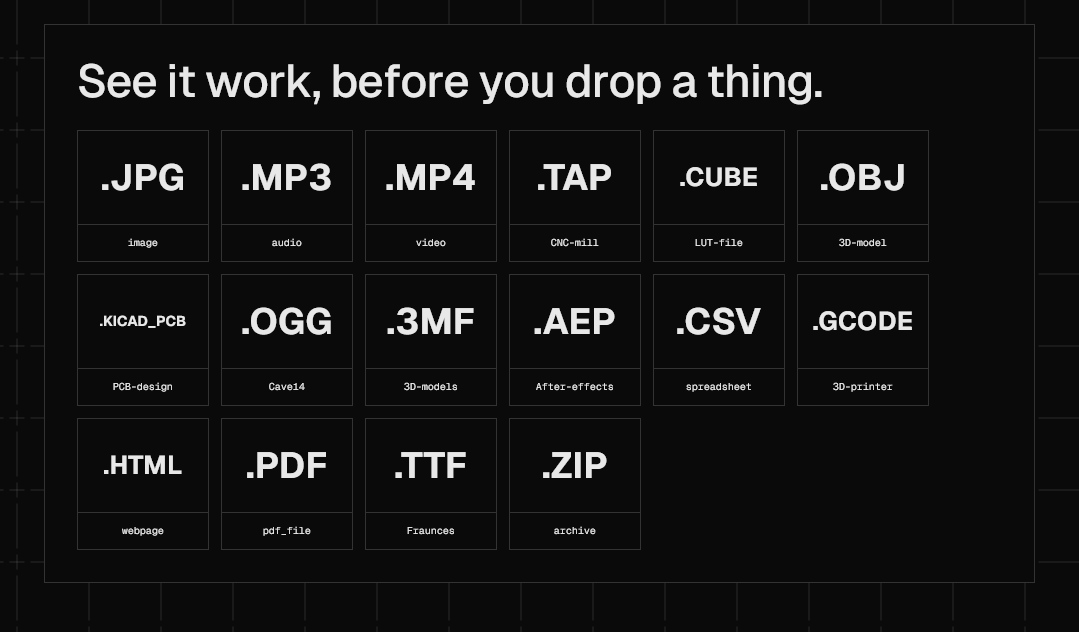
Most "file inspector" sites work by uploading your file to a server, which is exactly what you do not want for private photos, contracts, disk images or key files. Analyser takes the opposite approach: the page is static, there is no backend at all, and every byte of analysis happens in your browser through the File API and lazy-loaded WebAssembly. It works offline as an installable PWA, and you can verify the no-upload claim with the network tab open.
Analyser recognises over 1,350 file types. The depth varies by format: photos, audio, video, documents, 3D models, archives, maps and databases get full viewers and deep analysis, while hundreds of proprietary formats are identified by magic bytes with their header metadata decoded. Anything still unknown gets a hex dump and best-effort identification.
The full, searchable list is at analyser.valjdakosta.com/formats, with a guide page for every supported extension. There is also a compare page that runs two files through the same analysis side by side and highlights every field where they differ, and a samples gallery of example files to try without needing your own.
Identifying a file is just the entry point. The real work starts once Analyser knows what it is holding, and a lot of that is best shown rather than described.
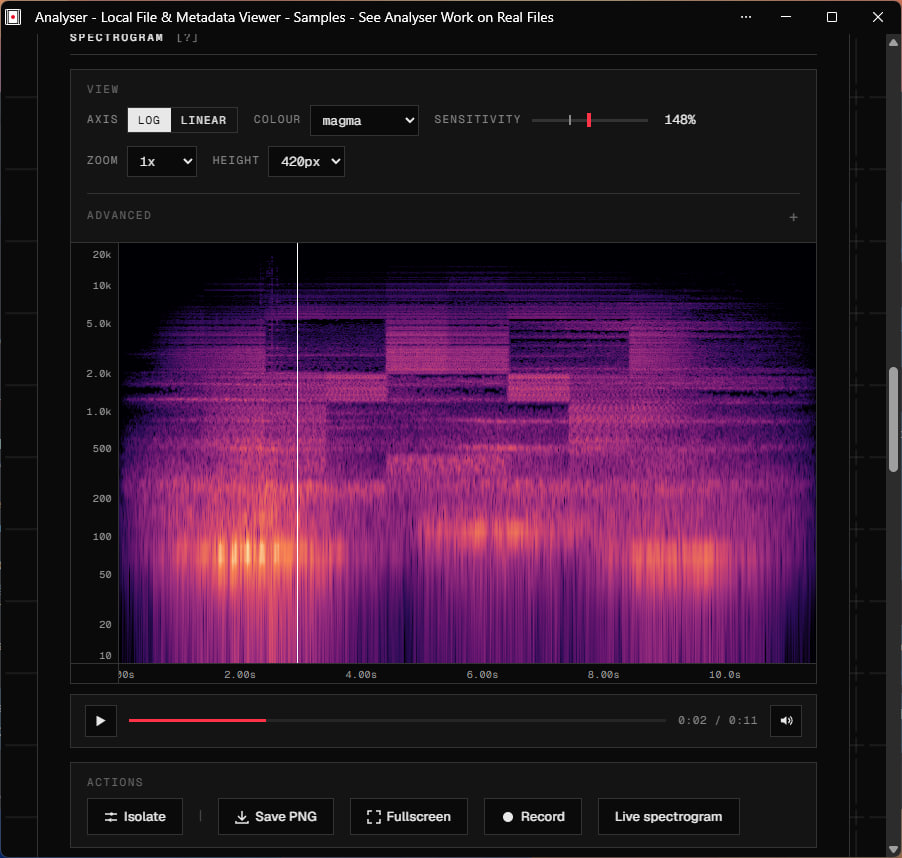
Waveform and spectrogram views (down into the sub-20 Hz range), codec and loudness analysis, reversed playback, and live microphone capture. The frequency-isolation panel lets you carve out bands in real time, and an in-browser AI model separates vocals from instrumentals with no server round-trip.
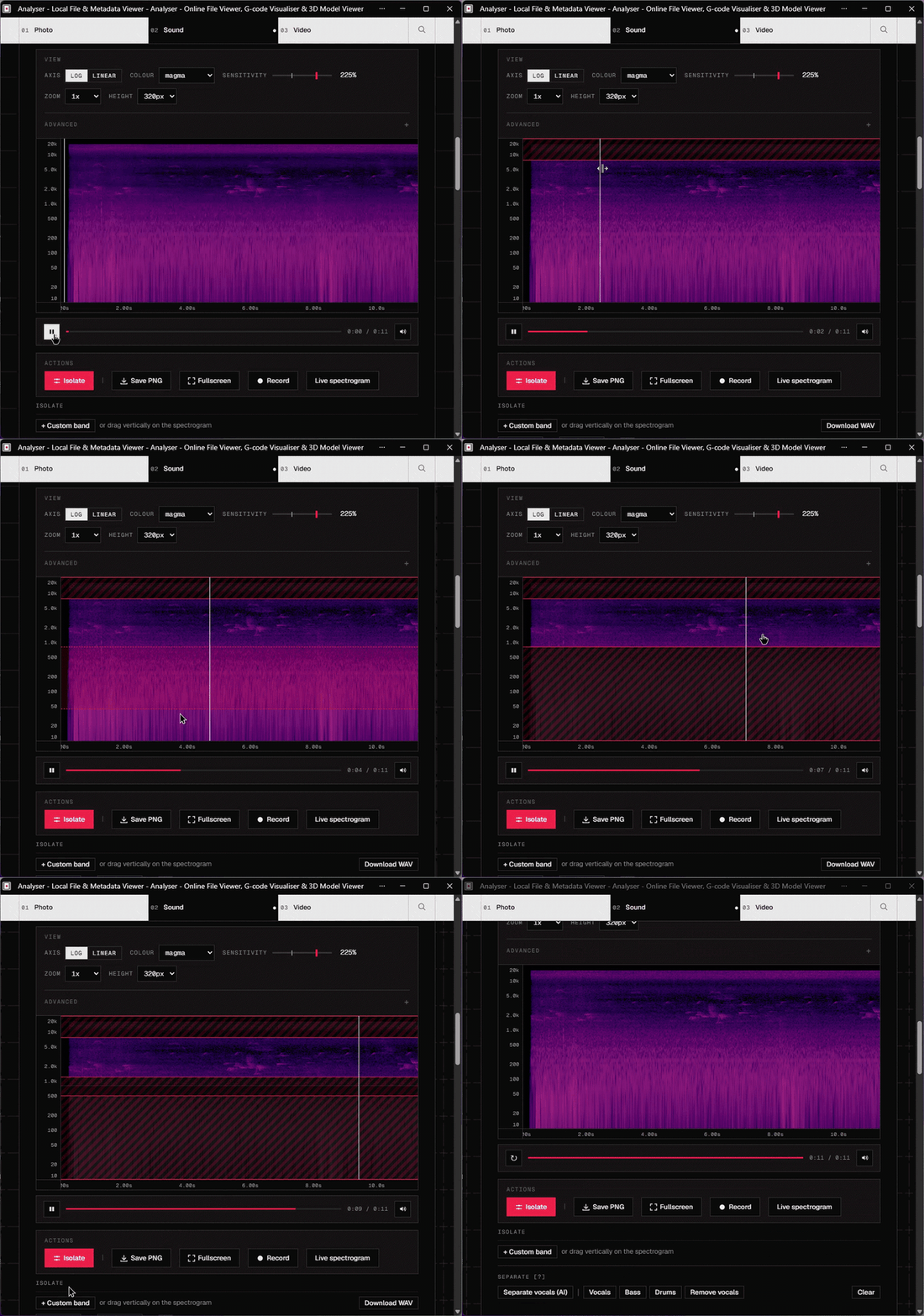
https://github.com/user-attachments/assets/a9226e4a-90d0-45d2-8c82-d65578e2b3e8
On-device AI vocal separation: the model runs entirely in the browser, nothing is uploaded.
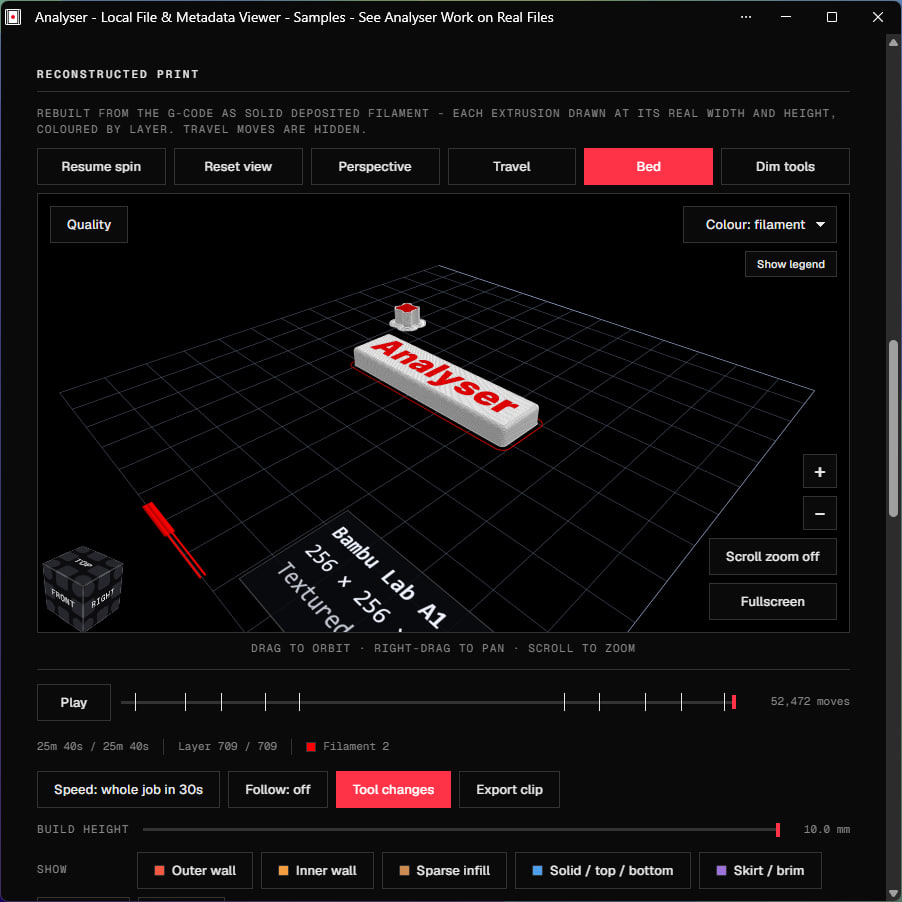
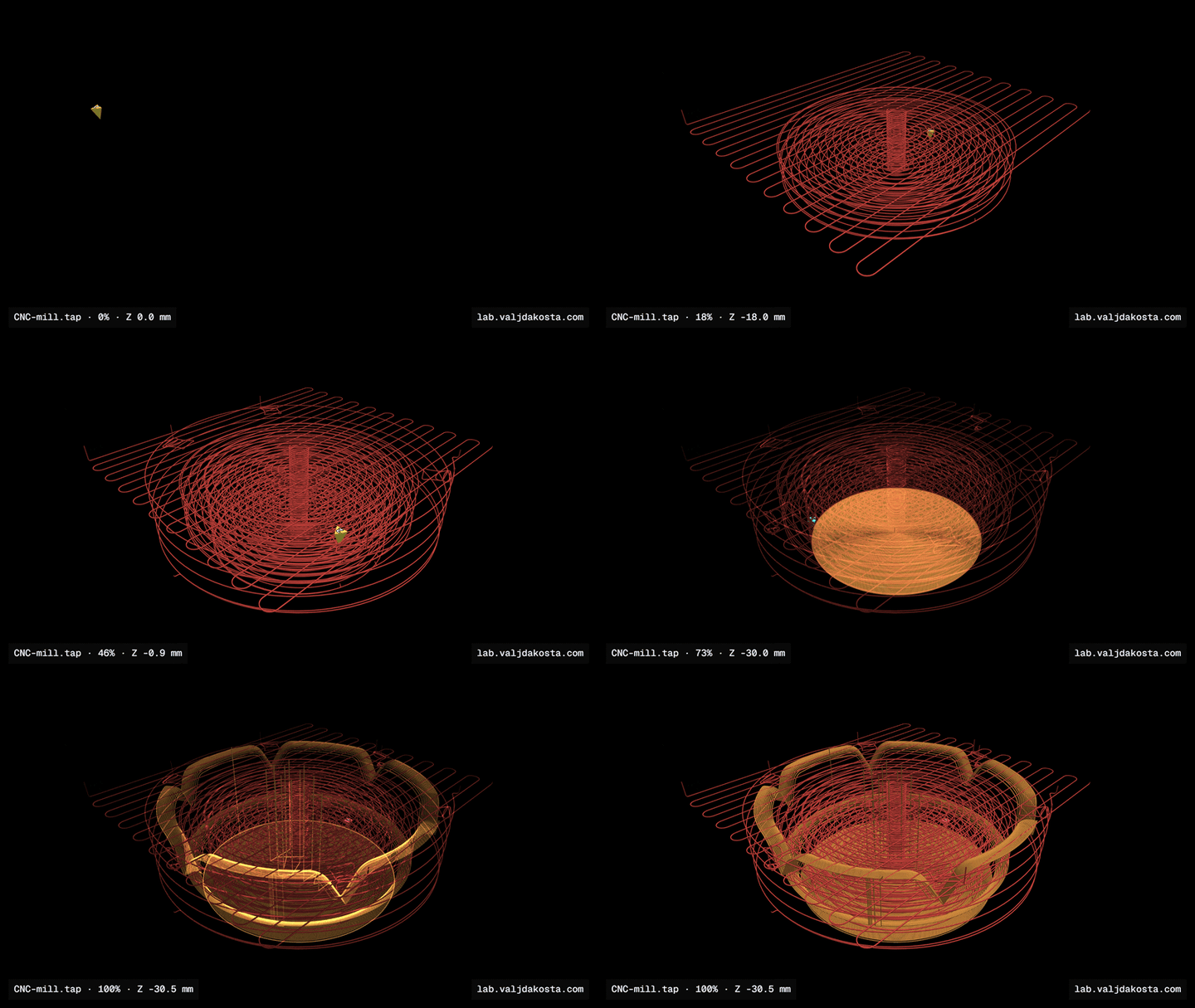
STL and STEP/IGES viewers, DWG drawings, SolidWorks and Fusion 360 packages, and a G-code toolpath simulator that rebuilds the print as solid deposited filament, animates the build layer by layer, and can export a shareable video clip of it.
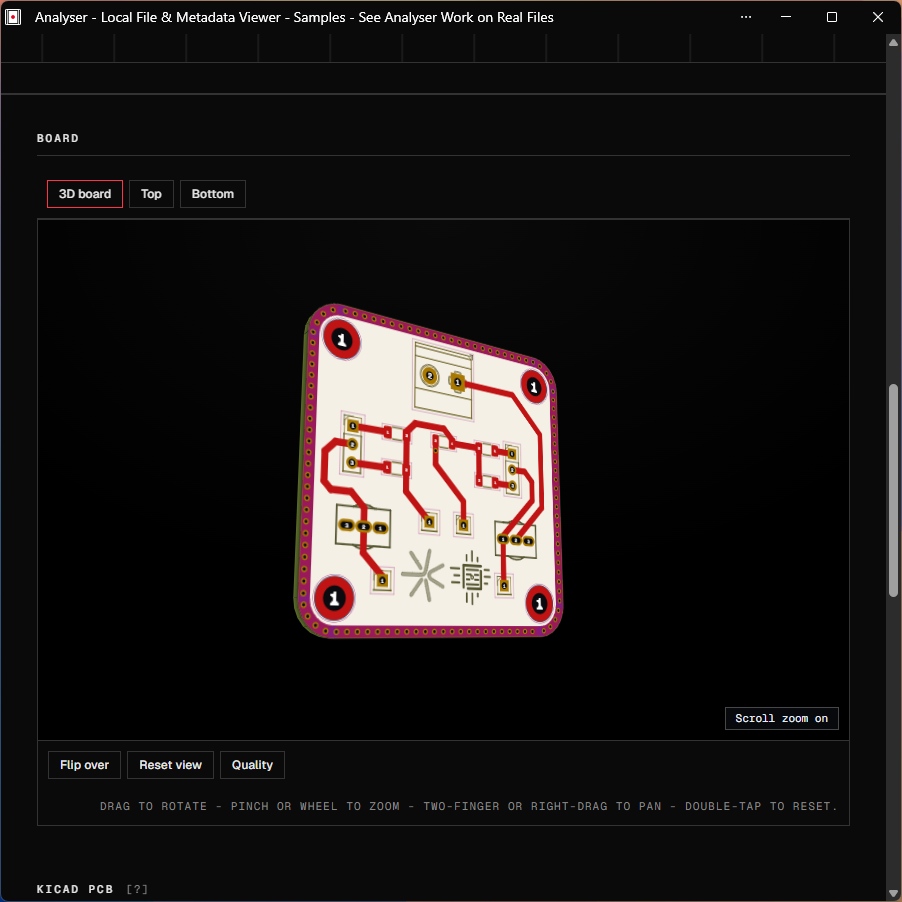
KiCad and Altium PCB projects render as an interactive 3D board you can flip and inspect, alongside schematics, SPICE waveforms and IPC netlists.
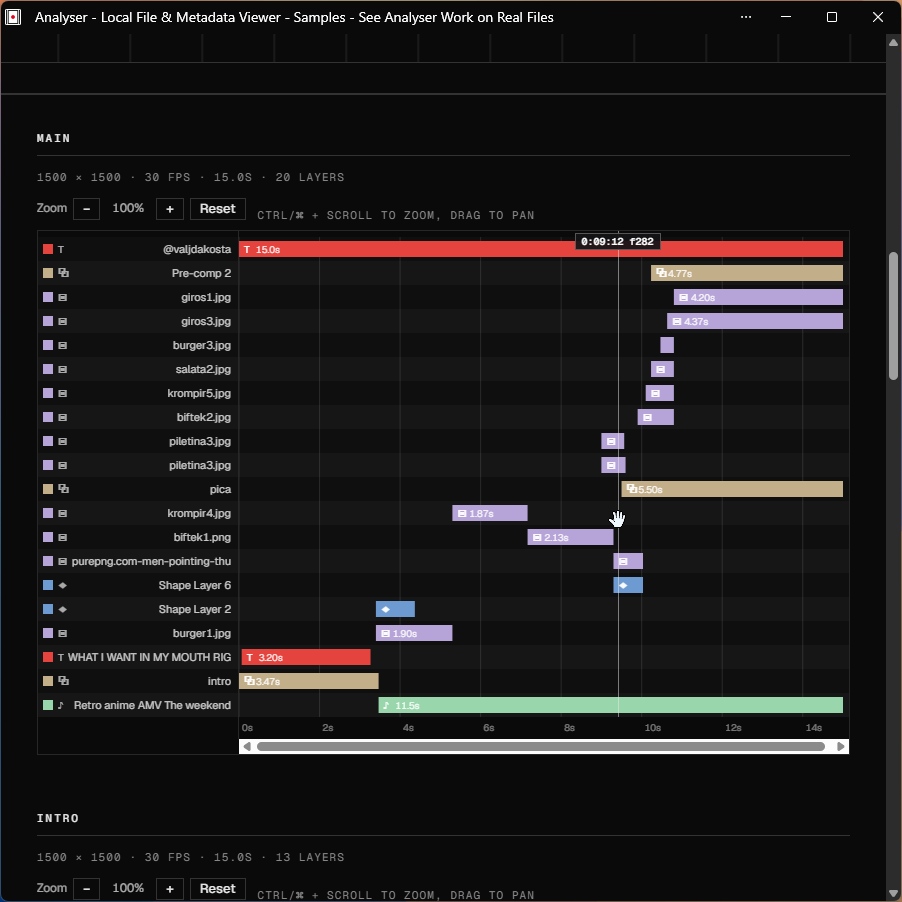
After Effects, Premiere, DaVinci Resolve and VEGAS projects with previewable composition timelines, EDL/FCPXML/OTIO timelines, PSD and Illustrator files, colour LUTs, animated font specimens, Lottie animations, MIDI scores, subtitles and lyrics.
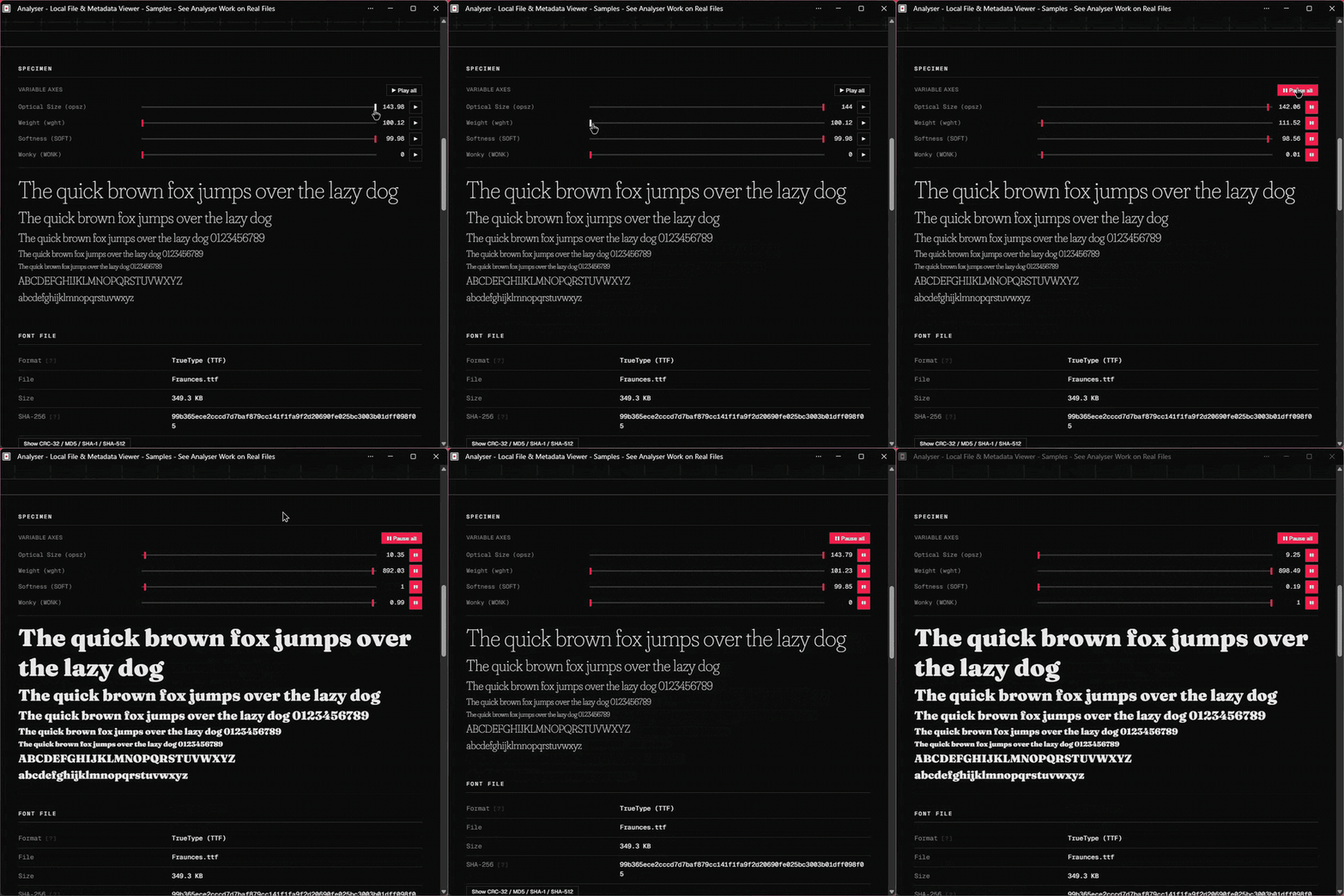
Browse ZIP, 7z, RAR and whole dropped folders, with a treemap that breaks down where the size actually goes and lets you click straight into any file to analyse it. Comics (CBZ/CBR), e-books (EPUB/MOBI), DjVu scans and Jupyter notebooks get proper readers.
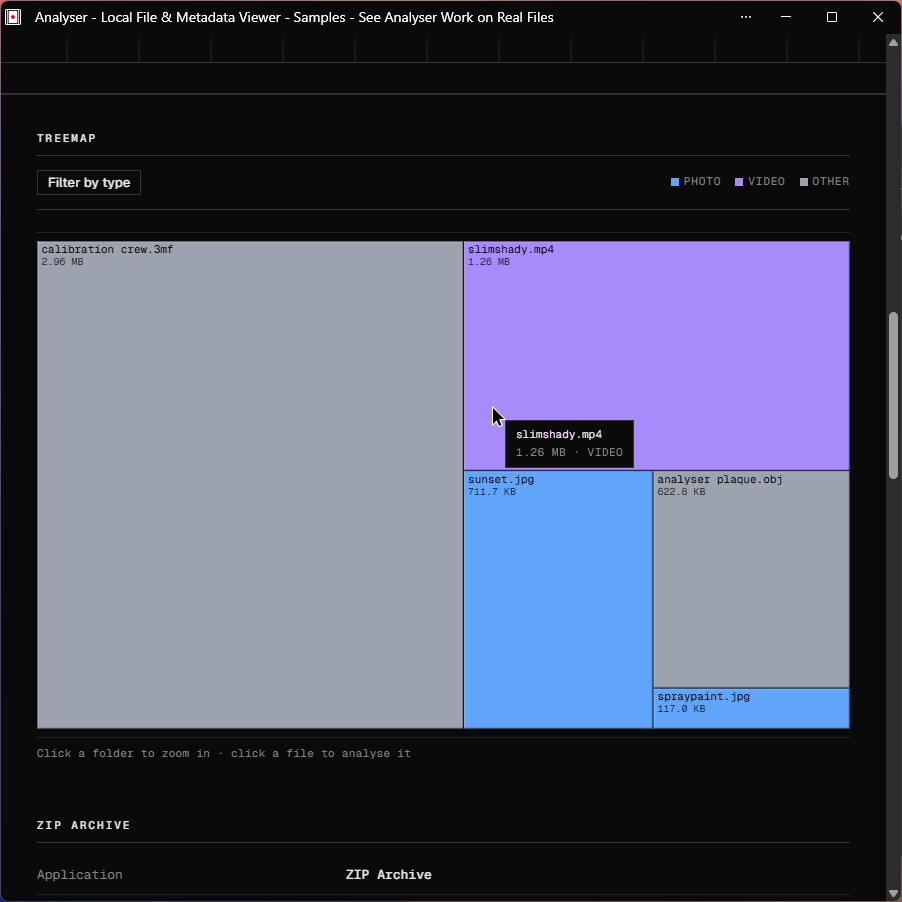
The only network call the site ever makes on its own is a single anonymous "file analysed" ping carrying nothing but a lowercase extension string. Those counts feed the public live-usage page, an honest tally of what people drop, with unrecognised types pooled into one row so their names are never shown or stored.
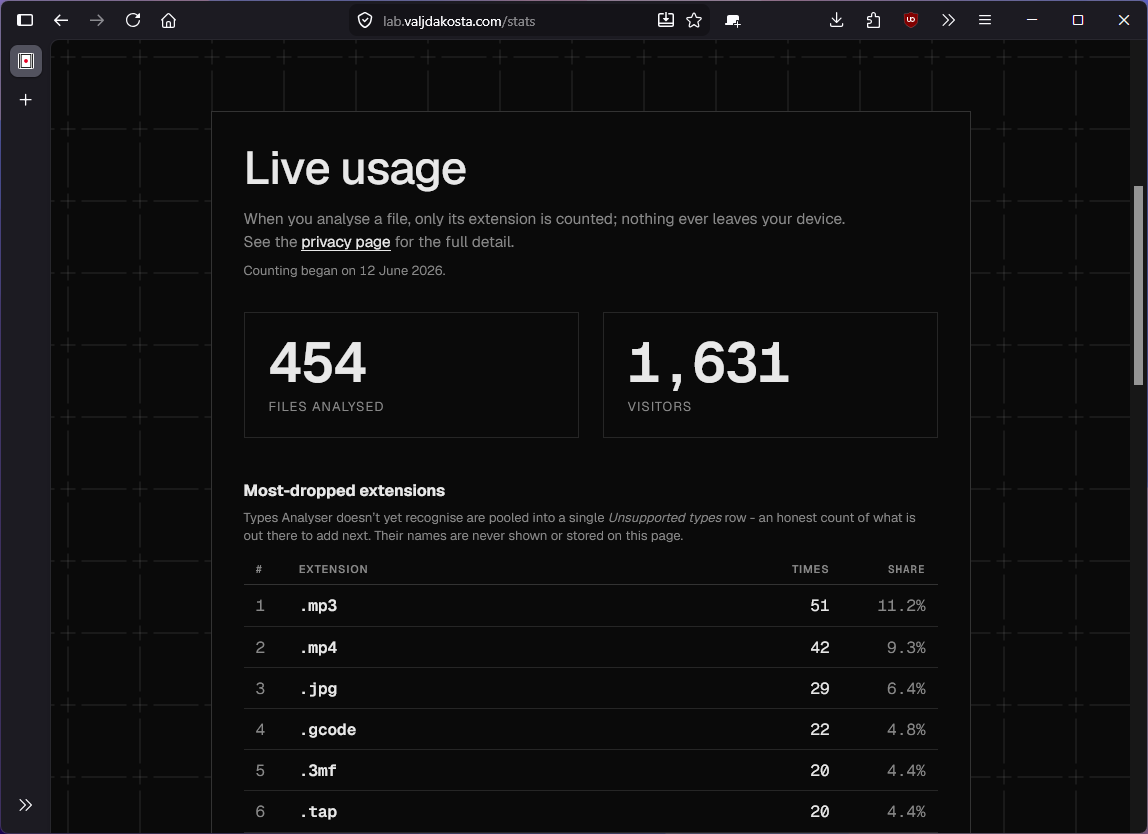
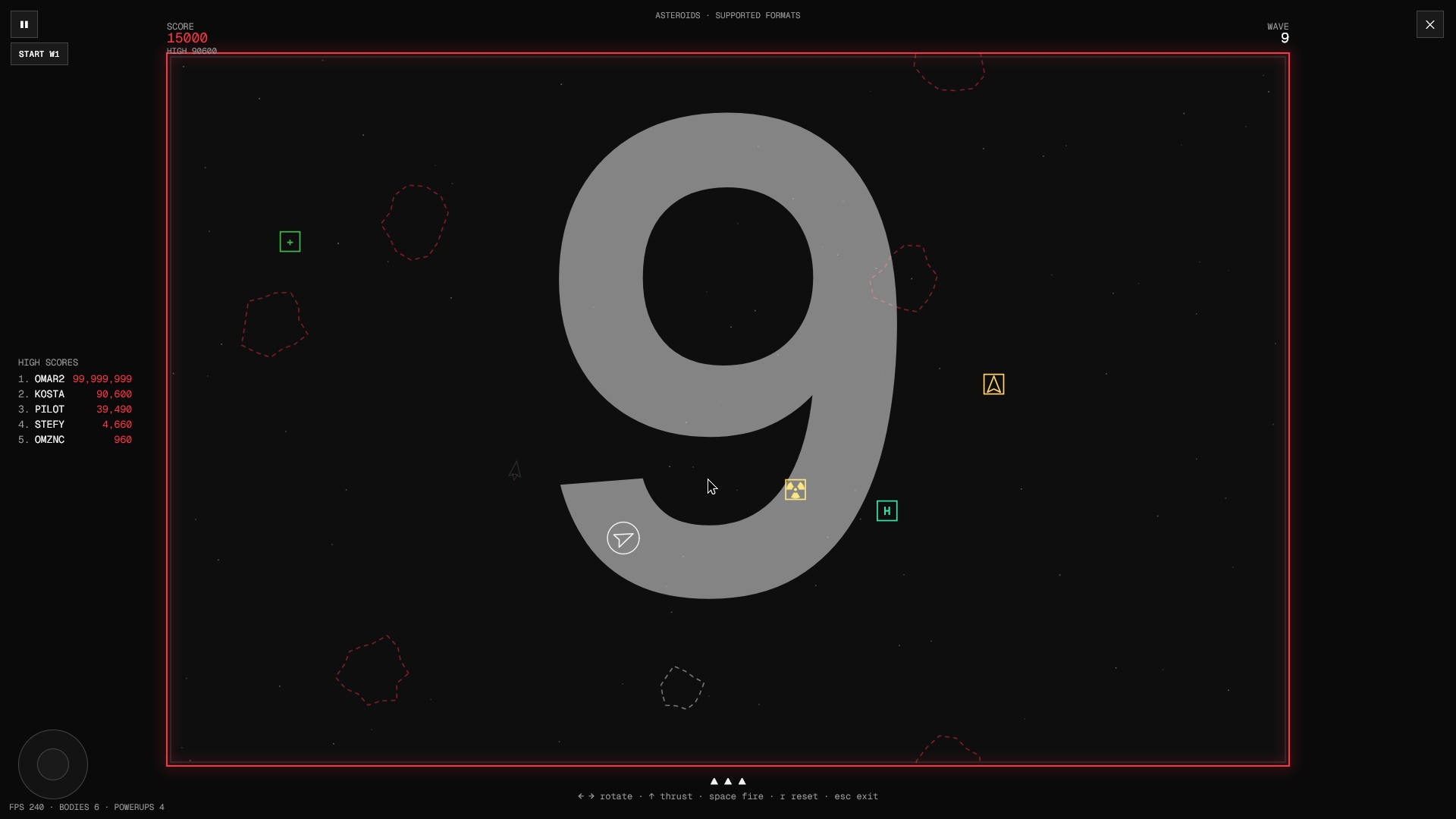
You have probably never seen a file analysis website this stylish. It follows a swiss design inspired layout, colour palette and set of fonts which I am very happy with. I made sure to sacrifice no functionality or readability for the sake of being cool, and hopefully succeeded in that too. Sharp corners, mono type, no clutter. And a... hidden game?
The site is plain HTML, CSS and ES-module JavaScript. No framework, no build step, no node_modules. Heavy lifting is done by WebAssembly engines and specialist libraries, loaded lazily only when a file actually needs them:
Most parsing, though, is hand-written: a couple of hundred binary header parsers organised into lazy per-domain chunks, so the initial page stays small. Deployment is just static assets on Cloudflare; every push to main ships.
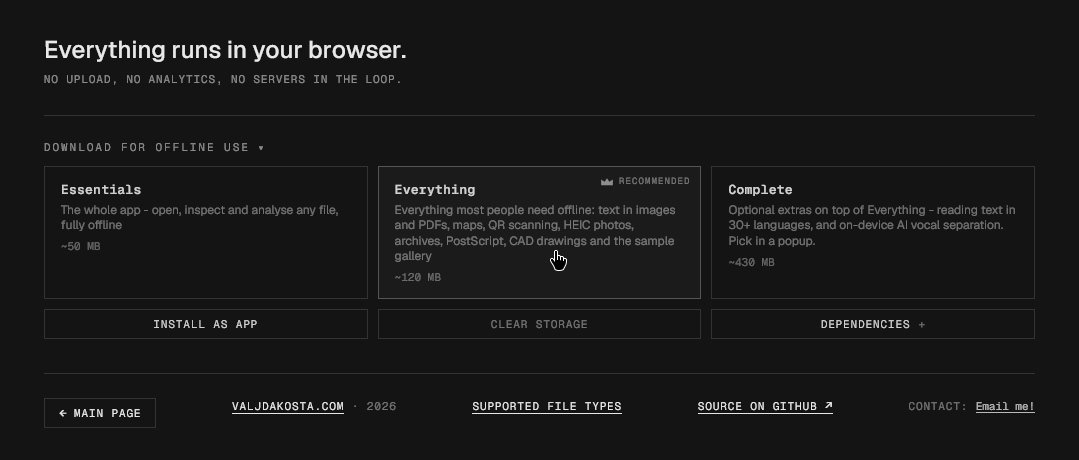
The "Download for offline use" section in the footer caches Analyser as an installable, fully offline Progressive Web App, in three cumulative tiers: Essentials (the whole app), Everything (adds OCR, maps, QR scanning, HEIC, archives, PostScript, CAD drawings and the samples gallery) and Complete (OCR in 30+ languages plus the on-device AI vocal separation).
Analyser also runs as a desktop application for Windows, macOS and Linux. It wraps the same web/ tree the site serves, so there is no fork of the code and nothing in the analysis pipeline changes - and the privacy promise is identical, since everything still happens on your own machine.
The source is in desktop/ (Electron, its own package.json). Build the Windows installer locally with cd desktop && npm install && npm run dist, which writes Analyser-Windows-<version>.exe into desktop/dist/. That one file installs Analyser or unpacks a portable copy. The desktop adds File > Open and Open folder, opens files handed to it from Explorer or the command line, sizes its memory limits from real RAM rather than the browser's clamped figure, and saves the exported report through a native dialog. See desktop/README.md and the docs page.
An Android app is in development, built the same way as the desktop one: a Capacitor shell around the same web/ tree, with no fork of the code. On top of the website it adds "Open with" and "Share to Analyser", a native save for every download, and a real FFmpeg binary that encodes video on the phone's own hardware (MediaCodec). Early builds are in the latest release, and the app updates from there. The source is in mobile/; see mobile/README.md and the docs page.
server.batThis starts a local instance on localhost:3000 and opens it in a browser. It keeps 100% of the functionality since everything was built to be server-independent. The printed network URL also works for phone testing on the same Wi-Fi. There is nothing to install and nothing to build; editing a file and refreshing is the whole dev loop.
web/ - the entire website (served at the domain root); everything below lives hereweb/index.html - the drop-and-analyse appweb/assets/js/core/formats.js - the single source of truth for every supported file typeweb/assets/js/renderers/ - one module per top-level type (photo, audio, video, PDF, 3D, ...)web/assets/js/parsers/ - lazy per-domain metadata parsers for the long tail of formatsweb/assets/js/lib/ - shared binary helpers and WASM loadersweb/assets/vendor/ - third-party libraries, served locally so the app stays offline-capabletools/ - Node scripts (in the repo root) that pre-render the /formats SEO pages from the catalogworker/ - the Cloudflare Worker behind the anonymous analysed-file counter (the only server-side code)desktop/ - the Electron desktop shell, which wraps the same web/ treemobile/ - the Android shell (Capacitor), which wraps it tooweb/sw.js - the service worker behind the offline supportEvery commit is its own version (currently in the 5.x era), stamped automatically at commit time. The full history, one entry per commit, is on the changelog.
The idea and need for this website was mine, originally made as a simple tool for generating spectrograms and reading a photo aspect ratio, that spiraled out of control pretty quickly. Many thanks to my parents, who encouraged me to continue by finding this cool, and to friends who tested this for me on platforms I do not possess or use frequently (Linux Arch and Debian, macOS). Since this project was made possible with Claude, and having in mind the moral and ethical dilemmas regarding AI usage, I decided to make the source available to the public.
Copyright © 2026 Kosta. Licensed under the GNU General Public License v3.0.
Analyser is free software: you are free to use, study, modify and share it, for any purpose including commercially. The condition is reciprocity, if you distribute it or a modified version, you must pass on the same freedoms, releasing your source under the GPL too. It comes with no warranty.
This licence covers the code I wrote. Third-party libraries under web/assets/vendor/ remain under their own licences (Ghostscript under AGPL-3.0 and LibRaw under LGPL among them), each shipped with its licence alongside it and credited in the site footer.
For a deeper look at the codebase, architecture, the drop-to-render pipeline, every renderer module, and a full usage reference for every feature on the site, see analyser.valjdakosta.com/docs.
| Qty | Value | Footprint | References |
|---|---|---|---|
| 4 | Conn_01x01_Pin | Connector_PinHeader_2.54mm:PinHeader_1x01_P2.54mm_Vertical | J1, J3, J4, J5 |
| 4 | MountingHole | MountingHole:MountingHole_3.2mm_M3_ISO14580_Pad_TopBottom | H1, H2, H3, H4 |
| 2 | 100k | Resistor_SMD:R_1206_3216Metric_Pad1.30x1.75mm_HandSolder | R1, R3 |
| 2 | 47k | Resistor_SMD:R_1206_3216Metric_Pad1.30x1.75mm_HandSolder | R2, R4 |
| 2 | Conn_01x03_Pin | Connector_PinHeader_2.54mm:PinHeader_1x03_P2.54mm_Vertical | J6, J7 |
| 2 | SW_SPDT | PEP_library:SW-TH_2MS1T1B1M1QES-5 | SW1, SW2 |
| 1 | 47u | Capacitor_SMD:C_1206_3216Metric | C1 |
| 1 | LOGO | PEP_library:petnica_logo | G*** |
| 1 | Screw_Terminal_01x02 | TerminalBlock_Phoenix:TerminalBlock_Phoenix_MKDS-1,5-2-5.08_1x02_P5.08mm_Horizontal | J2 |
The 19 most common of 20 parts.


atopile/atopile
Design circuit boards with code! ✨ Get software-like design reuse 🚀, validation, version control and collaboration in hardware; starting with electronics ⚡️

davidphilipbarr/Sweep
Sweep - a small promicro based keyboard inspired by the Ferris.

rusefi/rusefi
rusefi - GPL internal combustion engine control unit

hoglet67/RGBtoHDMI
Bare-metal Raspberry Pi project that provides pixel-perfect sampling of Retro Computer RGB/YUV video and conversion to HDMI

hackclub/OnBoard
💡 Join 1,000 teenagers and make your first PCB with a $100 grant!

FreeYourStream/freedeck-hardware
all the stuff you need to build your own FreeDeck
It measures 45 × 45 mm and has 2 copper layers, 1.6 mm thick.
20 parts. The full list of its parts is on this page, with links to each part's symbol and footprint where PCBKit's library has them.
From the KostaJovanovic/Universal-File-Analyser repository on GitHub, at the commit this page was made from: the board is web/samples/PCB-design.kicad_pcb. PCBKit opens the board in the browser, with nothing to install.
Its repository publishes it under the GPL-3.0 licence: you may reuse it on that licence's terms (keep the author's notice, and for a copyleft licence share your changes alike).