
2 layers79.9 × 28.4 mm

 JBlitzar/uhub3
usb hub
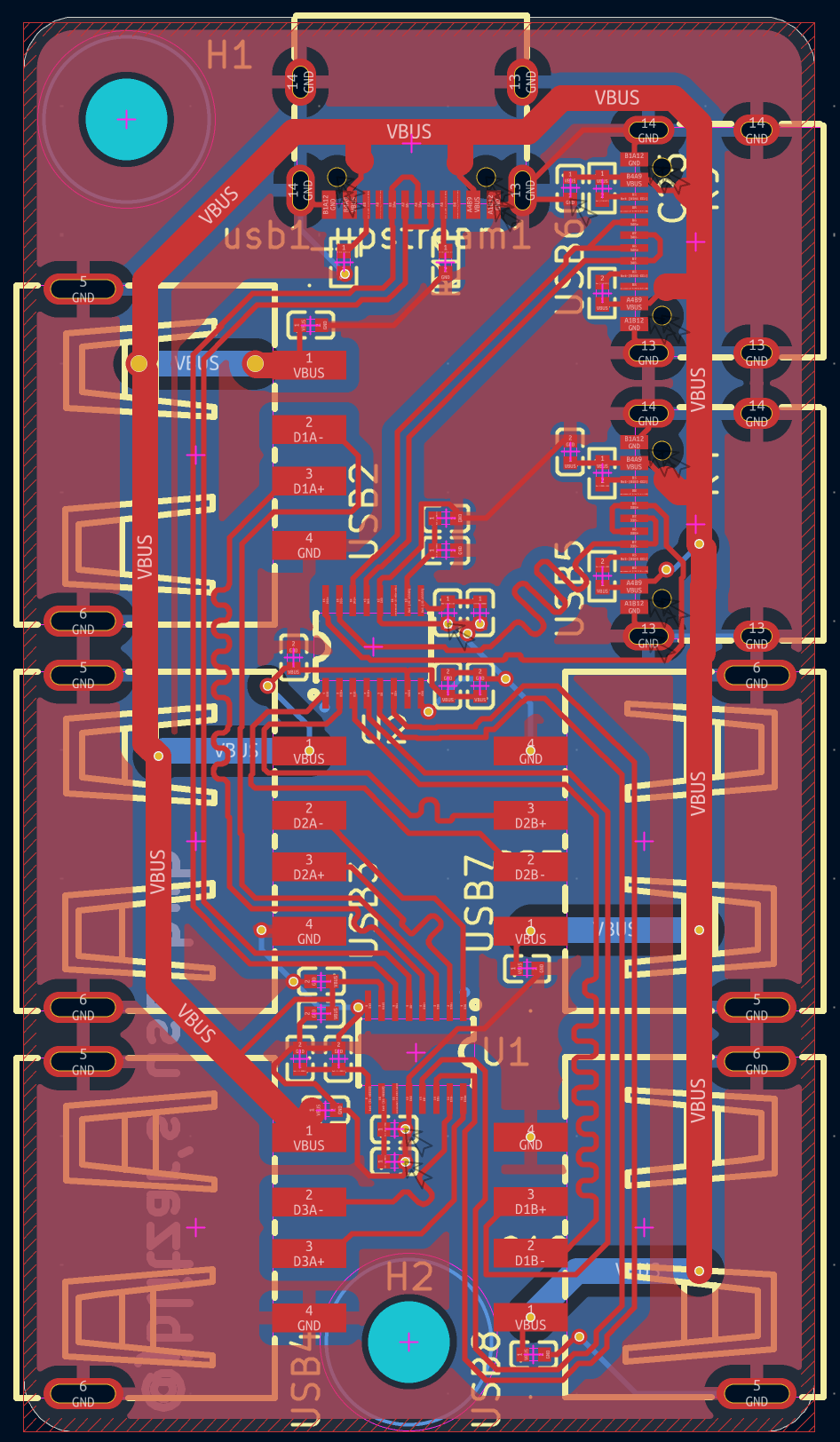
Usbhub is an open-source printed circuit board by JBlitzar, from the JBlitzar/uhub repository on GitHub, published under the GPL-3.0 licence. It is a 2-layer board of 30.7 × 55 mm with 37 parts on 38 nets, routed with 544 tracks and 24 vias.
It is built around the SL2.1S. Its parts include 19 capacitors, 6 resistors and 2 ICs. It belongs with the interfaces and adapters boards of this library.
[!NOTE] uhh so the ports are very close together, which means for some thick USB connectors, plugging in to ports that are next to each other won't work. You might want to space them out if youre going to fab this yourself. Or, you know, just live with it and use skinny connectors.
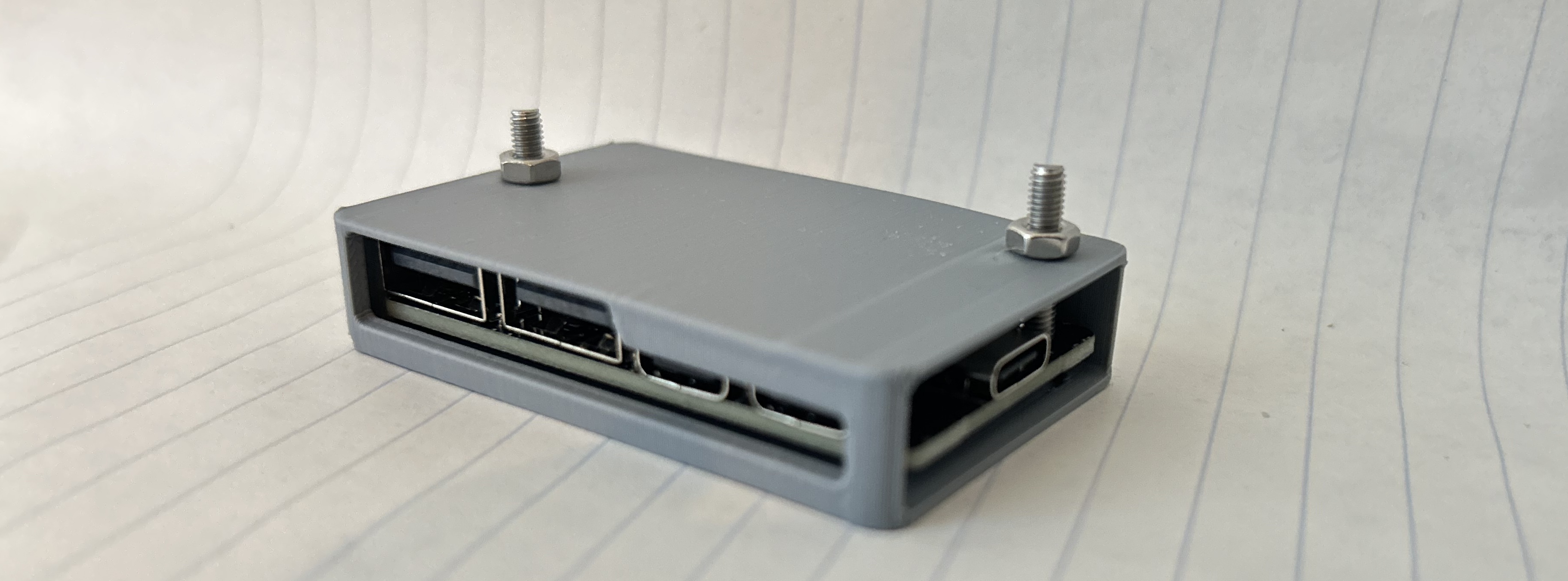
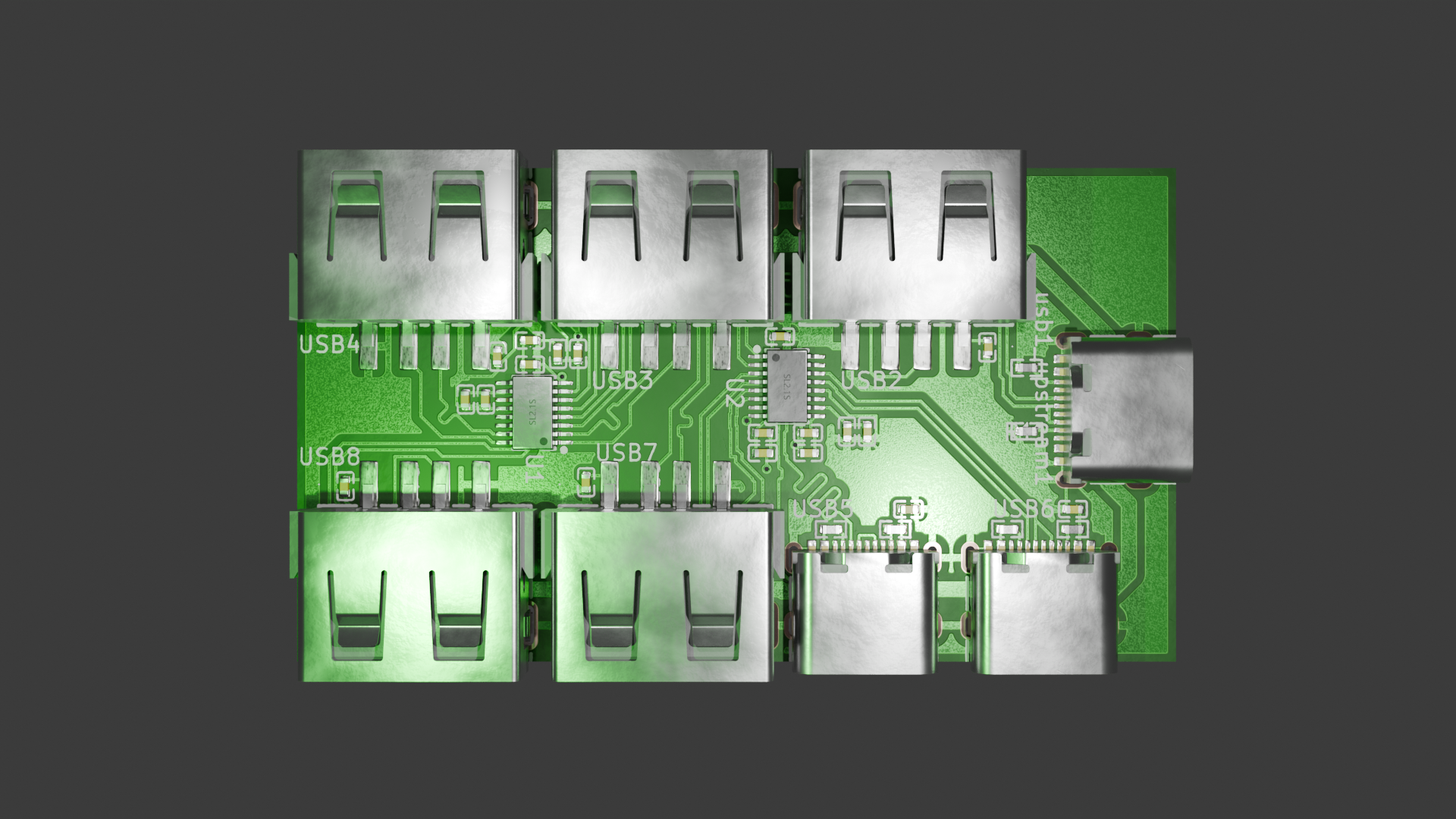
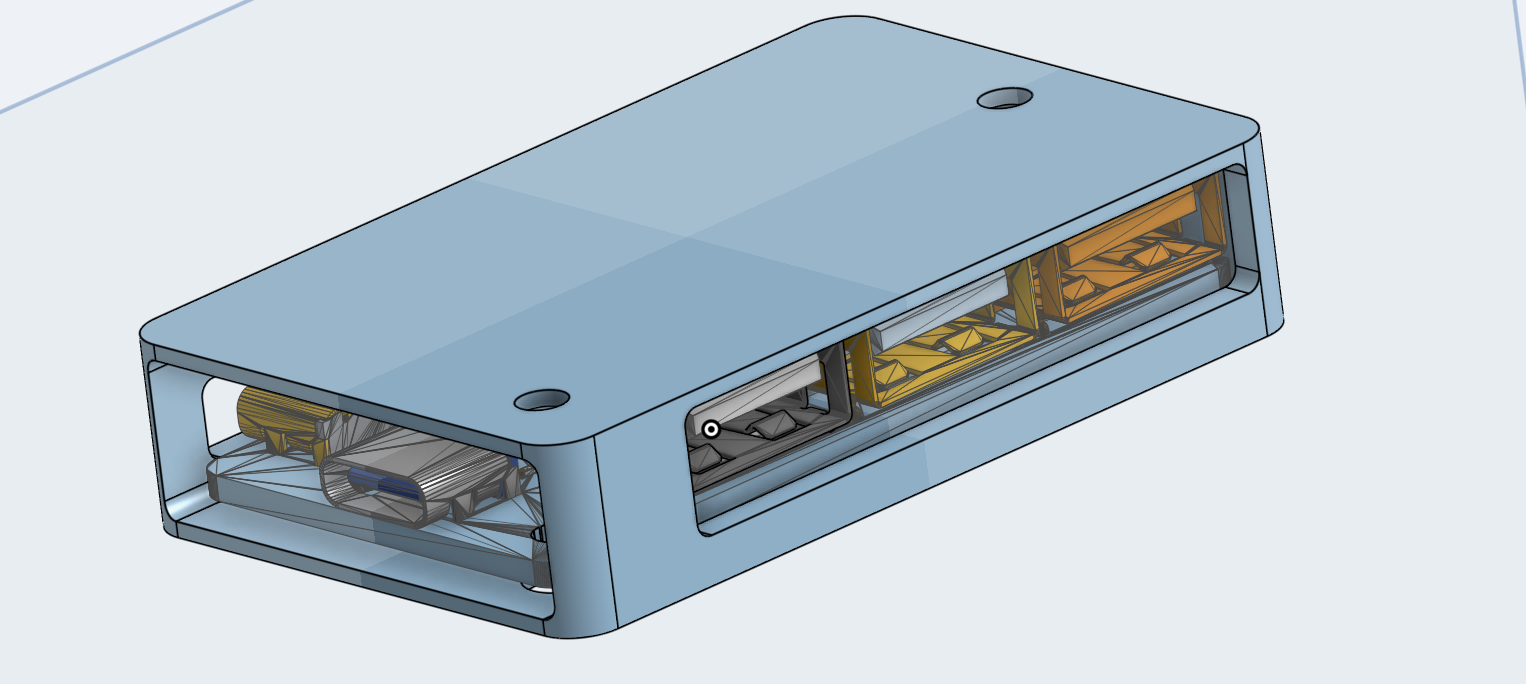
It's a USB hub. It has one upstream USB-C port, and seven downstream ports: Five USB-A and two USB-C. Since the ICs only support four downstream ports, I daisy-chained two of them.
I wanted to make it to connect to more accessories at a time, for use either on my laptop or with my raspberry pi. I also wanted to make it to level up my PCB design skills, after making a macropad. The routing was considerably more difficult, because there a lot more considerations to be made regarding impedance et al.
For-fun PCB plot, kicad screenshots below.

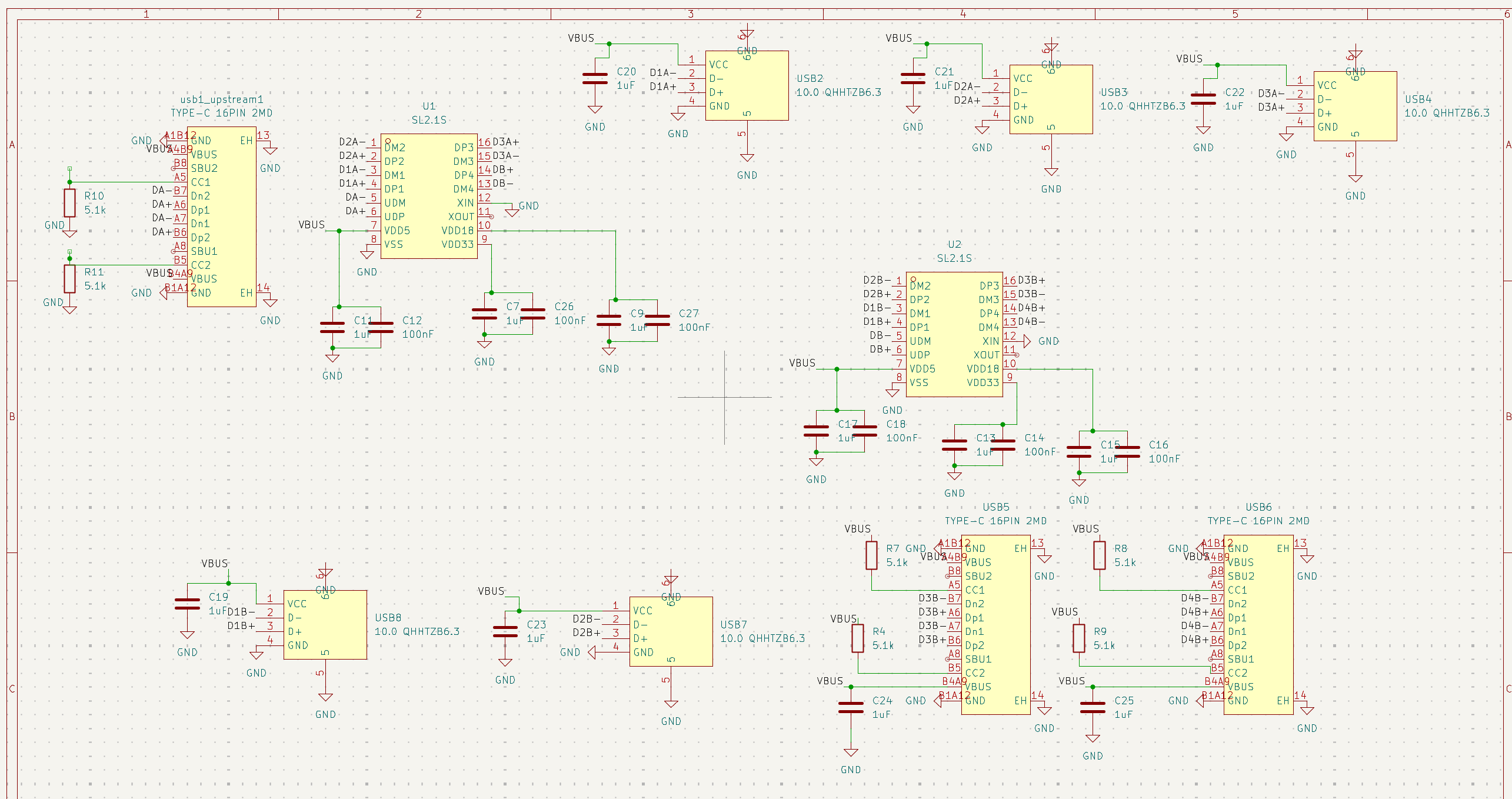
USB Hub Guide: https://rudymakes.com/blog/usb-hub/
I'd like to credit this guide, since I used it as reference, but my design is distinct and my own.
| Name | Link | Footprint | Quantity | Value | LCSC Part # | Designator | Distributor | Total cost |
|---|---|---|---|---|---|---|---|---|
| 1uF capacitor | https://www.lcsc.com/product-detail/C29266.html | C0402 | 13 | 1uF | C29266 | C11, C13, C15, C17, C19, C20, C21, C22, C23, C24, C25, C7, C9 | LCSC | 0 |
| 100nF capacitor | https://www.lcsc.com/product-detail/C60474.html | C0402 | 6 | 100nF | C60474 | C12, C14, C16, C18, C26, C27 | LCSC | 0 |
| 5.1k resistor | https://www.lcsc.com/product-detail/C105872.html | R0402 | 6 | 5.1k | C105872 | R10, R11, R4, R7, R8, R9 | LCSC | 0 |
| USB IC | https://www.lcsc.com/product-detail/C2684433.html | SSOP-16_L4.6-W2.6-P0.53-LS4.0-BL | 2 | SL2.1S | C2684433 | U1, U2 | LCSC | 0 |
| USB C port | https://www.lcsc.com/product-detail/C2765186.html | USB-C-SMD_TYPE-C-16PIN-2MD-073 | 3 | TYPE-C 16PIN 2MD | C2765186 | USB1_UPSTREAM1, USB5, USB6 | LCSC | 0 |
| USB A port | https://www.lcsc.com/product-detail/C668591.html | USB-A-TH_10.0QHHTZB6.3 | 5 | 10.0 QHHTZB6.3 | C668591 | USB2, USB3, USB4, USB7, USB8 | LCSC | 0 |
| PCB | N/A | N/A | 1 | N/A | N/A | N/A | JLCPCB | 4 |
| PCBA | N/A | N/A | 1 | N/A | N/A | N/A | JLCPCB | 32.78 |
| Shipping | N/A | N/A | 1 | N/A | N/A | N/A | JLCPCB | 3.3 |
| Sales tax | N/A | N/A | 1 | N/A | N/A | N/A | JLCPCB | 4 |
| 3d printed case | N/A | N/A | 1 | N/A | N/A | N/A | self-sourced | 0 |
| Qty | Value | Footprint | References |
|---|---|---|---|
| 13 | 1uF | lcsc:C0402 | C7, C9, C11, C13, C15, C17, C19, C20, C21, C22, C23, C24, C25 |
| 6 | 100nF | lcsc:C0402 | C12, C14, C16, C18, C26, C27 |
| 6 | 5.1k | lcsc:R0402 | R4, R7, R8, R9, R10, R11 |
| 5 | 10.0 QHHTZB6.3 | lcsc:USB-A-TH_10.0QHHTZB6.3 | USB2, USB3, USB4, USB7, USB8 |
| 3 | TYPE-C 16PIN 2MD | lcsc:USB-C-SMD_TYPE-C-16PIN-2MD-073 | usb1_upstream1, USB5, USB6 |
| 2 | MountingHole | MountingHole:MountingHole_3.2mm_M3 | H1, H2 |
| 2 | SL2.1S | lcsc:SSOP-16_L4.6-W2.6-P0.53-LS4.0-BL | U1, U2 |

Lumethra/Auth75
This is a 75% keyboard with a fingerprint sensor. What? A fingerprint sensor in a keyboard? Yes, you've heard it right! This keyboard includes a working fingerprint sensor.

Lumethra/CADPad
SHHH, this is a gift, dont spoiler it, SHHHH. But what exactly is this?? Good question. Its a keyboard. Again. Wait, what does again mean, well its my second one. My Auth75 was my first one. Back to what this is.


DZ392/pcb-project
This is a small 4-port USB hub built into a butterfly-shaped PCB. Instead of using a cable like most USB hubs, it plugs directly into the side of a laptop.


It measures 30.7 × 55 mm and has 2 copper layers, 1.6 mm thick.
37 parts, built around the SL2.1S. The full list of its parts is on this page, with links to each part's symbol and footprint where PCBKit's library has them.
From the JBlitzar/uhub repository on GitHub, at the commit this page was made from: the board is PCB/usbhub/usbhub.kicad_pcb and its schematic PCB/usbhub/usbhub.kicad_sch. PCBKit opens the board in the browser, with nothing to install.
Its repository publishes it under the GPL-3.0 licence: you may reuse it on that licence's terms (keep the author's notice, and for a copyleft licence share your changes alike).