2 layers142.5 × 106.4 mm
 Gouri-T/SARnav-Rescue-Bot1
An autonomous tracked rescue robot built for mapping and search operations in unknown environments.
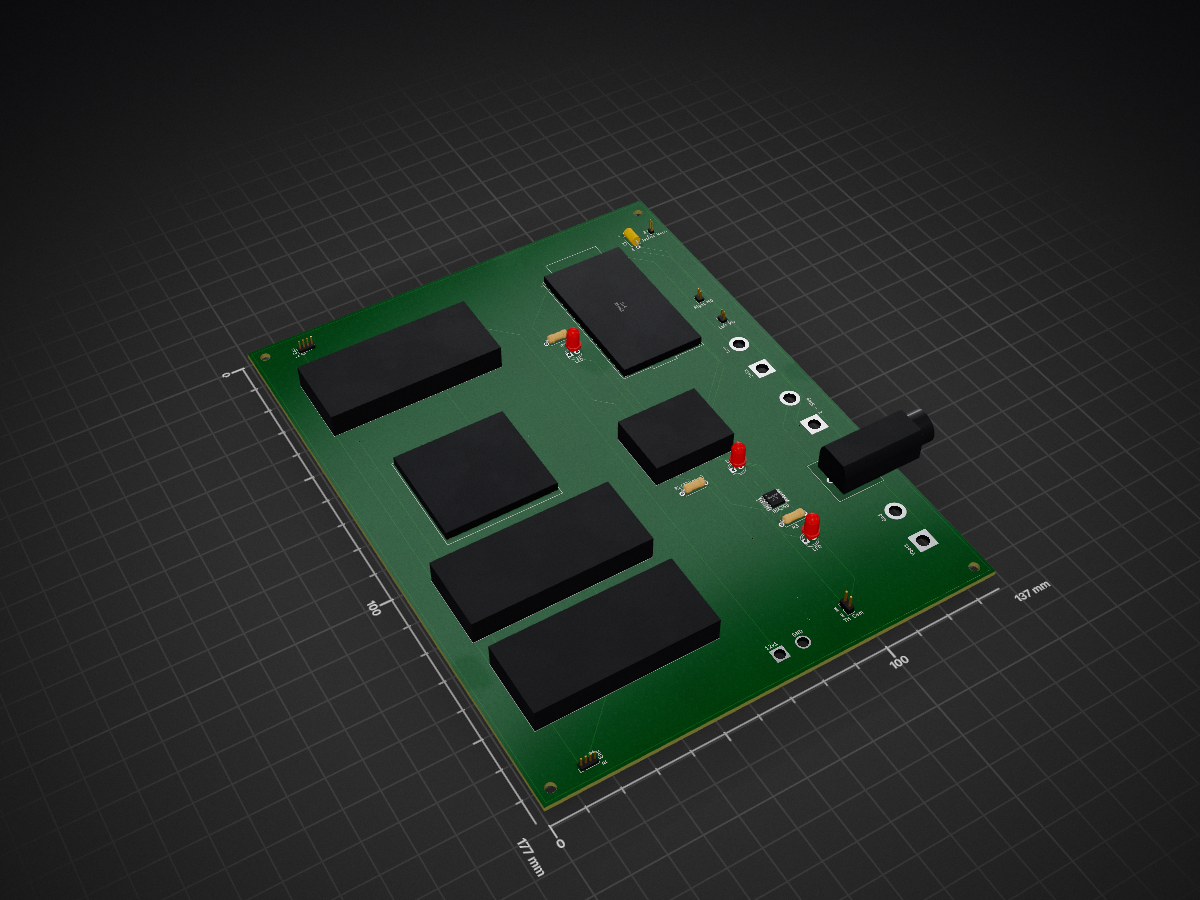
SARNAV Rescue bot PCB is an open-source printed circuit board by Gouri-T, from the Gouri-T/SARnav-Rescue-Bot repository on GitHub. It is a 2-layer board of 137 × 177 mm with 34 parts on 60 nets, routed with 216 tracks and 9 vias.
Its parts include 5 connectors, 3 resistors, 3 diodes, 2 ICs and 1 capacitor. It belongs with the robots and motor control boards and the ESP32 boards of this library.
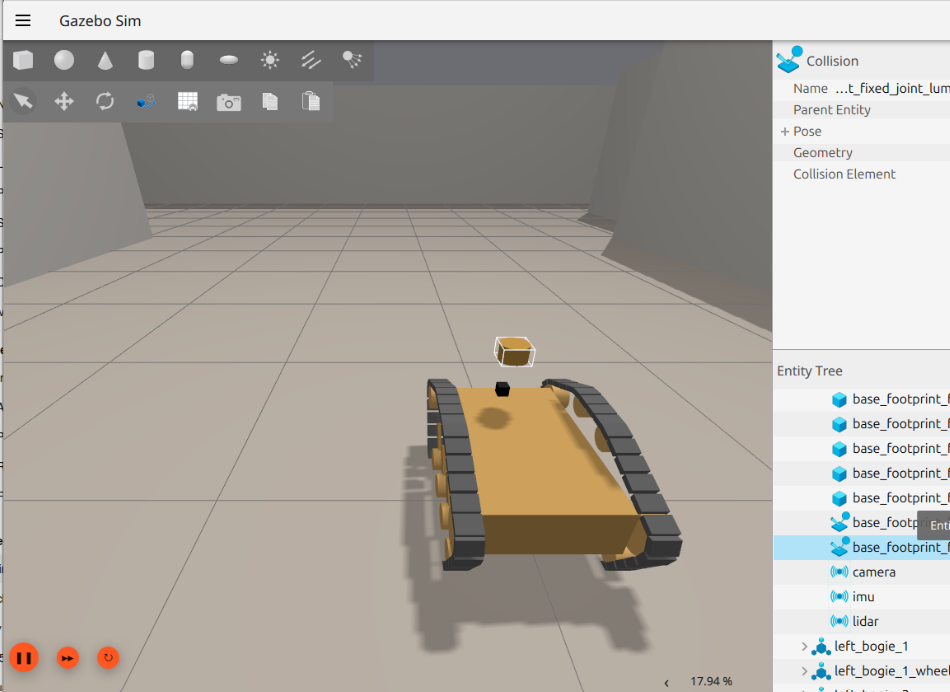
A ROS 2 Jazzy workspace for an autonomous tracked rescue robot developed in Gazebo Harmonic. The robot is capable of autonomous mapping, frontier exploration, human victim detection, and global victim localization using LiDAR, RGB vision, and sensor fusion.
The repository contains the complete software stack, electronics, PCB designs, hardware models and simulation assets for the SARnav Rescue Bot.
Custom PCB and circuit design for the SARnav Rescue Bot, integrating the two-tier compute architecture (Jetson Nano + ESP32), motor control, power distribution, and the onboard sensor suite.
SARNAV_Rescue_bot_PCB/
├── Schematic.kicad_pro     # KiCad project file
├── Schematic.kicad_sch     # Circuit schematic
├── PCB.kicad_pcb           # PCB layout
├── PCB Front.png           # PCB front-side render
├── PCB Back.png            # PCB back-side render
└── SARNAV.step             # 3D STEP model of the PCB

Electronics/
├── Circuit_diagram/        # Additional circuit diagram assets
└── final_circuit_diagram.png| Component | Function |
|---|---|
| Jetson Nano | High-level compute — ROS 2 stack, SLAM, navigation, perception |
| ESP32 (WROOM-32) | Low-level motor control and encoder acquisition |
| CYTRON Smart Drive MDDS30 | Dual-channel motor driver for left and right tracks (differential/skid-steer drive) |
| Left/Right Encoders | Quadrature feedback for track odometry |
| 2D LiDAR | 360° range sensing for SLAM mapping, obstacle detection, and victim-range lookup |
| RGBD Camera | Visual + depth feed for YOLOv8-based human victim detection |
| INA260 | Current/voltage/power monitoring |
| OLED (128x64, I2C) | Onboard status display |
| Thermal Camera Header | Reserved for low-visibility victim detection |
| E-Stop Switch | Hardware emergency stop — cuts motor power independent of software |
| Fuse | Overcurrent protection |
Schematic.kicad_pro to view/edit the schematic and PCB layout.SARNAV.step can be viewed in any STEP-compatible CAD viewer for the 3D board model.The thermal camera and microphone-array headers are populated on the board but not yet integrated into the perception software — see the main project README/report for current software scope and limitations.
The CAD Photos directory contains the hardware design images from various angles for the rescue robot.
The Model can be found on the following Google Drive Link
Instructions on opening the model are given inside the Google Drive link.
The Model was made on SolidWorks 2026.
rescue_bot_ws/
└── src/
    ├── rescue_bot_description/
    ├── rescue_bot_gazebo/
    ├── rescue_bot_bringup/
    ├── rescue_bot_navigation/
└── rescue_bot_perception/| Package | Description |
|---|---|
| rescue_bot_description | Robot URDF/Xacro model, ros2_control configuration, sensors and RViz configuration. |
| rescue_bot_gazebo | Gazebo worlds, models, simulation assets and robot spawning launch files. |
| rescue_bot_bringup | Complete system bringup including Gazebo, ros_gz_bridge, controllers, EKF, SLAM Toolbox and RViz. |
| rescue_bot_navigation | Autonomous frontier exploration for unknown environment mapping. |
| rescue_bot_perception | Victim detection, camera-LiDAR fusion, global victim localization and RViz marker visualization. |
sudo apt install \
ros-$ROS_DISTRO-slam-toolbox \
ros-$ROS_DISTRO-navigation2 \
ros-$ROS_DISTRO-nav2-bringup \
ros-$ROS_DISTRO-robot-localization \
ros-$ROS_DISTRO-ros-gz \
ros-$ROS_DISTRO-ros-gz-bridge \
ros-$ROS_DISTRO-xacro \
ros-$ROS_DISTRO-robot-state-publisher \
ros-$ROS_DISTRO-rviz2sudo apt install \
python3-numpy \
python3-scipyFor the perception package, install Ultralytics inside a Python virtual environment.
cd ~/rescue_bot_ws

colcon build --symlink-install

source install/setup.bashros2 launch rescue_bot_bringup bringup.launch.pyThis launches:
ros2 run teleop_twist_keyboard teleop_twist_keyboard \
--ros-args -r cmd_vel:=/cmd_vel_teleopros2 run rescue_bot_navigation frontier_explorationRun the perception node from the Python virtual environment:
python3 src/rescue_bot_perception/rescue_bot_perception/yolo_victim_detector.pyThe node performs:
Developed as part of the SARnav Rescue Bot project.
| Qty | Value | Footprint | References |
|---|---|---|---|
| 8 | A, B, C, D, U, V, X, Y | ||
| 3 | LED | LED_THT:LED_D4.0mm | D1, D3, Led |
| 3 | R | Resistor_THT:R_Axial_DIN0207_L6.3mm_D2.5mm_P7.62mm_Horizontal | R1, R2(330ohm), R3 |
| 3 | ~ | Sarnav:XL4015 | 24V TO 5V, 24V to12V, BUCK(24V TO 5V) |
| 1 | C_US | Capacitor_THT:C_Axial_L5.1mm_D3.1mm_P7.50mm_Horizontal | C1 |
| 1 | Conn_01x02_Socket | Connector_Wire:SolderWire-4sqmm_1x02_P12mm_D3mm_OD6mm | 24V1 |
| 1 | E - Stop | Connector_Wire:SolderWire-4sqmm_1x02_P12mm_D3mm_OD6mm | SW1 |
| 1 | ESP32 | Sarnav:MODULE_DEVKIT_V1_ESP32-WROOM-32 | U1 |
| 1 | Fuse | Fuse:Fuseholder_Cylinder-5x20mm_EATON_HBW_Vertical_Closed | F1 |
| 1 | GND | Connector_Wire:SolderWire-2.5sqmm_1x02_P7.2mm_D2.4mm_OD3.6mm | 12v1 |
| 1 | Gnd | Connector_Wire:SolderWire-4sqmm_1x02_P12mm_D3mm_OD6mm | Vbat1 |
| 1 | INA260 | Package_SO:TSSOP-16_4.4x5mm_P0.65mm | U5 |
| 1 | Jetson Nano | Connector_PinHeader_1.00mm:PinHeader_1x02_P1.00mm_Vertical | J1 |
| 1 | L Enc | Connector_PinHeader_1.27mm:PinHeader_1x04_P1.27mm_Vertical | J3 |
| 1 | Left MD | Connector_PinHeader_1.27mm:PinHeader_1x02_P1.27mm_Vertical | J4 |
| 1 | OLED_128X64_1.3_I2C | Sarnav:LCD_OLED_128X64_1.3_I2C | OLED |
| 1 | R Enc | Connector_PinHeader_1.27mm:PinHeader_1x04_P1.27mm_Vertical | J2 |
| 1 | Right MD | Connector_PinHeader_1.27mm:PinHeader_1x02_P1.27mm_Vertical | J5 |
| 1 | TH Cam | Connector_PinHeader_2.00mm:PinHeader_1x02_P2.00mm_Vertical | SDA |
| 1 | logo | Sarnav:logo | G*** |
| 1 | ~ | Sarnav:BNO055 | BNO055 |

FrameworkComputer/ExpansionCards
Reference designs and documentation to create Expansion Cards for the Framework Laptop

mntmn/amiga2000-gfxcard
MNT VA2000, an Open Source Amiga 2/3/4000 Graphics Card (Zorro II/III), written in Verilog

hackclub/OnBoard
💡 Join 1,000 teenagers and make your first PCB with a $100 grant!


strangeparts/niubi-headphones
Flexible circuit board design for adding a headphone jack to an iPhone 7


baldengineer/bit-preserve
Project for capturing vintage, classic, aka old computer schematics in KiCad.
It measures 137 × 177 mm and has 2 copper layers, 1.6 mm thick.
34 parts. The full list of its parts is on this page, with links to each part's symbol and footprint where PCBKit's library has them.
From the Gouri-T/SARnav-Rescue-Bot repository on GitHub, at the commit this page was made from: the board is SARNAV_Rescue_bot_PCB/PCB.kicad_pcb and its schematic SARNAV_Rescue_bot_PCB/Schematic.kicad_sch. PCBKit opens the board in the browser, with nothing to install.
Its repository states no licence, so its author keeps all rights: ask Gouri-T before reusing the design.