2 layers18.5 × 11.1 mm
Switch
byrantech/laptop
anyon_e, a highly integrated, high end, open source laptop. Attempt the impossible.
6 parts4.3kMIT
 DustinWatts/Pico-Matrix-Touch-Keyboard59
A touchscreen matrix using an 3.5" ILI9488 TFT with resistive touch and a Raspberry Pi Pico
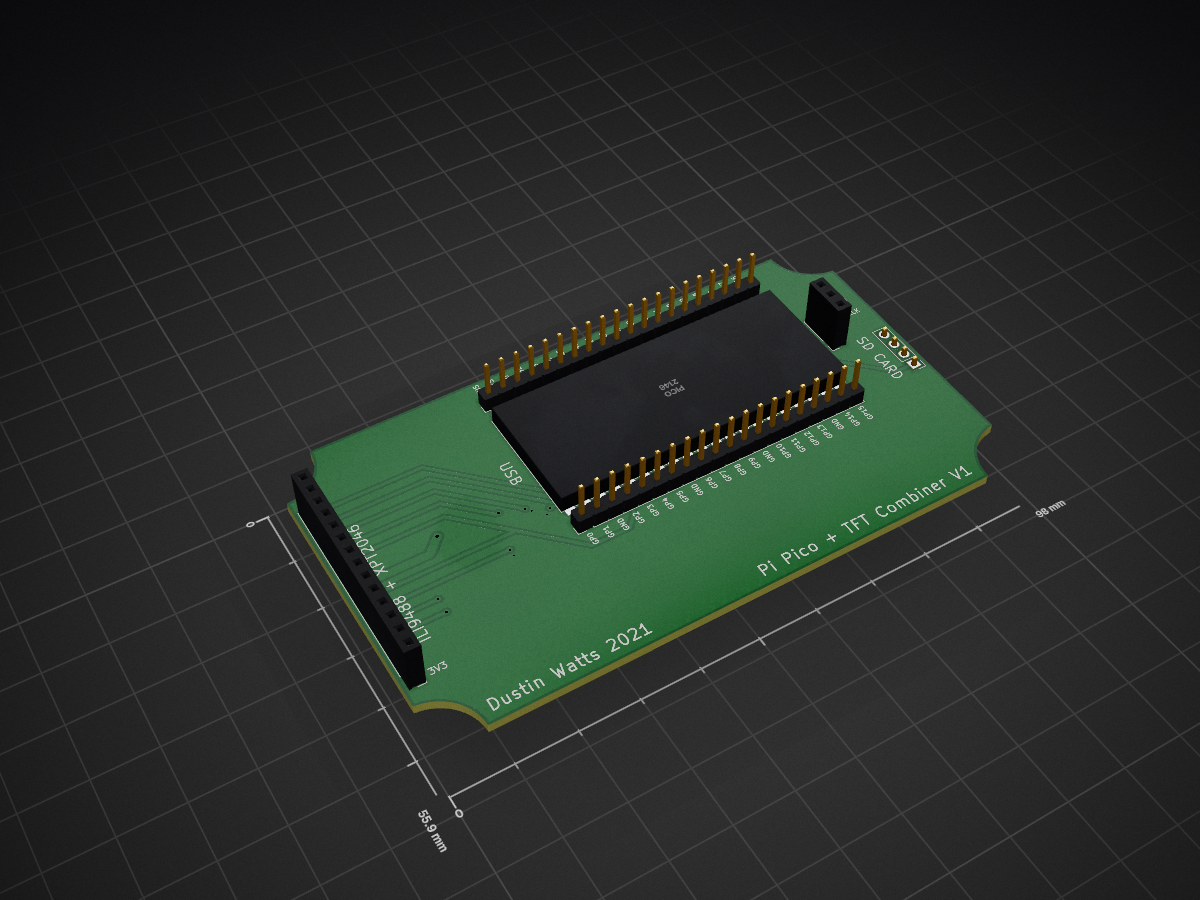
Pico TFT combiner is an open-source printed circuit board by DustinWatts, from the DustinWatts/Pico-Matrix-Touch-Keyboard repository on GitHub, published under the MIT licence. It is a 2-layer board of 99.1 × 55.9 mm with 6 parts on 37 nets, routed with 124 tracks and 11 vias.
Its parts include 5 connectors and 1 IC. It belongs with the lEDs and displays boards and the RP2040 boards of this library.
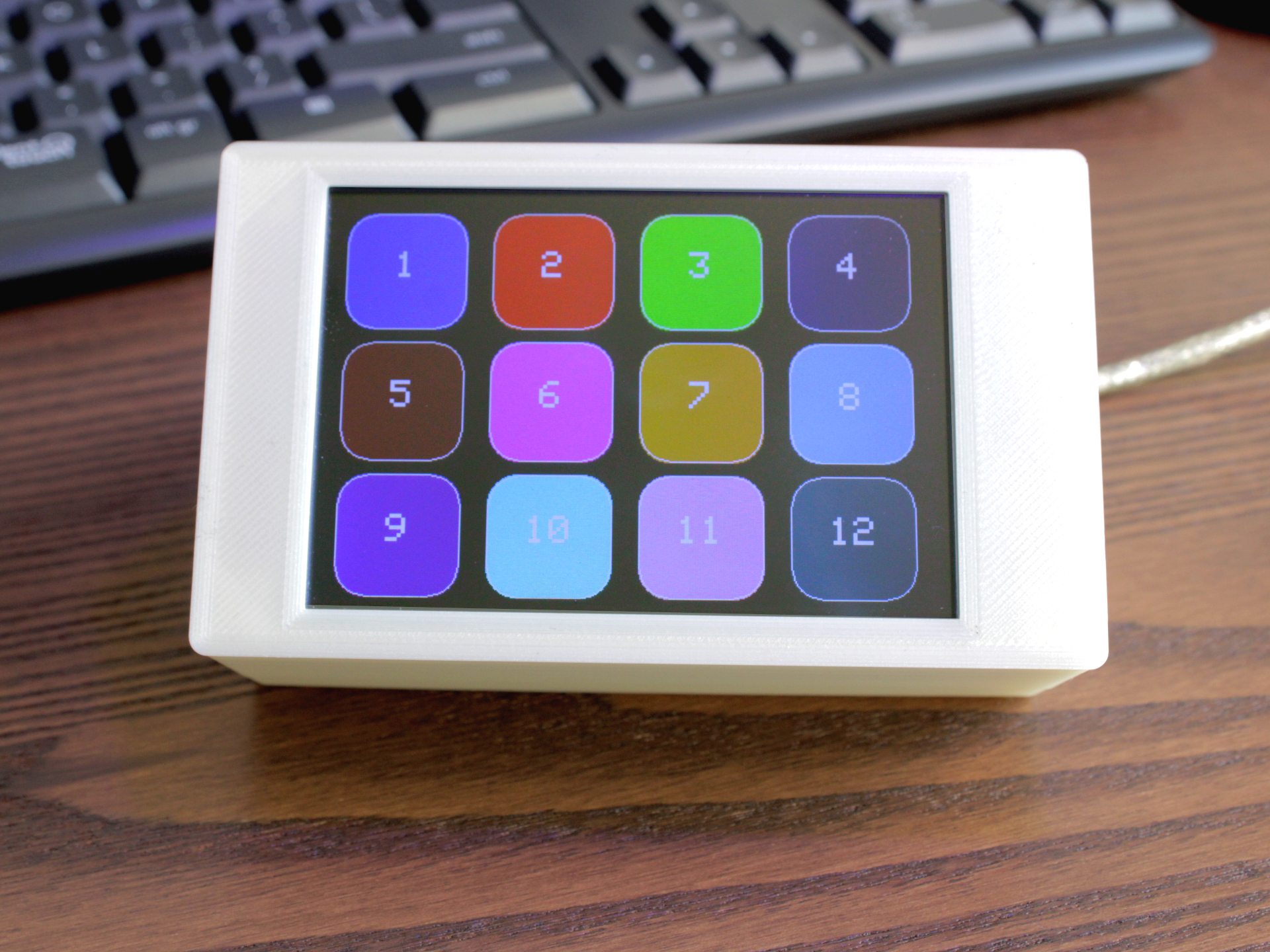
A touchscreen matrix using an 3.5" ILI9488 TFT with resistive touch and a Raspberry Pi Pico. The Raspberry Pi Pico has native HID Keyboard support. This sketch gives you 12 buttons in a 4x3 matrix. Each button can have one or more keyboard functions.
arduino-pico coreInstalling the arduino-pico (https://github.com/earlephilhower/arduino-pico) core:
https://github.com/earlephilhower/arduino-pico/releases/download/global/package_rp2040_index.json. Click OK.The sketch and board have been tested with the following Board Settings:

This example uses LittleFS for a tiny bit of storage. Storage is needed to store the calibration file that is created when calibrating the touchscreen. So make sure when you flash the Pico, you flash it with at least 64KB for the FS under "Flash Size".
For better connections and a nice finished project you can use the Pico + TFT Combiner board I designed. You can order these straight from PCBWay (https://www.pcbway.com/project/shareproject/Pico_Matrix_Touch_Keypad.html), donwload the gerbers, or the Kicad project. You can find them in the Pico_TFT_Combiner_Board folder of this repository.

You can use the diagrams below if you want to connect the screen without using the combiner board.


If you like what I am doing, there are a number of ways you can support me.
| Platform | Link |
|---|---|
 | You can follow me on Twitter: @dustinwattsnl |
 | You can subscribe to my channel on Youtube: /dustinWatts |
 | You can support me by becoming a patron on Patreon: https://www.patreon.com/dustinwatts |
 | You can make a one time donation using PayPal.me: https://www.paypal.me/dustinwattsnl |
For quick access to help you can join my Discord server: https://discord.gg/RE3XevS
| Qty | Value | Footprint | References |
|---|---|---|---|
| 2 | Conn_01x20_Male | Connector_PinHeader_2.54mm:PinHeader_1x20_P2.54mm_Vertical | J3, J4 |
| 1 | Conn_01x03_Female | Connector_PinSocket_2.54mm:PinSocket_1x03_P2.54mm_Vertical | J1 |
| 1 | Conn_01x04_Male | Connector_PinHeader_2.54mm:PinHeader_1x04_P2.54mm_Vertical | J5 |
| 1 | ILI9488_Touch | Connector_PinHeader_2.54mm:PinHeader_1x14_P2.54mm_Vertical | J2 |
| 1 | Pico | RPi_Pico:RPi_Pico_SMD_TH | U1 |
byrantech/laptop
anyon_e, a highly integrated, high end, open source laptop. Attempt the impossible.


Jcparkyn/dpoint
Open-source digital stylus using camera tracking and inertial measurements

VoronDesign/Voron-Hardware
Cool Hardware designed by the Voron Design group

hoglet67/RGBtoHDMI
Bare-metal Raspberry Pi project that provides pixel-perfect sampling of Retro Computer RGB/YUV video and conversion to HDMI

hackclub/OnBoard
💡 Join 1,000 teenagers and make your first PCB with a $100 grant!

Luos-io/luos_engine
Open-source and real-time orchestrator for cyber-physical-systems, to easily design, test and deploy embedded applications and digital twins.

It measures 99.1 × 55.9 mm and has 2 copper layers, 1.6 mm thick.
6 parts. The full list of its parts is on this page, with links to each part's symbol and footprint where PCBKit's library has them.
From the DustinWatts/Pico-Matrix-Touch-Keyboard repository on GitHub, at the commit this page was made from: the board is Pico_TFT_Combiner_Board/Pico_TFT_combiner.kicad_pcb. PCBKit opens the board in the browser, with nothing to install.
Its repository publishes it under the MIT licence: you may reuse it on that licence's terms (keep the author's notice, and for a copyleft licence share your changes alike).