2 layers48.3 × 35.6 mm
Doorbell
AntonisPsarras/guardian-system
Guardian System — Home Assistant RFID portal, doorbell, and door lamp. Not an add-on, not a product, not supported
14 parts1MIT

 AntonisPsarras/guardian-system1
Guardian System — Home Assistant RFID portal, doorbell, and door lamp. Not an add-on, not a product, not supported
Interior Portal is an open-source printed circuit board by AntonisPsarras, from the AntonisPsarras/guardian-system repository on GitHub, published under the MIT licence. It is a 2-layer board of 50.8 × 124.5 mm with 22 parts on 57 nets, routed with 194 tracks and 6 vias.
Its parts include 5 resistors and 1 capacitor. It belongs with the home automation and IoT and radio and wireless boards of this library.
A local Home Assistant door system: RFID at two doors, a keypad-and-display portal, and a porch lantern that does not advertise a camera.
Start here: INSTALL.md — from a fresh Home Assistant to a working system. Start with the print: the lantern. No custom PCB; one weekend if you already have a Tapo C110.
Maintainer: AntonisPsarras.
Ready with documented caveats. Not a product, not an add-on, not supported. A burglar alarm that fails does so at the worst possible moment. Read the caveats below before you run it. MIT, as is, without warranty.
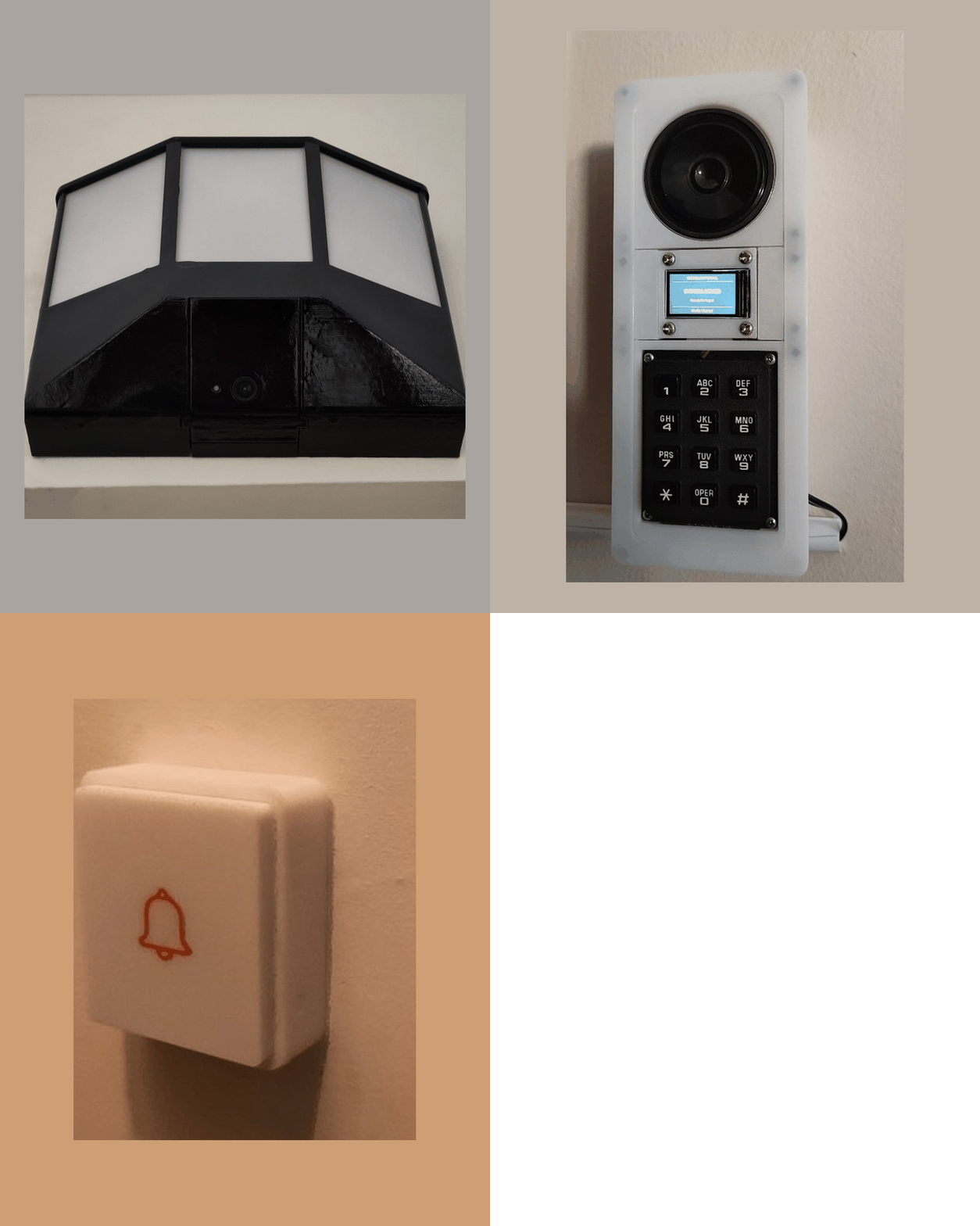
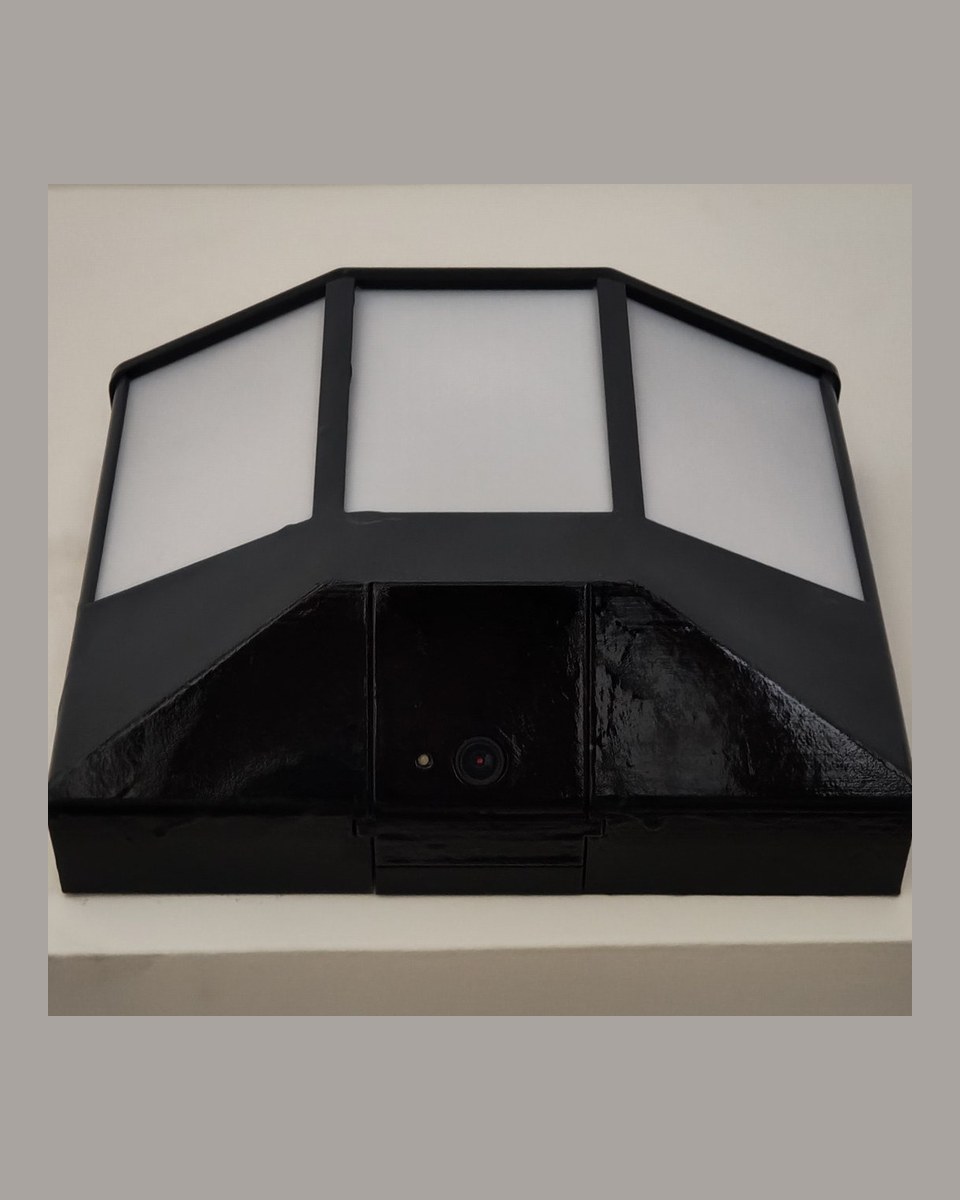
Door lantern |
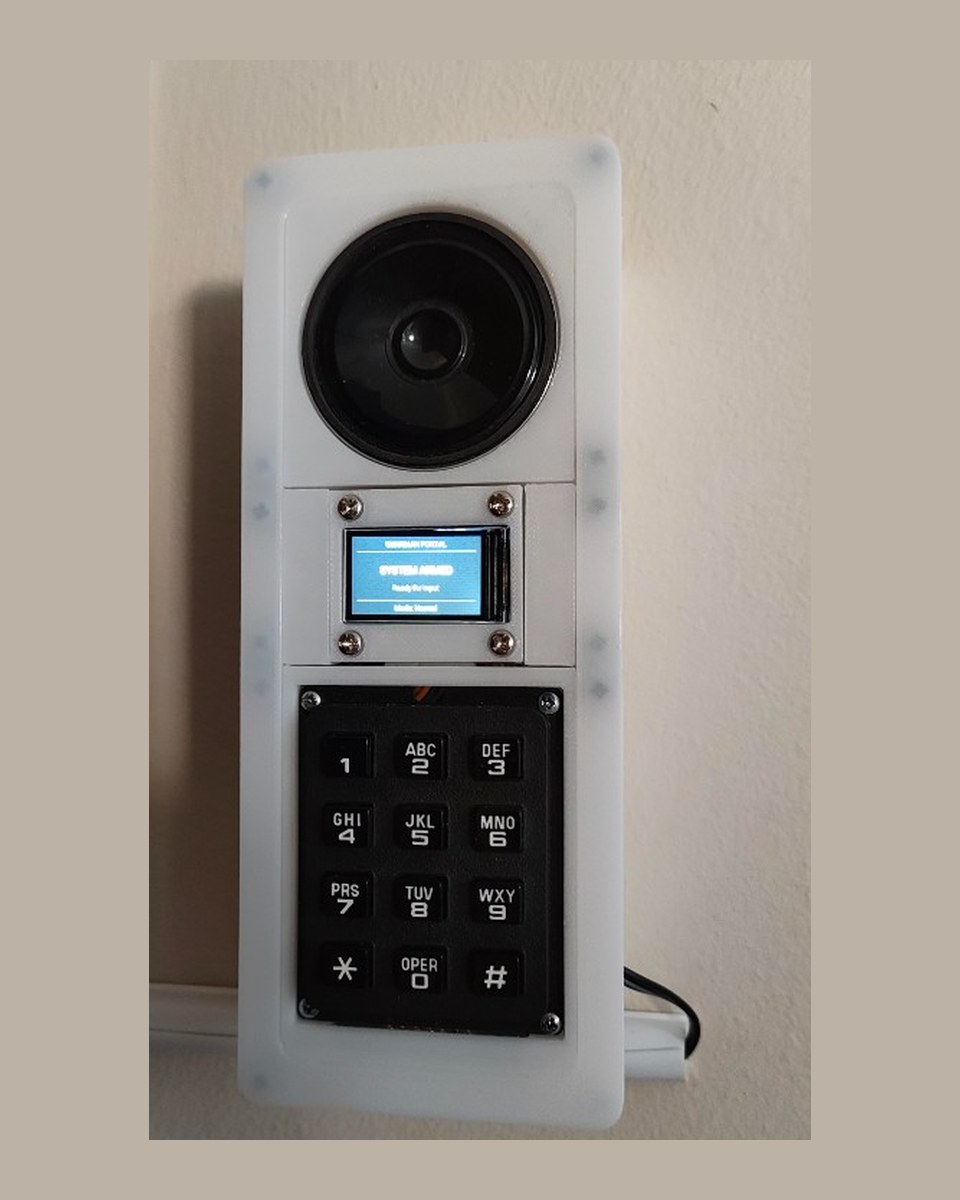
Interior portal |
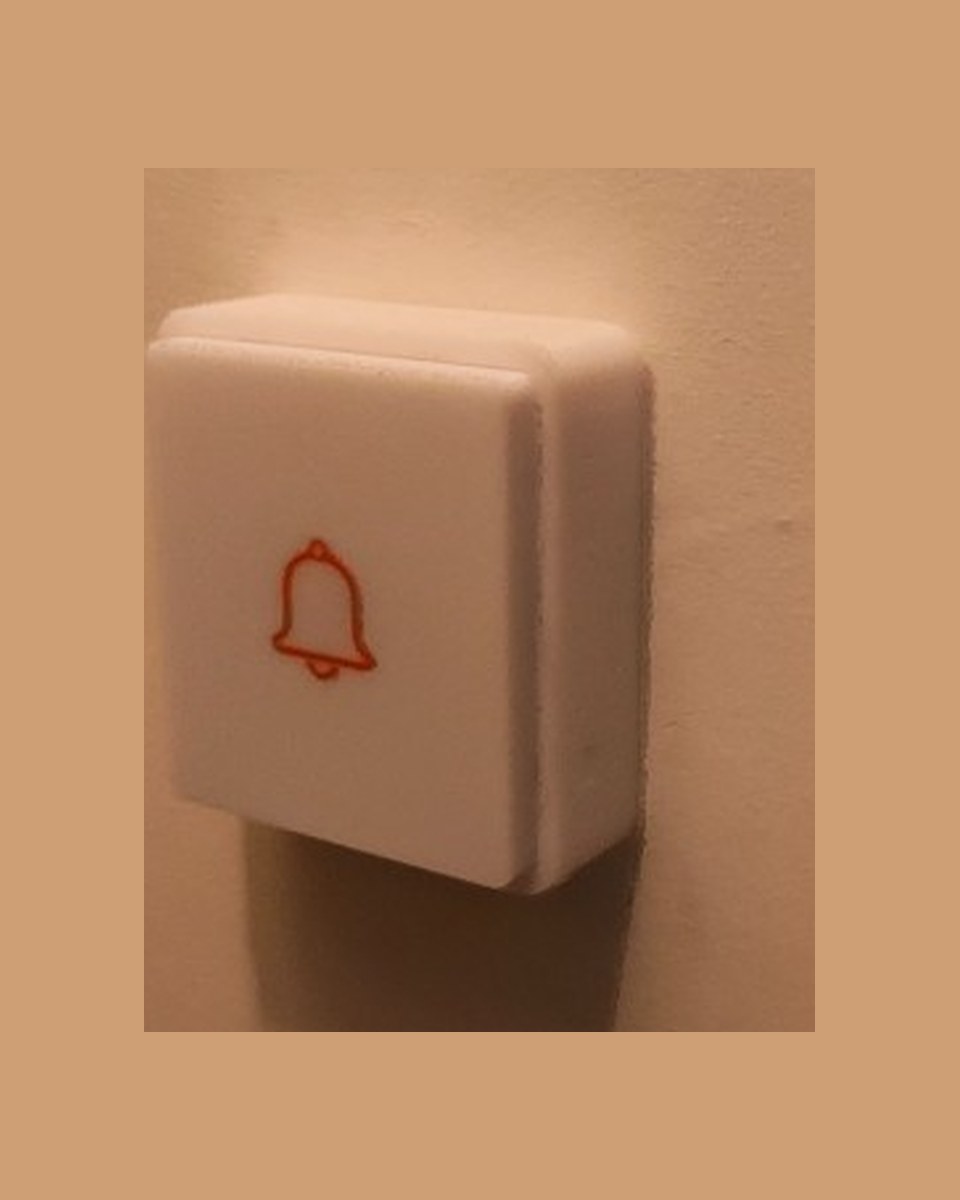
Doorbell |
Step-by-step assembly with more photographs is in
docs/documentation/.
PCBs/ has KiCad source plus
Gerber+drill zips. There is no CPL. The door lamp has no PCB —
commercial bulb + camera in a printed housing.Not application source code. It is the config tree for a Home Assistant instance, plus firmware for two ESP32 devices:
| Piece | What it is |
|---|---|
| Interior portal | ESP32 at the main door: RC522 RFID, keypad, 240×135 ST7789 display, LED, door contact, lever IMU, DFPlayer for siren and chirps. |
| Doorbell unit | A second ESP32 outside: RFID reader and button. A key works from outside without the portal. |
| Home Assistant | Automations, scripts, and helper packages. All the actual logic. |
| Frigate | A separate NVR add-on for person detection, reaching Guardian over MQTT. |
| Guardian panel | A custom Home Assistant panel in one vanilla-JS ES module. No build step. |
There is no application build and no way to execute this locally. The only way to run it is a real Home Assistant instance and real hardware.
Meshes are not in this tree. Each listing is a Bambu Studio .3mf plus a
generic STL zip for slicers that are not Bambu. Start with the lantern.
MakerWorld collection
· Printables collection
(account @AntoniJuveni_3576373; the project handle is AntonisPsarras)
| Device | Profile | MakerWorld | Printables |
|---|---|---|---|
| Door lantern (Tapo C110 + L530E) | Lamp-Final.3mf | listing | listing |
| Interior portal | Internal-Portal-Final.3mf | listing | listing |
| Doorbell | Doorbell-Final.3mf | listing | listing |
| File | Read it for |
|---|---|
INSTALL.md | Day-one path: prerequisites, file placement, restart, setup wizard, what leaves your network. |
docs/ | Hardware index: assembly, printable PDFs, parts checklist, DFPlayer tracks. |
docs/documentation/ | Assembly photographs, soldering order, and a printable PDF per device. |
docs/bom.md | One-page parts checklist. Not a pick-and-place file. |
PCBs/ | Two KiCad 10 projects and Gerber+drill zips. |
3D-Models/ | Where the print files live (MakerWorld / Printables / Thingiverse). This tree does not ship meshes. |
SECURITY.md | How to report a problem, and what not to paste into an issue. |
CONTRIBUTING.md | Preflight, selftest, and how to propose a change. |
DEPLOY.md | Maintainer changelog and manual test plan. |
docs/maintainers/ | Audit, panel design, contributor onboarding. |
There is exactly one automated check, and it is static:
python tools/guardian-preflight.pyIt validates that every YAML file parses, that version literals agree,
that script references resolve, that automation ids are unique, that no
secret placeholder survives, that nothing under www/guardian-ui/
reaches an external host, and that nothing can quietly cancel an alert.
It makes no network call and reads no credential value.
And one test for that check:
python tools/guardian-selftest-preflight.pyIt does not test behaviour. Nothing here fires an alarm. For that,
use Home Assistant's Check configuration and the numbered steps in
DEPLOY.md.
Stated plainly, because the parts that are careful could be mistaken for parts that are enforced.
require_admin: false so a non-administrator can use Keys
and Notifications. Home Assistant still does not restrict which
services a non-admin may call from Developer Tools. See
docs/maintainers/GUARDIAN_UI.md
§ Security boundaries.INSTALL.md §10.esphome/secrets.yaml (gitignored, generated by
tools/guardian-gen-secrets.py), Frigate add-on environment
variables, and the master PIN.Works, in daily use in one household: RFID entry at both readers, presence per key, passage windows and direction classification, the MFA/challenge flow, enrollment, per-person alert routing, the lamp, the panel, the offline watchdogs.
Known gaps, deliberately not hidden:
PCBs/. Not pick-and-place.INSTALL.md §9 remains the proof.Early private git history contained a household LAN address and a camera RTSP URL. This public repository was seeded from a cleaned tree; that log is not here. If those credentials were ever live, rotate them.
This is unpaid and unsupported. If you still want to buy coffee:
.github/FUNDING.yml)docs/bom.md has no affiliate tags. If any appear later,
they will be disclosed in that file.
MIT. This is a burglar alarm provided as is, without warranty of any kind. If you run it, you own the consequences of it failing.
| Qty | Value | Footprint | References |
|---|---|---|---|
| 4 | MountingHole | MountingHole:MountingHole_3.2mm_M3_Pad | H1, H2, H3, H4 |
| 3 | 220 | Resistor_THT:R_Axial_DIN0207_L6.3mm_D2.5mm_P10.16mm_Horizontal | R1, R2, R3 |
| 3 | Conn_01x02_Pin | Connector_PinHeader_2.54mm:PinHeader_1x02_P2.54mm_Vertical | Door, Power, Speaker |
| 3 | Conn_01x04_Pin | Connector_PinHeader_2.54mm:PinHeader_1x04_P2.54mm_Vertical | LED, MPU6050, RFID |
| 3 | Conn_01x08_Pin | Connector_PinHeader_2.54mm:PinHeader_1x08_P2.54mm_Vertical | DFPlayer_Left1, DFPlayer_Right1, Display |
| 2 | 1K | Resistor_THT:R_Axial_DIN0207_L6.3mm_D2.5mm_P10.16mm_Horizontal | R4, R5 |
| 2 | Conn_01x22_Pin | Connector_PinHeader_2.54mm:PinHeader_1x22_P2.54mm_Vertical | ESP_Left, ESP_Right |
| 1 | 1000uF 10V | Capacitor_THT:CP_Radial_D10.0mm_P5.00mm | C1 |
| 1 | Conn_02x04_Odd_Even | Connector_PinHeader_2.54mm:PinHeader_2x04_P2.54mm_Vertical | Keypad |
AntonisPsarras/guardian-system
Guardian System — Home Assistant RFID portal, doorbell, and door lamp. Not an add-on, not a product, not supported

VoronDesign/Voron-Hardware
Cool Hardware designed by the Voron Design group

hoglet67/RGBtoHDMI
Bare-metal Raspberry Pi project that provides pixel-perfect sampling of Retro Computer RGB/YUV video and conversion to HDMI

hackclub/OnBoard
💡 Join 1,000 teenagers and make your first PCB with a $100 grant!

abhishek-kakkar/BeagleLogic
A Software Suite that implements a logic analyzer with the PRU on the BeagleBone / BeagleBone Black.

Chrismettal/flipper-zero-backpacks
Backpack-style addon boards for the Flipper Zero!


CRImier/MyKiCad
My KiCad boards. Can't be bothered uploading individually anymore, so here you go.
It measures 50.8 × 124.5 mm and has 2 copper layers, 1.6 mm thick.
22 parts. The full list of its parts is on this page, with links to each part's symbol and footprint where PCBKit's library has them.
From the AntonisPsarras/guardian-system repository on GitHub, at the commit this page was made from: the board is PCBs/Interior-Portal/Interior-Portal.kicad_pcb and its schematic PCBs/Doorbell/Doorbell.kicad_sch. PCBKit opens the board in the browser, with nothing to install.
Its repository publishes it under the MIT licence: you may reuse it on that licence's terms (keep the author's notice, and for a copyleft licence share your changes alike).