2 layers40 × 20 mm
 AndrewTheTM/piCount
Truck Traffic Counting System using a Raspberry Pi
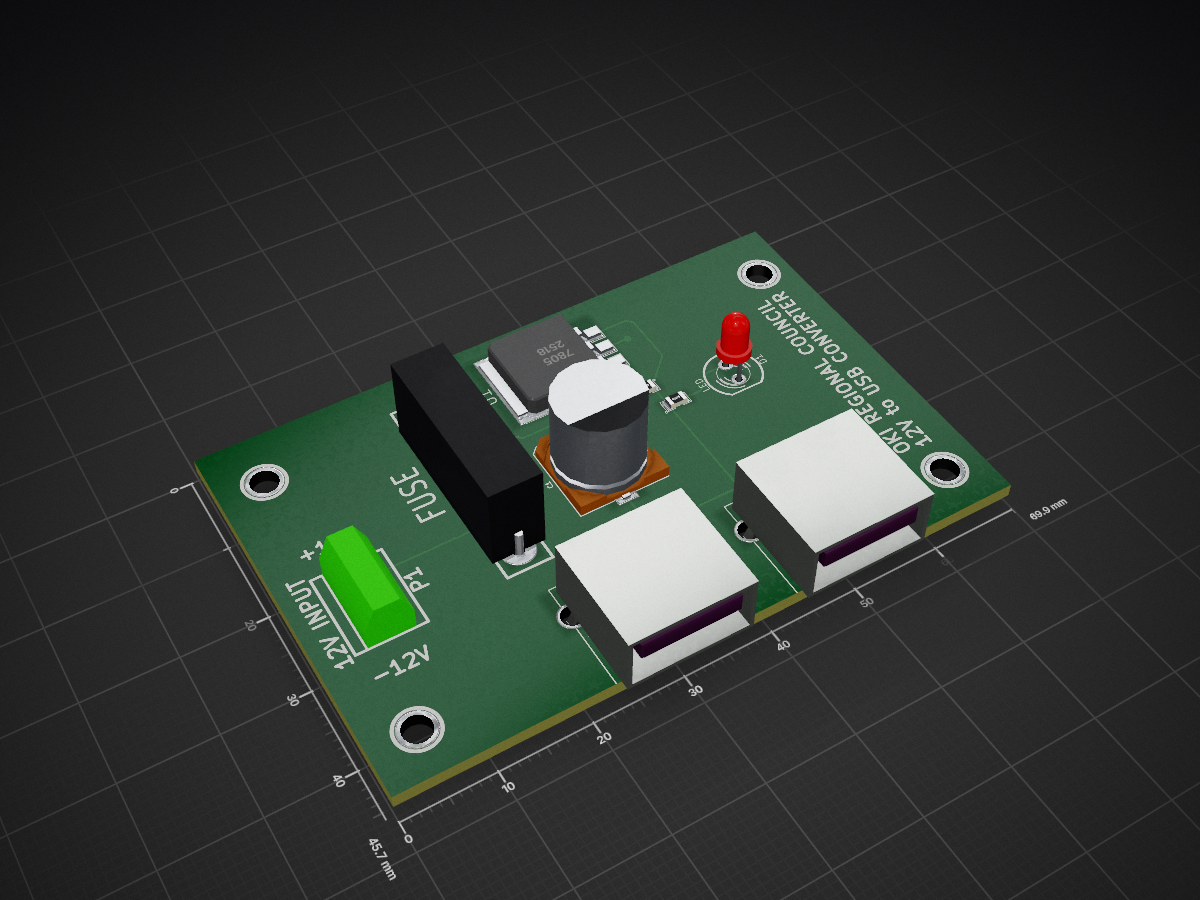
USBPS is an open-source printed circuit board by AndrewTheTM, from the AndrewTheTM/piCount repository on GitHub. It is a 2-layer board of 69.9 × 45.7 mm with 13 parts on 5 nets, routed with 32 tracks and 4 vias.
Its parts include 3 connectors, 2 capacitors, 1 resistor, 1 IC and 1 diode.
This is a system to eventually count trucks using a Raspberry Pi and it's camera. Ideally, this would be placed near a business (with a known number of employees). Currently, there is a classifier included for cars based on the instructions at http://abhishek4273.com/2014/03/16/traincascade-and-car-detection-using-opencv/.
I've collected some internet pictures of trucks that I am going to use to train the classifier for trucks. I will also set this up to save images and count the frames to see what the count is and do some comparisons (eventually).
One of the biggest (if not THE biggest) todo items is to make this run even when someone isn't pulling up the webpage. That sounds more difficult than it likely will be.
The included classifier (cascade.xml) is for cars and trucks. I generated it using the instructions on the link above.
piCount.py is the actual program. It runs a python service that can be viewed by going to http://ip_address:9090. This runs extremely slow as it is, so I would highly recommend not using it as a streaming server.
Don't use piTruckTrain.py yet. I haven't been working on it.
Don't use this yet. Please. If you want to help, contact Andrew Rohne @okiAndrew or arohne@oki.org
| Qty | Value | Footprint | References |
|---|---|---|---|
| 4 | P*** | 1pin | , , , |
| 2 | USBA | USB_A | J1, J2 |
| 1 | 0.1uF | SM0805 | C2 |
| 1 | 12V INPUT | bornier2 | P1 |
| 1 | 310 | SM0805 | R1 |
| 1 | 470uF | c_elec_10x10 | C1 |
| 1 | 7805 | DPAK3 | U1 |
| 1 | FUSE | FUSE5-20 | F1 |
| 1 | LED | LED-5MM | D1 |


samyk/magspoof
A portable device that can spoof/emulate any magnetic stripe, credit card or hotel card "wirelessly", even on standard magstripe (non-NFC/RFID) readers.

fossasia/pslab-scripts
Pocket Science Lab - Scripts for Sensor Experiments


willem-pennings/balancing-cube
A cube that balances itself in a corner or edge using reaction wheels

VoronDesign/Voron-Hardware
Cool Hardware designed by the Voron Design group

hoglet67/RGBtoHDMI
Bare-metal Raspberry Pi project that provides pixel-perfect sampling of Retro Computer RGB/YUV video and conversion to HDMI
It measures 69.9 × 45.7 mm and has 2 copper layers, 1.6 mm thick.
13 parts. The full list of its parts is on this page, with links to each part's symbol and footprint where PCBKit's library has them.
From the AndrewTheTM/piCount repository on GitHub, at the commit this page was made from: the board is schematics/PowerSupply/KiCAD/USBPS.kicad_pcb. PCBKit opens the board in the browser, with nothing to install.
Its repository states no licence, so its author keeps all rights: ask AndrewTheTM before reusing the design.