2 layers
LED Flasher Beginner
1brah1/cs_stuff
Archive of earlier projects: AI document reviewer, stock analytics pipeline, Bluetooth robot car, C++ hash table
2 parts
 1brah1/cs_stuff
Archive of earlier projects: AI document reviewer, stock analytics pipeline, Bluetooth robot car, C++ hash table
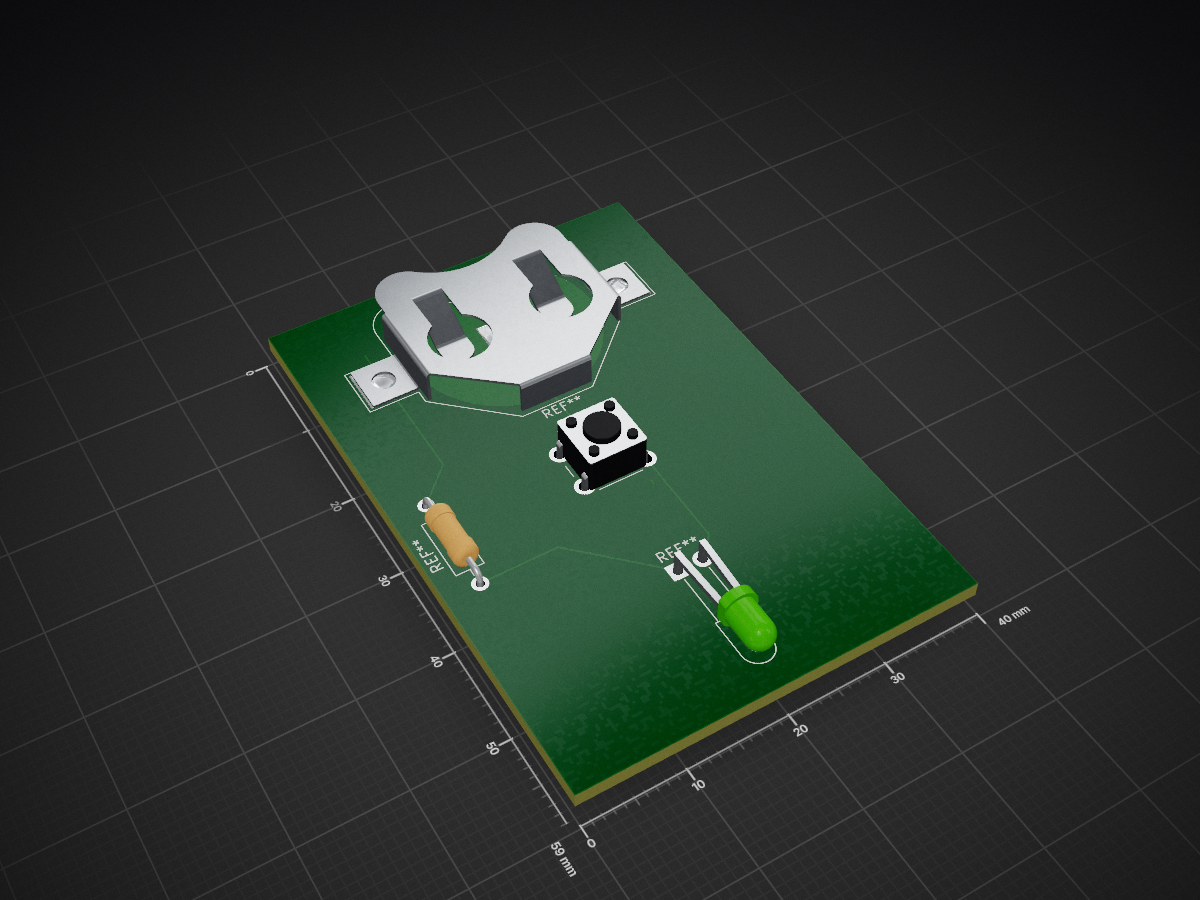
LED Flasher is an open-source printed circuit board by 1brah1, from the 1brah1/cs_stuff repository on GitHub. It is a 2-layer board with 4 parts on 5 nets, routed with 10 tracks and 0 vias.
EC2 Deployment (Manual):
See EC2_DEPLOYMENT.md for detailed instructions.
Quick version:
# 1. Copy backend files to EC2
scp -i <path/to/key.pem> -r AI-solver-reviewer\backend ubuntu@<YOUR_EC2_IP>:~/ai-reviewer/

# 2. Copy frontend files to EC2
scp -i <path/to/key.pem> -r AI-solver-reviewer\frontend-simple ubuntu@<YOUR_EC2_IP>:~/ai-reviewer/

# 3. SSH into EC2
ssh -i <path/to/key.pem> ubuntu@<YOUR_EC2_IP>

# 4. Install dependencies and run backend
cd ~/ai-reviewer/backend
python3 -m venv venv
source venv/bin/activate
pip install -r requirements.txt
# Create .env with OPENROUTER_API_KEY
nohup python run.py > backend.log 2>&1 &

# 5. In another terminal, run frontend
cd ~/ai-reviewer/frontend-simple
nohup python3 -m http.server 8080 > frontend.log 2>&1 &cs_stuff/
├── .github/
│ └── workflows/ # GitHub Actions
│ └── deploy-frontend.yml # GitHub Pages deployment
├── AI-solver-reviewer/ # AI Document Reviewer
│ ├── backend/ # FastAPI backend
│ ├── frontend-simple/ # Simple HTML/CSS/JS frontend (EC2)
│ └── frontend/ # React frontend (legacy, not used)
├── stock_analysis_portfolio/ # Stock analysis
├── bluetooth_robot_car/ # Robot car project
├── ai-reviewer/ # GitHub Pages showcase for AI reviewer
├── index.html # Main portfolio page
├── stock-portfolio.html # Stock portfolio page
└── EC2_DEPLOYMENT.md # EC2 deployment guideAutomatically deployed via GitHub Actions when pushing to main branch.
Deployment is currently manual. See "Quick Start" above.
Sometimes the chat interface may return an "Internal Server Error" when communicating with the AI model.
backend.log for details.Once the backend is running, visit:
.env files in .gitignoreNever commit:
.env filesMIT License - See individual project folders for details.
Ibrahim
Last Updated: January 2026
1brah1/cs_stuff
Archive of earlier projects: AI document reviewer, stock analytics pipeline, Bluetooth robot car, C++ hash table

joypad-ai/joypad-os
Universal controller firmware for building adapters, dongles, and custom controllers.


hackclub/OnBoard
💡 Join 1,000 teenagers and make your first PCB with a $100 grant!

tardate/LittleArduinoProjects
a collection of "Little Electronic & Arduino Projects", most involving electronics or an Arduino in one way or another!

drandyhaas/KiCadRoutingTools
A set of Python/Rust tools to aid routing in KiCad

osy/XG_Mobile_Station
Open source eGPU dock for ROG Ally and ROG Flow

Luos-io/luos_engine
Open-source and real-time orchestrator for cyber-physical-systems, to easily design, test and deploy embedded applications and digital twins.

NVNTLabs/switch2-SDEX2M2
Micro SD Express to M.2 NVME Adapter for Nintendo Switch 2
4 parts. The full list of its parts is on this page, with links to each part's symbol and footprint where PCBKit's library has them.
From the 1brah1/cs_stuff repository on GitHub, at the commit this page was made from: the board is KiCad_electronic_schematics/LED_Flasher/LED Flasher.kicad_pcb and its schematic KiCad_electronic_schematics/LED_Flasher/LED Flasher.kicad_sch. PCBKit opens the board in the browser, with nothing to install.
Its repository states no licence, so its author keeps all rights: ask 1brah1 before reusing the design.