2 layers50 × 35 mm
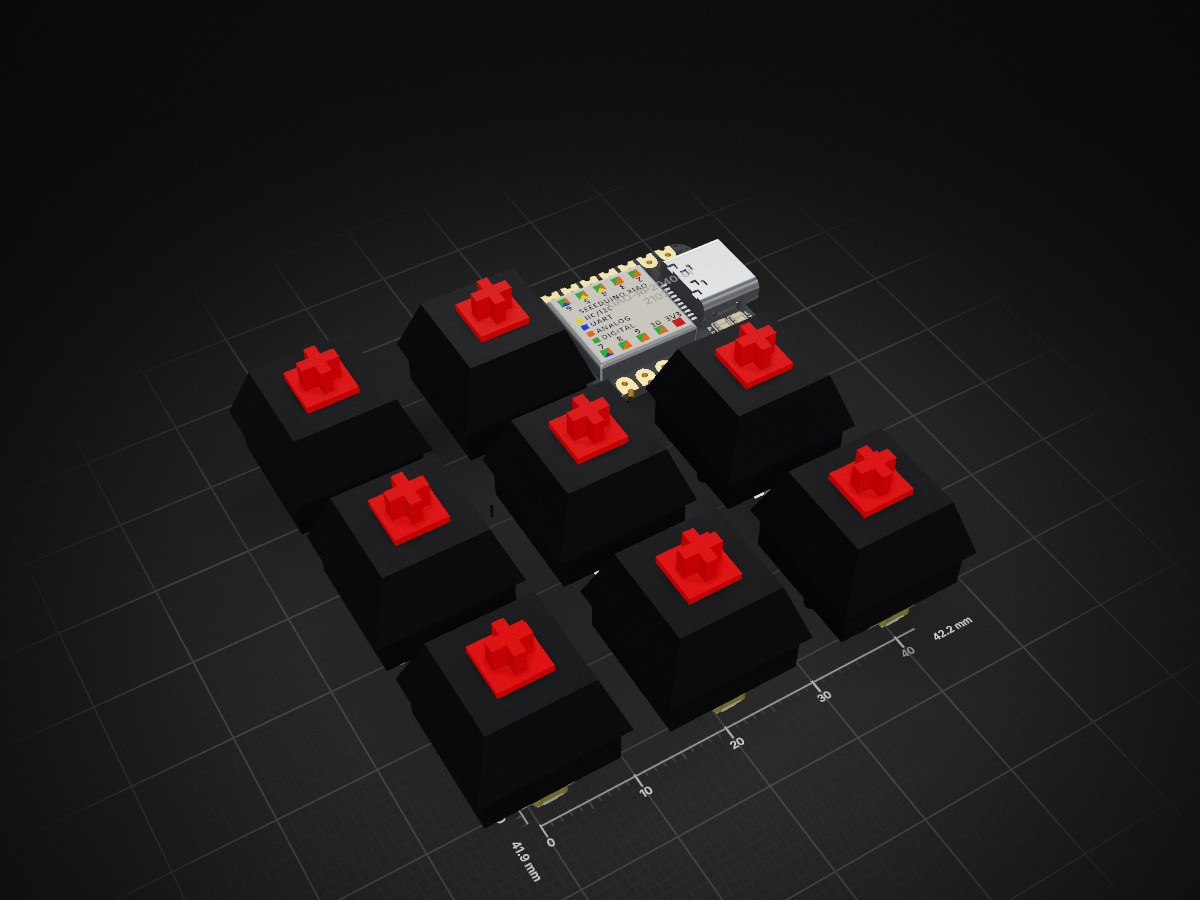
 0ASLAN-dev0/AslanPad
My first mini keyboard.
Macropad is an open-source printed circuit board by 0ASLAN-dev0, from the 0ASLAN-dev0/AslanPad repository on GitHub. It is a 2-layer board of 42.1 × 41.8 mm with 17 parts on 22 nets, routed with 221 tracks and 27 vias.
Its parts include 8 diodes, 8 switches and 1 IC. It belongs with the keyboards and input boards and the RP2040 boards of this library.
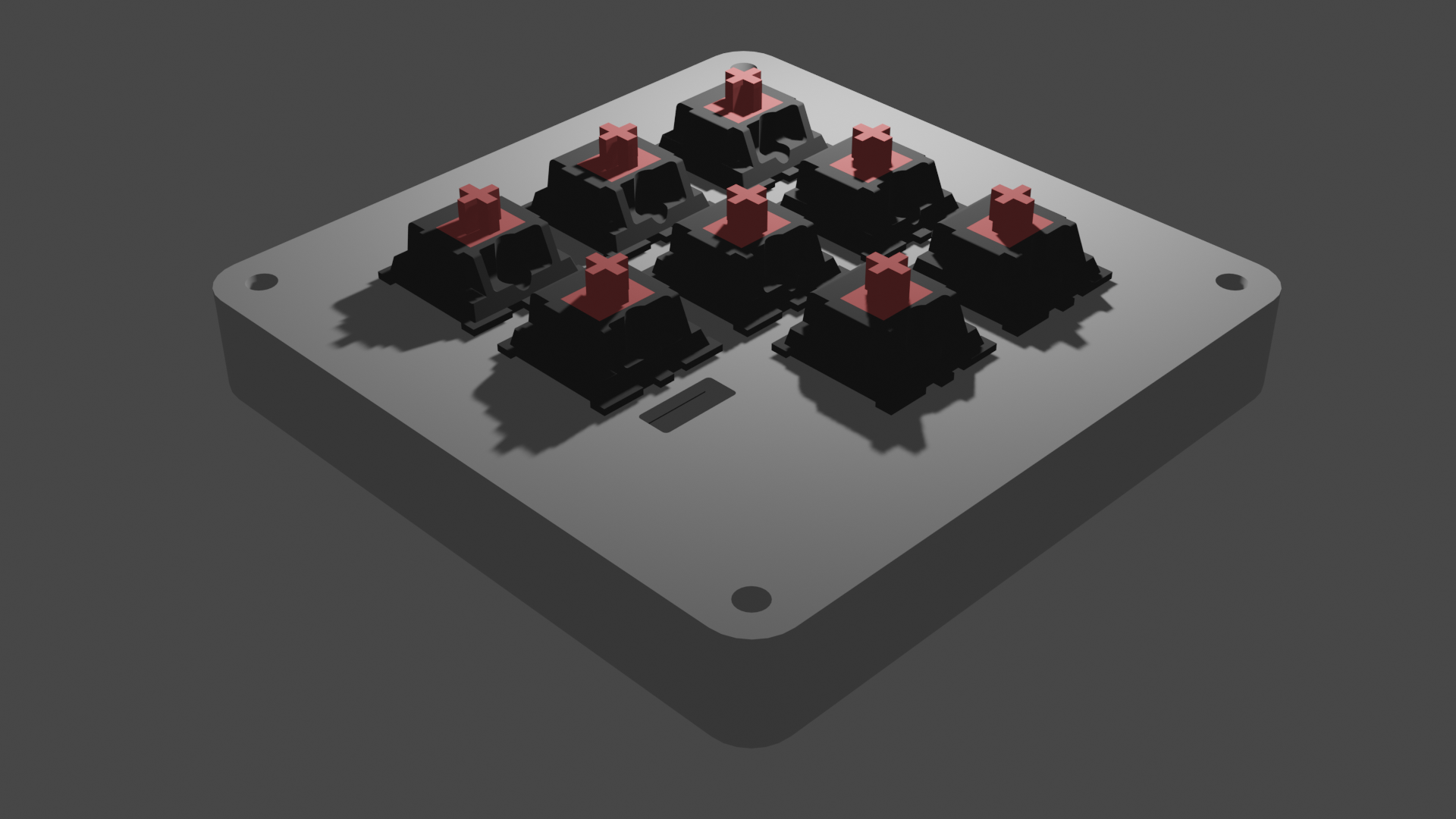
This is a little macropad I made, It consists of a Xiao RP2040, 8 Cherry MX Switches and 8 RGB LEDs, Its basically a little rgb keyboard that consits of eight keys that i've coded to be 1-8 thou that can be changed from the code, The 8 Backlight RGB LEDs circle through the color wheel in a smooth animation and to give a sense of feedback each key is assigned a color that shows up when that key is pressed. Thats it :).
1x Seeed XIAO RP2040 DIP, 8x Cherry MX-Style switches (Green preferably), 8x Blank DSA Keycaps, 8x SK6812 MINI-E LEDs, 4x M3x16mm screws, 1x 3D printed case (consists of two parts), 1x Soldering Iron/Kit, 1x PCB.
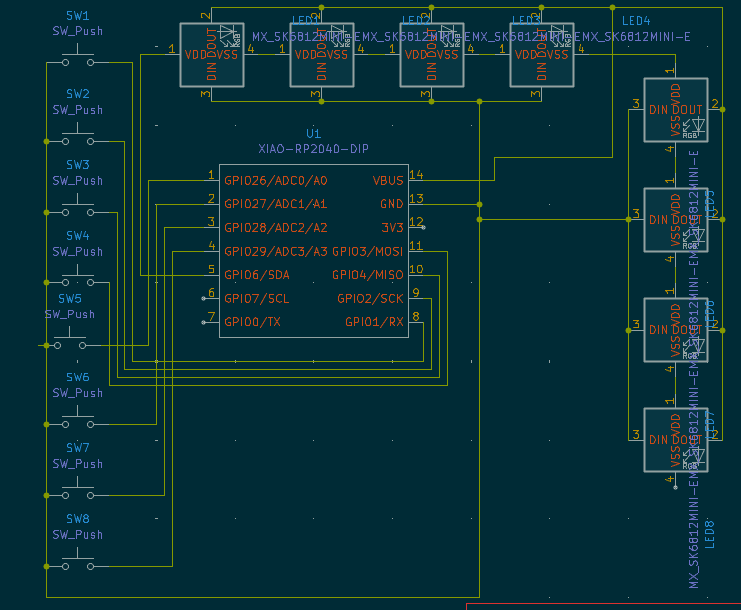
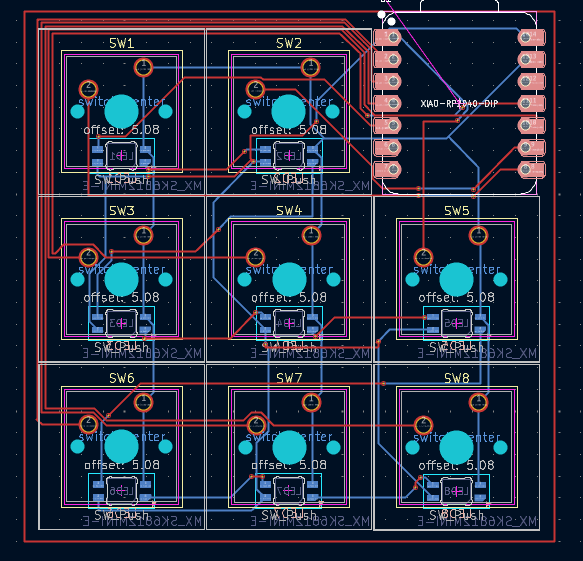
| Qty | Value | Footprint | References |
|---|---|---|---|
| 8 | MX_SK6812MINI-E | marbastlib-mx:LED_MX_6028R | LED1, LED2, LED3, LED4, LED5, LED6, LED7, LED8 |
| 8 | SW_Push | Button_Switch_Keyboard:SW_Cherry_MX_1.00u_PCB | SW1, SW2, SW3, SW4, SW5, SW6, SW7, SW8 |
| 1 | XIAO-RP2040-DIP | XIAO_PCB:XIAO-RP2040-DIP | U1 |
It measures 42.1 × 41.8 mm and has 2 copper layers, 1.6 mm thick.
17 parts. The full list of its parts is on this page, with links to each part's symbol and footprint where PCBKit's library has them.
From the 0ASLAN-dev0/AslanPad repository on GitHub, at the commit this page was made from: the board is macropad/macropad.kicad_pcb and its schematic macropad/macropad.kicad_sch. PCBKit opens the board in the browser, with nothing to install.
Its repository states no licence, so its author keeps all rights: ask 0ASLAN-dev0 before reusing the design.


hoglet67/RGBtoHDMI
Bare-metal Raspberry Pi project that provides pixel-perfect sampling of Retro Computer RGB/YUV video and conversion to HDMI


hackclub/OnBoard
💡 Join 1,000 teenagers and make your first PCB with a $100 grant!

DDeGonge/OS-ARM
This arm is not industrial and it will not be fast, but that is not my goal. But it will hopefully be a very nice looking arm fully capable of 6dof motion, cheap enough to keep it accessable but capable enough to…

