Hardware is having its vibe coding moment.
Tell your agent what you want to build. PCBKit turns it into a real circuit board: wired, checked, simulated and ready for the factory, in minutes. In your browser, or right in Claude, ChatGPT, Claude Code and Codex.
- Free
- No sign-up
- Nothing to install
- Works offline
- Bring your own agent
Works withClaudeClaude CodeChatGPTCodexCursorGemini CLIOpenCode
Have a KiCad board? Drop it anywhere on this page to open it in PCBKit.
A .kicad_pcb with its project and rules, a folder or a zip of a KiCad project.
The board stays on your computer: nothing is uploaded.
Open the app and drop it thereThe renderer
Watch a board come alive.
Not a mock-up: every frame is PCBKit’s own renderer drawing real open boards, the same one that runs in the app on your screen.
AI guide
Rendered frame by frame by PCBKit’s own renderer; the radio board routed by PCBKit from bare pads. Open boards by their authors: MIST.1010 by Eugene Lozovoy (MIT), HBR MK2 RX/TX by Aleksander Alekseev (MIT), Cynthion by Great Scott Gadgets (CERN-OHL-P-2.0), moco RD501 by ZiTe (CERN-OHL-P-2.0), ESP32-WROOM-32 USB Development Board by Habib Ur Rehman (CERN-OHL-S-2.0), pslab hardware by FOSSASIA (Apache-2.0).
How it works
You say what it should do. PCBKit does the copper.
A circuit board is the green card inside every gadget: chips sit on it and thin copper tracks connect them. Drawing those tracks by hand takes days. With PCBKit you describe the device, your agent writes the design, and PCBKit lays out the copper so it follows every rule. Say “move the connector to the left edge”, and the board follows.
Say what you want
“A USB-C sensor node, 50 × 30 mm, two layers, a port for an I2C sensor.” Plain words are enough.
Your agent draws it up
It picks proven circuits and real parts and writes them into one small file. PCBKit checks every line as it lands.
PCBKit wires it
It places the parts, routes every connection in copper and fills the ground plane, while you watch in 3D.
Files for the factory
Gerber and drill files, the parts list and the placement file, zipped the way board factories ask for them.
Order in one clicksoon
Colour, finish and quantity, checked against what the factory can make, ordered from the app.
The router
A router that finishes the board.
We put PCBKit’s router against another open-source autorouter, on that router’s own benchmarks: the same boards stripped to bare pads, the same machine, 120 seconds and 8 threads each, one run. KiCad’s own design-rule checker judged every result.
1,026/1,157
human-designed PCBench boards routed clean from bare pads, judged by KiCad’s own DRC (the other router: 958)
16×
faster on the median board of tier A: 0.4 s against 6.6 s, with the same 120 s and 8 threads each
½
about half the vias on the boards both routers finish, with slightly shorter copper, in a quarter of the memory
| Set | Boards | PCBKit clean | Other router clean | Median s, PCBKit | Median s, other router |
|---|---|---|---|---|---|
| PCBench A | 453 | 449 | 447 | 0.4 | 6.6 |
| PCBench B | 560 | 491 | 436 | 3.4 | 30.0 |
| PCBench C | 122 | 77 | 66 | 9.4 | 101.7 |
| PCBench D | 22 | 9 | 9 | 102.3 | 103.2 |
| KiCad demos | 20 | 12 | 7 | 17.2 | 102.1 |
Six ideas, all on by default.
Routing is a hard search: thousands of connections competing for the same few millimetres. Here is how PCBKit solves it in seconds, on a laptop, inside a browser tab.
Negotiate
All nets are routed at once, overlapping at first. Each pass makes contested space more expensive, until no two nets share it. The search grid has eight directions and spans every layer.
Exact where it counts
The grid guides the search, but every clearance is checked against exact geometry, to a fraction of a micron. Fine-pitch escapes with zero slack still fit.
Search the neighbourhood
Next it rips up a window around whatever is still unrouted, routes it again and keeps the result if it is better. Eight candidate states are searched side by side.
Pours, live
Copper pours are modelled while routing: the fill, the clearance around other nets, islands and thermal spokes. The router knows which pads a pour actually connects.
Pad access as a set
A pad on a dense part gets up to eight exact, full-width exits. Neighbouring pads negotiate for them instead of each getting a fixed stub.
Respects the mask
It knows where the solder mask opens, which vias are untented and where thin mask webs sit between pads, and routes so the fab can keep them.
Analysis and simulation
Know what the board will do before you order it.
Where does the power go, which track runs hot, how many millivolts reach the far connector? Ask the board. PCBKit solves the physics of the copper you actually routed, in your browser, and says plainly what it could not know.
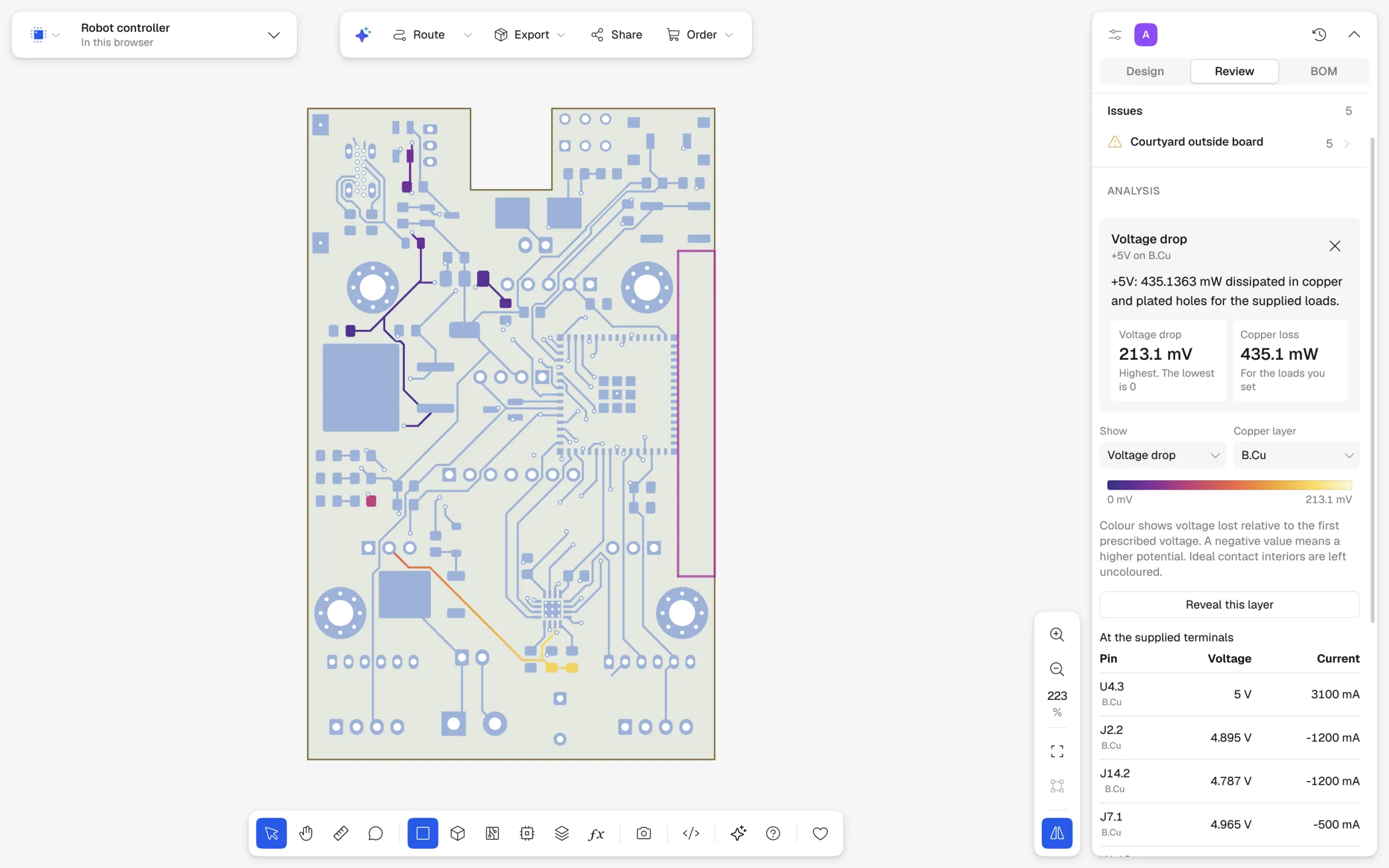
Four lenses, one click
Voltage domains and where the power flows, the temperature rise of every power track, the board’s heat as a field, and a checklist for the factory, drawn over the board in 2D and 3D.
Voltage drop in the real copper
Every track, via and pour of a net meshed and solved: current divides the way it really does, and you see where millivolts and milliwatts go.
Circuits, DC to transient
Operating points, AC sweeps and adaptive transients, with SPICE netlists imported: subcircuits, behavioural sources, switches.
Heat and current, coupled
Joule heat from the copper feeds the board’s temperature, which changes the copper’s resistance, until both agree.
Fields and lines
2D electric fields for capacitance and impedance, and reflection, phase and loss along a transmission line.
Checked, not guessed
Solvers agree with ngspice to eight digits on a 40,000-node network, the browser’s answers match native ones bit for bit, and a model PCBKit lacks is reported as missing, never filled in.
Preview The electronics lab
Your firmware, running on the board.
Write C for an ATmega328P and watch it run on the board in 3D: real instructions, simulated sensors, and a display that lights up because your code drove it. Make the room warmer, breathe some CO₂ into it, and see what your program does about it.
Change the weather
Drag temperature, humidity and CO₂. The SHT31 and the SCD40 sample them on their own clocks; the display changes only when your firmware writes it.
Every instruction runs
An ATmega328P executes your program instruction by instruction, with I²C and SPI timed from its clock. Anything not modelled stops with a message instead of a guess.
Battery included
Charge, average draw, peak current and hours left, from each part’s current profile and what your code switches on.
#define CO2_ORANGE_PPM 800
#define CO2_RED_PPM 1200

static void co2_indicators(void) {
    uint8_t bytes[9];
    if (!scd_command(0xec, 0x05) || !scd_read(bytes, 9)) { PORTD = 0; return; }
    for (uint8_t i = 0; i < 9; i += 3)
        if (crc(bytes + i) != bytes[i + 2]) { PORTD = 0; return; }
    uint16_t ppm = ((uint16_t)bytes[0] << 8) | bytes[1];
    PORTD = ppm < CO2_ORANGE_PPM ? 1 << PD5
          : ppm < CO2_RED_PPM    ? 1 << PD6
          :                        1 << PD7;
}
Edit it, build it, run it.
The firmware is a plain C file in the project, next to the board. Change the thresholds, build, and the simulated chip restarts with your program, keeping the room and the battery as they were. A compiler error leaves the last image paused and points at the line.
In this preview the bundled programs run anywhere, offline; building your own C in the app is still being switched on. Sensors are timed digital models, not analog physics, and the battery figures are estimates.
Open the labPlugins
Add PCBKit to your agent. Then ask for a board.
One plugin for Claude, Claude Code, ChatGPT and Codex. It gives your agent PCBKit’s tools and teaches it how to use them, so it designs boards instead of guessing. No new assistant to learn, nothing to run on your computer, no account to start.
Claude Code
Add the marketplace and install the plugin.
claude plugin marketplace add seralexeev/pcbkit-plugins claude plugin install pcbkit@pcbkitCodex
The same repository is a Codex marketplace.
codex plugin marketplace add seralexeev/pcbkit-plugins codex plugin add pcbkit@pcbkitClaude and ChatGPT
Add a custom connector in the settings with this address. Listings in both directories are in review.
https://mcp.pcbkit.io/mcp
Then ask: Make a board with an LED that blinks every 2 seconds.
- The board in the chat. In Claude and ChatGPT the board opens inside the conversation, drawn by PCBKit’s own renderer in 2D and 3D: select and move parts, route it, play its tour, share it by link or go fullscreen.
- More than a hundred tools. Write and check the design, pick proven circuit blocks and real parts, place, route, fill, simulate, and export Gerber files or a KiCad board. Every answer carries the numbers that matter and the next step.
- Skills included. The plugin brings two skills: one that starts your first board, and one that knows how to design, change, check, route and export with the tools.
- Open to read. The plugin is a public repository: seralexeev/pcbkit-plugins on GitHub. It connects to
mcp.pcbkit.io/mcp, which any assistant that takes MCP servers can use too.
pcbkit.hello("my-agent")
await pcbkit.commands("route")          // what it does, its schema
await pcbkit.call("route", {})          // runs as a job
await pcbkit.wait("job")
await pcbkit.call("view.state", {})     // what the person sees
await pcbkit.call("journal.since", {})  // what changed since my turn
Next to you in the app
Claude Code, Codex, Cursor, Gemini CLI or OpenCode drive the open page through a small API. You both work on the same board, and every change can be undone. A journal tells the agent what changed since its turn, and it sees what you see. Browsers with WebMCP get every command as a tool.
window.pcbkitIn your terminal
The pcbkit command line runs the same commands on a board repository and serves them over MCP to any local agent. Every command says what it does, what it takes and what it changes, with a JSON Schema; /agents.md and /llms.txt are generated from them.
pcbkit mcp
The language
A board you can read like a recipe.
Under the hood, a board is one short text file, design.pcbkit. It says what’s on the board and how it’s connected, with real units, and PCBKit works out where the copper goes. Your agent writes it, you can read it, and git keeps every version.
use "blocks/support.pcbkit" as support
net GND, VBUS
net V3 named "+3V3"
net USB_DP, USB_DN
net STATUS
bus I2C[2]
pair USB = (USB_DP, USB_DN)
board = Board {
name = "sensor-node"
outline = rect(50mm, 30mm)
cutouts = [circle((3.5mm, 26.5mm), 1.6mm), circle((46.5mm, 26.5mm), 1.6mm)]
layers = [signal(Cu.top), signal(Cu.bottom)]
}
usb = NetClass {
trackWidth = 0.2mm
diffPairGap = 0.2mm
nets = [USB]
}
ldo = support.Ldo(VBUS, V3, GND, bulk = 4.7uF) { at = (14mm, 24mm) }
U1 = Mcu {
at = (25mm, 14mm)
pins { VDD: V3, DP: USB.p, DN: USB.n, SDA: I2C[0], SCL: I2C[1], LED: STATUS, GND: GND }
}
status = support.StatusLed(STATUS, GND) { at = (34mm, 6mm) }
sensor = support.SensorPort(V3, I2C[0], I2C[1], GND) { at = (46mm, 15mm) }
gnd = pour(net = GND, layers = [Cu.bottom]) { outline = board.outline }
rule UsbPair {
select = copper(pair = USB)
limits { trackWidth: limit(min = 0.2mm), diffPairGap: limit(min = 0.15mm, max = 0.25mm) }
}
Show the whole file (78 lines)
use "blocks/support.pcbkit" as support

// USB-powered sensor node: 3.3 V regulator, QFN-32 MCU, I2C sensor port and SWD port.
net GND, VBUS
net V3 named "+3V3"
net USB_DP, USB_DN
net STATUS
bus I2C[2]
pair USB = (USB_DP, USB_DN)

board = Board {
  name = "sensor-node"
  outline = rect(50mm, 30mm)
  cutouts = [circle((3.5mm, 26.5mm), 1.6mm), circle((46.5mm, 26.5mm), 1.6mm)]
  layers = [signal(Cu.top), signal(Cu.bottom)]
}

supply = NetClass {
  trackWidth = 0.5mm
  nets = [VBUS, V3, GND]
}
usb = NetClass {
  trackWidth = 0.2mm
  diffPairGap = 0.2mm
  nets = [USB]
}

part Mcu = device(footprint = qfn(32, size = (5mm, 5mm), ep = (3.1mm, 3.1mm)), pinout = {
  VDD: ["1", "17"],
  DN: "3",
  DP: "4",
  NRST: "8",
  SDA: "21",
  SCL: "22",
  LED: "24",
  SWDIO: "29",
  SWCLK: "30",
  GND: "33",
})
part C100n = cap(100nF, package = "0402") // one per supply pin

J1 = header(4) {
  at = (4mm, 15mm)
  pins = [VBUS, USB.n, USB.p, GND]
}
ldo = support.Ldo(VBUS, V3, GND, bulk = 4.7uF) { at = (14mm, 24mm) }

U1 = Mcu {
  at = (25mm, 14mm)
  pins { VDD: V3, DP: USB.p, DN: USB.n, SDA: I2C[0], SCL: I2C[1], LED: STATUS, GND: GND }
}

decoupling = {
  for ((i, p) in enumerate([(21mm, 17mm), (29mm, 11mm)])) {
    [i]: C100n { at = p; rotation = 90deg; pins { a: V3, b: GND } },
  }
}

J3 = header(5, pitch = 1.27mm) {
  // debug port, joined to the MCU's pins directly
  at = (25mm, 3mm)
  rotation = 90deg
  pins = [V3, U1.pin.SWDIO, U1.pin.SWCLK, U1.pin.NRST, GND]
}
R1 = res(10kohm, package = "0402") {
  at = (20mm, 8mm)
  pins { a: V3, b: U1.pin.NRST }
}

status = support.StatusLed(STATUS, GND) { at = (34mm, 6mm) }
sensor = support.SensorPort(V3, I2C[0], I2C[1], GND) { at = (46mm, 15mm) }

gnd = pour(net = GND, layers = [Cu.bottom]) { outline = board.outline }

rule UsbPair {
  select = copper(pair = USB)
  limits { trackWidth: limit(min = 0.2mm), diffPairGap: limit(min = 0.15mm, max = 0.25mm) }
}
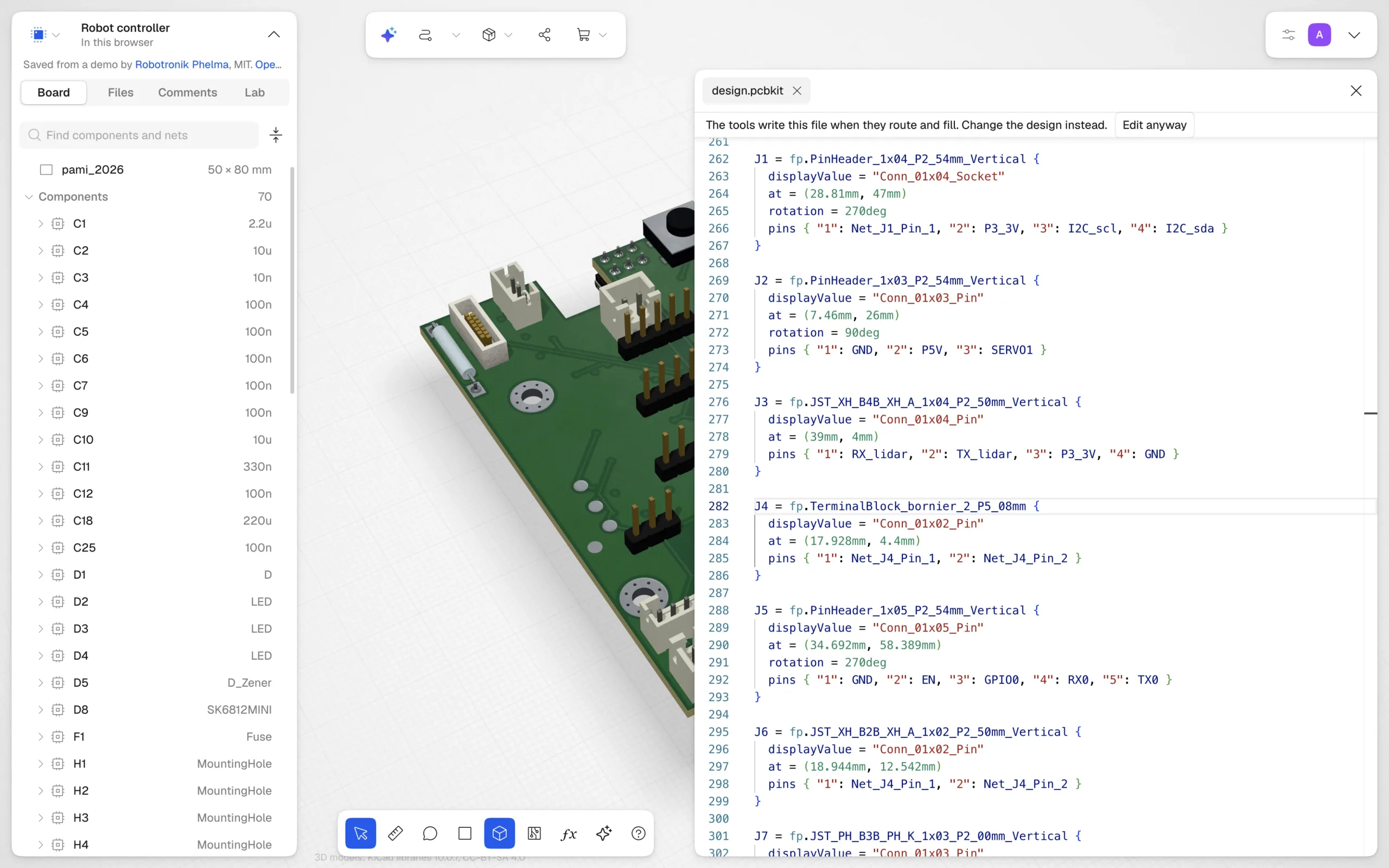
The library
Start from a board people love.
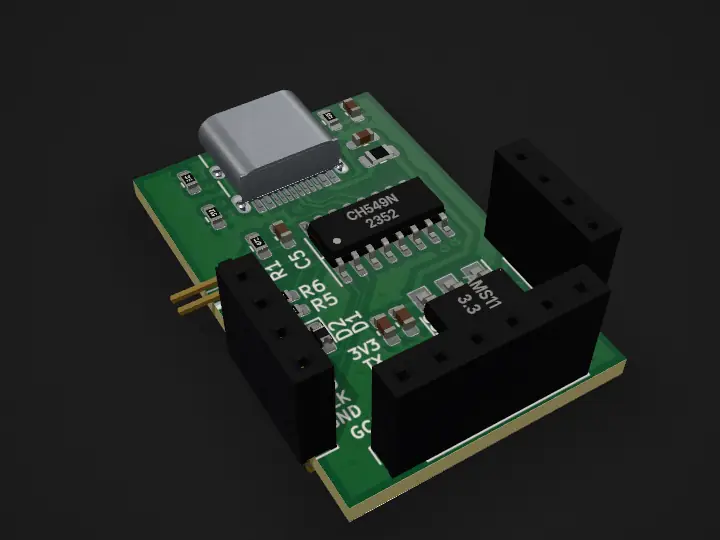
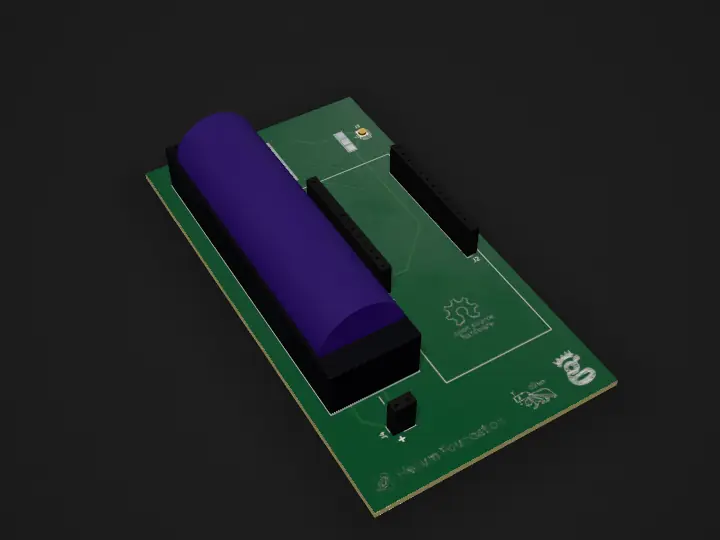
8,500+ open boards by the people who made them, converted to PCBKit: keyboards, radios, synths, sound cards, watches. Open one in your browser, turn it in 3D, change it and route it again. Each keeps its author and its licence.
Interface
CMSIS DAPbyWCH
a cheap CMSIS-DAP debugger by an WCH chip named CH549F
GPL-3.0
Interface
Helium Bridge
MIT
Interface
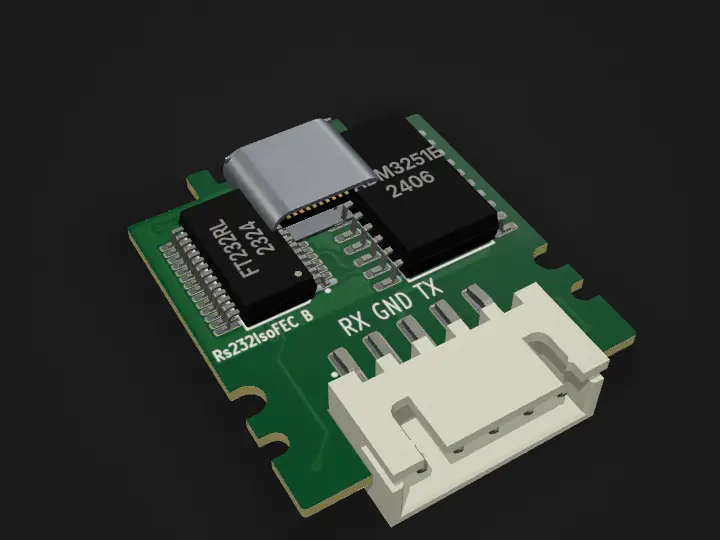
Rs232IsoFEC
Framework laptop expansion card exposing isolated RS-232 interface
MIT
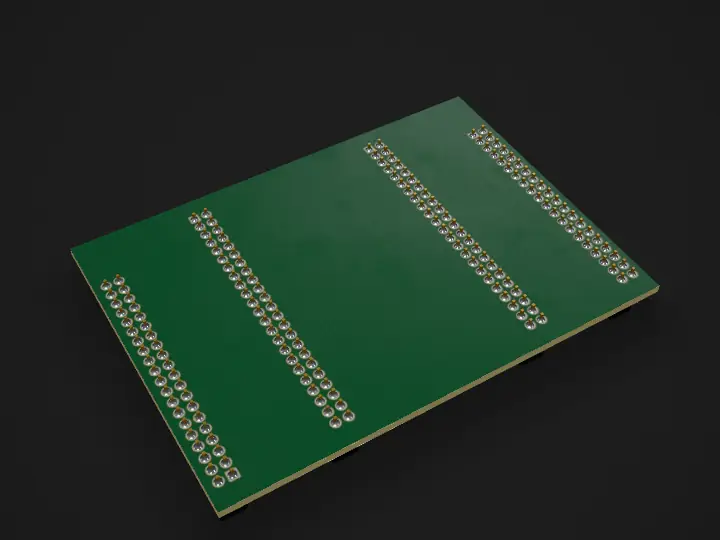
Interface
em016
Augmented Reality with DLPs
GPL-3.0
Sensors
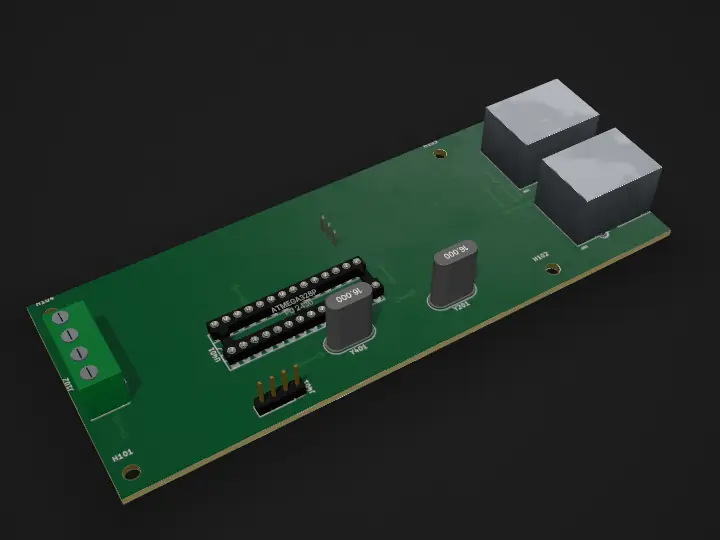
MSC19
Voltage or Current Sensor Module for CANBUS with ATmega328p
GPL-3.0
Microcontroller
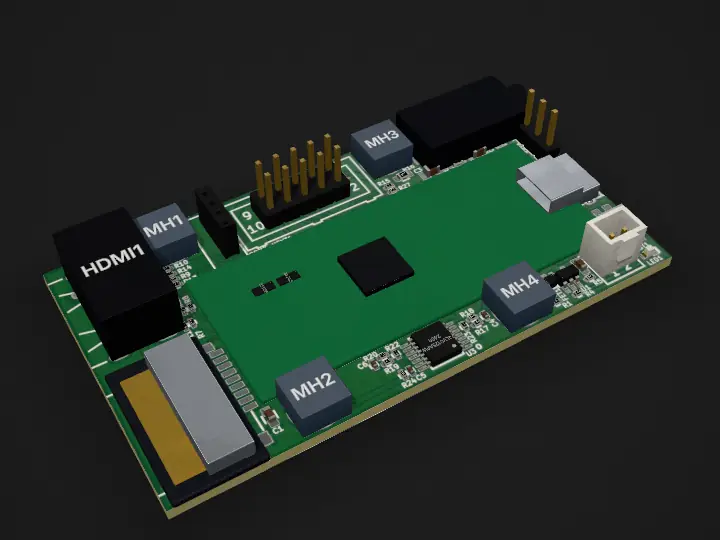
RP2040 PICO PC: RP2040 PICO PC rev B
Mother board for Raspberry Pi RP2040-PICO which adds HDMI/DVI Audio SD-card Lipo charger UEEXT and USB-OTG allowing to make small PC with monitor and keyboard
GPL-3.0
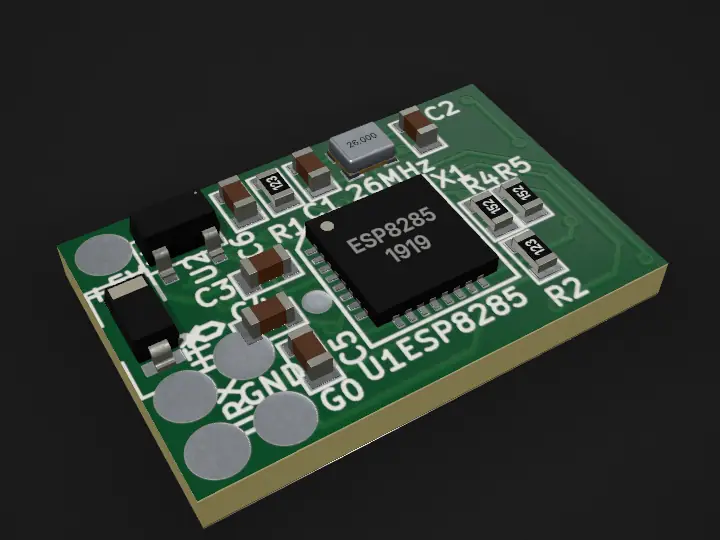
Interface
WakeOverUsbViaWlan: usb 8285
MIT
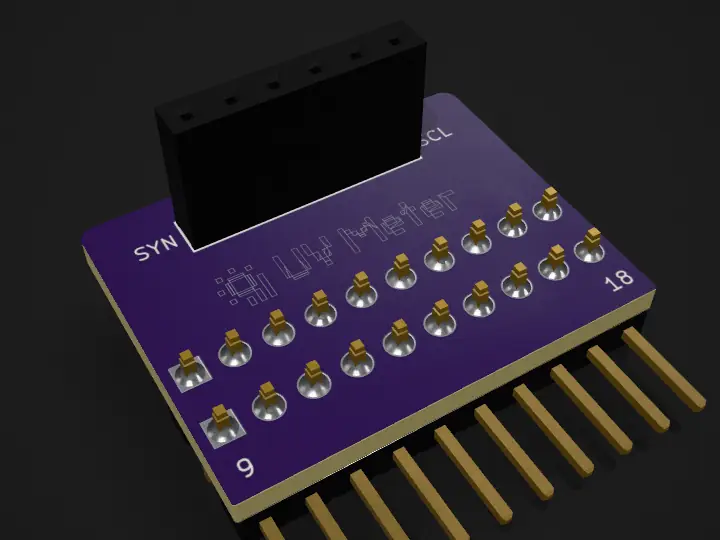
Sensors
Flipper OLED PCF8574 PN532
Custom firmware for DIY Flipper Zero with I2C OLED (SH1106/SSD1306), PCF8574 I/O expander, and PN532 NFC
GPL-3.0
For beginners
Never made a board? You’ll be fine.
You don’t need to know how a voltage regulator works to use one. PCBKit knows, and it watches your back while you learn.
Proven circuits
Voltage regulators, USB-C power, LEDs, buttons, crystals, sensor ports. Each block works out its own part values from the numbers you give it, and warns you when they don’t add up.
Mistakes caught early
Two outputs fighting, a chip with no power, a forgotten pull-up, millimetres added to nanofarads. PCBKit points at the line and says what’s wrong.
Footprints done for you
314 standard footprints, computed from package dimensions by the industry standard (IPC-7351B), each with a 3D body.
Undo anything
Every change, yours or your agent’s, is one step in the history. Try things. Nothing is lost.
Real parts you can buy
Say what a part must meet (10 kΩ, 1 %, 0402) and PCBKit picks an orderable one for it, and tells you why that one.
Any chip, from its datasheet
Your agent reads a datasheet into a part sheet; PCBKit checks the pins against the package and the land pattern against the standard before it goes on the board.
Share it with a link
One link anyone can open, no account needed: your board read-only, its AI tour first, following your changes.
Room to grow
Everything is plain text in git, and boards go to and from KiCad files. When you outgrow the basics, nothing is locked in.
See what you’ll get
The board in 3D as the factory will make it: mask, finish and parts on their pads. Turn it in your hand before you spend a cent.
Under the hood
One Rust core, everywhere.
The language, the checks, the router, the simulation and the renderer are one Rust codebase. It compiles natively for the command line and our servers, and to WebAssembly for the browser, and gives the same answer in both.
- Threads in the browser. The WebAssembly core is built with atomics, bulk memory and SIMD128 on shared memory: Web Workers become real threads, a work-stealing pool on all cores but one.
- Same answer everywhere. The router counts work, not seconds. Give it the same budget and it lays the same copper byte for byte, on any machine, with any thread count, natively or in WebAssembly. A test checks this on every fixture board.
- Exact geometry, fast. Clearance maps are rasterised row by row in explicit SIMD, and every result is checked against exact shapes to a fraction of a micron.
- Our own renderer. 2D, 3D as fabricated and the layers apart, drawn by our own passes on WebGPU or WebGL2, one submission per frame.
- A result first. When a person is waiting, the router keeps to a deadline and hands back a routed board first, then polishes it in the background.
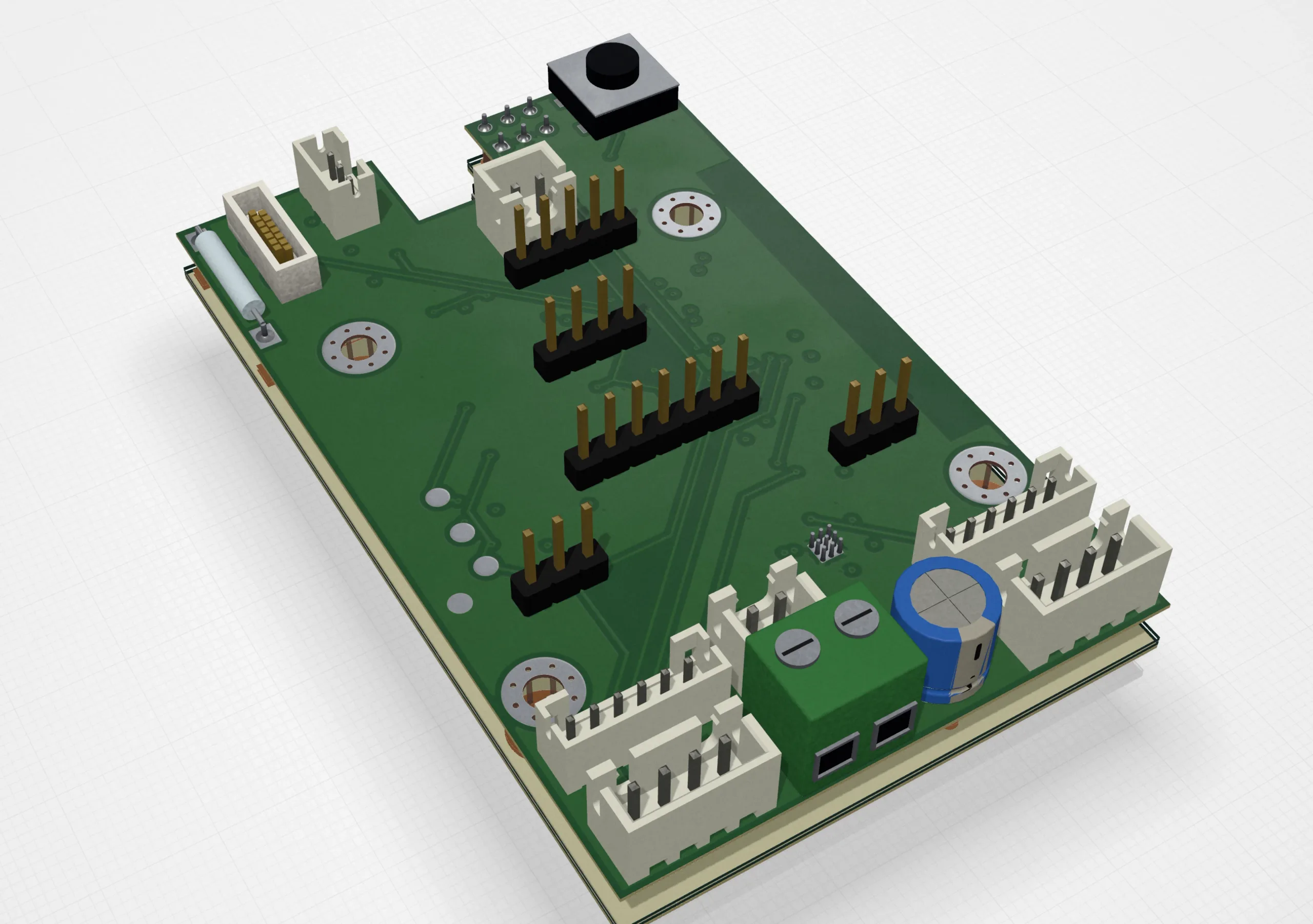
Routing in a browser tab: 1 thread vs 12.
Seconds, headless Chrome, AMD EPYC 9554. Same work budget, so the copper is identical in every run. One WebAssembly thread is within 10% of one native thread.
| Board | 1 thread | 12 threads |
|---|---|---|
| USB boardcomplete, 4 vias | 6.2 s | 2.0 s |
| MCU board, 20 netscomplete, 23 vias | 13.8 s | 4.4 s |
| Motor controller, 63 parts, 4 layerssame copper either way | 86.0 s | 28.5 s |
Measured
Measured, not promised.
Every change to the router, the checks and file import is measured on public boards that people designed. An independent checker judges the result, and a board only counts if it comes out clean.
96.1%
of 482 curated public boards import and export with every pad and every connection confirmed by an independent checker
KiCad files, both ways
232/235
human-designed boards where, after a refill, pour connectivity matches the independent checker
copper pours
4–26ms
from an edit to the board on screen, on boards up to 6 MB, in the browser
headless browser
10µm
every one of 2,821 silkscreen texts on 46 boards lands within 10 µm of KiCad’s own plot
text as KiCad prints it
About
Who makes it
Hi, I’m Sergey Alekseev. I’m building Rabbit, an autonomous rover, and I write about it at rabbit0.dev. Rabbit runs on a Jetson Orin Nano with a stereo camera and maps the house in 3D. Its electronics are still a nest of wires, and every tool I tried for its boards made me feel slow. PCBKit is the tool I wanted: one my agent and I can work in together, from an idea to a board on my desk.
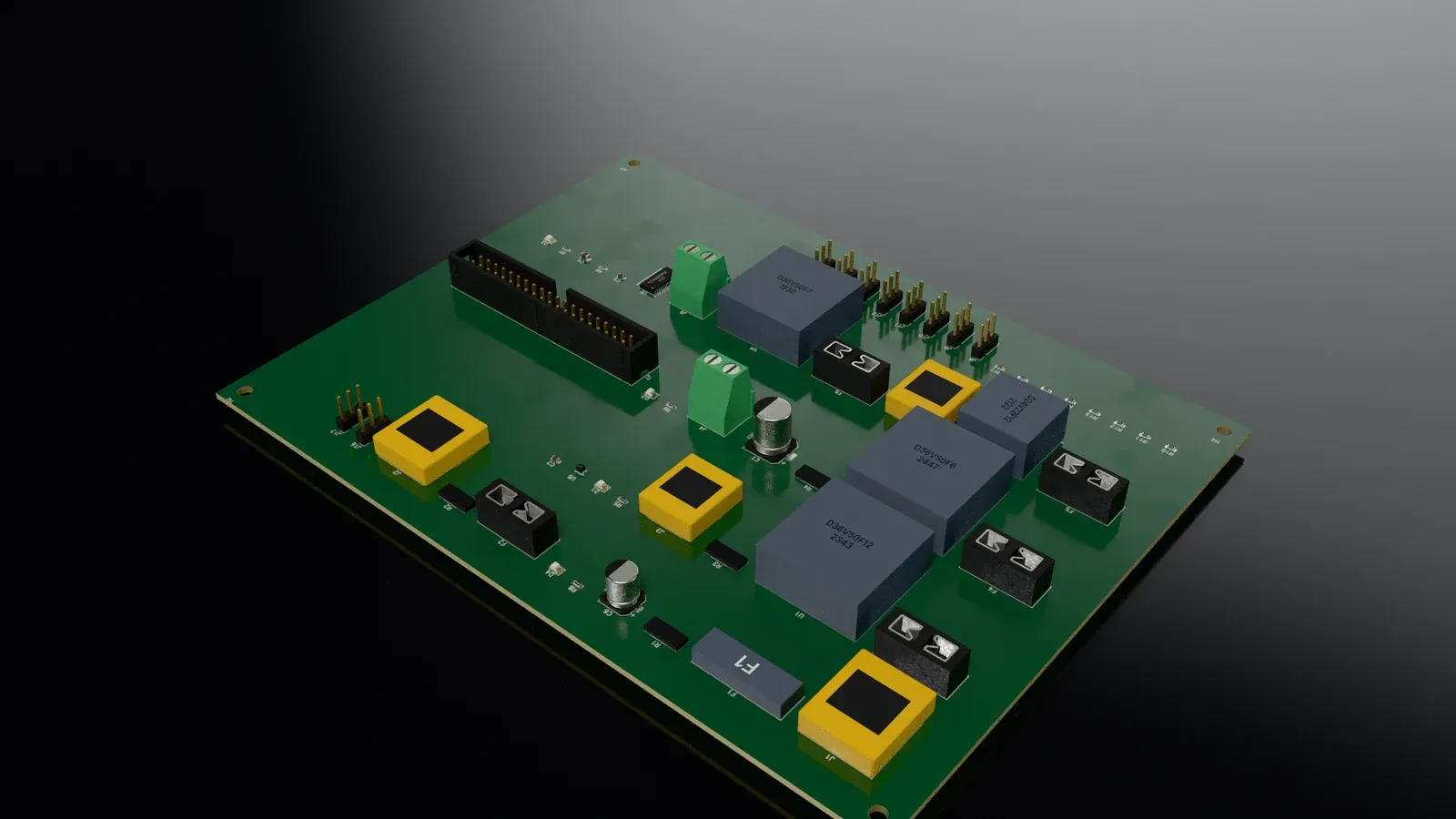
Rabbit is PCBKit’s first user. Its power board, four layers and 61 parts, goes through PCBKit first, and I share how it goes in the open: what works, what the router can’t do yet, and the day the boards arrive. The engineering notes, with their numbers, are on the blog.
If you build something with it, or it gets in your way, write to support@pcbkit.io. We read every message.
PCBKit is free. If it saves you time, you can help keep it that way: donate once or every month.